
Introduction
Thank you for choosing the VEGER Rechargeable Hand Warmer. This manual provides essential information for the safe and efficient operation, maintenance, and troubleshooting of your device. Please read it thoroughly before use and retain it for future reference.
This product is designed to provide warmth in cold conditions, ideal for outdoor activities. It comes as a pair, allowing you to warm both hands simultaneously.
Important Safety Instructions
- Do not expose the device to extreme temperatures (above 60°C / 140°F) or direct sunlight for prolonged periods.
- Do not puncture, disassemble, or modify the device.
- Keep away from water and high humidity.
- Do not use if the device is damaged or swollen.
- Keep out of reach of children.
- Use only the provided charging cable or a certified 5V/1A charger.
- If the device becomes excessively hot or emits an unusual odor, discontinue use immediately.
Package Contents
Ensure all items are present in your package:
- 2 x VEGER Rechargeable Hand Warmers (Model AOJ-712)
- 1 x USB Charging Cable (for simultaneous charging of both units)
- 1 x User Manual (this document)
Product Overview
The VEGER AOJ-712 hand warmers are compact, portable, and designed for efficient heat delivery. Each unit features a single control button and LED indicators for heat settings and battery status.
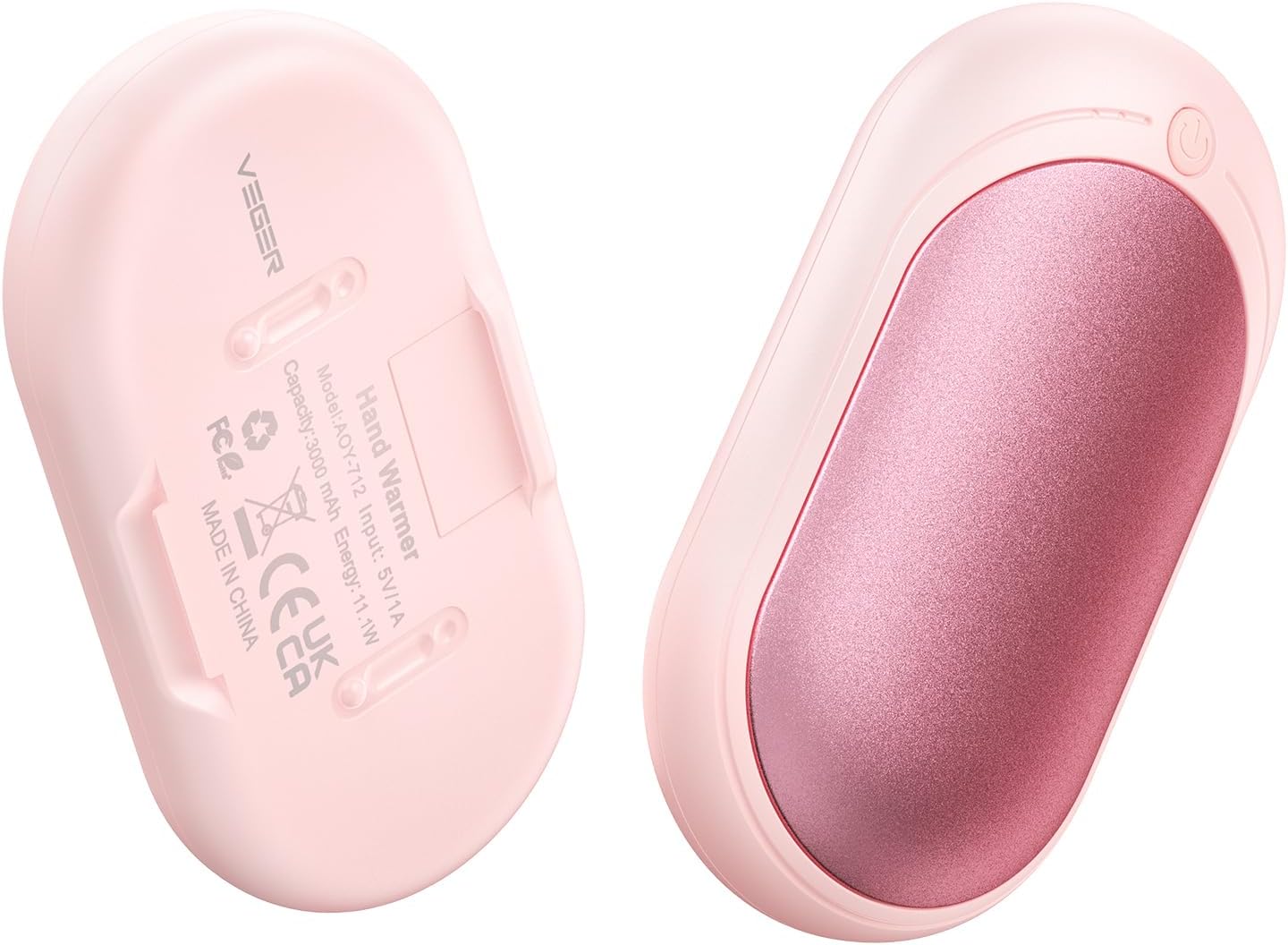
Image 1: Back view of the VEGER Rechargeable Hand Warmer, displaying the model number AOJ-712, input specifications, and capacity.

Image 2: Front view of the VEGER Rechargeable Hand Warmer, showing the heating surface glowing orange, indicating active heating.
Setup
Charging the Hand Warmers
- Connect the provided USB charging cable to the charging port on each hand warmer.
- Plug the other end of the USB cable into a 5V/1A USB power adapter (not included) or a computer USB port.
- The LED indicator will show charging status (refer to "Battery Indicator" in the Operating section).
- Once fully charged, disconnect the hand warmers from the charging cable.
It is recommended to fully charge the hand warmers before first use.
Operating Instructions
Power On/Off
- To turn on: Press and hold the power button for 3 seconds. The hand warmer will activate and begin heating.
- To turn off: Press and hold the power button for 3 seconds. The heating will stop, and the device will power down.

Image 3: Illustration of the single button control for the hand warmer, detailing long press for power, single click for heat settings, and double click for battery check.
Heat Settings
The hand warmer features 3 heat settings. After turning on, it will start heating. To cycle through the heat levels:
- Level 1: Single click the power button. The LED indicator will show one red light. (Approx. 35-42°C / 95-107.5°F, up to 20 hours)
- Level 2: Single click the power button again. The LED indicator will show two red lights. (Approx. 40-48°C / 104-118.5°F, up to 14 hours)
- Level 3: Single click the power button a third time. The LED indicator will show three red lights. (Approx. 48-54°C / 118.5-130°F, up to 8.5 hours)
The device heats up within seconds of activation.

Image 4: Visual representation of the three heat settings, their approximate temperature ranges, and estimated operating durations.
Battery Indicator
To check the remaining battery level:
- Double-click the power button. The LED indicator will light up in blue.
- One blue light: Approximately 35% battery remaining.
- Two blue lights: Approximately 70% battery remaining.
- Three blue lights: Approximately 100% battery remaining.
Maintenance
- Cleaning: Wipe the surface of the hand warmer with a soft, dry cloth. Do not use abrasive cleaners or immerse in water.
- Storage: Store the hand warmers in a cool, dry place when not in use. If storing for an extended period, charge them to about 50-70% every 3 months to preserve battery life.
- Battery Care: Avoid fully discharging the battery frequently, as this can reduce its lifespan.
Troubleshooting
| Problem | Possible Cause | Solution |
|---|---|---|
| Hand warmer does not turn on. | Low battery. | Charge the hand warmer fully. |
| Hand warmer not heating. | Not powered on; incorrect heat setting. | Press and hold the power button for 3 seconds to turn on. Single click to adjust heat settings. |
| Short battery life. | Using highest heat setting; aging battery. | Lower the heat setting. Ensure proper charging and storage practices. |
| Device feels too hot. | Highest heat setting selected. | Reduce the heat setting to a comfortable level. If discomfort persists, discontinue use. |
Specifications
| Model | AOJ-712 |
| Brand | VEGER |
| Battery Capacity | 3000 mAh (per unit) |
| Battery Type | Rechargeable Lithium-ion |
| Input | 5V/1A |
| Heat Settings | 3 Levels (approx. 35-54°C / 95-130°F) |
| Material | Aluminum |
| Dimensions (each unit) | 8.8 x 4.7 x 2.1 cm |
| Weight (each unit) | Approx. 71g (2.5 oz) |
| Color | Pink |
| Recommended Use | Outdoor activities, cold conditions |
Warranty and Support
For warranty information or technical support, please refer to the contact details provided with your purchase or visit the official VEGER website. Please have your model number (AOJ-712) and purchase date ready when contacting support.
You can visit the VEGER Brand Store on Amazon for more information.