
Introduction
This manual provides detailed instructions for the safe and efficient operation of your Aerogogo 150 PSI Portable Air Pump. Please read this manual thoroughly before first use and keep it for future reference. This device is designed for inflating various items such as car tires, motorcycle tires, bicycle tires, sports balls, SUP paddle boards, kayaks, and air mattresses.
Product Overview
The Aerogogo Portable Air Pump is a versatile and powerful inflation device featuring a dual-pump system for ultra-fast inflation up to 150 PSI. It includes multiple smart modes and an auto-stop function for precise inflation. The unit is equipped with a high-capacity battery and offers dual power options for convenience.
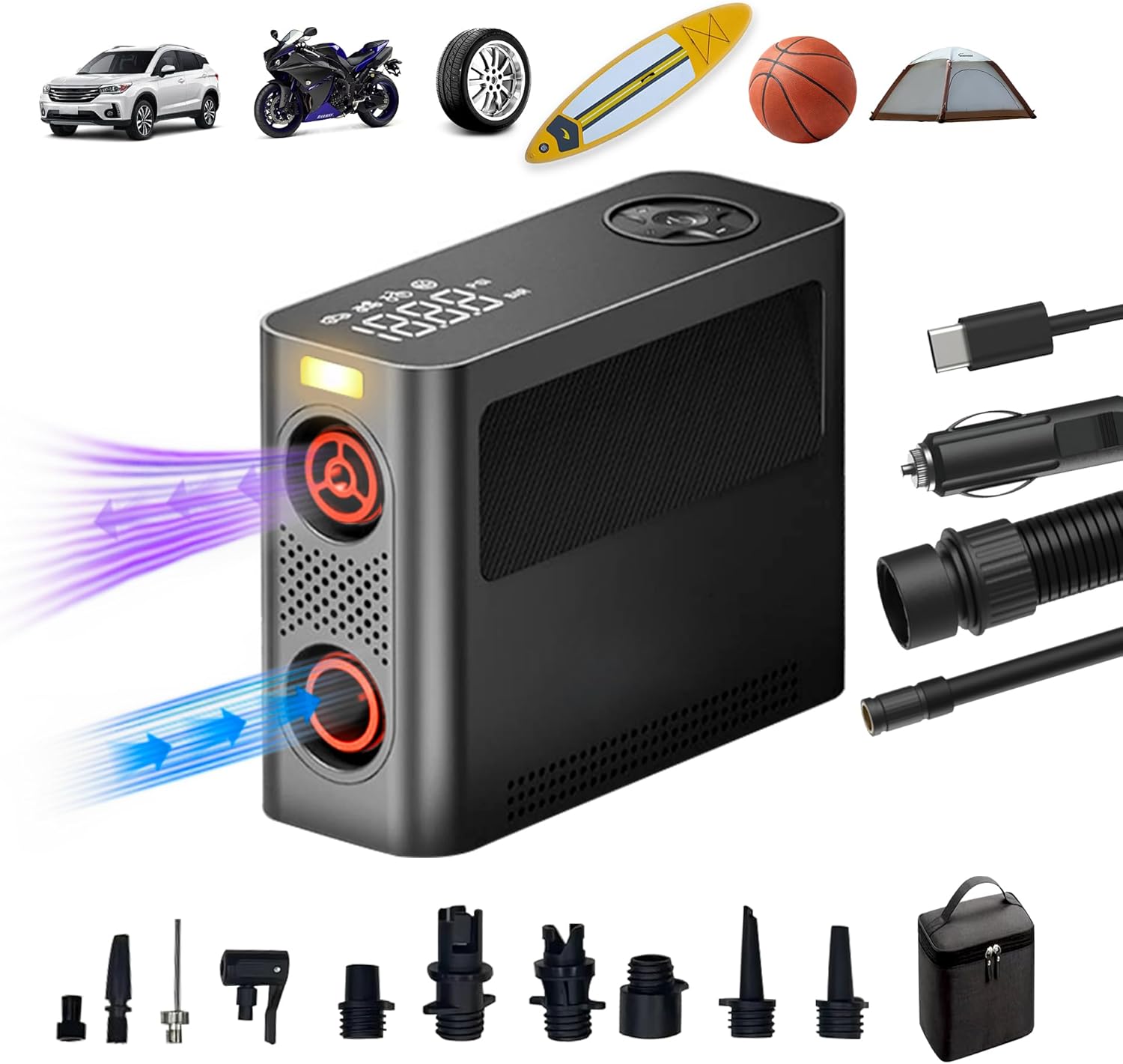
Figure 1: Aerogogo 150 PSI Portable Air Pump and its applications.

Figure 2: Key features of the Aerogogo Portable Air Pump.
Setup
Charging the Device
Before initial use, ensure the device is fully charged. The pump supports both USB-C charging and 12V DC input. Connect the appropriate charging cable to the device and a power source. The LED display will indicate charging status.

Figure 3: The pump's user-friendly display and built-in LED light.
Accessories and Connections
The pump comes with various nozzles and adapters to suit different inflation needs. Identify the correct adapter for your item (e.g., Schrader valve for car tires, Presta valve adapter for bicycles, specific nozzles for balls or inflatables). Connect the air tube to the pump and then attach the appropriate nozzle to the item you wish to inflate.

Figure 4: Included accessories and their uses.
Calibration Process
For optimal precision, especially before first use or after altitude changes, it is recommended to calibrate the pressure sensor. Long-press the light button to reset and calibrate the sensor.
Operating Instructions
Selecting Inflation Mode
The pump features 8+ smart modes. Use the mode selection button to cycle through modes for cars, motorcycles, bicycles, sports equipment, paddleboards, and more. Each mode has a default pressure setting, which can be adjusted.

Figure 5: Smart modes and their typical pressure ranges.
Setting Target Pressure and Auto-Stop
The LED digital display shows real-time pressure values. Use the '+' and '-' buttons to set your desired target pressure. The pump will automatically stop once the target pressure is reached. You can easily switch between PSI, KPA, and BAR units.

Figure 6: Auto-stop feature for precise inflation.
Using the LED Light
The built-in 500lm LED light ensures visibility during nighttime or emergency inflations. Activate the light by pressing the designated button on the control panel.

Figure 7: The pump's integrated LED light for visibility.
Maintenance
To maintain optimal performance and extend the lifespan of your Aerogogo air pump, allow cooling intervals after extended use. Store the device and its accessories in the provided storage bag in a cool, dry place away from direct sunlight and extreme temperatures.
Troubleshooting
Common Issues and Solutions
- Device not turning on: Ensure the battery is charged or connect the device to a 12V DC power source.
- Inflation is slow or not reaching target pressure: Check that the nozzle is securely attached and there are no leaks. Ensure the correct mode is selected for the item being inflated.
- Inaccurate pressure readings: Perform the calibration process as described in the Setup section.
- Device overheating: Allow the pump to cool down after prolonged use. The device is designed with cooling intervals in mind.
Specifications
| Attribute | Value |
|---|---|
| Brand | Aerogogo |
| Model Name | AGGPV |
| Color | Black |
| Material | ABS |
| Item Weight | 2.7 Pounds |
| Product Dimensions | 5.66"L x 2.74"W x 7.62"H |
| Power Source | Battery Powered |
| Air Flow Capacity | 300 Cubic Meters per Minute |
| Maximum Pressure | 150 Pound per Square Inch |
| Operation Mode | Automatic |
| UPC | 630456306199 |
Warranty and Support
The Aerogogo 150 PSI Portable Air Pump comes with a 5-YEAR EXPERT CARE PROMISE for peace of mind. For any support inquiries, technical assistance, or warranty claims, please contact Aerogogo customer service through their official website or the retailer where the product was purchased. Please have your model number (AGGPV) and proof of purchase ready when contacting support.


