1. Product Overview
The MYPIN Smart Hummingbird Feeder with 2K HD Camera offers an advanced solution for bird watching. It features a 2K HD camera with color night vision and a 138-degree wide-angle lens, designed to capture clear images and videos of hummingbirds. The integrated AI bird species recognition system can identify over 11,000 bird species, including more than 300 hummingbird species. The feeder is designed with hummingbird-friendly features such as realistic soft flowers and perches, and includes anti-ant and bee-proof mechanisms. Real-time notifications are sent to your app when birds are detected, allowing for live viewing and recording.
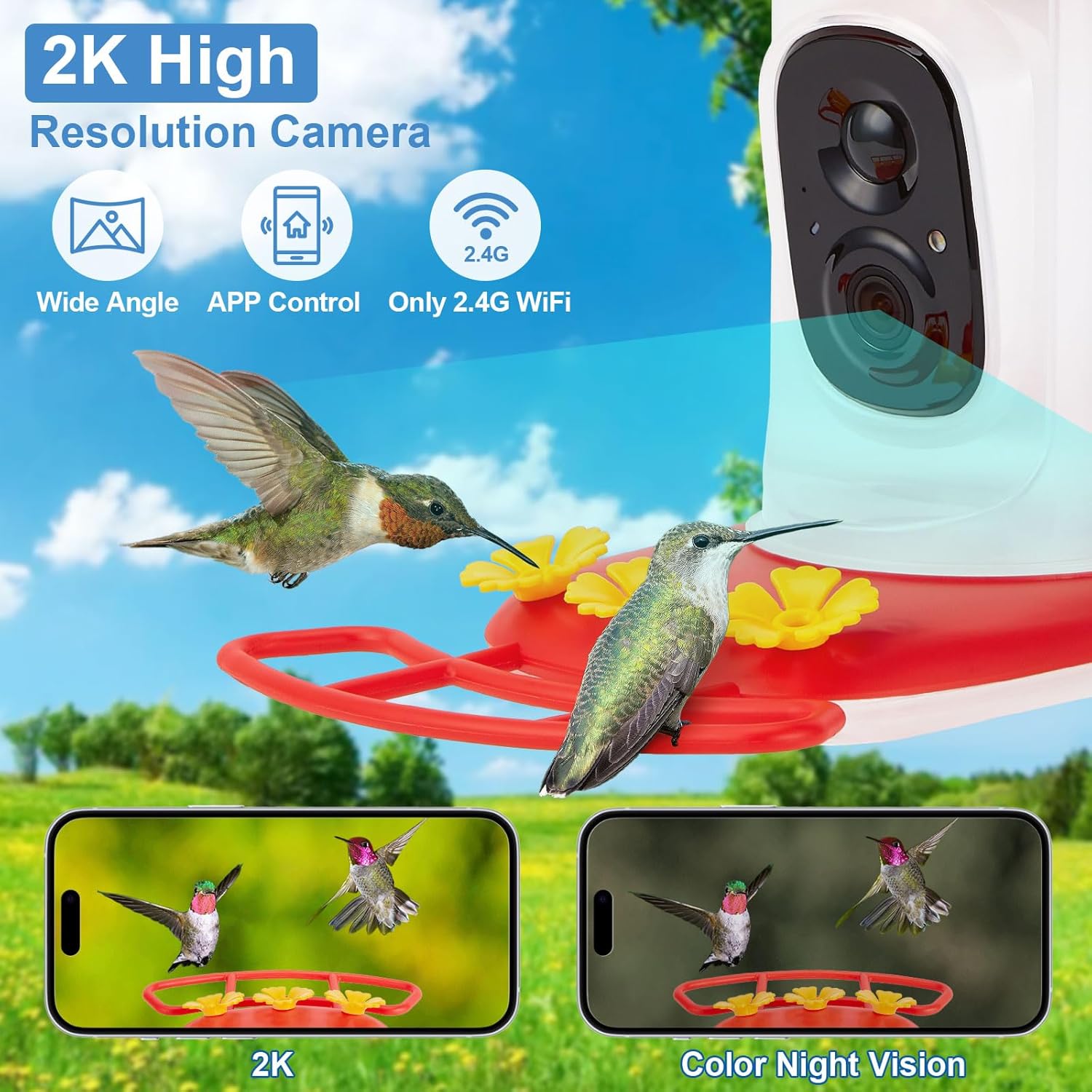
Image 1: MYPIN Smart Hummingbird Feeder with 2K HD Camera, showing the camera unit integrated into the feeder, with hummingbirds in flight and app screenshots of 2K and color night vision views.
2. Included Components
The package includes the following items:
- Smart Hummingbird Feeder Camera x1
- USB cable x1
- User's manual x1
- Solar panel (for charging)
- Mounting gear for solar panel
- Extra flowers
- Cleaning brush
- Hanging hooks

Image 2: Visual representation of the feeder's removable parts, camera recharging process, and hand washing for cleaning.
3. Setup Instructions
3.1. Initial Charging
Before first use, ensure the camera's battery is fully charged. The camera can be charged via the included USB-C cable or by connecting it to the solar panel. A full charge can last over 7 days.
3.2. App Installation and Pairing
- Download the VicoHome APP by scanning the QR code provided in the user manual or on the product packaging.
- Install the VicoHome APP on your smartphone.
- Open the app and follow the on-screen instructions to create an account or log in.
- Power on the camera unit.
- Use the app's Bluetooth pairing function to connect to the camera. Ensure your phone's Bluetooth is enabled.
- Follow the app prompts to connect the camera to your 2.4G WiFi network. (Note: Only 2.4G WiFi is supported).
3.3. Feeder Assembly and Placement
- Ensure the top silicone pad is correctly installed.
- Remove the rubber plug from the bottom of the feeder.
- Fill the feeder with hummingbird nectar from the bottom opening.
- Tighten the rubber plug securely and turn the feeder over.
- Carefully push the charged camera into its designated slot within the feeder.
- Mount the feeder using the provided hanging hooks or other mounting gear. The feeder supports various mounting options including wall, stand, tree, or pole.
- Position the solar panel (if used) in a location that receives ample sunlight for continuous charging.

Image 3: Close-up view of the hummingbird feeder highlighting its 21oz capacity, bee-proof feeding ports with realistic flowers, built-in ant moat, and hanging hook design.
3.4. Setup Video Guide
Video 1: A user's guide demonstrating the unboxing, setup, and initial use of the Smart Hummingbird Feeder, including how to charge the camera and link it to the app. It also shows a hummingbird feeding.
4. Operating Instructions
4.1. Live View and Notifications
Once the camera is set up and connected, you can access a live stream of your feeder through the VicoHome app. The camera's motion detection will automatically capture images and videos and send real-time notifications to your smartphone when a bird is detected. This allows you to watch birds up close anytime, anywhere.

Image 4: Screenshot of the app showing a real-time notification for a bird arrival and a live view of a hummingbird at the feeder.
4.2. AI Bird Species Recognition
The feeder's camera is equipped with an advanced AI algorithm that identifies bird species. The system can recognize over 11,000 bird species, including more than 300 hummingbird species. The app provides detailed information about each identified bird species. New users typically receive a one-month trial for the AI identification feature.
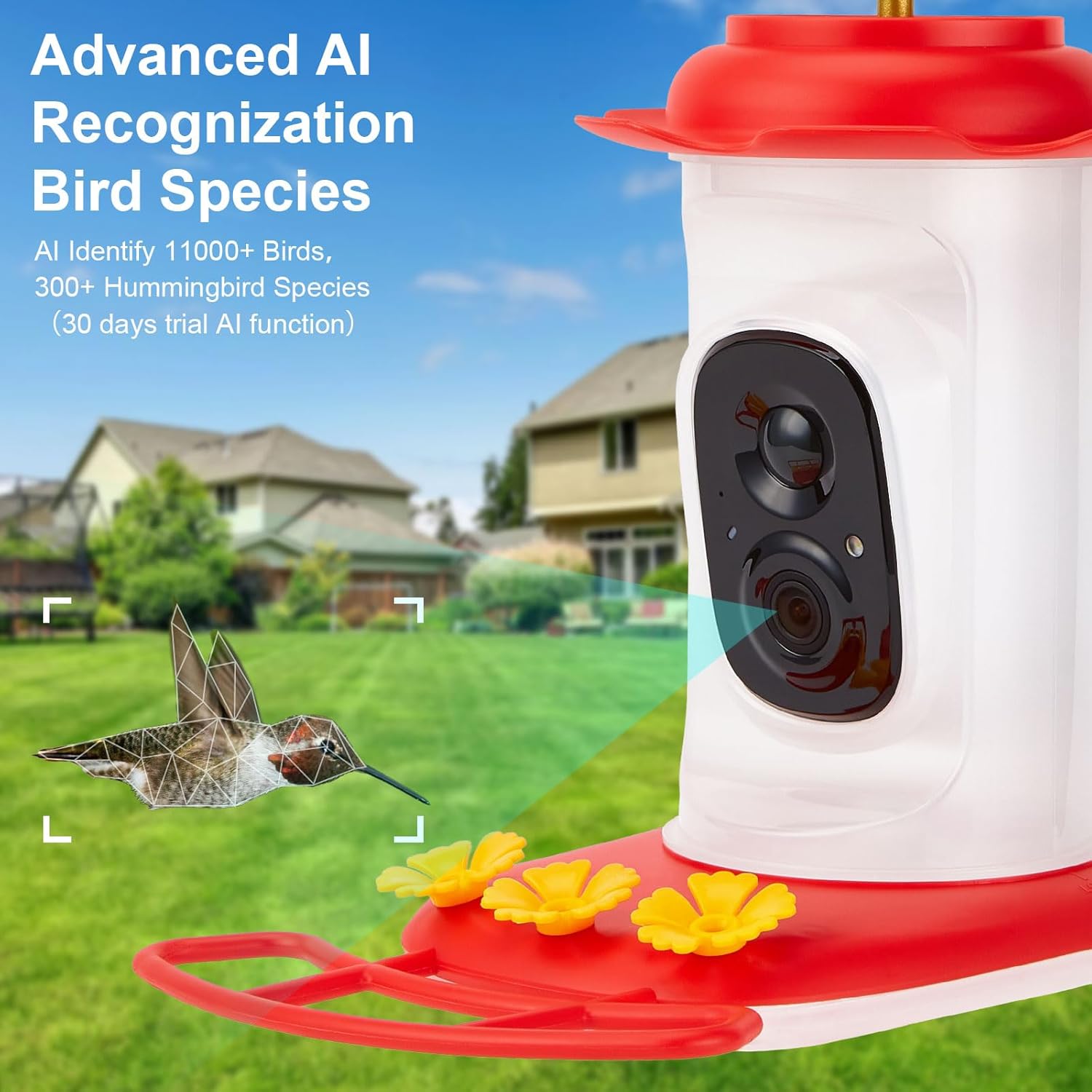
Image 5: Depiction of the AI recognition system identifying a hummingbird, with a digital overlay highlighting the bird.
4.3. Cloud Storage and Sharing
Captured photos and videos can be stored in the cloud (subscription required after a 30-day free trial, offering 3-10 GB storage) or on an optional SD card (up to 128GB, not included). You can organize your bird photos and videos into albums within the app and share them with family and friends on social media or by sharing camera access with up to three other phones.
4.4. Product Overview Video
Video 2: An overview of the Smart Hummingbird Feeder, showcasing its features such as the camera, AI recognition, and design elements.
5. Maintenance
5.1. Cleaning the Feeder
Regular cleaning is essential for the health of hummingbirds. The feeder is designed with all removable parts for easy cleaning. Disassemble the feeder components and hand wash them thoroughly. Use the included cleaning brush to reach small areas. Avoid using harsh chemicals.
5.2. Nectar Refilling
Refill the feeder with fresh hummingbird nectar regularly. The feeder has a large capacity (21 oz). Avoid using harmful chemicals in the nectar. Ensure the feeder is placed in a safe location to prevent access by larger animals.
5.3. Camera Battery Management
The camera is removable for recharging. A full charge can last over 7 days. If using the solar panel, ensure it is positioned to receive adequate sunlight for continuous power. The feeder is IP65 waterproof, allowing it to work in various weather conditions.
6. Troubleshooting
- Camera Not Connecting to WiFi: Ensure your WiFi network is 2.4G. Check WiFi signal strength at the feeder's location. Restart the camera and your router. Re-attempt the pairing process in the VicoHome app.
- No Notifications: Verify that motion detection is enabled in the app settings. Check app notification permissions on your smartphone. Ensure the camera has sufficient battery power and a stable WiFi connection.
- Poor Image/Video Quality: Clean the camera lens with a soft cloth. Ensure there are no obstructions in front of the camera. Check your internet connection speed for live streaming issues.
- Feeder Not Attracting Birds: Ensure the nectar is fresh and properly mixed. Place the feeder in a visible, safe location away from predators. Hummingbirds may take time to discover new feeders.
- Ants/Bees at Feeder: Verify that the built-in ant moat is filled with water (if applicable) and that the bee-proof feeding ports are correctly installed.
7. Specifications
| Brand | MYPIN |
| Model Number | HS0440 |
| Target Species | All kinds of bird (AI identifies 11,000+ species, 300+ hummingbird species) |
| Material | Plastic |
| Special Features | 2K HD Camera, Built-In 2K Camera, Foldable (camera), Color Night Vision, AI Bird Recognition, Real-time Notifications, Ant-proof, Bee-proof |
| Mounting Type | Freestanding (with hanging options for wall/stand/tree/pole) |
| Product Dimensions | 8.9"L x 6.6"W x 9.1"H |
| Power Source | Battery Powered (1 Lithium Ion battery included), Solar Panel, USB-C |
| Item Weight | 2.66 pounds |
| Color | Red |
| Waterproof Rating | IP65 |
| WiFi Compatibility | 2.4G WiFi only |
| Storage | Cloud (subscription after 30-day trial), up to 128G SD card (not included) |
8. Warranty and Support
8.1. Warranty Information
Please refer to the warranty card included in your product packaging or visit the official MYPIN website for detailed warranty information. Warranty terms and conditions may vary by region and retailer.
8.2. Customer Support
For technical assistance, troubleshooting, or any product-related inquiries, please contact MYPIN customer support. Contact details can typically be found on the product packaging, in the included user manual, or on the official MYPIN website.


