
Retevis HS4
Retevis Ailunce HS4 10 Meter Radio
Instruction Manual
1. Introduction
The Retevis Ailunce HS4 is a versatile 10-meter radio designed for reliable communication across various modes. This manual provides essential information for setting up, operating, and maintaining your HS4 transceiver to ensure optimal performance and longevity.
2. Package Contents
Before beginning, please verify that all items listed below are included in your package:
- 1 x HS4 10m Ham Radio with Cooling Fan (includes cable)
- 1 x Microphone
- 1 x Power Cable
- 1 x Mounting Brackets
- User Manual
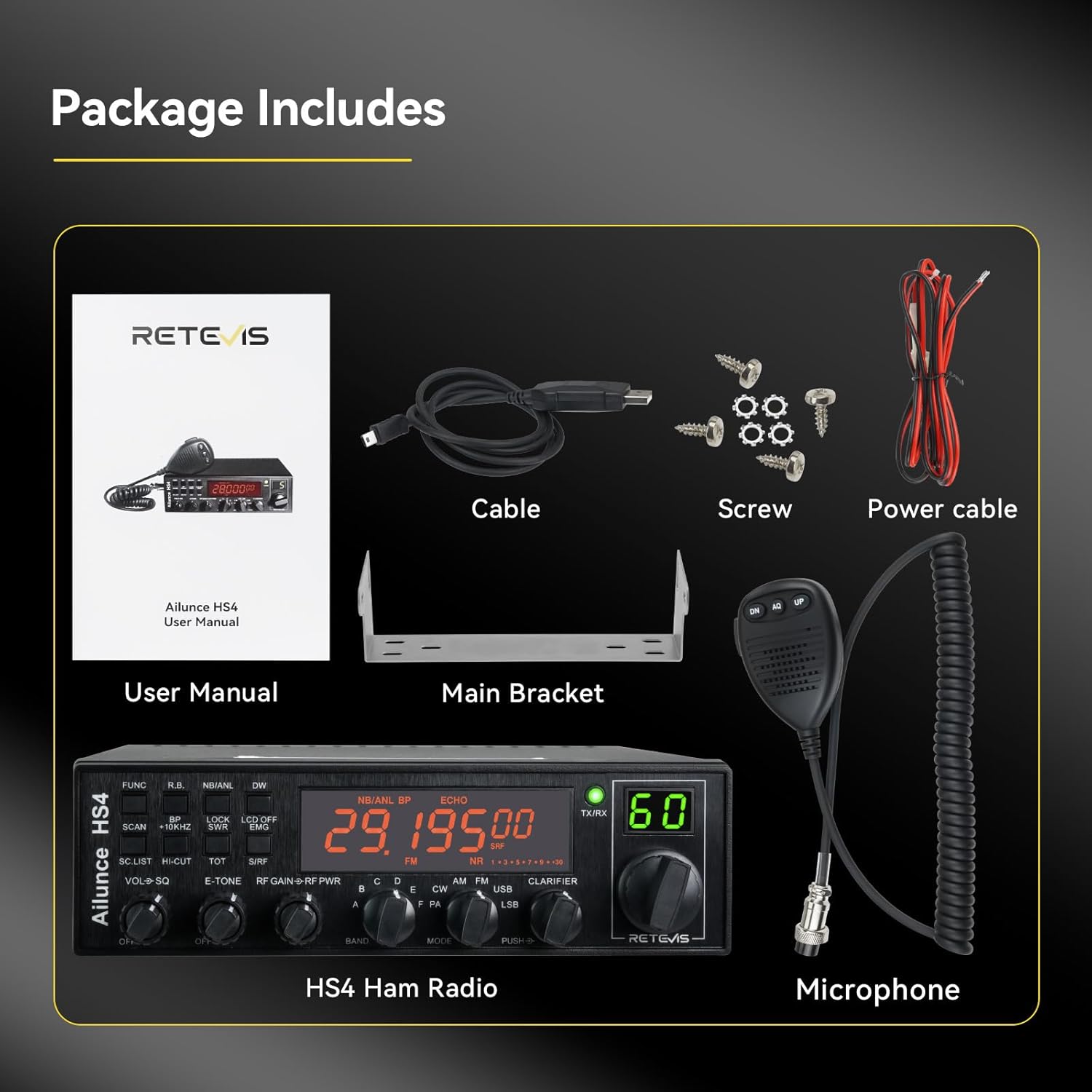
Figure 2.1: Contents of the HS4 product package.
3. Setup
Proper setup is crucial for the performance and safety of your HS4 radio. Follow these steps for initial installation:
- Power Connection: Connect the supplied power cable to the radio's power input and to a stable 13.8V DC power source. Ensure correct polarity.
- Antenna Connection: Connect a suitable 10-meter band antenna to the antenna connector on the rear of the radio. A properly tuned antenna is essential for efficient transmission and reception.
- Microphone Connection: Plug the microphone into the dedicated microphone port on the front panel.
- Mounting: Use the provided mounting brackets to securely install the radio in your desired location, ensuring adequate ventilation.

Figure 3.1: HS4 Radio with connected microphone.
4. Operating Instructions
The HS4 offers a variety of features for flexible communication. Familiarize yourself with the controls and modes:
4.1. Powering On and Basic Operation
Turn the VOL-SQ knob clockwise to power on the radio and adjust the volume. The large LCD display will show the current frequency and mode.
4.2. Mode Selection
The radio supports PA, AM, FM, USB, LSB, and CW modes. Use the MODE selector knob to switch between these modes. CW mode allows connection to external Moss devices for secure communication, AM is suitable for long-range calls, and FM provides clear sound. SSB (USB+LSB) is used for voice modulation.

Figure 4.1: Multiple Mode Switch options.
4.3. Frequency Adjustment
Adjust frequencies by rotating the VFO knob. The radio supports optional step values for precise tuning. The large LCD display makes it easy to read the frequency, even at night.
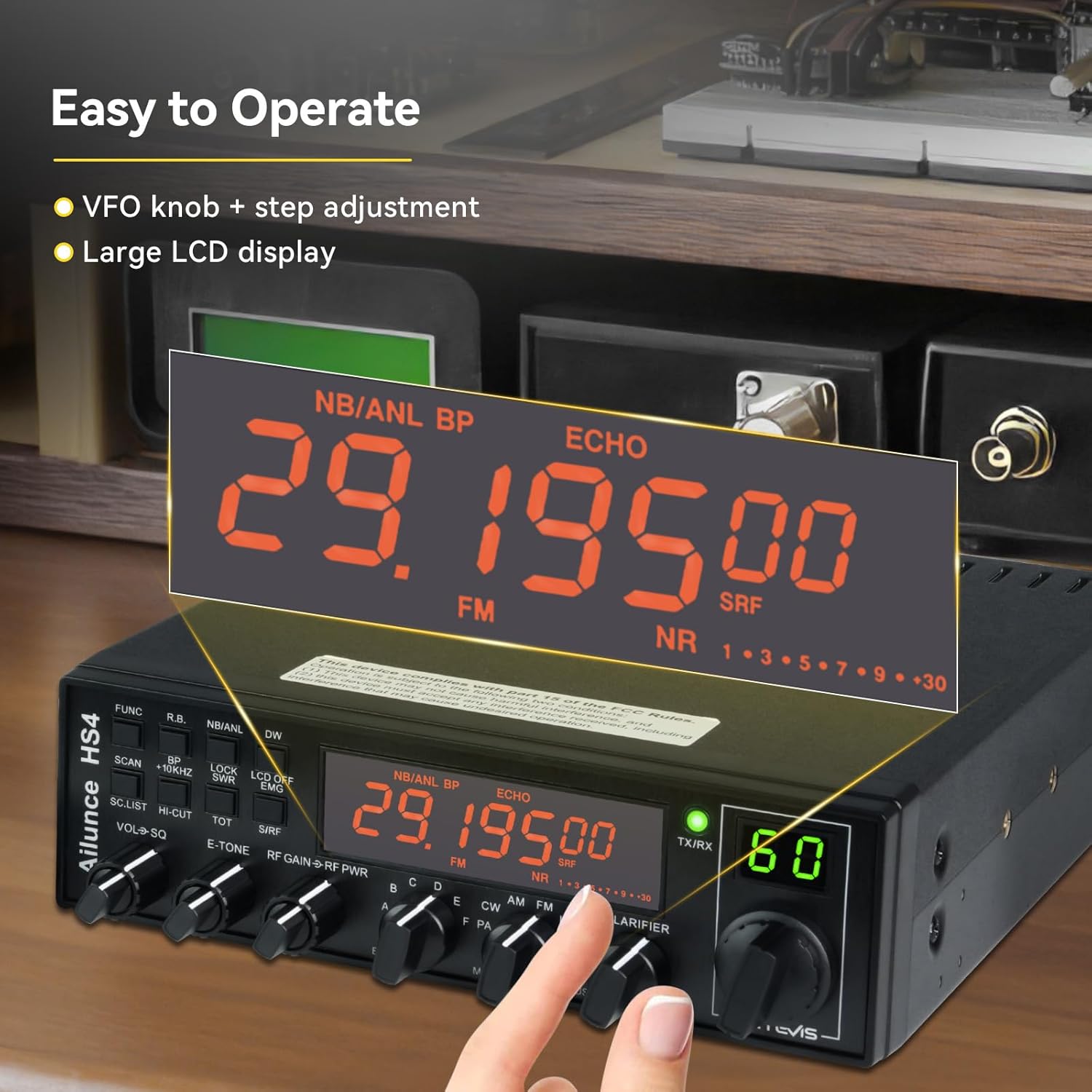
Figure 4.2: Easy to Operate features with VFO knob and large LCD display.
4.4. Noise Reduction and Squelch
The HS4 features a noise reduction function and ASQ squelch function to ensure clear reception, even in noisy environments. Operators will receive clearly when the transmitter is in a noisy setting.

Figure 4.3: Clear Sound Quality with reception noise reduction and SQ/ASQ squelch modes.
4.5. Dual Watch Function
The dual watch function allows the transceiver to monitor and receive on two frequencies alternatively and automatically, ensuring you don't miss important calls.

Figure 4.4: Dual Watch function in action.
4.6. VOX Hands-Free Operation
The VOX hands-free feature allows operators to transmit without pressing the PTT key, which is convenient when busy with other tasks.
4.7. Power Output Test
The following video demonstrates the power output of the Retevis Ailunce HS4 radio across different modes and voltage settings. This test provides insight into the radio's performance capabilities.
Video 4.1: Excellent power test of the Retevis Ailunce HS4 radio, demonstrating output across various modes and voltages.
5. Maintenance
To ensure the longevity and optimal performance of your Retevis Ailunce HS4 radio, follow these maintenance guidelines:
- Cleaning: Regularly wipe the radio's exterior with a soft, dry cloth. Avoid using harsh chemicals or abrasive cleaners.
- Ventilation: Ensure the cooling fan and ventilation slots are free from dust and obstructions to prevent overheating.
- Connections: Periodically check all cable connections (power, antenna, microphone) for secure fit and signs of wear.
- Storage: When not in use for extended periods, store the radio in a cool, dry place away from direct sunlight and extreme temperatures.
6. Troubleshooting
If you encounter issues with your HS4 radio, refer to the following common troubleshooting steps:
- No Power: Check the power cable connection, power source, and ensure the VOL-SQ knob is turned on.
- No Reception/Transmission: Verify the antenna connection and ensure it is properly tuned for the operating frequency. Check the selected mode.
- Poor Audio Quality: Adjust the squelch (SQ) level. Ensure the microphone is securely connected and free from damage.
- SWR Protection: The radio features SWR protection to prevent damage from high SWR. If activated, check your antenna system immediately.
- Interference: Utilize the noise reduction function and CTCSS/DCS features to minimize interference from other signals.
For persistent issues, please contact customer support.
7. Specifications
| Feature | Value |
|---|---|
| Item Weight | 3.31 pounds |
| Product Dimensions | 11.02 x 7.87 x 2.36 inches |
| Country of Origin | China |
| Item Model Number | HS4 |
| Display Type | LCD |
| Number of Channels | 360 |
| Frequency Range | 28.000MHz–29.700MHz |
| Talking Range Maximum | 5 Kilometer |
| Tuner Technology | SSB, CW, AM, FM |
| Voltage | 13.8 Volts (DC) |
| Water Resistance Level | Not Water Resistant |

Figure 7.1: Product Dimensions.
8. Warranty and Support
Retevis provides a 2-year warranty for the radio body and a 1-year warranty for accessories. You are eligible for a 30-day no-reason return. Beyond the warranty period, maintenance services are still offered, with buyers responsible for corresponding costs.
For any inquiries or support needs, please contact Retevis customer service on Amazon. They aim to reply within 12 hours.
For additional protection, consider purchasing an extended protection plan:
- 2-Year Protection Plan: $21.99
- 3-Year Protection Plan: $28.99
- Complete Protect: $16.99/month (covers all eligible past and future purchases)
Ask a question about this manual
Ask about setup, troubleshooting, compatibility, parts, safety, or missing instructions. Manuals+ will review the question and use this page’s manual context to help answer it.