
1. Introduction
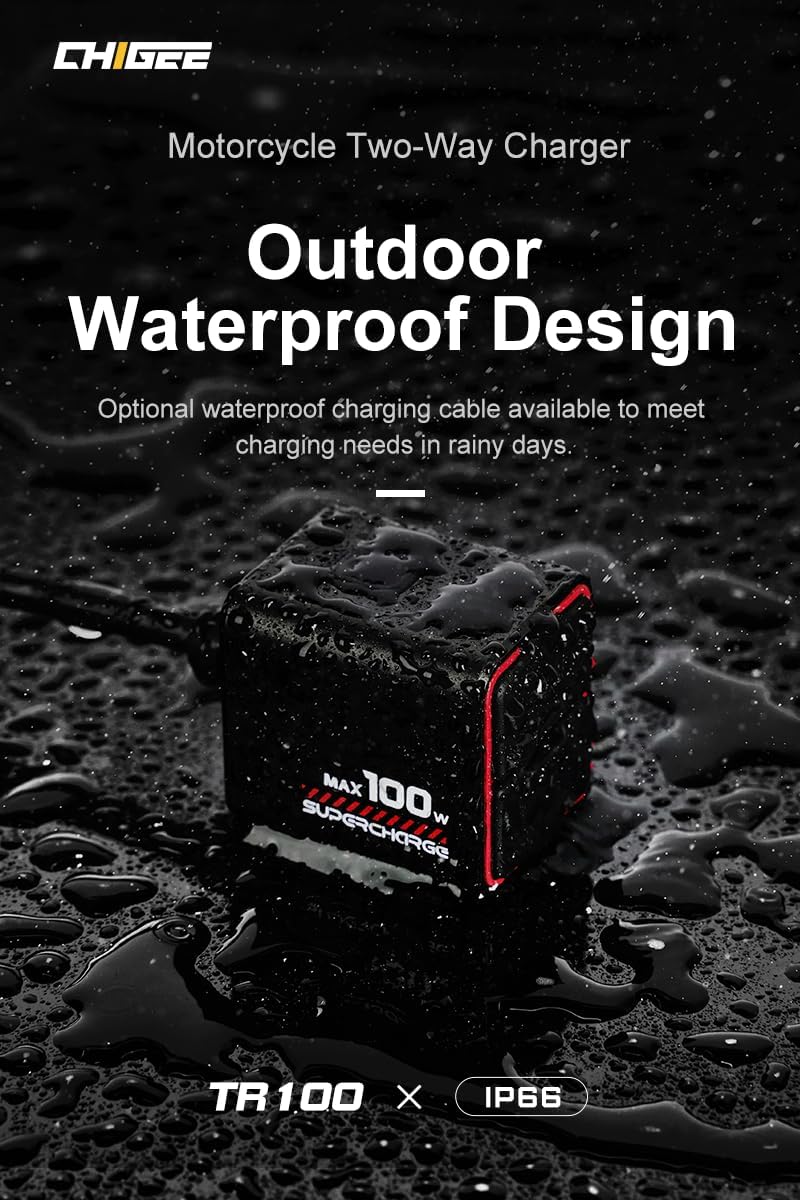
The CHIGEE TR100 is a versatile motorcycle battery charger designed for efficient and safe power management. It functions as a portable USB device charger, a battery charger maintainer, and an emergency charger. This device supports 12V lead-acid, gel, maintenance-free, lithium iron phosphate, AGM, and lithium-ion batteries. Its compact, lightweight, and IP66 waterproof design ensures reliable performance in various conditions.
2. Safety Information
Please read all safety instructions carefully before using the CHIGEE TR100 charger. Failure to follow these instructions may result in electric shock, fire, or serious injury.
- Electrical Safety: Ensure the charger is connected to a suitable power source. Do not operate the charger with damaged cords or plugs.
- Battery Compatibility: Only use the charger with 12V batteries as specified (lead-acid, gel, maintenance-free, lithium iron phosphate, AGM, and lithium-ion). Using it with incompatible batteries may cause damage or hazards.
- Environmental Conditions: The TR100 has an IP66 waterproof rating, making it suitable for various environments, including rainy or humid conditions. However, avoid submerging the device.
- Ventilation: Ensure adequate ventilation during charging, especially for lead-acid batteries, which can produce explosive gases.
- Temperature: The charger features smart IC temperature control and graphene heat dissipation. Avoid operating in extremely high temperatures.
- Protection Features: The TR100 includes built-in safety circuits for overcurrent, overvoltage, short-circuit, overheating, and low-temperature protection. Do not attempt to bypass these features.
- Children and Pets: Keep the charger and batteries out of reach of children and pets.
- Disassembly: Do not attempt to disassemble or modify the charger. Refer all servicing to qualified personnel.
3. Product Overview
The CHIGEE TR100 is engineered for durability and performance, featuring an aluminum alloy body for excellent heat dissipation and a sleek design.

3.1 Key Features
- 100W Ultra-Fast Bi-Directional Charging: Supports Power Delivery (PD) for both supplying and receiving power up to 100W via USB Type-C.
- IP66 Waterproof: Designed to withstand various outdoor conditions, including rain and humidity.
- Dead Battery Rescue: Provides emergency charging to quickly start a motorcycle engine.
- 5-Safety Technology: Includes overcurrent, overvoltage, short-circuit, overheating, and low-temperature protection.
- TrickleGuard: Extends battery life through slow, low-current charging to prevent overcharge.
- Climate-Adaptive: Automatically adjusts charging cycles based on ambient temperature.
- Graphene Cooling: Utilizes graphene for efficient heat dissipation, enhancing safety and efficiency.
- Wide Battery Compatibility: Supports 12V lead-acid, gel, maintenance-free, lithium iron phosphate, AGM, and lithium-ion batteries.
- Indicator Display: Clear RGB indicator light shows charging mode and battery status.
3.2 Components
The TR100 charger includes the following main components:

- Main Charger Unit: Compact aluminum alloy body with USB Type-C ports.
- USB Type-C Ports: For bi-directional power transfer (charging the device or receiving power).
- RGB Indicator Light: Provides visual feedback on charging status and battery faults.
- Switch Button: Used for mode selection or activation of specific functions.
- Power Module: Connects the charger to the motorcycle's electrical system.
- Power Interface: Battery terminals (e.g., ring terminals) for direct connection to the battery.
- Insurance (Fuse): Integrated safety fuse for circuit protection.
4. Setup
4.1 Connecting to the Motorcycle Battery
- Ensure the motorcycle engine is off and the ignition is in the OFF position.
- Locate your motorcycle's 12V battery.
- Connect the red positive (+) terminal of the TR100's power interface to the positive (+) terminal of the battery.
- Connect the black negative (-) terminal of the TR100's power interface to the negative (-) terminal of the battery.
- Ensure connections are secure and free from corrosion.
4.2 Connecting to a Power Source (for charging the motorcycle battery)
Once connected to the motorcycle battery, you can supply power to the TR100 via its USB Type-C port.
- Connect a compatible USB Type-C cable to one of the TR100's USB Type-C ports.
- Connect the other end of the USB Type-C cable to a power source (e.g., a mobile battery, AC adapter, or another device capable of supplying power via USB-C PD).
- The RGB indicator light will illuminate, indicating that charging has begun.
5. Operating Instructions
5.1 Charging Modes
The CHIGEE TR100 offers several charging modes to suit different needs:
- Standard Charging (100W Ultra-Fast): When connected to a 100W PD-compatible power source, the charger will deliver up to 100W to quickly charge the motorcycle battery. This mode is ideal for rapid replenishment.
- TrickleGuard (Maintenance Charging): This mode automatically engages to slowly charge the battery with a low current, preventing overcharge and extending battery life. It is suitable for long-term battery maintenance.
- Emergency Charging (Dead Battery Rescue): If your motorcycle battery is too low to start the engine, connect the TR100 to a power source. The charger can provide sufficient power in 5-10 minutes to enable engine startup.

5.2 Bi-Directional Charging
The TR100 supports bi-directional Power Delivery (PD), allowing it to both charge your motorcycle battery and charge external USB-C devices.
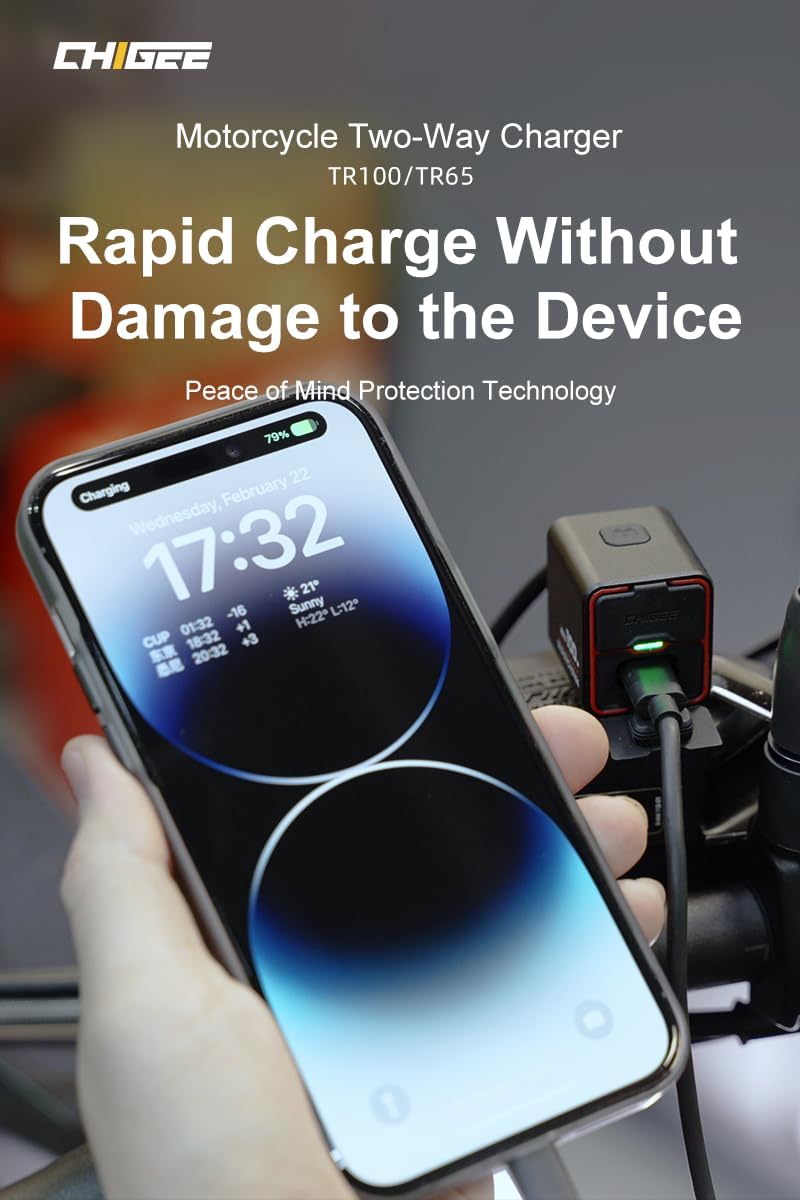
- Charging External Devices: When the TR100 is connected to your motorcycle battery, you can connect a USB Type-C device (e.g., smartphone, tablet) to the TR100's USB Type-C port to charge it. The TR100 will draw power from the motorcycle battery to charge your device.
- Charging the Motorcycle Battery: As described in Section 4.2, connect an external power source to the TR100's USB Type-C port to charge the motorcycle battery.
5.3 Battery Type Selection and Climate-Adaptive Charging
The TR100 automatically detects and adapts to various 12V battery types. It also monitors and adjusts the charging cycle based on ambient temperature for precise charging in both hot and cold climates.

Supported battery types include:
- 12V Lead-Acid
- 12V Gel
- 12V Maintenance-Free
- 12V Lithium Iron Phosphate
- 12V AGM
- 12V Lithium-ion

5.4 Indicator Display
The RGB indicator light on the TR100 provides visual cues regarding the charger's status:
- Solid Green: Battery fully charged or in maintenance mode.
- Pulsing Green: Charging in progress.
- Solid Red: Battery fault or error (e.g., reverse polarity, short circuit). Disconnect and check connections.
- No Light: Not connected to a power source or battery, or device is off.
6. Maintenance
Proper maintenance ensures the longevity and optimal performance of your CHIGEE TR100 charger.
- Cleaning: Wipe the charger with a soft, dry cloth. Do not use harsh chemicals or abrasive cleaners. Ensure the USB Type-C ports are free from dust and debris.
- Storage: Store the charger in a cool, dry place when not in use. Avoid extreme temperatures and direct sunlight.
- Connection Checks: Periodically inspect the battery terminals and cables for any signs of wear, damage, or corrosion. Ensure all connections are secure.
- Waterproof Seals: While IP66 rated, regularly check the integrity of the port covers and seals to maintain water resistance.
7. Troubleshooting
If you encounter issues with your CHIGEE TR100 charger, refer to the following common problems and solutions:
| Problem | Possible Cause | Solution |
|---|---|---|
| Charger not turning on / No indicator light | No power from source; Incorrect battery connection; Faulty cable. | Check power source and USB-C cable. Ensure battery connections are correct (positive to positive, negative to negative). |
| Battery not charging | Battery deeply discharged; Incorrect battery type; Faulty battery; Loose connections. | Ensure battery is not severely damaged. Verify battery type compatibility. Check all connections. Allow more time for deeply discharged batteries. |
| Red indicator light | Battery fault (e.g., reverse polarity, short circuit, damaged battery). | Immediately disconnect the charger. Check battery connections for correct polarity. Inspect battery for damage. If the issue persists, the battery may be faulty. |
| Charger feels warm | Normal operation during charging; Poor ventilation. | Some warmth is normal. Ensure the charger has adequate airflow. If it becomes excessively hot, disconnect and contact support. |
If the problem persists after attempting these solutions, please contact CHIGEE customer support for further assistance.
8. Specifications
| Feature | Detail |
|---|---|
| Model Number | TR100 |
| Brand | CHIGEE |
| Product Dimensions | 1.97 x 1.97 x 1.97 inches (approximately 3.6 x 2.8 x 3.2 cm) |
| Item Weight | 11.6 ounces (approximately 170g) |
| Output Voltage | 12 Volts (DC) |
| Amperage (Standby) | 0.19 Milliamps (0.000185A) |
| Max Charging Power | 100W |
| Connector Type | USB Type-C |
| Waterproof Rating | IP66 |
| Compatible Battery Types | 12V Lead-Acid, Gel, Maintenance-Free, Lithium Iron Phosphate, AGM, Lithium-ion |
9. Warranty and Support
The CHIGEE TR100 Motorcycle Battery Charger is manufactured by CHIGEE. For warranty information, technical support, or service inquiries, please refer to the official CHIGEE website or contact their customer service department.
You can often find support contact details on the product packaging or the manufacturer's official website. Please have your product model number (TR100) and purchase information ready when contacting support.

