
1. Introduction
Thank you for choosing the KiCA Jet Fan 2S Electric Air Duster. This device is designed for efficient and versatile cleaning, featuring a powerful brushless motor, stepless speed control, and a durable metal shell. Please read this manual thoroughly before use to ensure proper operation and maintenance.
2. Safety Information
- Keep the device away from water and flammable liquids.
- Do not operate the device with wet hands.
- Avoid directing airflow directly at eyes, ears, or other sensitive body parts.
- Keep out of reach of children and pets.
- Use only the provided charging cable and accessories.
- Do not disassemble or attempt to repair the device. Contact customer support if service is required.
- Ensure the device is fully charged before first use for optimal battery performance.
3. Package Contents
Verify that all items listed below are included in your package:
- KiCA Jet Fan 2S Device (x1)
- Nozzles (x2)
- Inflatable Head (x1)
- USB Type-C Charging Cable (x1)
- Product Manual (x1)

Image: Contents of the KiCA Jet Fan 2S package, including the device, various nozzles, charging cable, and manual.
4. Product Overview and Features
The KiCA Jet Fan 2S is a high-performance electric air duster designed for a wide range of cleaning tasks. Its key features include:
- Powerful Brushless Motor: Achieves up to 117,000 RPM, delivering a wind speed of 56 MPH.
- One-Touch Turbo Boost: Instantly increases wind pressure by 30%, providing 150g of blowing force for stubborn debris.
- Durable Metal Shell: Constructed from aluminum alloy, weighing only 0.66 lbs for portability and comfort.
- Stepless Speed Control: Allows precise adjustment of airflow from a gentle breeze to maximum power.
- Long Battery Life: Up to 210 minutes of runtime on low speed, fully rechargeable via Type-C in 2 hours 15 minutes.
- Versatile Nozzles: Includes 3 exclusive convertible nozzles for various applications, including a mini vacuum cleaner function (vacuum attachment sold separately).
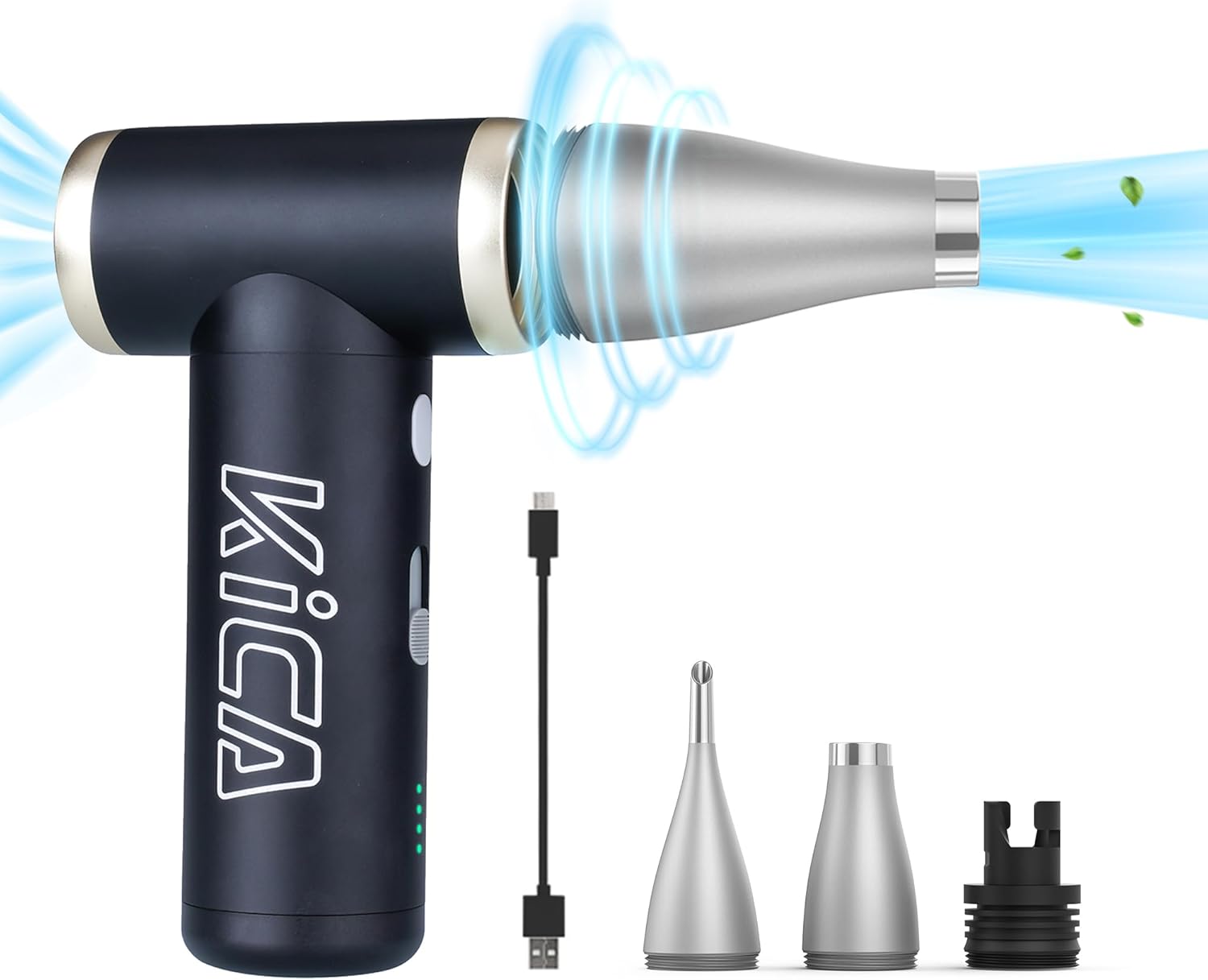
Image: The KiCA Jet Fan 2S Electric Air Duster with its included nozzles and charging cable.

Image: Demonstrates the compact palm size and durable metal body construction of the KiCA Jet Fan 2S.
5. Setup
- Charge the Device: Before first use, fully charge the KiCA Jet Fan 2S using the provided USB Type-C cable. The battery indicator lights will show charging status.
- Attach Nozzle: Select the appropriate nozzle for your cleaning task. Align the nozzle with the air outlet and push firmly until it is securely attached.
- Remove Nozzle: To remove, gently twist and pull the nozzle from the air outlet.
6. Operating Instructions
- Power On/Off: Press and hold the power button for 2 seconds to turn the device on or off.
- Adjust Speed (Stepless Control): Once powered on, slide the speed control switch to adjust the airflow intensity. Slide up for increased speed, down for decreased speed.
- One-Touch Turbo Boost: For maximum power, press and hold the dedicated boost button. Release the button to return to the previously set speed.

Image: Illustration of the one-touch speed boost function, showing increased wind pressure for effective cleaning.
7. Charging
The KiCA Jet Fan 2S is equipped with a rechargeable Lithium Polymer battery. To charge the device:
- Connect the provided USB Type-C cable to the charging port on the device.
- Connect the other end of the cable to a compatible USB power adapter (not included).
- The battery indicator lights will illuminate to show the charging progress.
- A full charge takes approximately 2 hours and 15 minutes.
- On a low-speed setting, the device can operate for up to 210 minutes on a single charge.
8. Maintenance
- Cleaning the Device: Wipe the exterior of the device with a soft, dry cloth. Do not use abrasive cleaners or solvents.
- Nozzle Care: Ensure nozzles are free from debris. Clean them as needed with a soft brush or cloth.
- Storage: Store the device in a cool, dry place away from direct sunlight and extreme temperatures.
9. Troubleshooting
| Problem | Possible Cause | Solution |
|---|---|---|
| Device does not turn on. | Low battery. | Charge the device fully. |
| Weak airflow. | Low battery; speed setting too low; nozzle obstruction. | Charge the device; adjust speed control; check and clear nozzle. |
| Device stops unexpectedly. | Overheating; low battery. | Allow device to cool down; charge the device. |
10. Specifications
| Feature | Detail |
|---|---|
| Brand | KiCA |
| Model Number | Jetfan2S |
| Motor Type | Brushless Motor |
| Rotation Speed | Up to 117,000 RPM |
| Wind Speed | Up to 56 MPH |
| Material | Aluminum Alloy |
| Item Weight | 0.66 lbs (10.6 ounces) |
| Product Dimensions | 2.83 x 2.83 x 5.07 inches |
| Battery Type | Lithium Polymer (3 included) |
| Charging Port | USB Type-C |
| Charging Time | Approx. 2 hours 15 minutes |
| Runtime (Low Speed) | Up to 210 minutes |
11. Warranty and Support
For warranty information and customer support, please refer to the warranty card included in your package or visit the official KiCA website. If you encounter any issues not covered in this manual, please contact KiCA customer service for assistance.


