
ErGear EGESD8
ErGear Electric Standing Desk User Manual
Model: EGESD8
Introduction
Thank you for choosing the ErGear Electric Standing Desk. This manual provides essential information for the safe assembly, operation, and maintenance of your new desk. Designed for optimal comfort and productivity, this electric standing desk allows you to seamlessly switch between sitting and standing positions, promoting a healthier work environment. Please read this manual thoroughly before use and retain it for future reference.
Important Safety Instructions
Read the instruction manual carefully before assembling and using the desk. Be careful not to exceed the weight capacity of the desk and ensure it is securely assembled. Use the desk only for its intended purpose and maintain it regularly to ensure safety. Keep children and pets away from the desk during operation to prevent injury. Do not place liquids directly on the control panel or motor components.
Product Overview
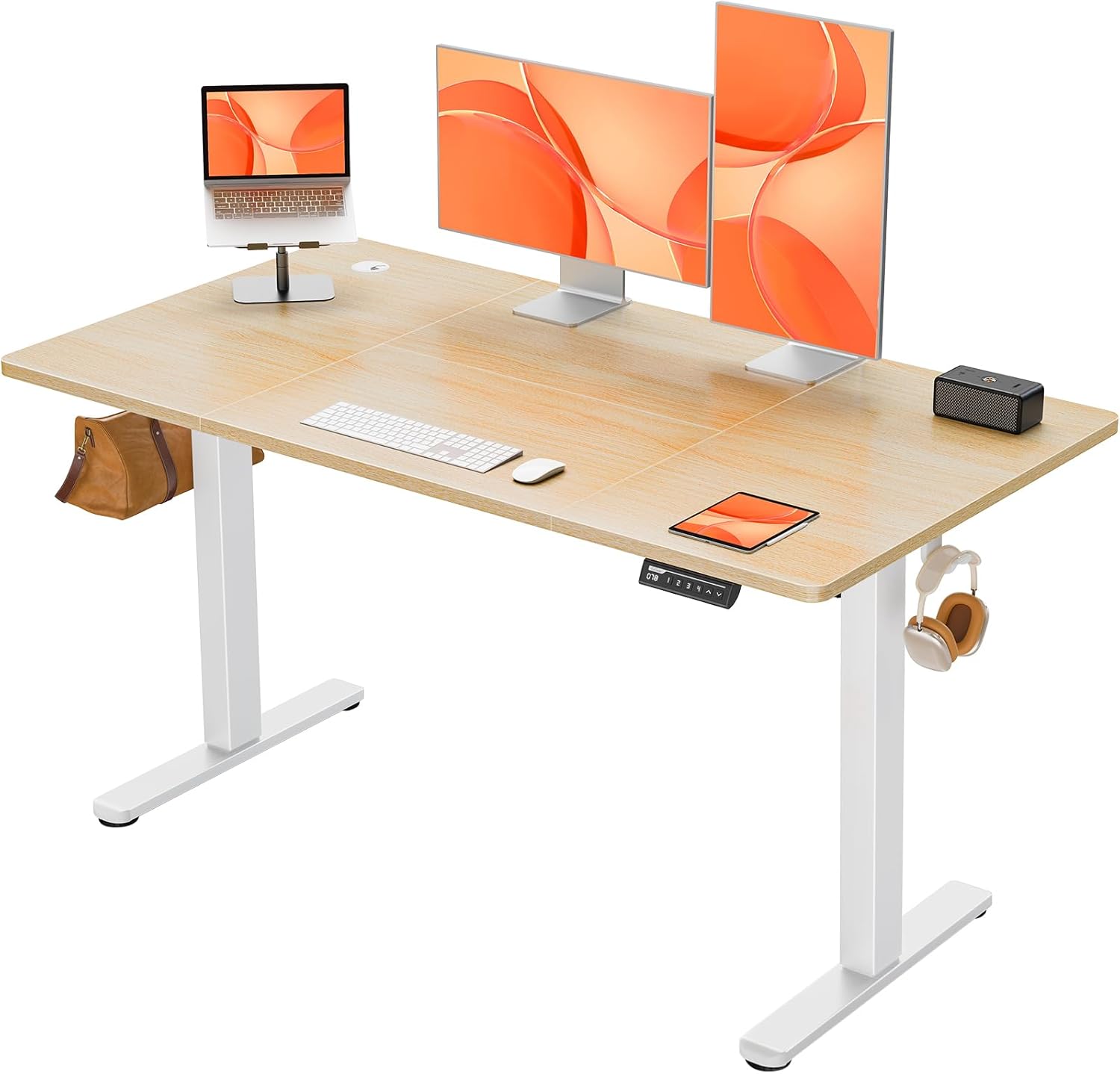
The ErGear Electric Standing Desk, showcasing its spacious desktop and integrated accessories like cable grommets and headphone hooks. It supports multiple monitors and office equipment.

The ErGear Electric Standing Desk integrated into a modern home office environment, highlighting its aesthetic appeal and functional design.
Assembly Instructions
The ErGear Electric Standing Desk is designed for streamlined assembly. While it can be completed solo, having a second person assist is recommended, especially when handling the heavy package and larger components. Ensure you have ample space for assembly, ideally twice the surface area of the desk itself.
- Unpacking: The package is densely packed and heavy (approx. 22.85 kg). Exercise caution when moving it, especially upstairs.
- Component Identification: All accessories are cleverly numbered. Refer to the comprehensive installation guide provided in the box to identify each part.
- Desktop Assembly: The desktop is a four-piece design. Carefully align the boards and use the provided dowels. For enhanced stability, some users recommend applying wood glue to the dowels during this step (optional).
- Frame Assembly: Assemble the metal frame according to the instructions. Ensure all screws are tightened securely. Note that some parts may require a screwdriver or drill for proper fastening.
- Motor and Control Panel Installation: Attach the electric lifting system and the LED control panel as indicated in the guide. Ensure all cables are properly connected.
- Final Placement: Once assembled, position the desk in your desired location.
A detailed installation guide with diagrams is included in your product packaging. Follow it step-by-step for a hassle-free setup.
Operating Instructions
Height Adjustment
Your ErGear Electric Standing Desk features a smooth electric lifting system, allowing height adjustments from 72cm to 118cm. The operation is quiet, with a noise level of ≤55db, ensuring a distraction-free environment.

Illustration of the desk's height range, showing a user standing at 118cm and another sitting at 72cm, demonstrating seamless transition.

A diagram illustrating the key dimensions of the desk, including the 140cm width, 70cm depth, and the adjustable height range of 72-118cm.
Control Panel and Memory Presets
The user-friendly LED control panel allows for easy height adjustments and saving preferred settings.
- Up/Down Arrows: Press the ^ (Up) or v (Down) arrows to manually adjust the desk height.
- Memory Presets (1, 2, 3, 4):
- Adjust the desk to your desired height using the Up/Down arrows.
- Press the M button (or similar 'Set' button if present).
- Within a few seconds, press the desired memory button (1, 2, 3, or 4) to save the current height.
- To recall a saved height, simply press the corresponding memory button. The desk will automatically move to the saved position.

Close-up of the LED control panel, showing the height display, up/down arrows, and four memory preset buttons.
Weight Capacity and Stability
The desk is designed to hold up to 80KG, utilizing a wide 65mm alloy lifting frame connected to a 15mm thick spliced worktop. It has been tested for 50,000 lifting cycles, ensuring reliable use.

An image demonstrating the desk's robust 80KG weight capacity, with a person sitting on the desk.
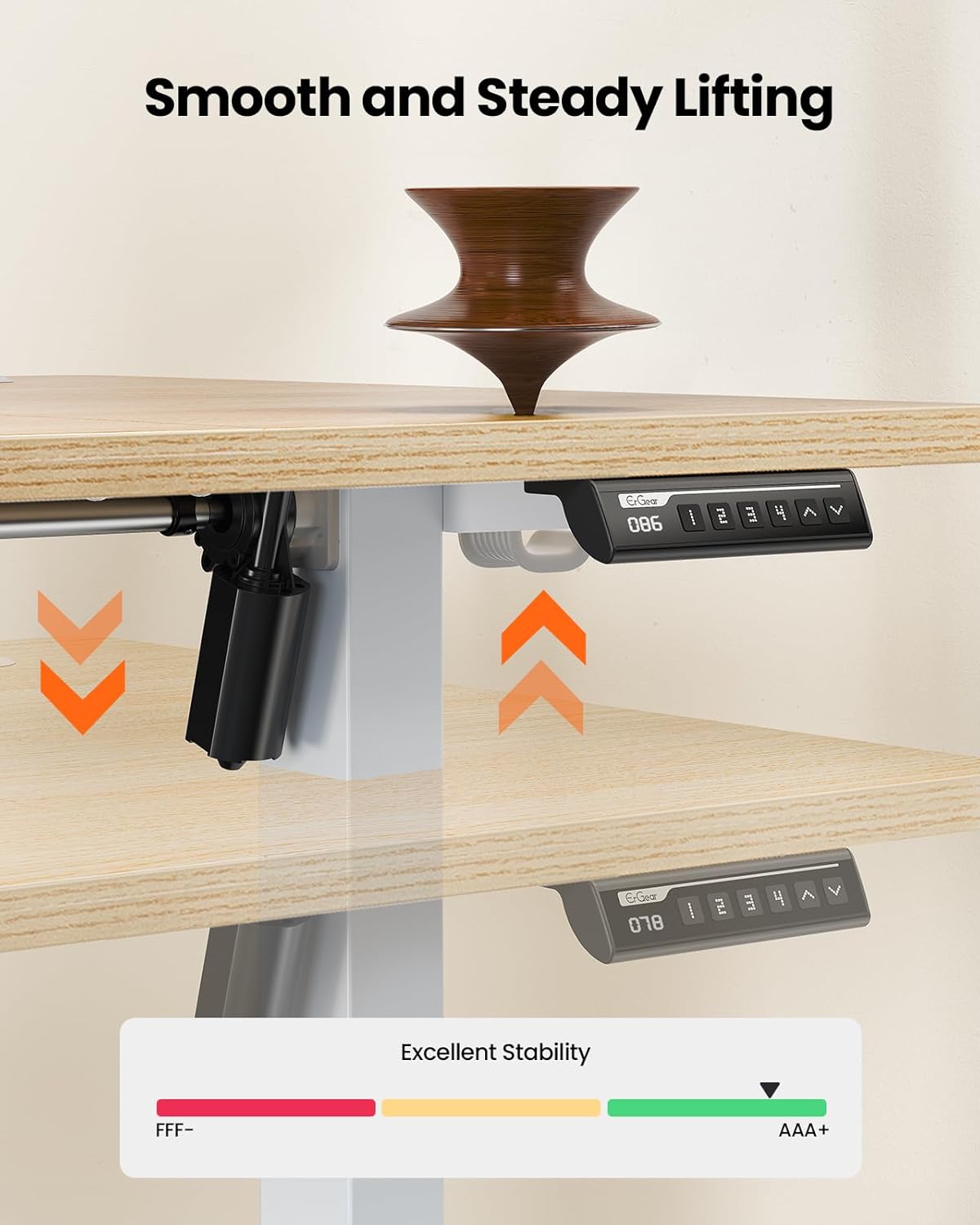
A visual representation of the desk's smooth and steady lifting mechanism, indicating excellent stability during height adjustments.
Workspace Organization
The 140cm by 70cm desktop includes thoughtful features to keep your workspace tidy.
- Cable Grommets: Two integrated cable grommets help manage and route your power and data cables, reducing clutter.
- Hooks: Two hooks are provided for hanging bags, headphones, or other accessories, keeping them within reach but off the desktop.

An image highlighting the dual cable grommets and two hooks for bags or headphones, designed to keep the workspace organized.
Maintenance
Regular maintenance will ensure the longevity and optimal performance of your ErGear Electric Standing Desk.
- Cleaning: Wipe the desktop and frame with a soft, damp cloth. Avoid abrasive cleaners or harsh chemicals that could damage the finish.
- Cable Management: Periodically check all cables for wear or damage. Ensure they are neatly routed and not pinched.
- Fasteners: Occasionally check all screws and bolts to ensure they remain tight. Retighten if necessary.
- Motor Care: Keep the motor and lifting columns free from dust and debris. Do not attempt to lubricate the motor or internal components.
- Weight Distribution: Distribute weight evenly across the desktop to prevent undue stress on the lifting mechanism.
Troubleshooting
| Problem | Possible Cause | Solution |
|---|---|---|
| Desk does not move or respond to controls. | Power cable disconnected; Motor overload; Control panel issue. | Check power connection. Unplug for 30 seconds and plug back in. Reduce weight on desk. Contact customer support if issue persists. |
| Desk moves unevenly or makes unusual noises. | Uneven weight distribution; Loose fasteners; Obstruction in lifting mechanism. | Ensure weight is evenly distributed. Check and tighten all assembly fasteners. Inspect for any obstructions under the desk. |
| Memory presets not saving or recalling correctly. | Incorrect saving procedure; Temporary electronic glitch. | Refer to "Control Panel and Memory Presets" section for correct saving procedure. Unplug and replug the desk to reset the system. |
| Desk wobbles. | Loose connections; Uneven floor; Exceeded weight capacity. | Ensure all frame connections are tight. Adjust foot pads for stability on uneven floors. Do not exceed the 80KG weight limit. |
Specifications
- Brand: ErGear
- Model Number: EGESD8
- Colour: Nature
- Product Dimensions (assembled): 140D x 70W x 72-118H centimetres (Adjustable Height)
- Item Weight: 22.8 kg
- Weight Capacity: 80 KG
- Motor Noise Level: ≤55db
- Desktop Material: Engineered Wood (Four-piece spliced worktop, 15mm thick)
- Base Material: Metal (65mm alloy lifting frame)
- Special Features: Adjustable Height, Ergonomic, Electric, 4 Memory Smart Panel, Dual Cable Grommets, 2 Hooks
- Recommended Uses: Working, Writing, Gaming
Warranty and Support
ErGear is committed to providing high-quality products and excellent customer service. For any questions, concerns, or assistance with your electric standing desk, please contact our specialized customer support team.
Please refer to your purchase documentation or the ErGear official website for specific warranty details and contact information. Keep your proof of purchase for warranty claims.
Online Support: Visit the ErGear Store on Amazon for FAQs and additional resources.
Related documentsEGESD8


Ask a question about this manual
Ask about setup, troubleshooting, compatibility, parts, safety, or missing instructions. Manuals+ will review the question and use this page’s manual context to help answer it.