
1. Introduction
Thank you for choosing the MiLESEEY DP20 Pro Dual Laser Measuring Tool. This device is engineered for high-precision distance measurement, offering advanced features for both professional and DIY applications. This manual provides essential information on the safe and effective operation, maintenance, and troubleshooting of your new laser measuring tool. Please read this manual thoroughly before use and retain it for future reference.
2. Safety Information
WARNING: Class 2 Laser Product
- Do not stare directly into the laser beam.
- Do not aim the laser beam at people or animals.
- Avoid direct eye exposure to the laser beam.
- Do not disassemble or modify the device. Unauthorized modifications may result in hazardous laser radiation exposure.
- Keep the device out of reach of children.
- Use only the specified charging cable and power source.
- Do not expose the device to extreme temperatures, humidity, or direct sunlight for prolonged periods.
3. Package Contents
Verify that all items are present in your package:
- DP20 Pro Bilateral Laser Distance Meter x1
- Sturdy Carrying Case x1
- Type-C Charge Cable x1
- User Manual x1
- Hand Strap x1
- Soft Rubber Protective Case x1

Figure 3.1: Included Components
4. Product Overview
The MiLESEEY DP20 Pro is a compact and robust laser measuring tool crafted from premium aircraft-grade magnesium-aluminium alloy. It features an upgraded OLED display for superior readability and intuitive controls.

Figure 4.1: MiLESEEY DP20 Pro Device
4.1 Key Features
- Dual Laser Measurement: Allows for two-way measurement from both ends of the device, significantly improving efficiency.
- Patented Co-Axial Optics Technology: Ensures high accuracy up to +/- 1/16” for bidirectional measurements.
- Upgraded OLED Display: Features larger, brighter digits for enhanced readability in various lighting conditions.
- Middle Laser Marking Beam: Provides a visualized reference point for precise marking.
- 1/N Line Segment Division: Automatically divides a line segment into equal smaller segments.
- App Connectivity: Seamless data transfer to the SMART LIFE app for efficient management.
- Durable Construction: Made from aircraft-grade magnesium-aluminium alloy with a pre-installed silicone protective cover.

Figure 4.2: Key Features Overview
4.2 Display Comparison (Gen-1 vs Gen-2)
The DP20 Pro Gen-2 features significant display improvements over its predecessor:
- Display Finish: Glossy (Gen-2) vs. Matte (Gen-1)
- Display Brightness: 4X brighter (Gen-2) vs. 1X (Gen-1)
- Display Protection: Includes Silicone Cover (Gen-2) vs. None (Gen-1)
- One-Way Reference: Left/Right End & Middle Laser Line (Gen-2) vs. Left/Right End (Gen-1)
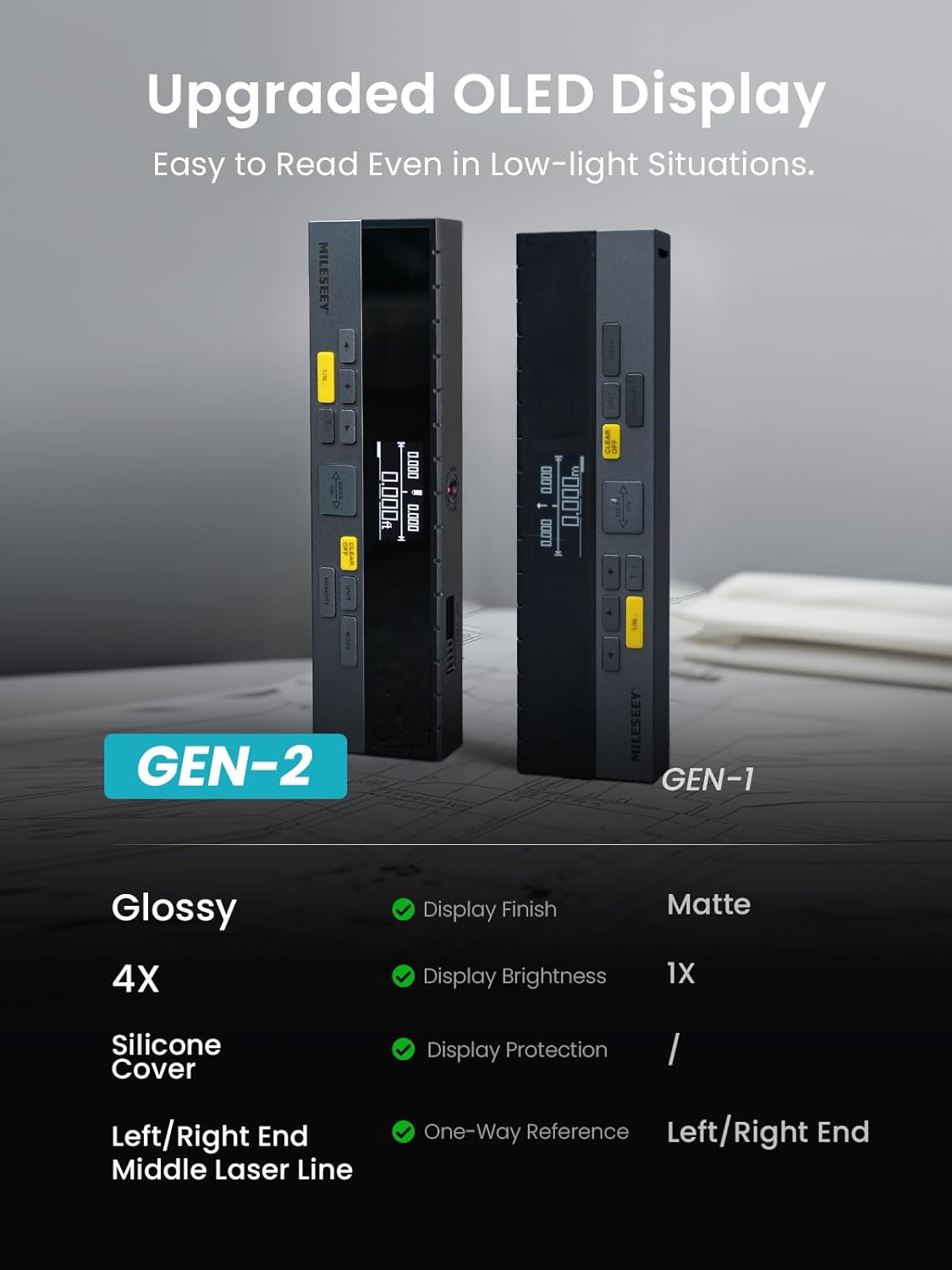
Figure 4.3: Upgraded OLED Display
5. Setup
5.1 Charging the Device
The DP20 Pro is equipped with a 1000mAh rechargeable lithium battery. To charge:
- Connect the provided Type-C charge cable to the device's charging port.
- Connect the other end of the cable to a standard USB power adapter (not included) or a computer USB port.
- The battery indicator on the display will show charging status. A full charge can last up to 10,000 measurements.

Figure 5.1: USB-C Charging
5.2 Powering On/Off
- To power on, press the MEAS/ON button.
- To power off, press and hold the CLEAR/OFF button for a few seconds. The device will also automatically power off after a period of inactivity to conserve battery.
6. Operating Instructions
6.1 Measurement Modes
The DP20 Pro offers a variety of measurement modes to suit different needs:
- Single Measurement: Standard point-to-point distance measurement.
- Dual Laser Measurement: Effortlessly switch between single and dual laser measurements with one click. This mode allows for measurement from both ends, significantly improving work efficiency and safety by reducing the need for awkward positions.
- Continuous Measurement: Provides real-time distance updates as you move the device.
- Area Measurement: Calculates the area of a surface (e.g., room) by taking two measurements (length and width).
- Volume Measurement: Calculates the volume of a space by taking three measurements (length, width, and height).
- Auto Level: Measures horizontal distance automatically.
- Auto Height: Measures vertical distance automatically.
- 1/N Line Segment Division: Automatically divides a measured line segment into several equal smaller segments, useful for quickly locating center points or specific divisions.
- Middle Laser Marking Beam: A unique feature that provides a visible laser line from the middle of the device, allowing for precise marking of the measuring point.

Figure 6.1: Multiple Measurement Modes

Figure 6.2: 1/N Line Segment Division

Figure 6.3: All-in-One Laser Tool with Multiple Reference Points
6.2 Unit Switching
The device supports various units of measurement (Feet, Inches, Meters). Press the UNIT button to cycle through the available units.
6.3 Angle Sensor
The integrated angle sensor allows the device to tackle difficult angles and indirect measurements, providing auto-level and auto-height functions.

Figure 6.4: Angle Sensor Functionality
6.4 App Connectivity (SMART LIFE App)
The DP20 Pro can connect to the SMART LIFE app for enhanced data management:
- Download the