1. Introduction
Thank you for choosing the YaberAuto YA100 Car Jump Starter. This device is designed to provide a reliable and portable solution for starting vehicles with dead batteries, as well as serving as a power bank for electronic devices and an emergency light source. Please read this manual thoroughly before use to ensure safe and optimal operation.
2. Important Safety Instructions
Always observe the following safety precautions when using the YaberAuto YA100 Jump Starter:
- Read all instructions before using the product.
- Keep out of reach of children.
- Do not operate the jump starter if it has been damaged or modified.
- Do not expose the jump starter to rain or wet conditions.
- Do not insert foreign objects into the ports.
- Ensure proper polarity when connecting to a vehicle battery (Red clamp to positive (+), Black clamp to negative (-)). Reverse polarity can cause damage.
- Do not jump start a vehicle if the jump starter's battery level is below 20%.
- Avoid prolonged exposure to direct sunlight or high temperatures.
- Disconnect the jump starter from the vehicle battery within 30 seconds after the vehicle starts.
- Use only the provided smart clamps and charging cables.
3. Package Contents
Verify that all items are present in your package:
- YaberAuto YA100 Car Jump Starter Unit
- Smart Jumper Cables (with red and black clamps)
- USB-C Charging Cable
- User Manual
- Storage Case
- 12V DC Car Charger Adapter (Cigarette Lighter Socket)
4. Device Overview
Familiarize yourself with the components of your YaberAuto YA100 Jump Starter.

Figure 4.1: Front view of the YaberAuto YA100 Jump Starter, showing the LCD display and the connection ports for the smart jumper cables.
- Power Button: Turns the device on/off and cycles through light modes.
- LCD Display: Shows battery level, operating status, and error messages.
- Jump Start Port: Connects to the smart jumper cables.
- USB-C Input Port (10W): For charging the jump starter unit.
- USB-A Output 1 Port (18W): For charging external devices.
- USB-A Output 2 Port (12W): For charging external devices.
- DC Output Port (160W): For powering 12V car accessories.
- LED Emergency Light: Provides illumination and emergency signaling.
- Force Start Button: Used for jump starting severely discharged batteries.
5. Setup and Charging
5.1 Initial Charge
Before first use, fully charge the YaberAuto YA100 Jump Starter. It is recommended to charge the device every 3-6 months to maintain battery health, even if not in use.
- Connect the provided USB-C charging cable to the USB-C input port on the jump starter.
- Connect the other end of the USB-C cable to a USB wall adapter (not included) or a car charger.
- The LCD screen will display the charging status. Charge until the battery indicator shows full.

Figure 5.1: The jump starter functioning as a portable power bank, illustrating the USB-C input and multiple USB-A outputs for charging various devices.
6. Operating Instructions
6.1 Jump Starting a Vehicle
The YaberAuto YA100 can jump start 12V vehicles with up to 10.0L gasoline or 9.0L diesel engines.

Figure 6.1: The jump starter's display highlighting its capacity to start a dead battery with 6000A peak current for 10.0L gasoline and 9.0L diesel 12V engines.
- Ensure the jump starter is at least 20% charged.
- Connect the smart jumper cables to the jump start port on the device.
- Connect the RED (+) clamp to the positive terminal of the vehicle's battery.
- Connect the BLACK (-) clamp to the negative terminal of the vehicle's battery.
- Once connected, the smart clamps will indicate a ready status (usually a solid green light). If an error is detected, refer to the troubleshooting section.
- Start your vehicle.
- Once the vehicle starts, immediately remove the smart clamps from the vehicle battery, then disconnect them from the jump starter.
6.2 Force Start Function
Use the force start function only when the vehicle battery is severely discharged and the smart clamps do not automatically detect the battery.
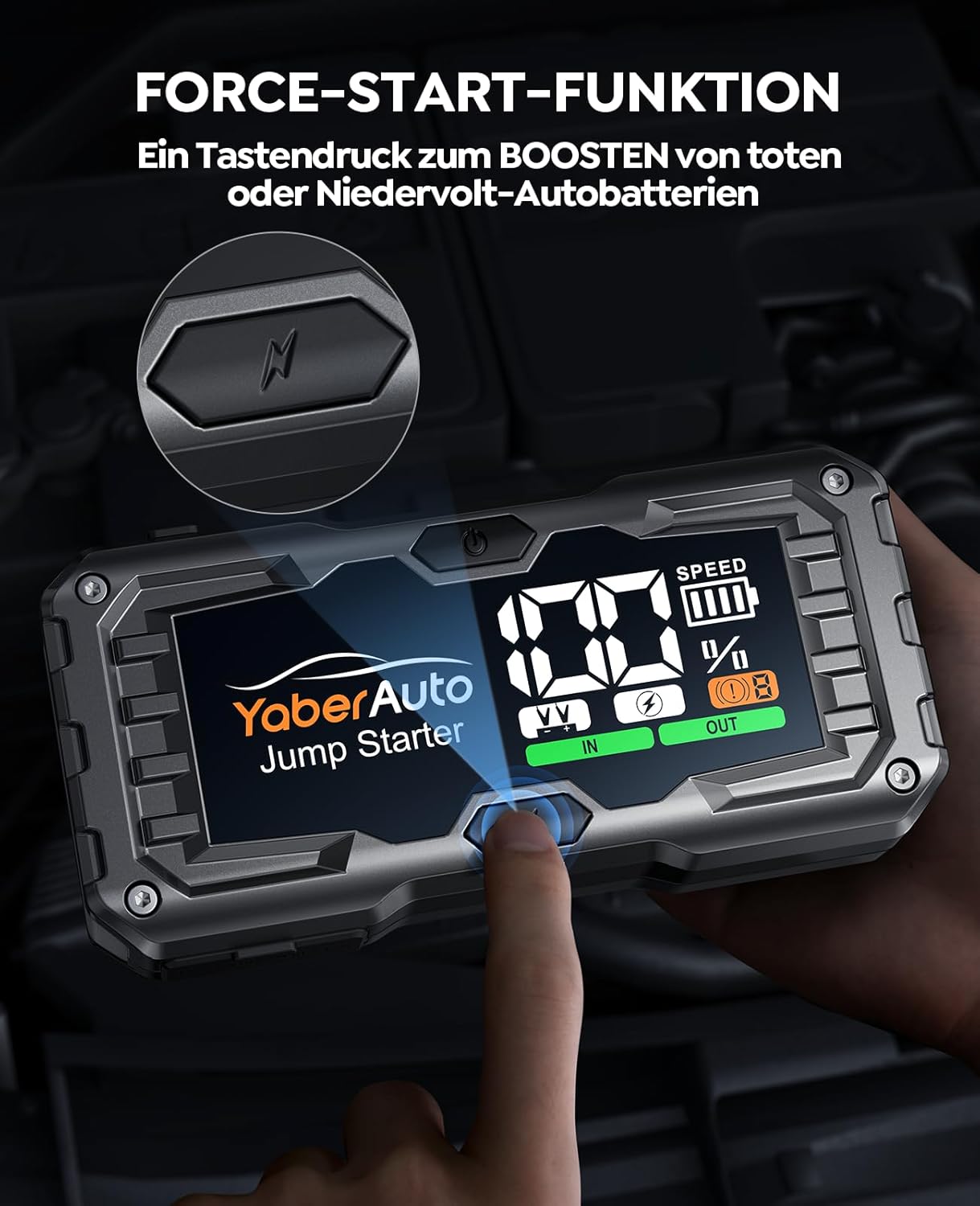
Figure 6.2: A finger pressing the force start button on the jump starter, used for boosting dead or low-voltage car batteries.
- Follow steps 1-4 from "6.1 Jump Starting a Vehicle".
- If the smart clamps do not show a ready status, press and hold the "Force Start" button on the jump starter for 3 seconds.
- The indicator on the smart clamps will turn solid green.
- Start your vehicle within 30 seconds.
- Immediately remove the smart clamps from the vehicle battery, then disconnect them from the jump starter.
WARNING: Do not use the force start function if the vehicle battery voltage is above 12V. This function bypasses safety checks and should be used with extreme caution.
6.3 Using as a Portable Power Bank
The YA100 features two USB-A output ports and one DC output port for charging or powering external devices.

Figure 6.3: The jump starter's 160W max DC output providing continuous power to a 12V car device, such as a dash cam.
- USB-A Outputs: Connect your smartphone, tablet, or other USB-powered devices to the USB-A output ports using their respective charging cables. The device will automatically begin charging.
- DC Output (12V/10A, 160W Max): Connect 12V car accessories, such as tire inflators, car vacuums, or dash cams, to the DC output port using the appropriate adapter (often included with the accessory).
6.4 Using the Emergency Light
The built-in LED light offers multiple modes for various situations.

Figure 6.4: The jump starter's 450 lumen emergency lighting feature, illustrating its flashlight, white strobe, red strobe, and SOS modes for various emergency situations.
- Press the Power button once to turn on the device.
- Press the Power button again to cycle through the light modes:
- Continuous Light (Flashlight)
- White Strobe
- Red Strobe
- SOS Signal
- Press and hold the Power button to turn off the light.
7. Maintenance and Storage
- Charging: Recharge the jump starter at least once every 3-6 months to prolong battery life.
- Cleaning: Use a dry, soft cloth to clean the device. Do not use harsh chemicals or abrasive materials.
- Storage: Store the jump starter in a cool, dry place, away from direct sunlight, moisture, and flammable materials. The optimal storage temperature is between 0°C and 40°C (32°F and 104°F).
- Battery Care: The device features a honeycomb heat dissipation structure to minimize battery temperature and extend its lifespan.
8. Troubleshooting
If you encounter issues, refer to the following common problems and solutions:
| Problem | Possible Cause | Solution |
|---|---|---|
| Device does not turn on. | Battery is completely discharged. | Charge the jump starter fully. |
| Vehicle does not start. |
|
|
| Smart clamps show error indicator. |
|
|
| External devices not charging. |
|
|

Figure 8.1: The 3.3-inch LCD screen provides a clear overview of battery status, operational mode, and any detected errors, aiding in troubleshooting.
9. Specifications
| Model | YA100 |
| Peak Current | 6000A |
| Battery Capacity | 21800 mAh (79.9Wh) |
| Battery Type | Lithium-ion |
| Start Voltage | 12V |
| Gas Engine Rating | Up to 10.0L |
| Diesel Engine Rating | Up to 9.0L |
| USB-C Input | 5V/2A (10W Max) |
| USB-A Output 1 | 5V/3A, 9V/2A, 12V/1.5A (18W Max) |
| USB-A Output 2 | 5V/2.4A (12W Max) |
| DC Output | 12V/10A (160W Max) |
| LED Light Output | 450 Lumens |
| Dimensions (L x W x H) | 19.5 x 9.5 x 4.5 cm (7.68 x 3.74 x 1.77 inches) |
| Weight | 1.19 kg (2.62 lbs) |
| Operating Temperature | -20°C to 60°C (-4°F to 140°F) |
10. Warranty and Customer Support
YaberAuto is committed to providing high-quality products and excellent customer service.
- 24-Month Warranty: Your YaberAuto YA100 Jump Starter is covered by a 24-month hassle-free warranty from the date of purchase.
- 30-Day Return Guarantee: Enjoy a 30-day unconditional return guarantee.
- Lifetime Technical Support: YaberAuto provides lifetime customer and technical support for this product.
- 24/7 Customer Support: Our customer support team is available 24 hours a day, 7 days a week to assist you.
If you have any questions, concerns, or require assistance with your product, please do not hesitate to contact our professional support team. We aim to provide a satisfactory response within 24 hours.
For support, please visit our official website or contact us via the details provided on your product packaging or purchase platform.


