
Introduction
Thank you for choosing the Oddire Mini Drone with Camera. This foldable 1080P HD drone is packed with features designed for an enjoyable and stable flying experience, suitable for both beginners and experienced pilots. Please read this manual carefully before operation to ensure safe and proper use.
Key features include stable hover, gravity control, auto-follow, trajectory flight, a 90° adjustable lens, one-key takeoff/landing, 3D flips, and headless mode. Many advanced functions are controlled via the dedicated mobile application.
What's in the Box
- Oddire RC Drone
- Remote Control
- Carrying Case
- 2 x 1000mAh Batteries
- USB Charging Cable
- 4 x Extra Propellers
- 4 x Propeller Guards
- Manual
- Screwdriver

Image: Oddire Mini Drone, remote control, batteries, charging cable, extra propellers, and propeller guards neatly packed in its carrying case.
Setup
1. Unfolding the Drone
Carefully unfold the drone's arms until they click into place. Ensure all four arms are fully extended before flight.

Image: The Oddire Mini Drone with its arms unfolded, ready for flight. Key features like 1080P FPV Camera, Stable Hover, 3 Speed Gear, Headless Mode, Trajectory Flight, 360 Flip, Gesture Photo, Gravity Remote Control, 90° Adjustable Camera, and VR are highlighted.
2. Battery Installation & Charging
Insert a charged 1000mAh battery into the designated slot at the rear of the drone until it clicks securely. To charge the batteries, use the provided USB charging cable. Connect the battery to the cable and plug it into a USB power source. The indicator light will show charging status.

Image: A hand inserting a modular battery into the back compartment of the Oddire Mini Drone. The image also highlights the drone's compact folded size (4.9x2.76x2.36 inches) and unfolded size (11.2x10x2.17 inches), emphasizing its portability and full protection design.
3. Controller Setup
Extend the phone holder on the remote control and securely place your smartphone. Ensure your phone is fully charged.

Image: The Oddire Mini Drone's remote control with a smartphone mounted, displaying the 1080P FPV camera's real-time view. The image emphasizes the electric adjustable 90° camera and optical flow positioning for stable hovering.
4. App Connection
Download the "ODDIRE GO" app from your mobile app store. Place the drone on a flat surface, then turn on the drone and the controller. They will automatically connect. Open your mobile phone's Wi-Fi settings, search for the Wi-Fi network starting with "ODDIRE_X-28_XXXXXX", and connect directly. Photos and videos will be saved directly to your phone via the app.
Operating Instructions
1. Calibration
Before takeoff, ensure the drone is on a flat surface. Move both joysticks inwards 45 degrees simultaneously to calibrate the drone. This ensures stable flight.
2. One-Key Takeoff/Landing
Press the one-key takeoff/landing button on the controller to initiate automatic takeoff or landing. This feature simplifies operation for beginners.
3. Stable Hover & Optical Flow Positioning
Equipped with an Optical Flow Positioning Camera, the drone maintains a stable hover altitude, making it easier to control and capture clear footage.
4. Flight Modes
- 3-Speeds Mode: Adjust the drone's speed between low, mid, and high settings using the dedicated button on the controller.
- Headless Mode: In this mode, the drone's orientation is relative to the pilot, eliminating the need to adjust its position before flying.
- 3D Flip: Perform impressive 360-degree flips with a single button press and joystick movement.
- Trajectory Flight: Draw a desired flight path on your smartphone screen, and the drone will automatically follow it.
- Gravity Control: Control the drone's movement by tilting your smartphone, utilizing its built-in gravity sensor.
- Gesture Photo: Use specific hand gestures to trigger photo capture, adding a fun and convenient way to take selfies.
- VR Mode: Experience immersive first-person view flight by connecting a compatible VR headset to your smartphone.
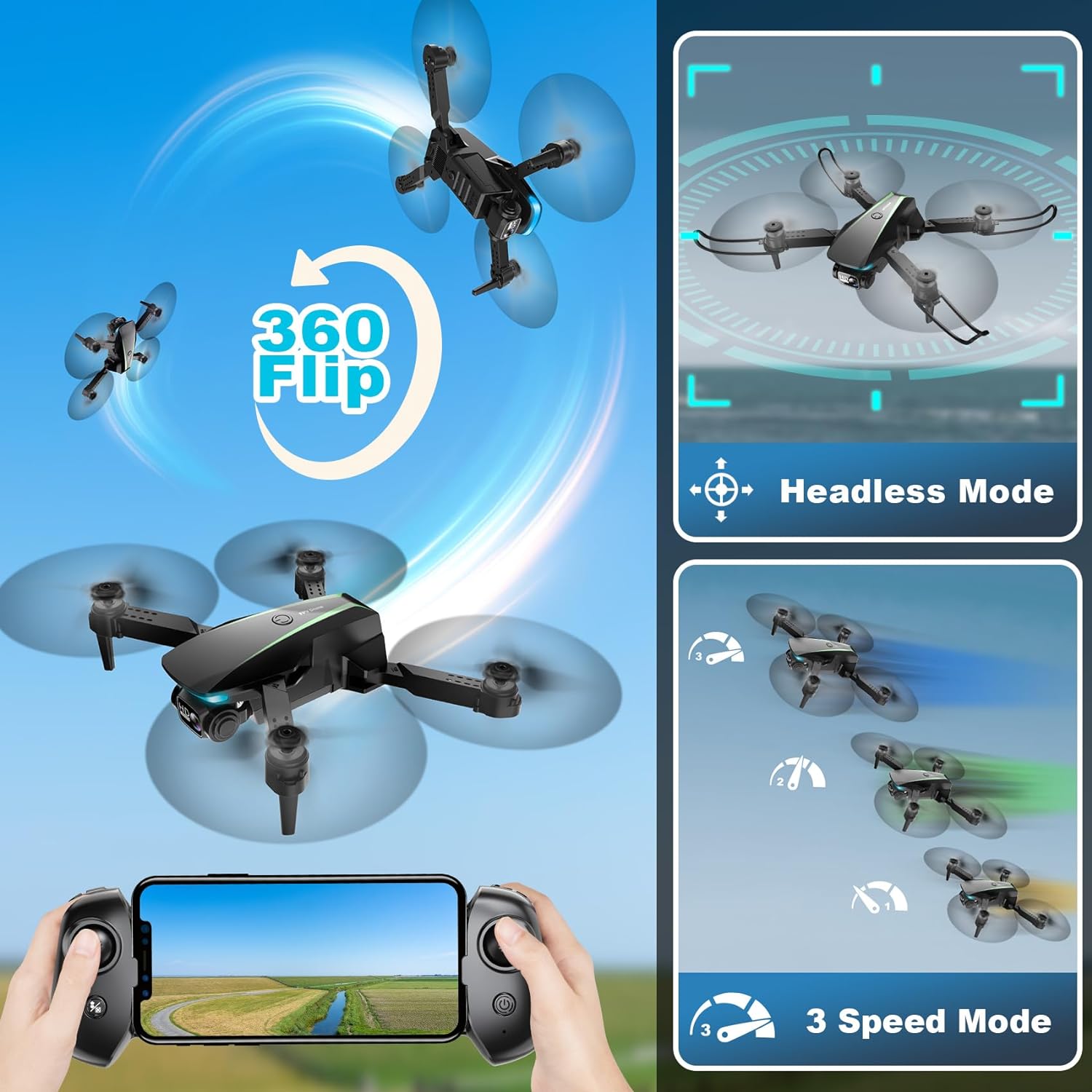
Image: The Oddire Mini Drone demonstrating its 360 Flip, Headless Mode, 3 Speed Mode, Gravity Remote Control, VR Mode, and Gesture Photo features.
5. Camera Operation
The drone is equipped with a 1080P HD camera. The camera angle can be adjusted remotely up to 90 degrees via the controller. Use the app to capture real-time photos and videos, which are saved directly to your phone.
Video: An official product video demonstrating the Oddire Drone with Camera, showcasing its features and flight capabilities.
Maintenance
- Propeller Replacement: If a propeller is damaged, use the provided screwdriver to replace it with an extra propeller from the accessories kit.
- Battery Care: Always use the original charging cable. Do not overcharge or expose batteries to extreme temperatures.
- Cleaning: Use a soft, dry cloth to clean the drone and controller. Avoid using harsh chemicals or liquids.
Troubleshooting
If you encounter any issues with your Oddire Mini Drone, please refer to the following common solutions:
- Connection Issues: Ensure the drone and controller are powered on and fully charged. Re-establish Wi-Fi connection through your phone's settings.
- Unstable Flight: Perform a horizontal calibration on a flat surface before takeoff. Check for any damaged propellers.
- App Functionality: Ensure the "ODDIRE GO" app is updated to the latest version. Restart the app and your phone if necessary.
For further assistance, please contact Oddire customer support. We are committed to helping you within 24 hours.
Specifications
| Feature | Detail |
|---|---|
| Brand | Oddire |
| Model Name | Oddire |
| Model Number | X-28 |
| Special Features | Trajectory flight, gravity control, 3D flip, headless mode, gesture photo, VR |
| Age Range (Description) | Adult, Kid |
| Color | Green |
| Video Capture Resolution | 1080p |
| Included Components | Remote Control, Battery |
| Skill Level | Intermediate |
| Control Type | Remote Control |
| Media Type | SD (via app connection) |
| Maximum Range | 0.03 Miles |
| Material | Plastic/Composite |
| Wireless Communication Technology | Wi-Fi |
| Item Weight | 1.04 pounds |
| Product Dimensions | 11 x 10 x 2.2 inches (unfolded) |
| Rechargeable Battery Included | Yes (2 batteries) |
Warranty and Support
Oddire products come with a standard manufacturer's warranty. For detailed warranty information or technical support, please refer to the contact information provided within the "ODDIRE GO" app or on the product packaging. Our support team is available to assist you with any questions or concerns.