Introduction
This manual provides comprehensive instructions for the operation, maintenance, and troubleshooting of your FCX24M FMS 1/24 RC Crawler, Defender 110 model. Please read this manual thoroughly before using the product to ensure safe and optimal performance.

Image: The FCX24M FMS 1/24 RC Crawler, Defender 110 model, showcasing its detailed exterior and roof rack.
Safety Information
For your safety and to prevent damage to the product, observe the following precautions:
- Always fully charge the battery before initial use and subsequent operations.
- Keep the RC crawler away from water, moisture, and extreme temperatures.
- Do not operate the vehicle in public streets, near people, or in areas with obstacles that could cause injury or damage.
- Ensure all components are securely fastened before operation.
- Adult supervision is recommended for users under the age of 17.
What's in the Box
Upon opening the package, verify that all the following items are included:
- FCX24M FMS 1/24 RC Crawler (Defender 110 model)
- Remote Control
- Rechargeable Lithium Ion Battery
- Charging Cable
- Product Manual (this document)
- Accessory Pack (including roof rack and various scale accessories)

Image: A collection of included accessories, such as decals, miniature tools, and a roof rack, for customizing the RC crawler.
Setup
1. Battery Installation and Charging
- Locate the battery compartment on the underside of the RC crawler.
- Carefully open the compartment cover.
- Connect the provided Lithium Ion battery to the vehicle's power connector.
- Close the battery compartment securely.
- Connect the charging cable to the battery and a suitable USB power source. The charging indicator will illuminate.
- Allow the battery to fully charge before first use. Charging typically takes approximately 1-2 hours. The indicator light will change or turn off when charging is complete.
2. Remote Control Setup
- Install 4 AAA batteries (not included) into the remote control's battery compartment, observing polarity.
- Turn on the remote control. The indicator light should blink.
- Turn on the RC crawler. The vehicle and remote control will automatically pair. The indicator lights on both devices will become solid once paired.
Operating Your RC Crawler
Basic Controls
- Throttle Trigger: Pull the trigger to move forward, push to brake or reverse.
- Steering Wheel: Turn the wheel left or right to steer the vehicle.
Two-Speed Transmission
Your FCX24M RC Crawler is equipped with a two-speed transmission, allowing for versatile driving experiences:
- Low Speed: Ideal for precise crawling over challenging terrain, offering maximum torque and control.
- High Speed: Suitable for faster off-road driving and covering more ground quickly.
Refer to your remote control's specific buttons for shifting between low and high speeds. Typically, a dedicated button or switch controls this function.

Image: The FCX24M RC Crawler navigating rough terrain, highlighting its two-speed transmission capability for both crawling and faster movement.
Lighting Effects
The RC crawler features pre-drilled holes for headlights, taillights, and roof spotlights, allowing for easy installation of a lighting system (sold separately or included in some packages). These lights enhance realism and visibility during operation.
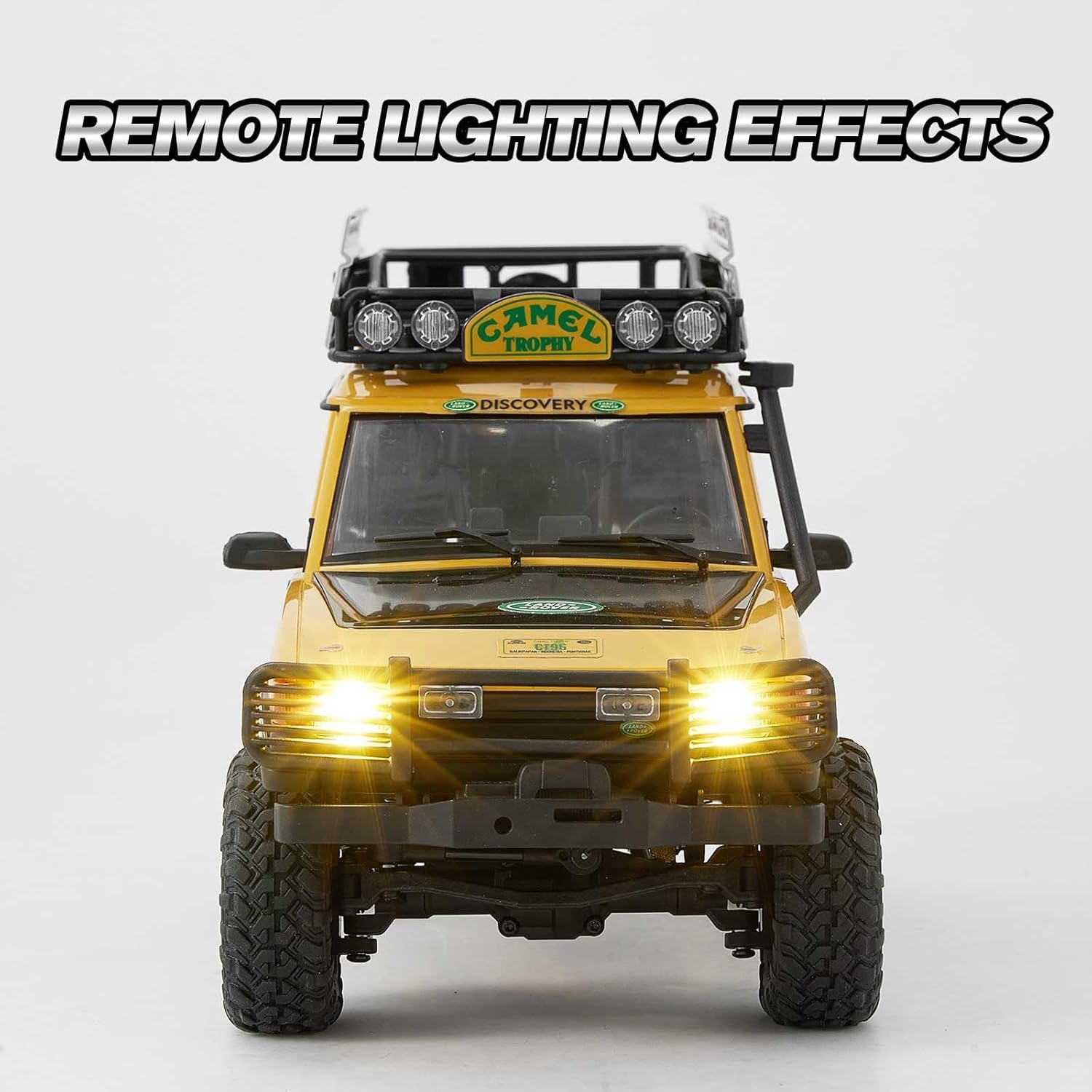
Image: Front view of the FCX24M RC Crawler with its headlights illuminated, demonstrating the lighting effects.
Maintenance
Regular maintenance ensures the longevity and performance of your RC crawler.
- Cleaning: After each use, especially in dusty or dirty environments, clean the vehicle with a soft brush or cloth. Avoid using water directly on electronic components.
- Battery Care: Store the battery in a cool, dry place when not in use. Do not overcharge or completely discharge the battery. Disconnect the battery from the vehicle when storing.
- Chassis Inspection: Periodically inspect the chassis, suspension, and drivetrain for any loose screws, damaged parts, or debris. Tighten any loose connections.
- Body Removal: The hard plastic body can be easily removed for maintenance, customization, or painting.

Image: The FCX24M RC Crawler with its body tilted upwards, revealing the internal chassis and components for easy access during maintenance or customization.
Troubleshooting
If you encounter issues with your FCX24M RC Crawler, refer to the following common problems and solutions:
| Problem | Possible Cause | Solution |
|---|---|---|
| Vehicle does not respond to remote control. | Low battery in vehicle or remote; not paired; power switch off. | Charge vehicle battery; replace remote batteries; ensure both power switches are ON and re-pair if necessary. |
| Poor performance or slow speed. | Low battery; debris in drivetrain; incorrect speed setting. | Charge battery; clean vehicle; ensure two-speed transmission is in the desired setting. |
| Steering issues (e.g., not turning, erratic movement). | Damaged steering servo; loose connections; obstruction. | Inspect steering components for damage or obstructions. Check all wiring connections. If the servo is faulty, contact support for replacement. |
| Lights not working. | Loose connection; damaged LED; power issue. | Check wiring connections to the lighting system. Ensure the vehicle battery is charged. |
If the problem persists after attempting these solutions, please contact FCX customer support.
Specifications
| Feature | Detail |
|---|---|
| Product Dimensions | 8.9 x 4 x 4.7 inches |
| Item Weight | 2.33 pounds |
| Model | Defender 110 (FCX24M) |
| Manufacturer Recommended Age | 17 years and up |
| Battery Type | 1 Lithium Ion battery (required) |
| Transmission | Two-speed |
| Chassis | Non-load-bearing metal ladder frame |
| Motor | 050 motor |
| Battery Capacity | 380mAh 2S Li-Po |
| Run Time | Up to 30 minutes (approximate) |
Warranty and Support
For information regarding product warranty, returns, or technical support, please contact FCX customer service directly. You can often find contact details on the product packaging or the official FCX brand website.
Visit the official FCX store for more products and information: FCX Store on Amazon