1. Product Overview
The VISOOP Smart Tracker Tag is a compact and MFi-certified item locator designed to help you keep track of your valuables using the Apple Find My network. It is compatible with iOS devices such as iPhone, iPad, Apple Watch, and Macbooks, providing a seamless tracking experience without the need for additional apps. The tracker is built for durability, featuring IP65 water resistance and a replaceable battery for long-term use.
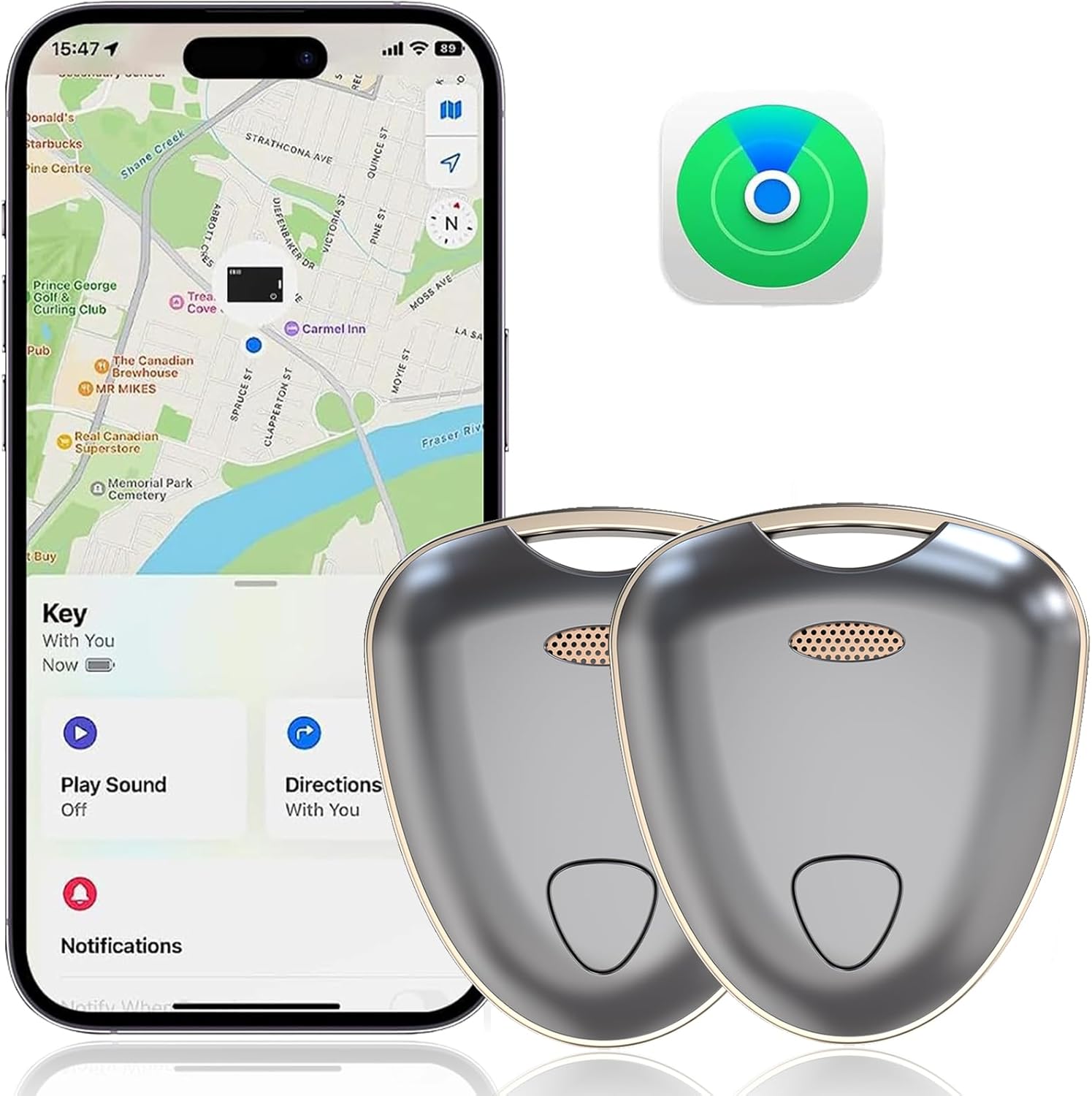
Image: VISOOP Smart Tracker Tags with Apple Find My app interface.
Video: An overview of the VISOOP Item Locator's features and functionality.
2. Setup
2.1 Pairing with Apple Find My
The VISOOP Smart Tracker Tag integrates directly with the Apple Find My network. Follow these steps to pair your tracker:
- Ensure your iOS device (iPhone, iPad, etc.) has the "Find My" app installed and Bluetooth is enabled.
- Open the "Find My" app on your iOS device.
- Tap on the "Items" tab at the bottom of the screen.
- Tap "Add Item" and then select "Other Supported Item".
- Press and hold the function button on your VISOOP Smart Tracker Tag until you hear a "beep" sound. The app will begin searching for the tracker.
- Once detected, tap "Connect" in the app.
- Assign a name to your tracker (e.g., "Keys", "Wallet", "Luggage") and choose an emoji to represent it for easy identification within the app.
- Confirm the pairing. Your VISOOP Smart Tracker Tag is now ready to use.

Image: Step-by-step guide for pairing the tracker with the Find My app.
3. Operating Instructions
3.1 Finding Nearby Items
When your VISOOP Smart Tracker Tag is within Bluetooth range (up to 200ft/60m), you can use the "Play Sound" feature to locate it quickly.
- Open the "Find My" app on your iOS device.
- Select the VISOOP Smart Tracker Tag you wish to locate from your "Items" list.
- Tap the "Play Sound" button. The tracker will emit a loud beep (80-100 dB) to help you pinpoint its exact location.
- You can also ask Siri for assistance by saying, for example, "Hey Siri, find my keys."

Image: Using the "Play Sound" feature to locate nearby items.
3.2 Finding Far Away Items
If your item is lost outside of Bluetooth range, the vast Apple Find My network can help you locate it. Hundreds of millions of iOS devices worldwide anonymously and securely relay the location of your VISOOP Smart Tracker Tag to you.
- Open the "Find My" app on your iOS device.
- Select the VISOOP Smart Tracker Tag from your "Items" list.
- The app will display the tracker's last known location on a map.
- You can get directions to the location where your item was last detected by the Find My network.

Image: Locating items far away using the Find My network map.
3.3 Left-Behind Alerts
To prevent losing your items, the VISOOP Smart Tracker Tag can notify you if you leave an item behind.
- In the "Find My" app, select your VISOOP Smart Tracker Tag.
- Scroll down to "Notifications" and enable "Notify When Left Behind".
- You can customize locations where you don't want to be notified (e.g., your home).
- If your tracker disconnects from your iOS device's Bluetooth outside of these designated safe locations, you will receive an instant notification on your device.
4. Maintenance
4.1 Battery Replacement
The VISOOP Smart Tracker Tag is powered by a standard CR2032 coin cell battery, which typically lasts up to 12 months. The Find My app will notify you when the battery level is low.
- Locate the small groove or opening on the side of the tracker.
- Gently pry open the tracker's casing using a small tool (e.g., a flathead screwdriver or a guitar pick).
- Remove the old CR2032 battery.
- Insert a new CR2032 battery with the positive (+) side facing up.
- Align the two halves of the casing and press firmly until it clicks securely into place.

Image: Illustration of the replaceable CR2032 battery and its approximate 12-month lifespan.
4.2 Water Resistance
The VISOOP Smart Tracker Tag features an IP65 water-resistant rating. This means it is protected against dust ingress and low-pressure water jets from any direction. It is suitable for everyday use and can withstand splashes, spills, and light rain. However, it is not designed for submersion in water.

Image: VISOOP Smart Tracker Tag demonstrating IP65 water resistance.
5. Troubleshooting
- Tracker not connecting to Find My app:
- Ensure Bluetooth is enabled on your iOS device.
- Make sure the tracker's battery is not depleted. Replace if necessary.
- Try restarting your iOS device and the tracker (by removing and reinserting the battery).
- Ensure you are following the correct pairing steps as outlined in Section 2.1.
- No sound when "Play Sound" is activated:
- Check if the tracker is within Bluetooth range of your device.
- Verify the battery level of the tracker. A low battery might affect sound output.
- Ensure your device's volume is turned up.
- "Notify When Left Behind" not working:
- Confirm that the feature is enabled in the Find My app settings for the specific tracker.
- Check if the location where the item was left is excluded from notifications.
- Ensure your iOS device has a stable internet connection for location updates.
- Inaccurate location:
- Location accuracy depends on the density of the Apple Find My network. In areas with fewer iOS devices, location updates might be less frequent or precise.
- Ensure your device's Location Services are enabled for the Find My app.
6. Specifications
| Brand | VISOOP |
| Model | Gray-2Pack |
| Compatible Devices | iPhone, Apple Watch, iPad, iOS, Mac (iOS only) |
| Connectivity | Bluetooth BLE 5.2 |
| Speaker Volume | 80-100 dB |
| Battery Type | CR2032 Coin Cell (replaceable) |
| Battery Life | Up to 12 months |
| Water Resistance | IP65 |
| Dimensions (L x W x T) | 4.4 cm x 3.9 cm x 0.85 cm (1.7 in x 1.5 in x 0.33 in) |
| Weight | 12 g |
7. Warranty and Support
For warranty information, technical support, or any inquiries regarding your VISOOP Smart Tracker Tag, please contact the manufacturer or your point of purchase. Refer to the product packaging or the seller's information for specific contact details.


