
1. Introduction
The Linshang LS176 Spectrophotometer is a high-accuracy color measurement device designed for precise whiteness, yellowness, and spectral reflectance analysis. Utilizing a D/8° international common lighting method and a full-spectrum LED light source, it provides reliable and repeatable color data for various applications.
Key features of the LS176 include:
- Full spectrum LED light source with balanced spectral distribution.
- Advanced spectral sensor with curve fitting algorithm for professional spectral reflectance curves.
- High repeatability, meeting national standards for Grade 1 colorimeters.
- D/8° international common lighting method for wide applicability.
- Intuitive 3.5-inch large touch screen for easy operation.

Figure 1: Linshang LS176 Spectrophotometer in operation, displaying color measurement results on its touch screen.
2. Setup and Initial Use
2.1 Unboxing and Package Contents
Carefully unpack the LS176 Spectrophotometer and verify all components against the packing list. Retain the packaging for future storage or transport.

Figure 2: Package contents of the Linshang LS176 Spectrophotometer.
The standard package includes:
- LS176 Colorimeter
- Non Dust Cloth
- USB Cable
- Locating Plate
- Calibration Report
- User Manual
- Warranty Card
2.2 Powering On and Battery
The device is powered by a built-in Lithium Metal battery (included). Ensure the device is sufficiently charged before first use. Connect the provided USB cable to charge the spectrophotometer.
2.3 Initial Calibration
Before performing any measurements, it is essential to calibrate the LS176 Spectrophotometer. Refer to the on-screen prompts or the detailed instructions in the included User Manual for the specific calibration procedure. Typically, this involves placing the device on a white calibration standard and initiating the calibration sequence via the touch screen.
3. Operating Instructions
3.1 User Interface Overview
The LS176 features a 3.5-inch touch screen for intuitive navigation and operation. The interface is designed for simplicity, allowing users to obtain measurement results quickly.

Figure 3: The 3.5-inch touch screen interface of the LS176, demonstrating ease of use.
3.2 Performing a Measurement
- Prepare the Sample: Ensure the sample surface is clean, flat, and representative of the material to be measured.
- Place the Device: Position the LS176 Spectrophotometer firmly on the sample, ensuring the measurement aperture is completely covered.
- Initiate Scan: On the touch screen, select the desired measurement mode (e.g., Color Compare, Spectral Reflectance) and tap the "Scan Sample" button.
- View Results: The measurement results, including L*a*b* values, whiteness, yellowness, or spectral reflectance curves, will be displayed on the screen.

Figure 4: Various interfaces and features of the LS176, including color comparison and spectral curve display.
3.3 Using Built-in and Custom Color Charts
The LS176 comes with four industry-standard electronic color charts for quick matching. It also supports the creation and storage of self-built color charts, eliminating the need for physical paper charts.
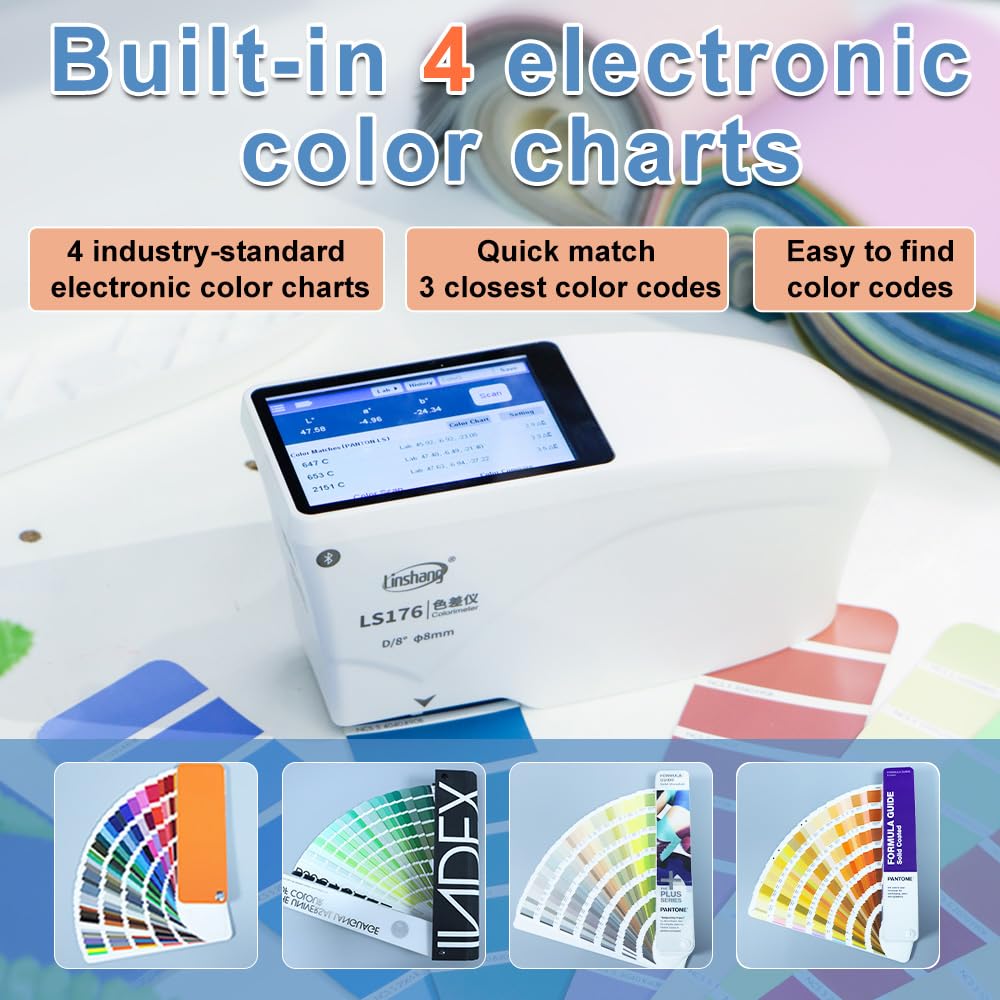
Figure 5: The LS176 displaying built-in color chart options.

Figure 6: The LS176 supporting self-built color charts.
3.4 Connecting to APP and PC Software
The LS176 can connect to a mobile application and PC software for enhanced data management, analysis, and reporting. Refer to the specific software manuals for detailed instructions on connectivity and features.
4. Maintenance
4.1 Cleaning the Device
To ensure accurate measurements and prolong the life of your spectrophotometer, keep it clean. Use the provided non-dust cloth to gently wipe the exterior of the device and the measurement aperture. Avoid using abrasive cleaners or solvents that could damage the surface or optical components.
4.2 Storage
When not in use, store the LS176 in its original packaging or a protective case in a dry, dust-free environment, away from direct sunlight and extreme temperatures.
5. Troubleshooting
This section addresses common issues you might encounter with the LS176 Spectrophotometer. For problems not listed here, please contact customer support.
-
Device does not power on:
- Ensure the battery is charged. Connect the device to a power source using the USB cable.
- Verify the power button is pressed correctly.
-
Inaccurate measurements:
- Perform a calibration before each measurement session or if the environment changes significantly.
- Ensure the sample surface is clean and flat.
- Verify the measurement aperture is fully covered by the sample.
- Clean the measurement aperture and calibration standard with the non-dust cloth.
-
Touch screen unresponsive:
- Restart the device.
- Ensure your fingers are clean and dry when operating the touch screen.
6. Specifications
| Feature | Detail |
|---|---|
| Model Number | EC-LS176 |
| Measurement Geometry | D/8° (diffuse illumination, 8° viewing) |
| Light Source | Full spectrum LED |
| Repeatability | ΔE*ab ≤ 0.03 |
| Display | 3.5-inch Touch Screen |
| Battery Type | 1 Lithium Metal battery (included) |
| Package Dimensions | 7.87 x 5.91 x 3.94 inches |
| Weight | 2.2 Pounds |
| Manufacturer | Shenzhen Linshang Technology Co., Ltd. |

Figure 7: Calibration certificate confirming the high precision of the LS176.
7. Warranty and Support
7.1 Warranty Information
The Linshang LS176 Spectrophotometer comes with a Warranty Card included in the package. Please refer to this card for detailed terms and conditions of the product warranty. Retain your proof of purchase for warranty claims.
7.2 Customer Support
For technical assistance, service, or inquiries regarding your LS176 Spectrophotometer, please contact the manufacturer, Shenzhen Linshang Technology Co., Ltd., or your authorized dealer. Contact information can typically be found on the warranty card or the manufacturer's official website.