
1. Introduction
Thank you for choosing the YOTMS H-7 Gaming Headset. This manual provides essential information for setting up, operating, and maintaining your new headset. Please read it thoroughly to ensure optimal performance and longevity of your device.

Image 1.1: The YOTMS H-7 Gaming Headset, showcasing its purple color and overall design.
2. Product Features
- Multi-Platform Compatibility: Supports PS4, PS5, new Xbox One, PC, Switch, 3DS, laptops, tablets, and other devices with 3.5mm ports.
- 3D Immersive Surround Sound: Features clear sound, powerful bass, ambient noise isolation, and high-precision 40mm magnetic neodymium drivers for realistic audio.
- Omni-directional Noise Cancelling Mic: Equipped with a noise cancellation chip and a 360° omnidirectional rotatable sensitive microphone to reduce background noise and ensure clear communication.
- Excellent User-Friendly Design: Skin-friendly thickened memory foam ear cushions, an adjustable headband, and comfortable faux leather ear cups provide comfort for long gaming sessions.

Image 2.1: Exploded view of the high-precision 40mm driver units, highlighting components that deliver immersive sound.
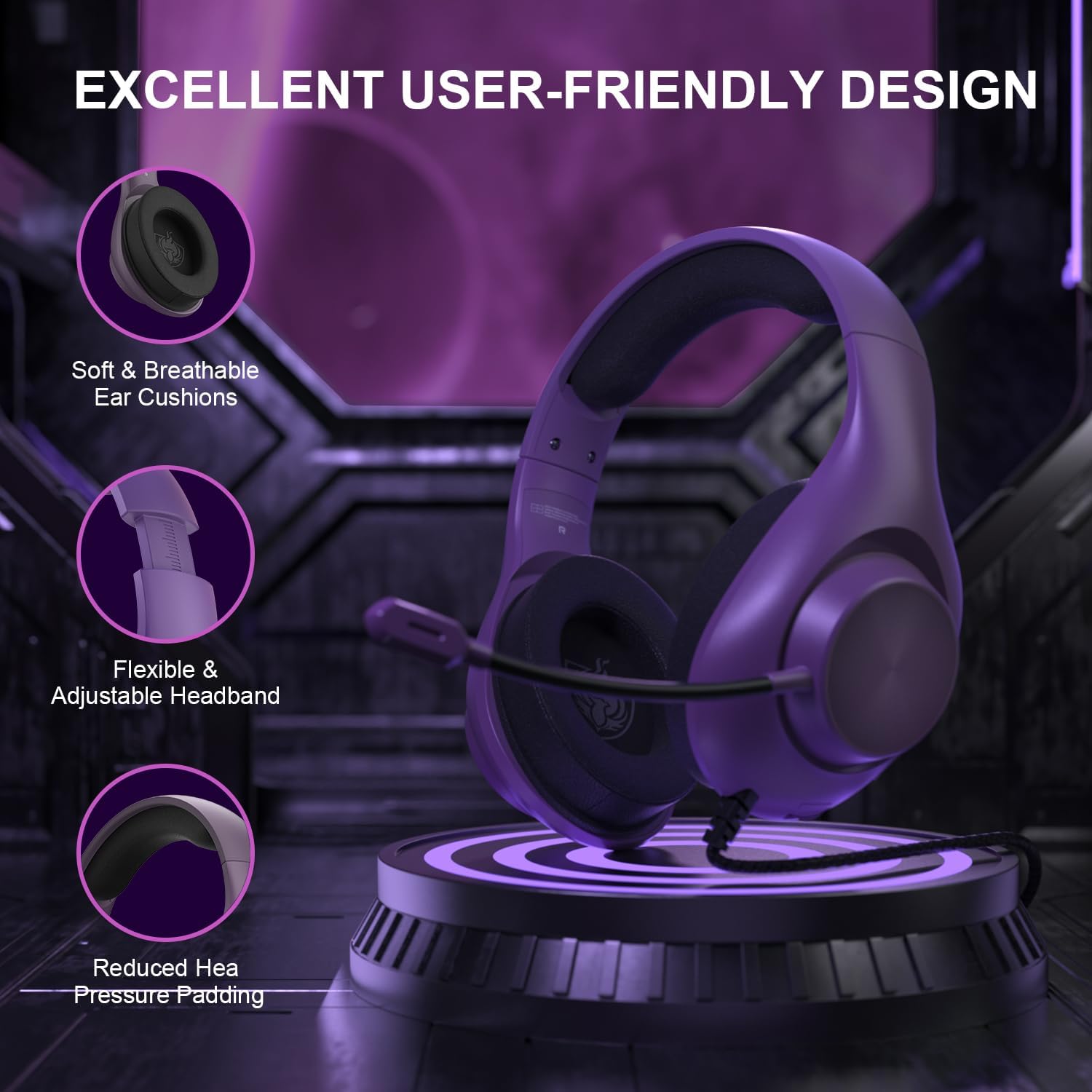
Image 2.2: Visual representation of the headset's ergonomic features, including soft and breathable ear cushions, flexible and adjustable headband, and reduced head pressure padding.
3. Package Contents
Please verify that all items are present in your package:
- 1 x YOTMS H-7 Gaming Headset
- 1 x 3.5mm Y Audio Cable (breakout cable)
- 1 x Product Manual (this document)

Image 3.1: The YOTMS H-7 Gaming Headset, the 3.5mm Y audio cable, and the product manual as included in the package.
4. Setup Instructions
4.1 Connecting to Gaming Consoles (PS4/PS5/Switch/Xbox One)
The H-7 headset connects directly to your console's controller via the 3.5mm audio jack. For older Xbox One controllers, an additional Microsoft adapter (not included) may be required.
4.2 Connecting to PC/Laptop
For PC and laptop connections, use the included 3.5mm Y audio jack breakout cable. This cable splits the single 3.5mm headset jack into two separate 3.5mm jacks: one for the microphone (red) and one for audio (green). Connect these to the corresponding ports on your computer.

Image 4.1: Visual guide for connecting the headset to various platforms including PC, laptop, Nintendo Switch, PS4/PS5, phone/tablet, and Xbox One, detailing the use of the Y-splitter for PC.
5. Operating Instructions
5.1 Volume Control
Adjust the volume using the integrated volume control wheel located on the left earcup or inline on the cable, depending on the specific model variation. Rotate the wheel up to increase volume and down to decrease it.
5.2 Microphone Usage
The omni-directional microphone is flexible and can be adjusted to your preferred position for optimal voice pickup. To mute the microphone, use the dedicated mute switch located on the headset cable or earcup. Ensure the microphone is positioned close to your mouth for clear communication.

Image 5.1: The headset in use, emphasizing the flexible, omnidirectional noise-canceling microphone designed for crystal clear communication.
6. Maintenance
To ensure the longevity and optimal performance of your YOTMS H-7 Gaming Headset, follow these maintenance guidelines:
- Cleaning: Use a soft, dry cloth to wipe down the earcups and headband. For stubborn dirt, a slightly damp cloth can be used, but ensure no moisture enters the speaker grilles or microphone.
- Storage: Store the headset in a cool, dry place away from direct sunlight and extreme temperatures. Avoid placing heavy objects on the headset.
- Cable Care: Do not pull on the cable to disconnect the headset. Always grasp the plug firmly. Avoid sharp bends or kinks in the cable to prevent internal damage.
- Microphone Care: Handle the flexible microphone boom gently. Avoid excessive bending or twisting.
7. Troubleshooting
If you encounter issues with your YOTMS H-7 Gaming Headset, please refer to the following common problems and solutions:
| Problem | Possible Cause | Solution |
|---|---|---|
| No sound or low volume | Incorrect connection, low device volume, headset volume too low. | Ensure the 3.5mm jack is fully inserted. Check the volume control on the headset and your device. Verify correct audio output settings on your PC/console. |
| Microphone not working or unclear | Microphone muted, incorrect input settings, loose connection, Y-splitter issue. | Check the microphone mute switch. Ensure the microphone is enabled in your device's sound settings. For PC, confirm the red jack of the Y-splitter is connected to the microphone input. Adjust microphone position. |
| Sound only in one ear | Loose connection, cable damage, device audio balance. | Reconnect the 3.5mm jack firmly. Check your device's audio balance settings. If the issue persists, the cable or headset may be damaged. |
| Static or distorted audio | Interference, faulty connection, driver issues. | Try connecting to a different port or device to rule out interference. Ensure all connections are secure. Update audio drivers on your PC. |
If the problem persists after trying these solutions, please contact YOTMS customer support for further assistance.
8. Specifications
| Feature | Detail |
|---|---|
| Model Name | H-7 |
| Brand | YOTMS |
| Connectivity Technology | Wired |
| Headphones Jack | 3.5 mm Jack |
| Audio Driver Size | 40 Millimeters |
| Ear Placement | Over Ear |
| Noise Control | Sound Isolation |
| Microphone Type | Omni-directional, Noise Cancelling |
| Control Type | Volume Control, Remote |
| Material | Plastic |
| Item Weight | 11.7 ounces |
| Color | Purple |
| Compatible Devices | Gaming Consoles, Tablets, Desktops |
9. Warranty and Support
YOTMS is committed to providing high-quality products. For any warranty claims, technical support, or product inquiries, please contact YOTMS customer service through the retailer where you purchased the product or visit the official YOTMS website for contact information.
Please retain your proof of purchase for warranty purposes.