
HAARAY JY2328
HAARAY Solar Motion Light Instruction Manual
Brand: HAARAY | Model: JY2328
Product Overview
This manual provides comprehensive instructions for the setup, operation, and maintenance of your HAARAY Solar Motion Light. Designed for outdoor use, this light features advanced PIR motion detection, 360° illumination, and multiple lighting modes to enhance security and convenience around your home, backyard, or driveway.
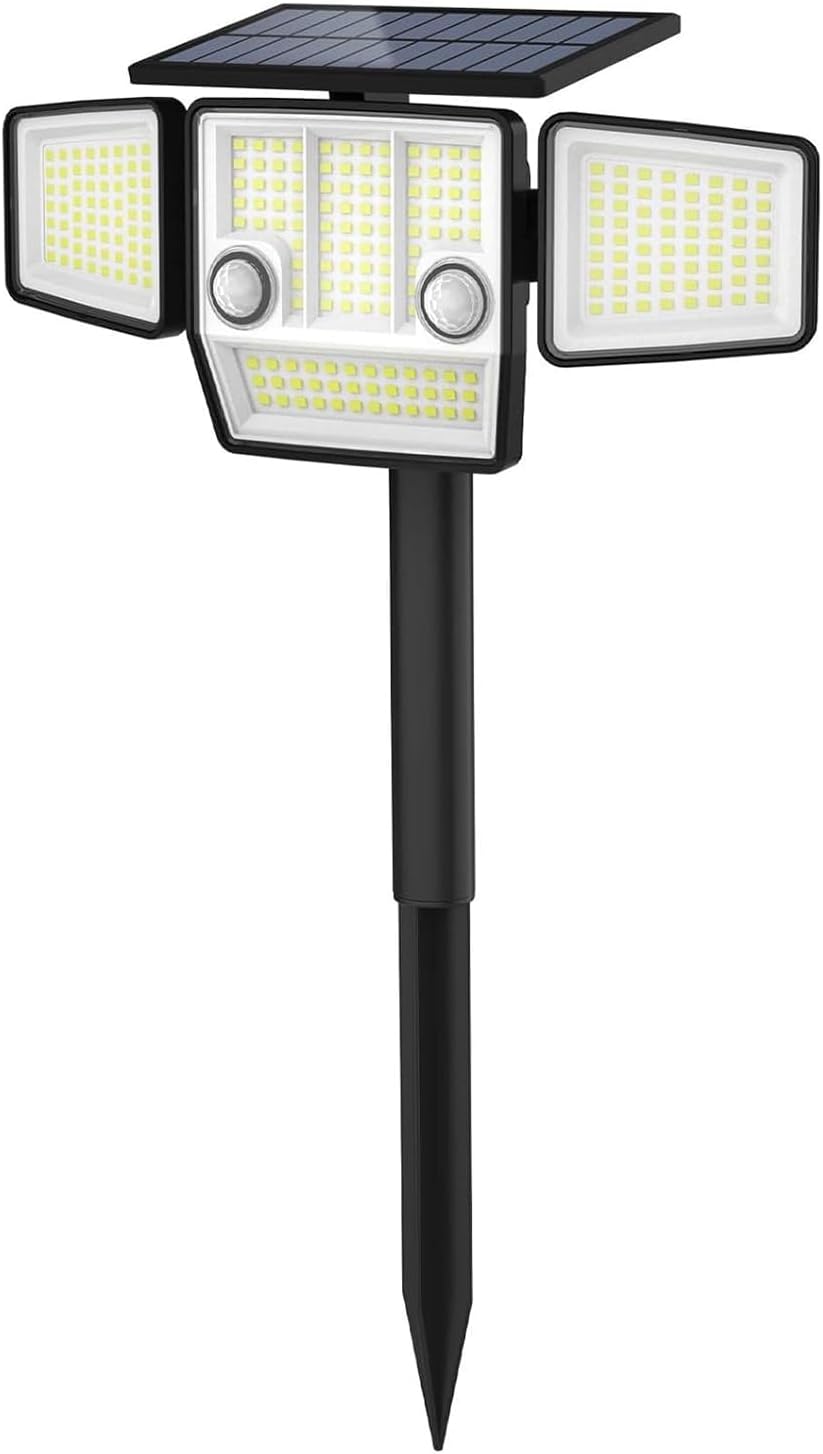
Figure 1: HAARAY Solar Motion Light, illustrating its compact design and integrated solar panel.
Setup and Installation
Your solar motion light offers flexible installation options: in-ground or wall-mount. Ensure the solar panel receives direct sunlight for optimal charging.
Components Included:
- Solar Motion Light Unit
- Mounting Hardware (screws, anchors)
- Ground Stake (adjustable height)
- Instruction Manual
Installation Methods:
1. In-Ground Installation:
Attach the ground stake to the main light unit. Insert the stake firmly into soft ground in a location that receives ample direct sunlight throughout the day. The stake allows for adjustable mounting heights to suit varied terrains.
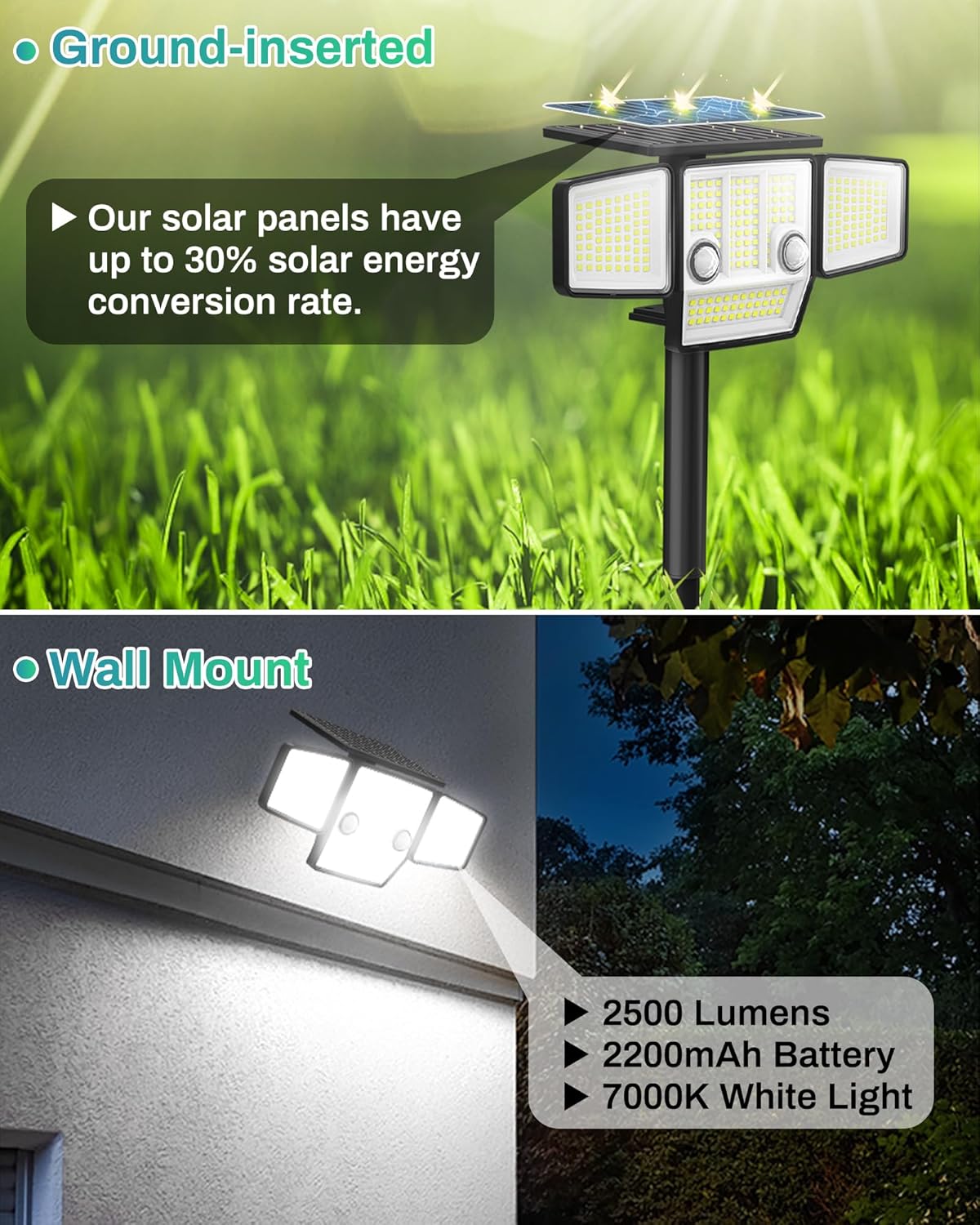
Figure 2: In-ground installation showing the light unit with the attached stake in a grassy area.
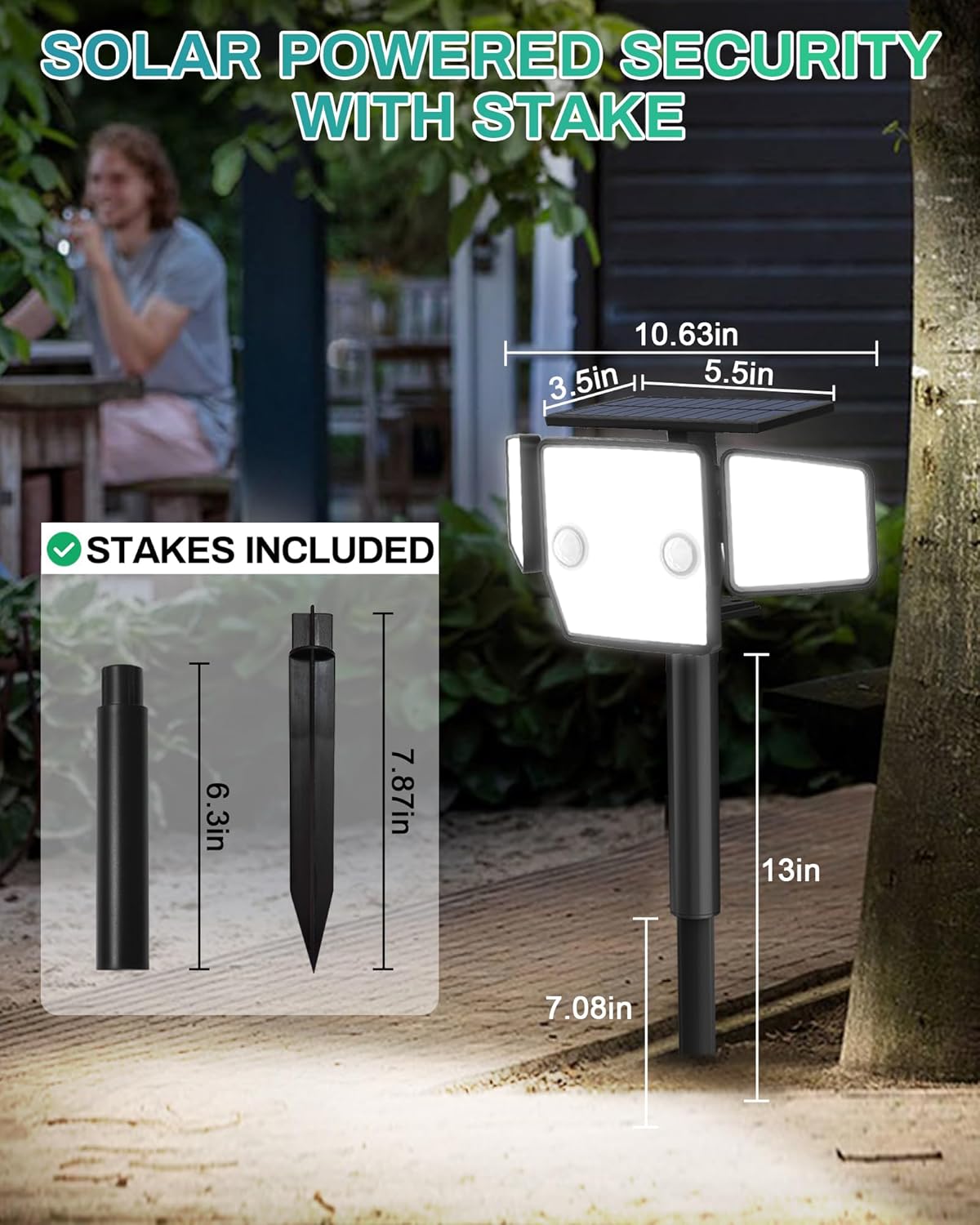
Figure 3: Detailed dimensions for the solar light when installed with the ground stake, indicating adjustable heights.
2. Wall-Mount Installation:
Use the provided mounting hardware to secure the light unit to a wall or fence. Choose a location where the solar panel can receive maximum direct sunlight. The light can be easily attached and detached from the wall bracket for convenience.
Figure 4: Wall-mount installation demonstrating the light unit secured to a building wall.
Video 1: "Easy To Install" - This video demonstrates the simple steps for installing the solar light, including both ground and wall mounting options.
Initial Charging:
Before first use, allow the solar light to charge in direct sunlight for at least 6-8 hours. This ensures the internal battery is fully charged for optimal performance during nighttime operation.
Operating Instructions
Your solar motion light is equipped with two PIR motion sensors for enhanced sensitivity and a 360° illumination range. It features three distinct lighting modes.
Motion Detection:
The dual PIR motion sensors detect movement within a 180° angle and up to 40 feet. The light will automatically activate upon detecting motion and turn off after 25 seconds of no further movement.

Figure 5: Illustration of the 180° PIR motion detection range and recommended mounting height.
Adjustable Illumination:
The LED panels on both sides of the main light unit can be adjusted to extend the illumination range up to 360°, providing wider coverage for your outdoor space.

Figure 6: Visual representation of the 360° adjustable illumination provided by the side LED panels.
Lighting Modes:
The solar security light offers three operational modes, selectable via a push button on the unit:
- Mode 1 (Energy-saving Mode): The light remains OFF until motion is detected, then illuminates at 100% brightness for 25 seconds before turning OFF again. This mode is ideal for security lighting.
- Mode 2 (Dusk-to-Dawn Mode): The light stays ON at a low brightness (approximately 30%) from dusk till dawn, regardless of motion. This provides continuous ambient lighting.
- Mode 3 (Dim-Bright-Dim Mode): The light stays ON at a low brightness (approximately 10%) from dusk till dawn. When motion is detected, it brightens to 100% for 25 seconds, then returns to the dim state.

Figure 7: Diagram illustrating the behavior of the light in Mode 1 (OFF-Bright-OFF), Mode 2 (On All Night), and Mode 3 (Dim-Bright-Dim).
Video 2: "3 Lighting Modes" - This video visually demonstrates the functionality of each of the three lighting modes.
Maintenance
To ensure the longevity and optimal performance of your solar motion light, follow these simple maintenance guidelines:
- Cleaning: Regularly wipe the solar panel with a soft, damp cloth to remove dust, dirt, or debris that may hinder charging efficiency.
- Weather Resistance: The light is IP65 waterproof, designed to withstand various weather conditions including snow, frost, heat, and heavy rain. However, extreme conditions may temporarily affect performance.
- Battery Care: The integrated D battery is designed for long-term use. Ensure the solar panel receives adequate sunlight daily for consistent charging.

Figure 8: The solar light demonstrating its IP65 waterproof rating and resistance to various weather elements.
Troubleshooting
If you encounter issues with your solar motion light, please refer to the following common troubleshooting steps:
| Problem | Possible Cause | Solution |
|---|---|---|
| Light does not turn on at night. | Insufficient solar charge; unit is OFF; sensor obstructed. | Ensure solar panel is in direct sunlight for 6-8 hours. Press the ON/OFF button. Clear any obstructions from the sensor. |
| Motion sensor not detecting. | Sensor range too short; sensor obstructed; incorrect mode. | Adjust light position for optimal sensor range. Clear obstructions. Ensure correct lighting mode is selected (Mode 1 or Mode 3). |
| Light stays dim or turns off too quickly. | Low battery charge; continuous motion. | Allow more charging time in direct sunlight. Ensure there isn't constant motion triggering the sensor. |
If issues persist, please contact our customer care team for further assistance.
Specifications
| Feature | Detail |
|---|---|
| Brand | HAARAY |
| Model Name | JY2328 |
| Light Source Type | LED (236 LEDs) |
| Brightness | 2500 Lumens |
| Color Temperature | 7000 Kelvin (White Light) |
| Power Source | Solar Powered |
| Motion Sensor | 180° PIR Detection (Dual Sensors) |
| Illumination Range | 360° Adjustable |
| Water Resistance Level | IP65 Waterproof |
| Battery | 1 D battery (included) |
| Material | Acrylonitrile Butadiene Styrene |
| Product Dimensions | 10"L x 4.5"W x 5"H |
| Item Weight | 1.1 pounds |
Warranty and Support
Your HAARAY Solar Motion Light comes with an extended warranty. For any quality issues or technical support, please contact our customer care team.
- Warranty Type: Extended
- Return Policy: 30 days (refund/replacement)
- Customer Care Email: HAARAY-US@hotmail.com
Ask a question about this manual
Ask about setup, troubleshooting, compatibility, parts, safety, or missing instructions. Manuals+ will review the question and use this page’s manual context to help answer it.