
1. Product Overview
The Rain Bird ESP-BAT-BT is an advanced battery-powered Bluetooth irrigation controller designed for efficient and convenient water management in your garden. This robust device eliminates the need for electrical wiring and frequent battery changes, offering up to five years of battery life. Its waterproof design ensures reliable operation in various outdoor conditions. Control and programming are managed wirelessly through the intuitive Rain Bird 2.0 mobile application.
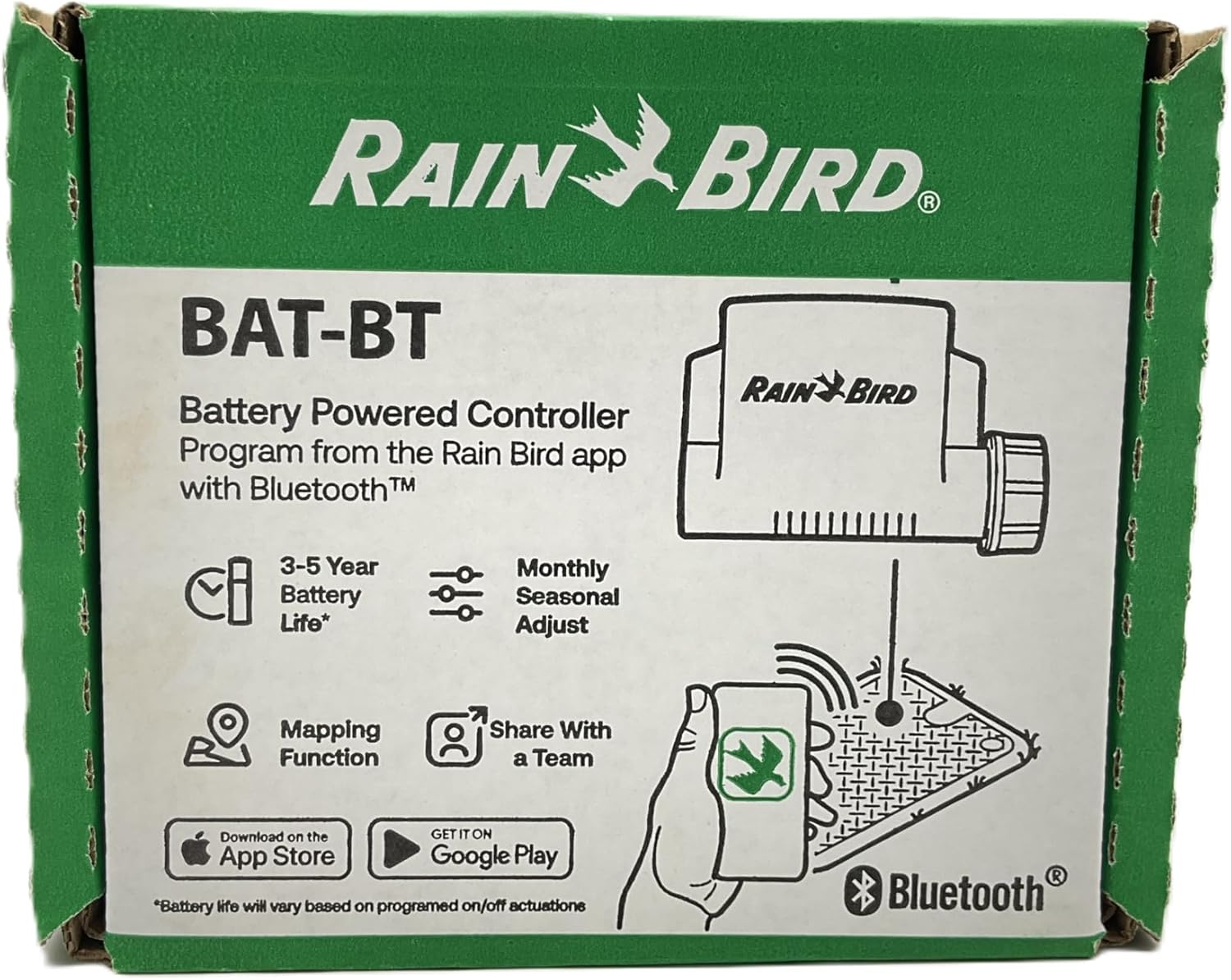
Figure 1: Front view of the Rain Bird ESP-BAT-BT controller packaging, highlighting key features like battery life and app control.
2. Key Features
- Extended Battery Life: Operates for up to 5 years on four high-quality LR6/LR06 (AA) batteries (not included), minimizing maintenance.
- Durable Design: Features an IP68 waterproof rating, ensuring reliable performance in harsh outdoor environments.
- Bluetooth Connectivity: Wireless control and programming via the Rain Bird 2.0 app on your smartphone or tablet.
- Two-Station Control: Manages two independent irrigation zones.
- Dedicated Outputs: Includes a dedicated master valve/pump output for system control.
- Sensor Compatibility: Equipped with a sensor cable input for connecting rain or soil moisture sensors.
- Easy Installation: Designed for quick and straightforward setup.
- Advanced App Features: Offers precise mapping, seasonal adjustment options, and a release function for comprehensive irrigation management.
3. Setup and Installation
3.1 Battery Installation
The ESP-BAT-BT controller requires four LR6/LR06 (AA) batteries for operation. These batteries are not included with the product. Ensure you use high-quality alkaline batteries for optimal performance and battery life.
- Locate the battery compartment on the controller.
- Open the compartment cover.
- Insert four AA batteries, observing the correct polarity (+/-) as indicated inside the compartment.
- Securely close the battery compartment cover to maintain the IP68 waterproof seal.

Figure 2: Side view of the Rain Bird ESP-BAT-BT controller packaging, indicating the need for 4x AA batteries and its 2-station capability.
3.2 Wiring Connections
Connect the controller to your irrigation valves, master valve (if applicable), and sensor (if used) according to the diagram below. The controller features clearly labeled terminals for easy wiring.

Figure 3: Close-up view of the Rain Bird ESP-BAT-BT controller's wiring terminals, showing connections for common (CM), stations (1, 2), sensor (CSS), and master valve/pump (MV).
- CM: Common wire for all valves.
- 1, 2: Wires for irrigation station valves.
- CSS: Sensor input terminals (e.g., for rain sensor).
- MV: Master Valve/Pump Start Relay.
The maximum recommended cable length between the controller and the TBOSPSOL magnetic coil is 30 meters (98.4 feet) when using a 1.5 mm² (16 AWG) extended cable.
3.3 App Installation
Download the Rain Bird 2.0 app from your device's app store (Apple App Store for iOS or Google Play Store for Android). This app is essential for configuring and operating your ESP-BAT-BT controller.
- Search for "Rain Bird 2.0" in your app store.
- Download and install the application.
- Follow the in-app instructions to create an account and pair your controller via Bluetooth.
4. Operating the Controller
The Rain Bird ESP-BAT-BT controller is operated exclusively through the Rain Bird 2.0 mobile application. Once paired, the app provides a comprehensive interface for managing your irrigation system.
4.1 Programming Schedules
Use the Rain Bird 2.0 app to set up watering schedules for each station. The app allows for:
- Defining start times and watering durations.
- Selecting specific watering days.
- Applying seasonal adjustments to modify watering times based on weather conditions.
- Utilizing the mapping function for precise zone management.
4.2 Manual Operation
The app also allows for manual operation of individual stations or all stations for testing or immediate watering needs.
4.3 Bluetooth Connection
Ensure your mobile device's Bluetooth is enabled and you are within range of the controller for successful connection and operation.
5. Maintenance
- Battery Replacement: Replace batteries every 3-5 years, or when the app indicates low battery. Always use high-quality LR6/LR06 (AA) batteries.
- Waterproof Integrity: Periodically inspect the battery compartment seal and cable connections to ensure the IP68 waterproof rating is maintained.
- Cleaning: Clean the exterior of the controller with a damp cloth as needed. Do not use harsh chemicals or abrasive cleaners.
- Winterization: In freezing climates, follow standard irrigation system winterization procedures, which may include removing the controller or ensuring it is protected from frost.
6. Troubleshooting
| Problem | Possible Cause | Solution |
|---|---|---|
| Controller not responding to app / Cannot connect via Bluetooth. |
|
|
| Valves not turning on. |
|
|
| Watering schedule not running. |
|
|
7. Specifications

Figure 4: Back view of the Rain Bird ESP-BAT-BT controller packaging, showing model number and UPC.
| Attribute | Value |
|---|---|
| Model Number | ESPBAT-BT2 |
| Manufacturer | RainBird |
| Brand | Rain Bird |
| Number of Stations | 2 |
| Power Source | 4 x LR6/LR06 (AA) Batteries (not included) |
| Battery Life | Up to 5 years |
| Voltage | 6 Volts |
| Waterproof Rating | IP68 |
| Display Type | Digital (via app) |
| Item Weight | 2 pounds (approx. 907.18 grams package weight) |
| Package Dimensions | 17.78 x 15.24 x 10.16 cm |
| Max Cable Length (TBOSPSOL) | 30 m (98.4 feet) using 1.5 mm² (16 AWG) cable |
| ASIN | B0D9JT2PQ2 |
| International Article Code (UPC) | 10077985088207 |
8. Warranty and Support
8.1 Warranty Information
The Rain Bird ESP-BAT-BT controller comes with a 3-year warranty from the date of purchase. This warranty covers defects in materials and workmanship under normal use. Please retain your proof of purchase for warranty claims.
8.2 Customer Support
For technical assistance, troubleshooting beyond this manual, or warranty inquiries, please contact Rain Bird customer support. Visit the official Rain Bird website for contact information and additional resources.
Note: If you experience issues with the Rain Bird 2.0 app, such as account creation or server connectivity problems, please ensure your device has a stable internet connection and contact Rain Bird support directly for assistance.


