Product Overview
The ASUS ROG Strix G17 G713 is a high-performance gaming laptop designed for demanding tasks and immersive gaming experiences. It features a powerful AMD 12-Core Ryzen 9 7845HX processor, a dedicated NVIDIA GeForce RTX 4060 8GB graphics card, and a vibrant 17.3-inch WQHD (2560x1440) IPS display with a 240Hz refresh rate.
Equipped with 64GB DDR5 RAM and a 2TB SSD, this laptop ensures fast loading times and smooth multitasking. Key features include a 4-Zone RGB Backlit Keyboard, Dolby Atmos Audio, AI noise-canceling, and Aura Sync Light Bar for customizable aesthetics. Connectivity options include multiple USB-A and USB-C ports, HDMI 2.1 FRL, and RJ45 Ethernet. The laptop runs on Windows 11 Home and is powered by a 4-cell 90Wh battery with fast charging capabilities.
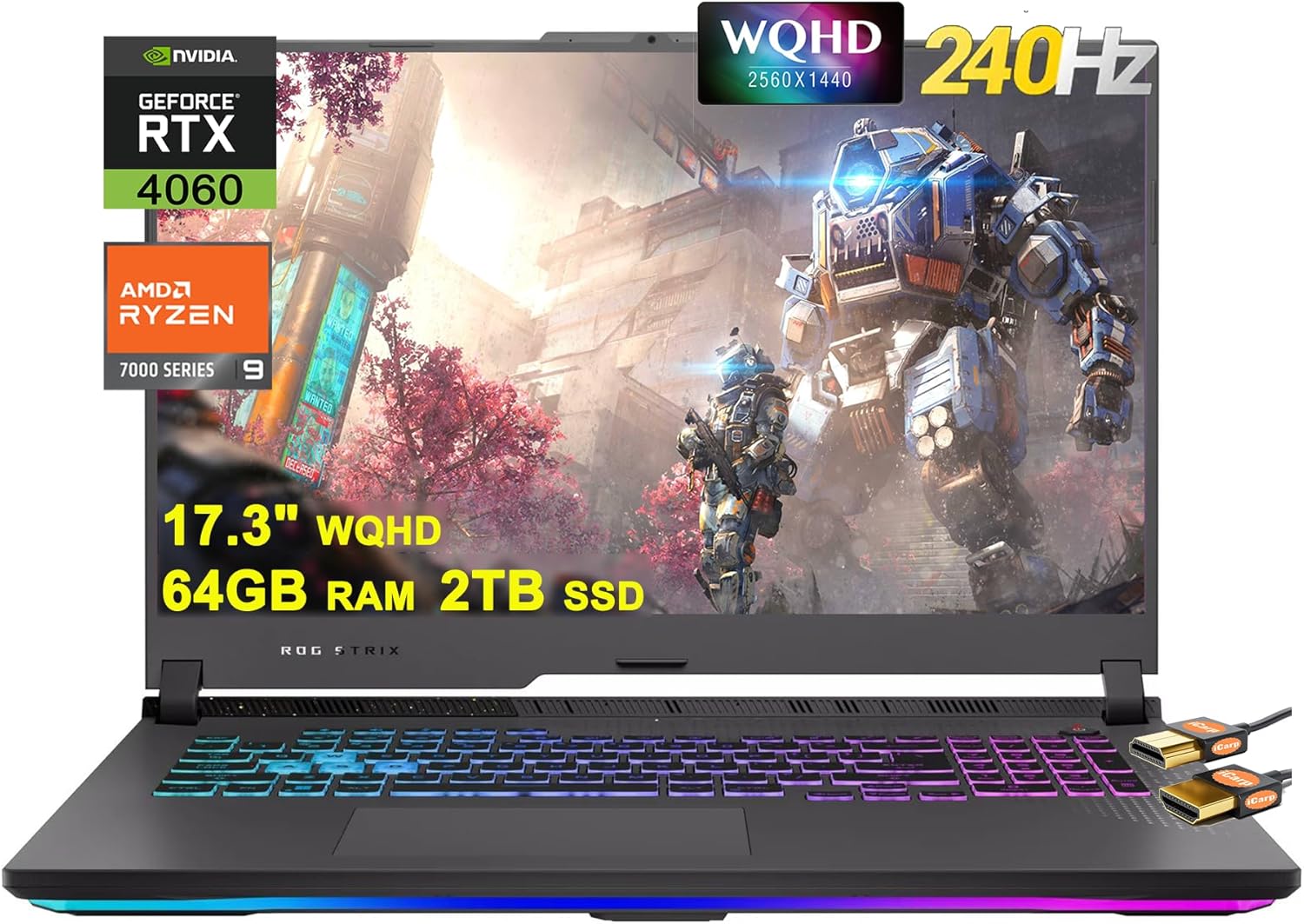
Figure 1: Front view of the ASUS ROG Strix G17 G713 Gaming Laptop, highlighting its display, keyboard, and key specifications.
Setup Guide
1. Unboxing and Initial Inspection
- Carefully remove the laptop and all accessories from the packaging.
- Verify that all components are present: ASUS ROG Strix G17 G713 laptop, power adapter, power cord, and HDMI cable.
- Inspect the laptop for any physical damage.
2. Connecting the Power Adapter
- Connect the power cord to the power adapter.
- Plug the power adapter into the power input port on the laptop.
- Plug the other end of the power cord into a wall outlet. It is recommended to fully charge the battery before first use.
3. First Boot and Windows 11 Setup
- Open the laptop lid and press the power button, located on the top right of the keyboard area.
- Follow the on-screen instructions to complete the Windows 11 Home setup process. This includes selecting your region, language, connecting to a Wi-Fi network, and creating a user account.
4. Connecting External Devices
- HDMI Cable: Use the included HDMI cable to connect to an external monitor or TV via the HDMI 2.1 FRL port.
- USB Devices: Connect USB peripherals (e.g., mouse, keyboard, external drives) to the available USB-A 3.2 and USB-C 3.2 ports.
- Ethernet: For a stable wired internet connection, connect an Ethernet cable to the RJ45 Ethernet port.

Figure 2: Side view of the laptop illustrating the placement of USB-C, HDMI, and Ethernet ports.
Operating Your Laptop
Keyboard and Touchpad
- The laptop features a 4-Zone RGB Backlit Keyboard. You can customize the lighting effects and colors through the ASUS Armoury Crate software.
- The precision touchpad supports multi-touch gestures for intuitive navigation.

Figure 3: Top-down view of the laptop's keyboard, showcasing the RGB backlighting.
Display and Graphics
- The 17.3-inch WQHD (2560x1440) IPS display offers a 240Hz refresh rate and 3ms response time, ideal for fast-paced gaming.
- The NVIDIA GeForce RTX 4060 8GB graphics card provides powerful visual performance. Ensure your graphics drivers are up to date for optimal performance.
Audio System
- Experience immersive sound with Dolby Atmos Audio.
- AI noise-canceling technology enhances voice clarity during online communication.
Battery Management
- The 4-cell 90Wh battery provides extended usage.
- Utilize the fast charging feature for quick power replenishment.
- To prolong battery lifespan, avoid frequently discharging the battery completely and store the laptop in a cool, dry place.
Maintenance
Cleaning Your Laptop
- Use a soft, lint-free cloth slightly dampened with water or a screen cleaner to clean the display. Do not spray liquid directly onto the screen.
- For the keyboard and chassis, use a soft brush or compressed air to remove dust and debris. Wipe surfaces with a microfiber cloth.
- Ensure all ports are free of dust and foreign objects.
Software Updates
- Regularly check for and install Windows updates to ensure system stability and security.
- Update graphics drivers (NVIDIA) and other ASUS-specific drivers (e.g., via Armoury Crate) to maintain optimal performance and compatibility.
Cooling and Ventilation
- Always operate the laptop on a hard, flat surface to ensure proper airflow through the ventilation grilles.
- Avoid blocking the air vents, especially during intensive tasks like gaming, to prevent overheating.
- Consider using a laptop cooling pad for prolonged heavy usage.
Troubleshooting
Common Issues and Solutions
- Laptop does not power on: Ensure the power adapter is securely connected to both the laptop and a working power outlet. Try a different outlet.
- Screen remains black or does not wake from sleep: Press the power button briefly or try pressing Windows key + Ctrl + Shift + B to reset the graphics driver. If the issue persists, perform a hard reset by holding the power button for 15 seconds.
- External monitor issues (black lines, no display):
- Verify the HDMI or USB-C cable connection is secure at both ends.
- Try a different cable or monitor.
- Ensure display drivers are updated.
- Press Windows key + P and select the desired display mode (e.g., Extend, Duplicate).
- USB-C ports not functioning:
- Restart the laptop.
- Check Device Manager for any driver issues related to USB controllers.
- Ensure there is no physical obstruction in the port.
- Laptop overheating:
- Ensure the laptop is on a hard, flat surface and vents are not blocked.
- Clean dust from the vents using compressed air.
- Monitor temperatures using ASUS Armoury Crate.
- Weak speaker audio:
- Check volume levels in Windows and application settings.
- Ensure audio drivers are updated.
- Verify that no external audio devices are connected or selected as the default output.
- System crashes or Blue Screen of Death (BSOD):
- Ensure all drivers (especially graphics and chipset) are up to date.
- Run Windows Memory Diagnostic to check for RAM issues.
- Check for recent software installations that might be causing conflicts.
Specifications
| Feature | Specification |
|---|---|
| Brand | ASUS |
| Model Name | Asus ROG Strix G17 G713 Gaming Laptop |
| Processor | AMD 12-Core Ryzen 9 7845HX |
| RAM | 64GB DDR5 |
| Storage | 2TB SSD |
| Operating System | Windows 11 Home |
| Graphics Card | NVIDIA GeForce RTX 4060 8GB |
| Display | 17.3" WQHD (2560x1440) IPS 240Hz 100% DCI-P3 3ms |
| Ports | 2x USB-A 3.2, 2x USB-C 3.2, 1x HDMI 2.1 FRL, 1x RJ45 Ethernet |
| Wireless Connectivity | 802.11ax, Bluetooth |
| Battery | 4-cell 90Wh |
| Dimensions (LxWxH) | 11.1" x 15.55" x 1.21" |
| Weight | 6.17 lbs |
| Special Features | RGB Backlit Keyboard, Fast Charging, Dolby Atmos, AI noise-canceling, Aura Sync Light Bar |
Warranty and Support
For warranty information and technical support, please refer to the official ASUS support website or the documentation included with your product. You can also visit the ASUS Store on Amazon for additional resources and product information.
Keep your purchase receipt and product serial number readily available when contacting support.


