
BIGGERFIVE BW02
BIGGERFIVE Smart Watch for Kids - User Manual
Model: BW02
Product Overview
The BIGGERFIVE BRAVE 2 Smart Watch is designed for children and teens aged 5-16, offering a range of features to promote health and activity. This manual provides detailed instructions for setup, operation, maintenance, and troubleshooting.
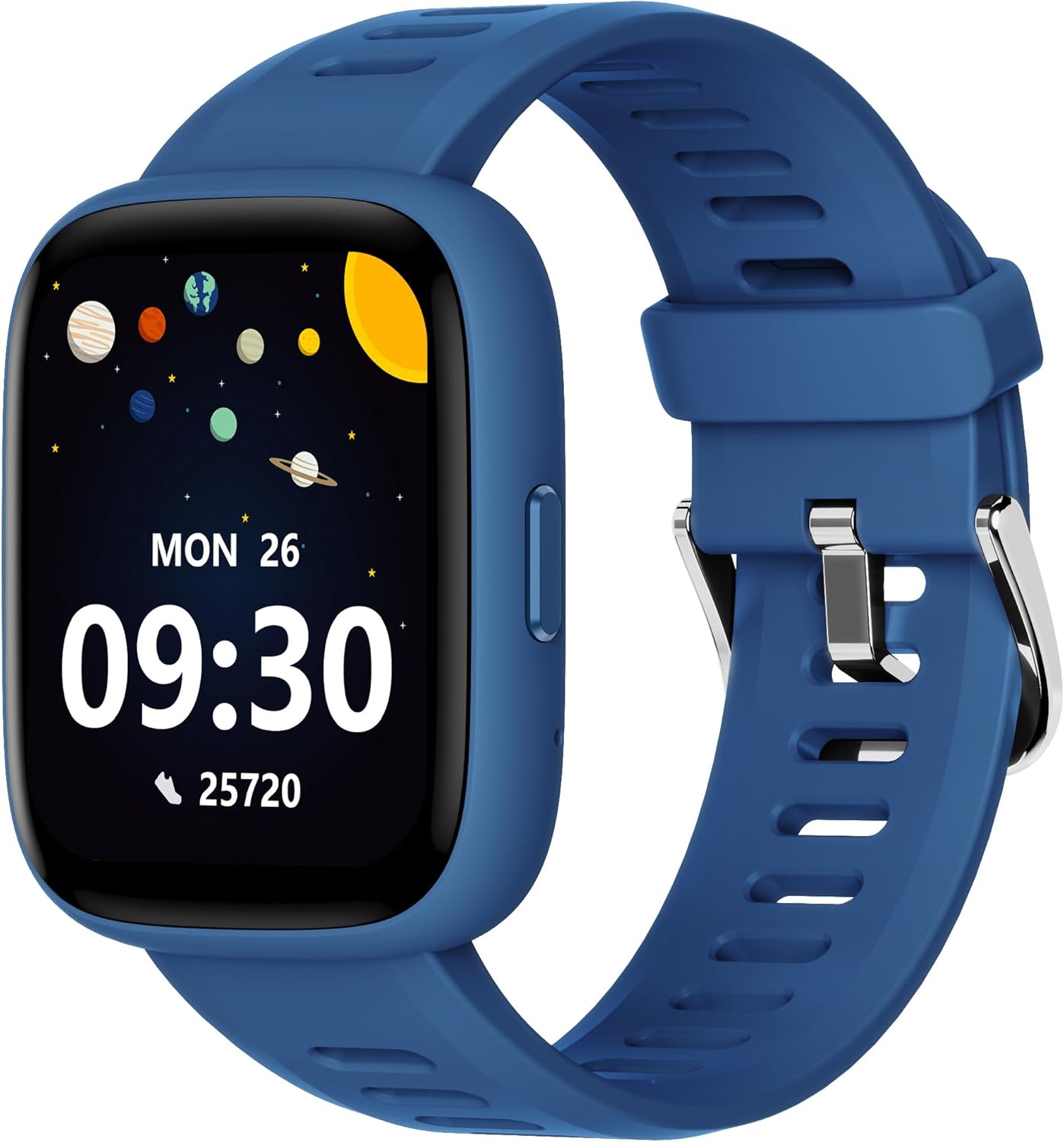
Image: The BIGGERFIVE Smart Watch in blue, featuring a clear display with time, date, and activity data.
Key Features
- All-Day Activity Tracking: Automatically counts steps, distance, calories burned, and active minutes. Supports 80 sports modes like walking, running, cycling, basketball, and more.
- Comprehensive Health Monitoring: Monitors real-time heart rate and tracks sleep patterns to promote your child's well-being.
- Customizable Watch Face & 1.8" HD Touch Screen: Our kids smartwatch boasts a 1.8" HD touch screen and offers 100+ exquisite cloud dials in the BIGGERFIVE APP. Elevate personal style with custom dials using your kids' own photos.
- Puzzle Games with Parental Control: 5 built-in puzzle games can help train your child's reaction ability and calculation ability. You can restrict your child from playing games at school in the BIGGERFIVE APP.
- APP Connectivity (Optional): The watch can be used separately without an APP and phone, but with the APP, you could explore more functions. Compatible with Android 6.0+ and iOS 9.0+ smartphones.
- IP68 Waterproof: No need to take off your watch when doing water activities or swimming in a pool.
Setup Guide
1. Charging the Device
Before first use, fully charge your BIGGERFIVE Smart Watch. Connect the magnetic charging cable to the charging points on the back of the watch and a USB power source. A full charge typically takes less than 2 hours.

Image: The watch connected to its charging cable, illustrating the charging process and battery life indicators.
2. Initial Power On
Press and hold the side button on the watch to power it on.
3. Using Without the APP (Standalone Mode)
The BIGGERFIVE Smart Watch can be used independently without a smartphone application. In this mode, you can access basic functions such as setting time/date/language, 14 sports modes, heart rate monitoring, activity tracking (pedometer, distance, calories), 5 puzzle games, stopwatch, alarm, timer, and sleep monitoring.

Image: A visual representation of the watch's standalone capabilities, highlighting features available without app connectivity.
4. Connecting with the BIGGERFIVE APP (Optional)
For enhanced features, download the BIGGERFIVE APP. The APP is compatible with Android 6.0+ and iOS 9.0+ smartphones.
- Scan the QR code displayed on the watch screen or found on the product packaging to download the BIGGERFIVE APP.
- Open the APP and follow the on-screen instructions to pair your watch.
- Once connected, you can explore additional functions like parent control, 100+ watch faces, message reminders, call reminders, and permanent data storage.

Image: The product box's back panel, showing the QR code for downloading the BIGGERFIVE APP.

Image: The watch connected to a smartphone with the BIGGERFIVE APP interface, demonstrating various customizable watch faces and app features.
Operating Instructions
Navigation
The watch features a 1.8" HD touch screen. Swipe left, right, up, or down to navigate through menus and functions. Tap to select an option.
Activity Tracking
The watch automatically tracks steps, distance, calories burned, and active minutes throughout the day. This data can be viewed directly on the watch or in more detail via the connected APP.

Image: A child running, with the watch displaying activity metrics like steps, distance, and calories, emphasizing the 80 sports modes.
Sports Modes
Select from 80 different sports modes, including walking, running, cycling, basketball, and more, to track specific workout data and monitor performance during physical activities.
Video: This video demonstrates the various features of the BIGGERFIVE BRAVE 2 Smart Watch, including activity tracking, sleep monitoring, heart rate tracking, and app connectivity.
Heart Rate Monitoring
The watch monitors real-time heart rate. Access the heart rate function to view your child's current heart rate and historical data (if connected to the APP).

Image: The watch displaying heart rate data, with a graphic representation of heart beats per minute.
Sleep Monitoring
Wear the watch during sleep to track sleep patterns, including deep sleep, light sleep, and awake times. The APP provides detailed sleep analysis and advice to help improve sleep quality.

Image: A child sleeping, with the watch displaying sleep duration and a graph of sleep stages, indicating comprehensive sleep analysis.
Puzzle Games
The watch includes 5 built-in puzzle games designed to enhance reaction and calculation abilities. Parents can set time limits for games via the BIGGERFIVE APP to manage screen time.

Image: The watch displaying one of the built-in puzzle games, with an overlay indicating parental control options for game time limits.
Customizing Watch Faces
Personalize the watch face from over 100 cloud dials available in the BIGGERFIVE APP, or upload your child's own photos for a custom display.

Image: A variety of customizable watch faces, including options to use personal photos, highlighting the personalization feature.
Maintenance
Waterproofing
The BIGGERFIVE Smart Watch is IP68 waterproof, meaning it is resistant to dust and can withstand immersion in water up to 1.5 meters for 30 minutes. It is suitable for daily use, hand washing, and swimming. Avoid hot water, saunas, or diving.

Image: The watch being rinsed under a faucet, demonstrating its IP68 waterproof capability.
Cleaning
Regularly clean the watch and strap with a soft, damp cloth. Ensure the charging contacts are dry and clean before charging to prevent corrosion.
Troubleshooting
Watch Not Turning On
- Ensure the watch is fully charged. Connect it to the charger for at least 10 minutes.
- Press and hold the side button for several seconds to attempt a restart.
Inaccurate Activity Tracking
- Ensure the watch is worn snugly on the wrist, not too loose or too tight.
- Calibrate the watch through the APP if available, or restart the device.
APP Connection Issues
- Ensure Bluetooth is enabled on your smartphone.
- Make sure the watch is within Bluetooth range (typically 10 meters) of your phone.
- Restart both the watch and the smartphone.
- Update the BIGGERFIVE APP to the latest version from your app store.
Screen Unresponsive
- Restart the watch by holding down the side button until it powers off and then on again.
- If the issue persists, ensure the screen is clean and dry, free from any debris or moisture.
Specifications
| Feature | Detail |
|---|---|
| Model Number | BW02 |
| Product Dimensions | 8.66 x 1.57 x 0.47 inches |
| Item Weight | 3.17 ounces |
| Screen Size | 1.8 Inches |
| Waterproof Rating | IP68 |
| Battery | 1 A battery required (included) |
| Operating System | Android, iOS (for APP compatibility) |
| Connectivity | Bluetooth |
| Manufacturer | BIGGERFIVE |
| What's in the Box | Watch, Watch Band, Charging Cable, User Manual |

Image: Diagram illustrating the dimensions of the watch and listing the contents included in the package.
Warranty and Support
For any questions, technical support, or warranty claims, please contact BIGGERFIVE customer service. Refer to the contact information provided in your product packaging or visit the official BIGGERFIVE website.
Seller: ZX USA
Related documentsBW02


Ask a question about this manual
Ask about setup, troubleshooting, compatibility, parts, safety, or missing instructions. Manuals+ will review the question and use this page’s manual context to help answer it.