
1. Product Overview
This manual provides detailed instructions for the installation, operation, and maintenance of your Seventour 13.1 inch Car Stereo Radio, Model X5. This unit is designed for Chevrolet Silverado and GMC Sierra vehicles manufactured between 2014 and 2018.
Key Features:
- Operating System: Android 12
- Display: 13.1 inch 1920*1200 LED IPS Touchscreen
- Processor: 8-core CPU
- Memory: 4GB RAM + 64GB Storage
- Connectivity: Wireless CarPlay, Android Auto, GPS Navigation, WiFi, Bluetooth 5.0
- Audio: Built-in DSP, FM/AM Radio
- Camera Support: Includes 1080P AHD Backup Camera
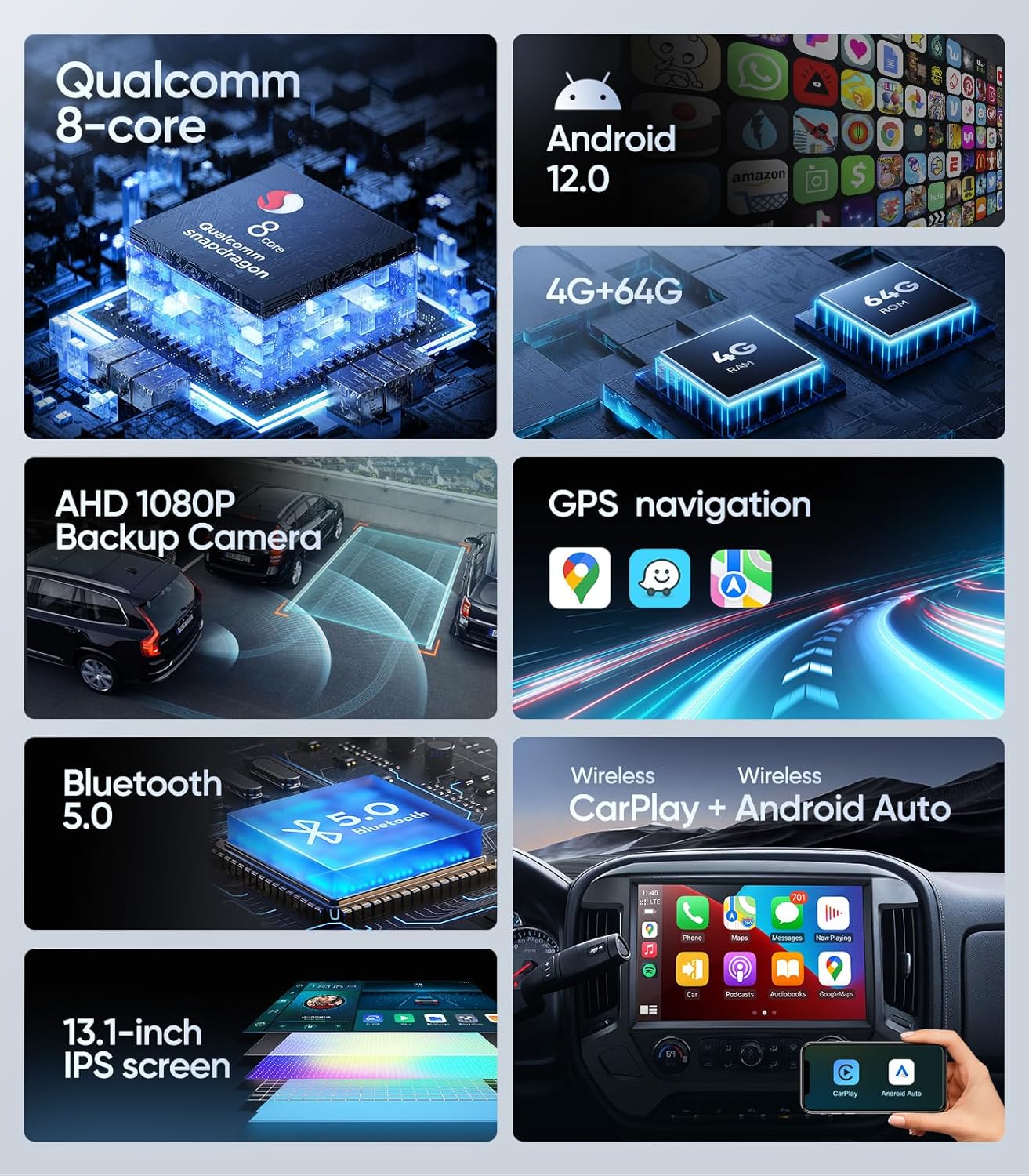
Image: Overview of the Seventour 13.1 inch Car Stereo Radio's key features.
2. Setup and Installation
Compatibility Notes:
Before proceeding with installation, please observe the following critical compatibility information:
- Power Cable Port: Verify your car's power cable port. This unit is not supported if your car has an optical fiber output.
- Two-Cable Interface: Installation is not supported if the power cord interface has only two cables.
- Bose Sound System: If your vehicle is equipped with a Bose sound system, an additional fiber optic decoder box may be required for full compatibility.

Image: Important notes on power cable port compatibility, illustrating fiber optic output differences.
Package Contents:
Ensure all components are present before beginning installation:
- 13.1 inch Car Stereo Radio Head Unit
- Mounting Frame
- Power Cables (x2)
- OEM Square Control Adapter Cable
- FM Antenna
- 4 Pin USB Cable
- CANBus Decoder
- Warning Horn
- OEM Rearview Adapter Cable
- 1080P AHD Backup Camera (included)

Image: All components included in the product package.
3. Operating Instructions
Wireless CarPlay & Android Auto:
The unit supports both wireless Apple CarPlay and Android Auto. Connect your smartphone to access navigation, make calls, send messages, and play music directly from your phone's interface on the car stereo screen. Voice assistants like Siri or Google Assistant can be activated for hands-free operation.
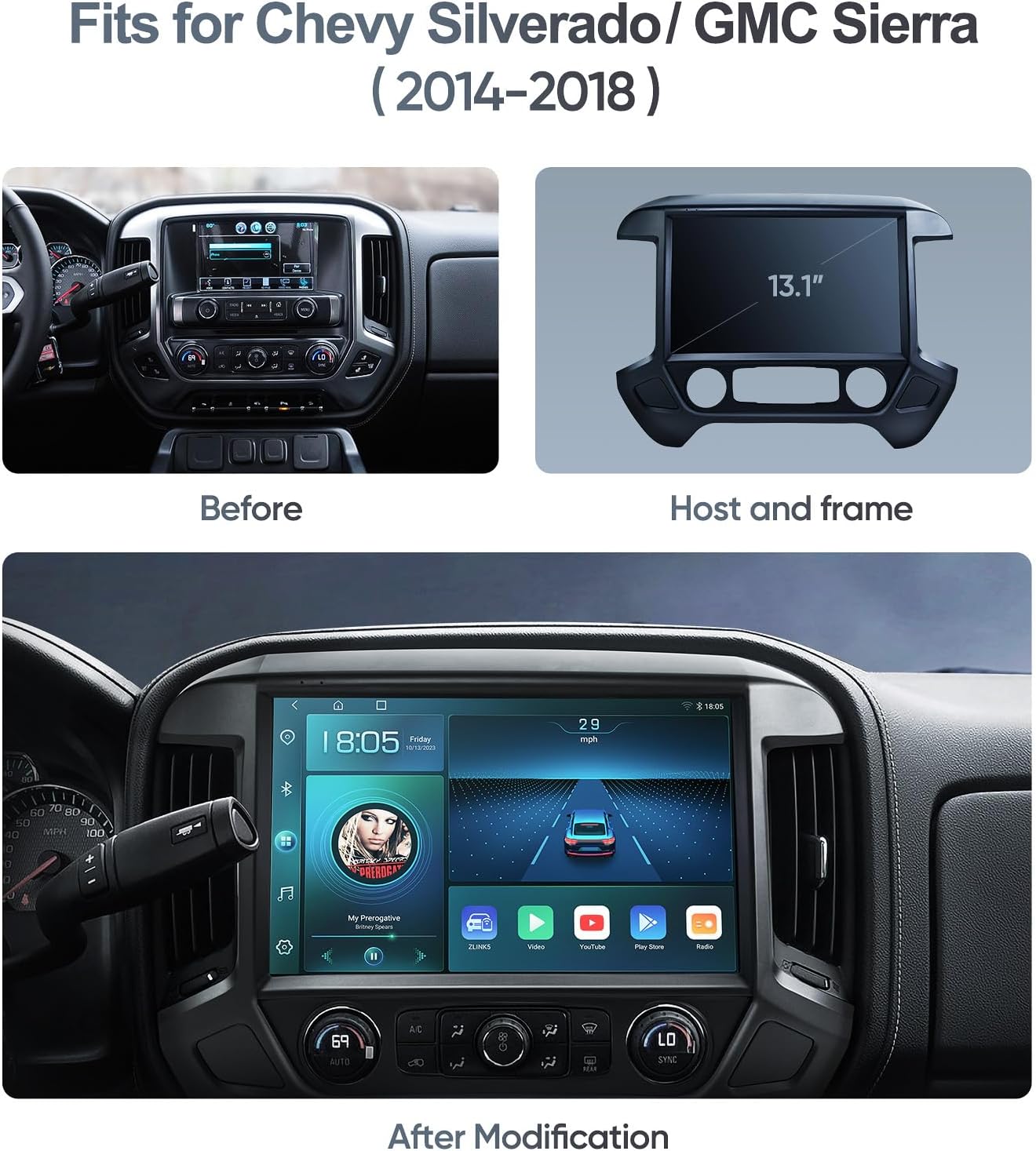
Image: Wireless CarPlay and Android Auto interface on the car stereo.
GPS Navigation:
The head unit features a built-in GPS module and includes an external GPS antenna for reliable navigation. You can use online mapping services via WiFi/hotspot connection or download offline map data for use without an internet connection. The system supports 2D and 3D routes, including building views in major cities.
Bluetooth 5.0:
Bluetooth 5.0 provides faster data transfer speeds for seamless connectivity. Pair your smartphone to stream music, manage contacts, and make hands-free calls using the integrated microphone or the included external microphone for enhanced audio clarity.
Built-in DSP & EQ:
Customize your audio experience with the built-in Digital Sound Processor (DSP) and 48-band equalizer. Adjust sound fields, effects, and surround sound settings to achieve your preferred audio profile, enhancing bass, treble, and midrange frequencies.
Backup Camera Function:
The included 170° viewing angle AHD waterproof backup camera automatically displays a clear image on the screen when the vehicle is shifted into reverse. This feature assists with safer and easier parking. The unit is also compatible with your vehicle's original OEM backup camera display, if applicable.

Image: Backup camera view displayed on the car stereo screen.
4. Care and Maintenance
To ensure the longevity and optimal performance of your car stereo, follow these maintenance guidelines:
- Screen Cleaning: Use a soft, lint-free cloth, slightly dampened with water or a screen-safe cleaner, to gently wipe the touchscreen. Avoid abrasive materials or harsh chemicals.
- General Cleaning: Keep the unit free from dust and debris. Use a soft brush or compressed air to clean vents and ports.
- Temperature Control: Avoid exposing the unit to extreme temperatures, both hot and cold, for extended periods.
- Software Updates: Periodically check for and install software updates to ensure optimal performance and access to new features.
5. Troubleshooting Guide
Refer to this section for solutions to common issues:
- Unit Freezes or Displays a Black Screen:
If the unit becomes unresponsive or displays a black screen, perform a manual reset. This typically involves pressing a small reset button (often located in a pinhole) or disconnecting the unit's power for a few minutes. Ensure the software is up to date. - Slow Performance or Buggy Operation:
Check for available software updates and install them. Close any unused applications running in the background. Excessive apps or data can impact performance. - Bluetooth Connectivity Issues:
Ensure your device's Bluetooth is enabled and discoverable. Delete the existing pairing from both the car stereo and your phone, then attempt to re-pair. Restart both the car stereo and your phone. - Audio Cuts In/Out:
Verify all wiring connections are secure. If using Bluetooth, ensure a stable connection and that your phone is within range. Check audio settings for any conflicting configurations. - Backup Camera Not Working:
Inspect the backup camera's wiring connections to the head unit. Confirm that the camera is properly powered. Check the unit's settings to ensure the camera input is correctly configured and activated when reversing. - Poor Call Quality (Microphone):
Ensure the external microphone is securely connected and positioned optimally, away from air vents or obstructions. Adjust microphone sensitivity settings if available. - No XM Radio Functionality:
This unit does not natively support XM satellite radio. External solutions or apps may be required if this feature is desired.
6. Technical Specifications
| Feature | Specification |
|---|---|
| Brand | Seventour |
| Model Name | X5 |
| Screen Size | 13.1 inches |
| Operating System | Android 12 |
| Memory Storage Capacity | 64 GB |
| Connectivity Technology | Bluetooth, Wi-Fi |
| Bluetooth Version | 5.0 |
| Display Type | IPS |
| Touch Screen Type | Capacitive |
| Supported Navigation System | GPS |
| Audio Output Mode | Stereo |
| Mounting Type | Dash Mount |
| Compatible Devices | Smartphone |
| Item Dimensions (L x W x H) | 13"L x 13"W x 13.1"H |
7. Warranty and Customer Support
Warranty Information:
Seventour provides a one-year product warranty from the date of purchase. For quality-related issues occurring within the first three months, the product may be directly replaced with a new one.
Customer Support:
For technical assistance, warranty claims, or any inquiries regarding your Seventour car stereo, please contact our support team:
- Phone: +1 833 - 853 - 8881
- Email: help@seventour.vip

Image: Seventour Service Support contact details and warranty policy summary.