
1. Introduction
This manual provides essential information for the safe and efficient use of your Grizzl-E 48A Ultimate Level 2 Electric Vehicle (EV) Charger. Please read these instructions thoroughly before installation and operation to ensure proper functionality and safety.
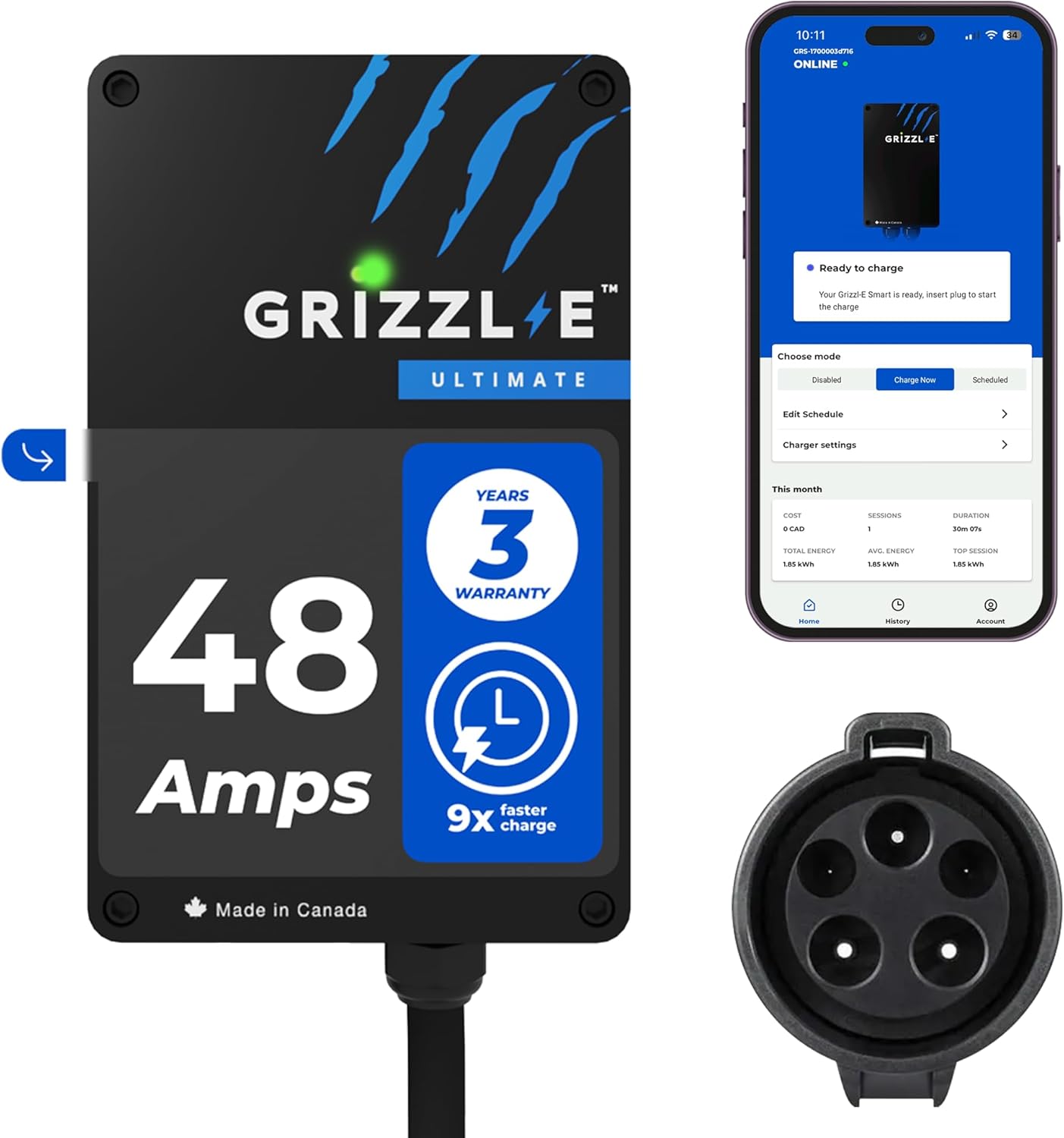
Image: Grizzl-E 48A Ultimate EV Charger unit, showing its compact design, the accompanying mobile application interface, and the J1772 charging connector.
2. Safety Information
Installation and servicing of this equipment must be performed by qualified personnel only. Adhere to all local and national electrical codes. Failure to do so may result in electric shock, fire, or serious injury.
- Always disconnect power before performing any installation or maintenance.
- Do not operate the charger if it is damaged or appears to be malfunctioning.
- Ensure the charging cable is not pinched, kinked, or damaged during use.
- This charger is designed for hardwired installation only.
- The unit is UL Certified and designed for both indoor and outdoor use, featuring water and fire resistance.
3. Package Contents
Verify that all components are present in the package before beginning installation.
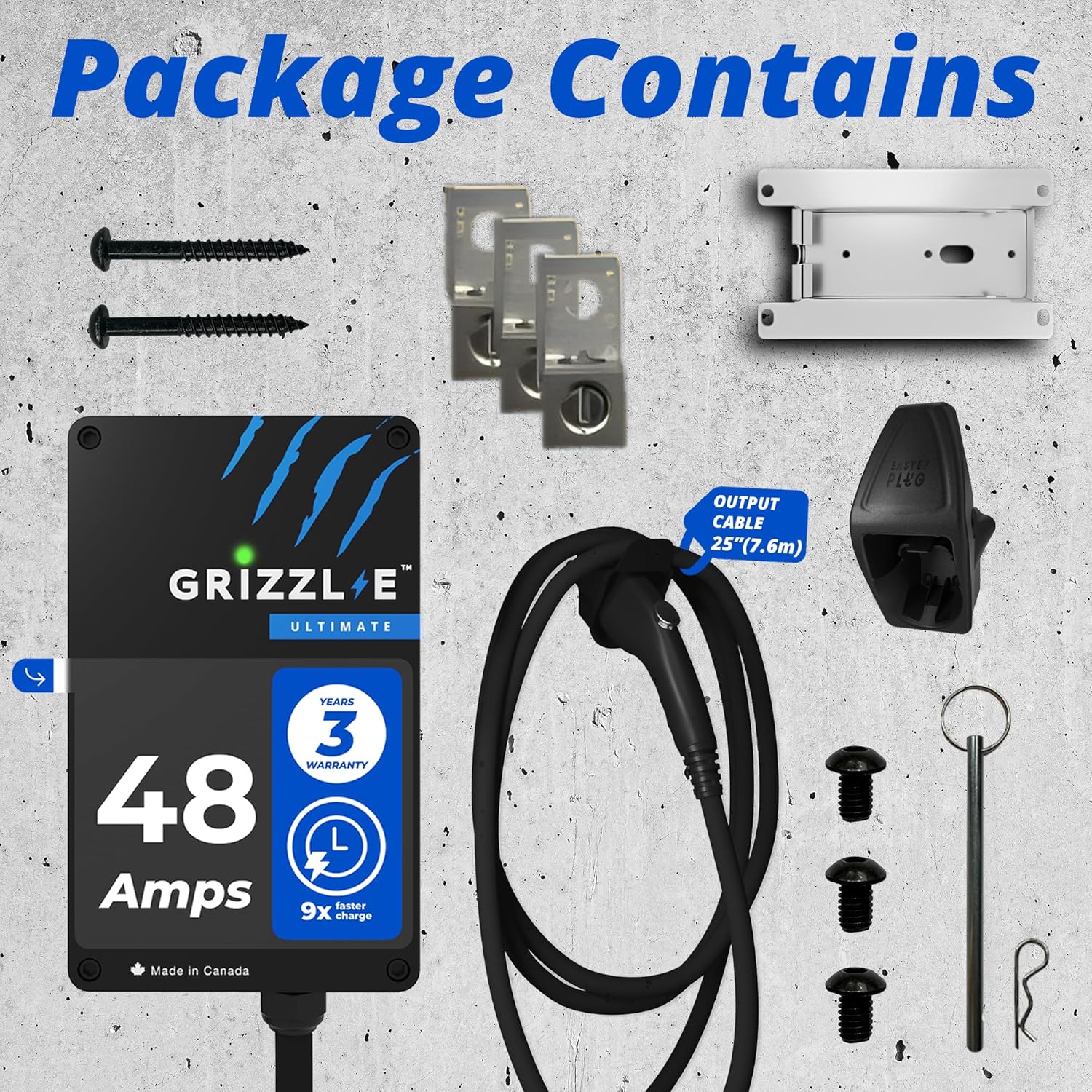
Image: Contents of the Grizzl-E 48A Ultimate EV Charger package, including the charger unit, 25-foot J1772 cable, mounting bracket, hardwire kit components (terminal lugs, heat shrink wrap), and mounting screws.
- Grizzl-E 48A Ultimate EV Charger Unit
- 25-foot (7.6m) J1772 Charging Cable
- Mounting Bracket
- Hardwire Kit (Terminal Lugs and Heat Shrink Wrap)
- Mounting Screws
- J1772 Connector Holster
4. Setup and Installation
The Grizzl-E 48A Ultimate charger is designed for hardwired installation. Professional installation by a licensed electrician is strongly recommended to ensure compliance with all electrical codes and safety standards.
4.1. Site Selection
Choose a location that is convenient for vehicle parking and charging. The unit is rated for indoor and outdoor use, capable of withstanding harsh weather conditions due to its heavy-duty UL Type 4 Rated aluminum cast enclosure.

Image: Grizzl-E EV Charger installed on an exterior wall, demonstrating its suitability for both indoor and outdoor environments.
4.2. Electrical Requirements
- Requires a dedicated 240V AC circuit.
- For 48A charging, a 60A circuit breaker is required (80% rule for continuous load).
- The hardwire kit with terminal lugs and heat shrink wrap is included for direct connection.
4.3. Mounting the Charger
Use the provided mounting bracket and screws to securely attach the charger to a sturdy wall surface. Ensure the unit is mounted vertically with adequate clearance around it for ventilation and cable management.

Image: Diagram illustrating the dimensions of the Grizzl-E charger unit and the length of its output cable (25 feet).
5. Operating Instructions
The Grizzl-E Ultimate charger offers simple plug-and-charge functionality and advanced features via its OCPP-compatible smart charging capabilities.
5.1. Basic Charging
- Ensure the charger is properly installed and powered.
- Open your vehicle's charging port.
- Insert the J1772 connector firmly into your vehicle's charging port. The charger will initiate charging automatically.
- To stop charging, disconnect the J1772 connector from your vehicle.
5.2. Smart Charging with OCPP App
The Grizzl-E Ultimate 48A supports OCPP (Open Charge Point Protocol), allowing compatibility with various smart charging applications. This enables features such as:
- Setting charging schedules to optimize for off-peak electricity rates.
- Tracking power consumption and charging costs.
- Downloading charging history reports.
- Remote control and monitoring of charging sessions.
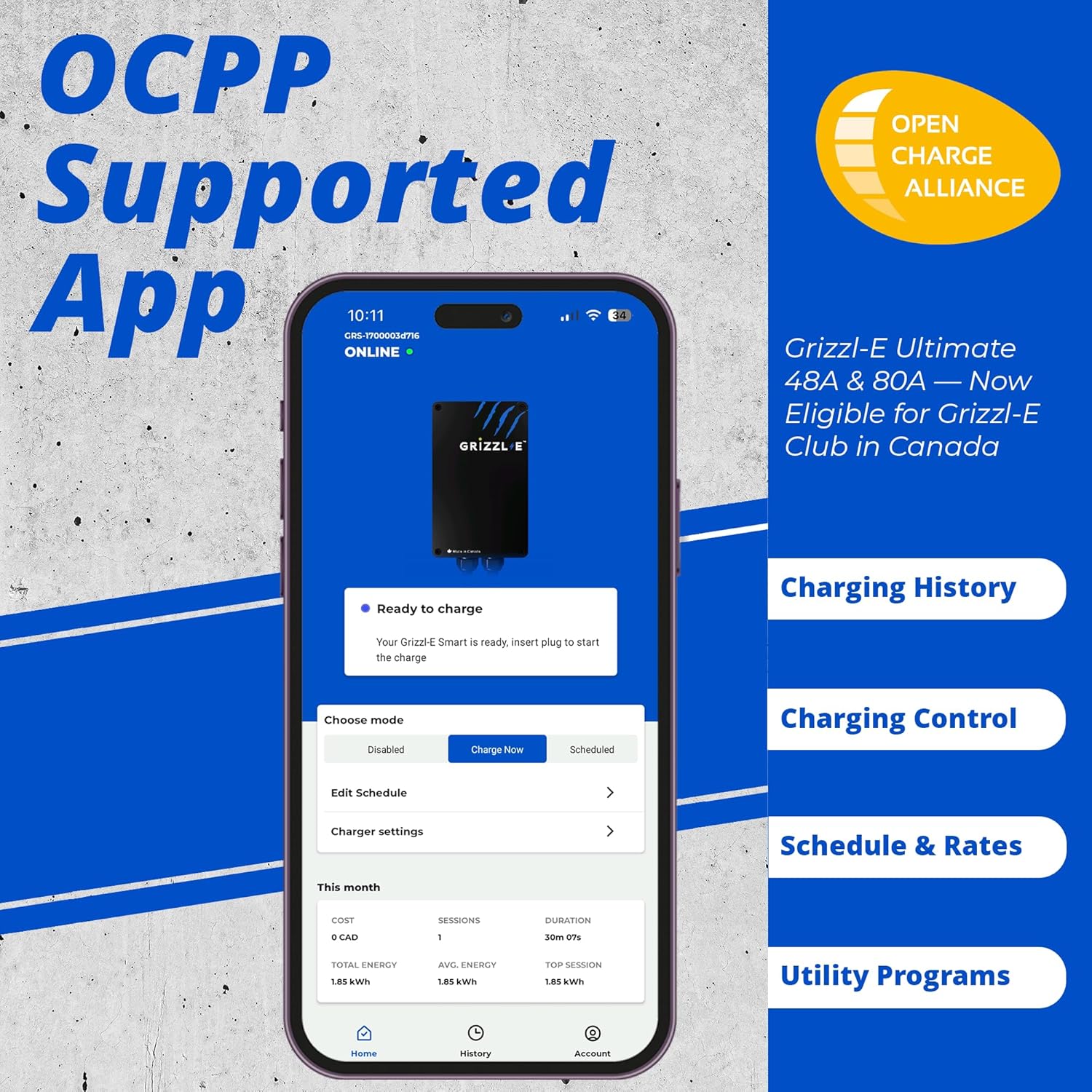
Image: Screenshot of the Grizzl-E mobile application interface, highlighting features like charging history, control options, schedule and rates management, and utility program integration.
5.3. Adjustable Current Output
The maximum current output of the charger can be adjusted to 48A, 40A, 32A, 24A, or 16A. This adjustment can typically be made via dip switches inside the unit (refer to the detailed installation guide for exact location) or through the connected smart charging application, depending on the specific app used.

Image: Visual representation of Grizzl-E charger features, including water resistance, fire resistance, overcurrent protection, overvoltage protection, multi-app support, Wi-Fi connectivity, and adjustable maximum current output settings.
6. Maintenance
The Grizzl-E Ultimate charger is designed for minimal maintenance. Regular inspection and cleaning will help ensure its longevity and optimal performance.
- Cleaning: Periodically wipe the exterior of the charger and the charging cable with a soft, damp cloth. Do not use abrasive cleaners or solvents.
- Cable Inspection: Regularly inspect the charging cable and connector for any signs of wear, cuts, or damage. If damage is found, discontinue use immediately and contact customer support.
- Connector Care: Keep the J1772 connector clean and free of debris. Store it in the provided holster when not in use to protect it from environmental elements.
7. Troubleshooting
This section addresses common issues you might encounter with your Grizzl-E charger. For problems not listed here, please contact customer support.
| Problem | Possible Cause | Solution |
|---|---|---|
| Charger not powering on. | No power from electrical panel; internal fault. | Check circuit breaker. If breaker is on, contact a qualified electrician or customer support. |
| Vehicle not charging. | Connector not fully inserted; vehicle charging settings; charger fault. | Ensure J1772 connector is fully seated. Check vehicle's charging schedule or settings. Restart charger by cycling power at the breaker. |
| Wi-Fi connection issues. | Incorrect Wi-Fi password; weak signal; router issues. | Verify Wi-Fi password. Ensure charger is within Wi-Fi range. Restart your home router. Follow app's Wi-Fi setup instructions carefully. |
| Error message/beeping. | Communication error with vehicle; internal protection triggered. | Disconnect and reconnect the J1772 plug. If the issue persists, consult your vehicle's manual or contact Grizzl-E customer support. |
8. Specifications
Detailed technical specifications for the Grizzl-E 48A Ultimate Level 2 EV Charger.
| Feature | Detail |
|---|---|
| Model | GRU-077-W-HW-25TJ48-A-GB |
| Input Connection | Hardwired Only |
| Output Voltage | 240 Volts (AC) |
| Current Rating | 48 Amps (Adjustable: 48A, 40A, 32A, 24A, 16A) |
| Charging Power | Up to 11.5 kW |
| Charging Cable Length | 25 feet (7.6 meters) |
| Connector Type | J1772 |
| Enclosure Material | Heavy-duty Aluminum Cast |
| Environmental Rating | UL Type 4 Rated (Indoor/Outdoor) |
| Certifications | UL Certified, Energy Star Certified |
| Connectivity | Wi-Fi, OCPP Multi App Capability |
| Item Weight | 18.44 pounds |
| Dimensions (Unit) | Approx. 10.25 x 6.25 x 3.75 inches (26 x 16 x 9.5 cm) |
| Manufacturer | United Chargers Inc. |
| UPC | 198715830613 |
9. Warranty and Support
Grizzl-E stands behind the quality of its products.
- Warranty: The Grizzl-E 48A Ultimate EV Charger comes with a 3-year warranty. This warranty covers defects in materials and workmanship under normal use.
- Customer Support: For technical assistance, troubleshooting, or warranty claims, please contact Grizzl-E customer support. Refer to the official Grizzl-E website for the most current contact information.
- Manufacturer: United Chargers Inc.


