

Introduction
This manual provides detailed instructions for the installation, operation, maintenance, and troubleshooting of your Roca Multiclean® M4 Round Compact A804057001 Smart Toilet Seat. Please read this manual thoroughly before installation and use to ensure proper function and safety.
The Roca Multiclean® M4 is a smart toilet seat designed to enhance personal hygiene with integrated washing and drying functions. It features adjustable water temperature and air pressure, a self-cleaning nozzle with UV light disinfection, and convenient side panel controls. The unit is also configurable and controllable via a mobile application.

Image: The Roca Multiclean M4 smart toilet seat, showcasing its sleek, compact design and integrated control panel on the side.
Safety Information
Always follow basic safety precautions when using electrical products, especially when water is present. Failure to do so may result in electric shock, fire, or injury.
- Ensure the power outlet is properly grounded.
- Do not immerse the product in water or other liquids.
- Unplug the product before cleaning or servicing.
- Do not allow children to operate the product without supervision.
- Do not use damaged cords or plugs.
- Consult a qualified electrician or plumber for installation if you are unsure.
Product Specifications
| Feature | Detail |
|---|---|
| Model Number | A804057001 |
| Color | White |
| Shape | Round Compact |
| Product Dimensions | 21.61"L x 17.83"W (54.9cm L x 45.3cm W) |
| Item Weight | 7.1 Kilograms (15.62 pounds) |
| Functions | Washing, Drying, Self-cleaning nozzle, UV disinfection |
| Control | Side panel with circular button, Mobile app |
| Power Source | Conventional socket (requires electrical outlet) |
| Water Connection | Standard water connection required |

Image: Technical diagram illustrating the dimensions of the Roca Multiclean M4 smart toilet seat, including length, width, and height measurements in millimeters.
Setup and Installation
The Roca Multiclean® M4 smart toilet seat is designed for easy installation, requiring only a water connection and a conventional electrical socket. Professional installation is recommended if you are not familiar with plumbing or electrical work.
Before You Begin:
- Ensure you have access to a standard water supply line and a grounded electrical outlet near the toilet.
- Turn off the water supply to your toilet.
- Drain the toilet tank by flushing.
- Remove your existing toilet seat.
Installation Steps:
- Mounting the Seat: Attach the mounting brackets to the toilet bowl using the provided hardware. Ensure the brackets are securely fastened and aligned with the toilet seat holes.
- Connecting Water Supply: Connect the provided water hose from the toilet's water supply valve to the inlet on the smart toilet seat. Ensure all connections are tight to prevent leaks.
- Connecting Power: Plug the power cord into a grounded electrical outlet.
- Testing: Turn on the water supply to the toilet. Check for any leaks. Plug in the unit and perform a test run of the washing and drying functions as described in the "Operating Instructions" section.
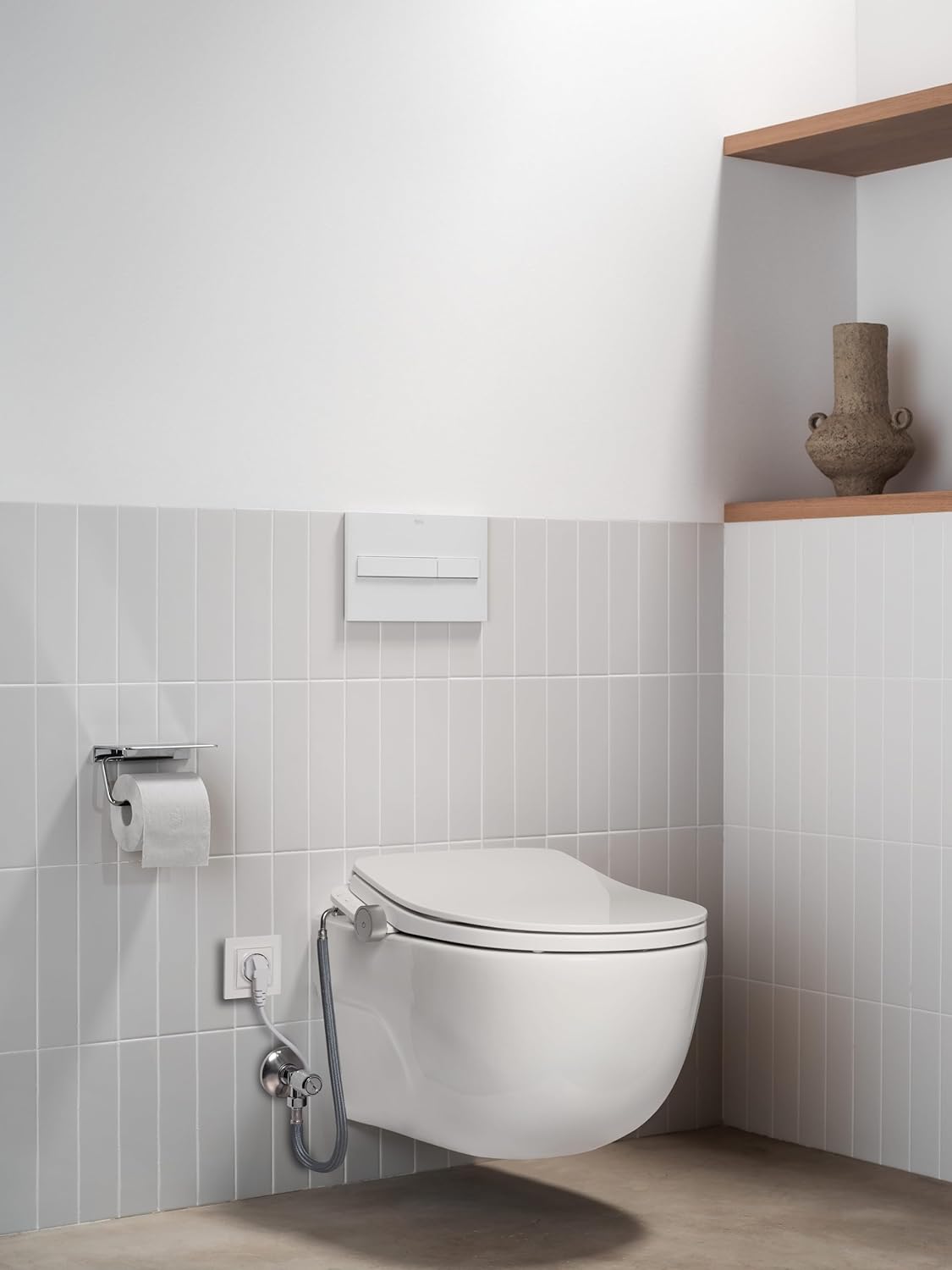
Image: The Roca Multiclean M4 smart toilet seat installed on a wall-mounted toilet, showing the water and electrical connections.
Operating Instructions
The Roca Multiclean® M4 offers various functions controlled via its side panel or a mobile application.
Side Panel Controls:
The side panel features a circular button and indicator lights for easy function control.
- Washing Function: Press the wash button to activate the posterior wash. Press again to adjust water pressure or nozzle position.
- Drying Function: After washing, press the dry button to activate the warm air dryer. Press again to adjust air temperature or intensity.
- Stop Function: Press the stop button to cease any active function.
- Nozzle Position: Use the dedicated buttons to adjust the nozzle's forward or backward position for optimal cleaning.
- Water Temperature: Adjust water temperature using the corresponding controls.
Mobile Application Control:
Download the official Roca Multiclean app from your device's app store. Follow the in-app instructions to pair your smart toilet seat. The app provides advanced control over all functions, including personalized settings and user profiles.
Maintenance and Cleaning
Regular maintenance ensures optimal performance and hygiene of your Roca Multiclean® M4 smart toilet seat.
Daily Cleaning:
- Wipe the exterior of the seat with a soft, damp cloth and mild, non-abrasive cleaner.
- Do not use harsh chemicals, abrasive cleaners, or scrub brushes, as these can damage the surface.
Nozzle Cleaning:
The Multiclean® M4 features a self-cleaning nozzle and UV light disinfection. For manual cleaning or inspection:
- Ensure the unit is unplugged.
- Gently pull out the nozzle for manual cleaning. Use a soft brush and mild soap.
- Rinse thoroughly and push the nozzle back into its housing until it clicks.
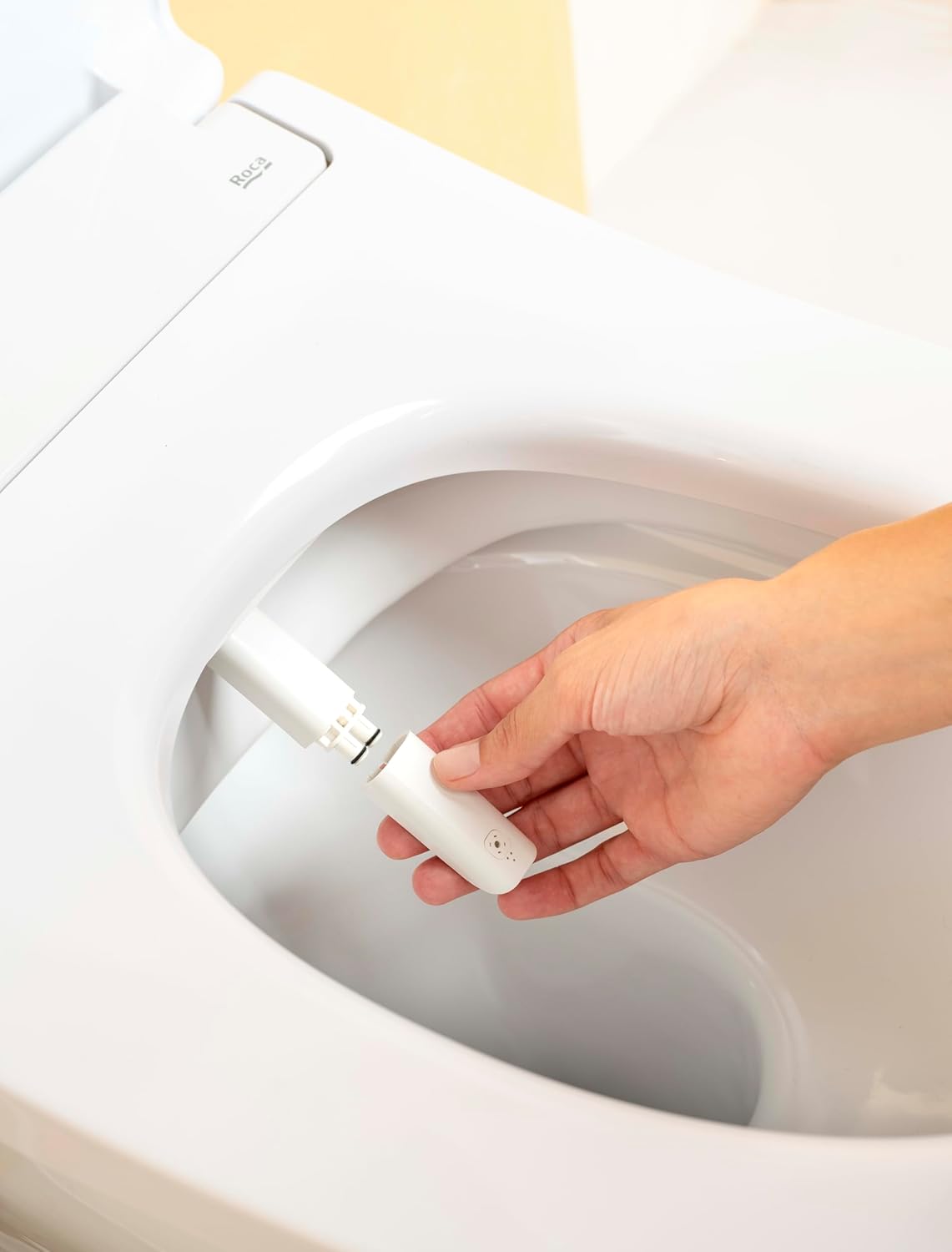
Image: A hand demonstrating the removal of the nozzle for cleaning or maintenance on the Roca Multiclean M4 smart toilet seat.

Image: A hand gently adjusting the position of the nozzle on the Roca Multiclean M4 smart toilet seat, illustrating its retractable design.
Long-Term Storage:
If the unit will not be used for an extended period, unplug it, turn off the water supply, and drain any remaining water from the unit to prevent freezing or stagnation.
Troubleshooting
Refer to the following table for common issues and their solutions.
| Problem | Possible Cause | Solution |
|---|---|---|
| No power | Unit unplugged, power outage, circuit breaker tripped | Ensure unit is plugged in, check power supply, reset circuit breaker. |
| No water spray | Water supply turned off, clogged nozzle, low water pressure | Turn on water supply, clean nozzle, check household water pressure. |
| Weak water spray | Low water pressure, clogged nozzle filter | Check water pressure, clean the nozzle filter (refer to maintenance section). |
| No drying air | Drying function not activated, air vent blocked | Activate drying function, ensure air vents are clear. |
| Leaks from connections | Loose connections, damaged seals | Tighten all water connections, inspect and replace seals if damaged. |
| Mobile app not connecting | Bluetooth/Wi-Fi off, incorrect pairing, app issue | Ensure device Bluetooth/Wi-Fi is on, re-attempt pairing, reinstall app if necessary. |
Warranty Information
Roca products are manufactured to high-quality standards and are covered by a limited warranty. Please refer to the official Roca website or your purchase documentation for specific warranty terms and conditions applicable to the Multiclean® M4 smart toilet seat. Keep your proof of purchase for warranty claims.
Customer Support
For further assistance, technical support, or to inquire about replacement parts, please contact Roca customer service. You can find contact information on the official Roca website: www.roca.com.
When contacting support, please have your model number (A804057001) and purchase date available.
