
1. Product Overview
The GENNEL G109 is a high-performance thermal conductive adhesive designed for efficient heat transfer in various electronic components. This silicone-based viscous compound provides strong adhesion and excellent thermal conductivity, making it suitable for applications where a secure bond and effective heat dissipation are required.
It is non-electrical conductive, non-corrosive, and non-toxic, ensuring safe use in sensitive electronic environments. The G109 thermal glue is ideal for attaching heatsinks to components that do not have fixed clips, such as LEDs, MOSFETs, 3D printer chipsets, and other ICs.

Image 1.1: GENNEL G109 Thermal Glue tube with its applicator tip.
2. Safety Information
Please read and understand all safety information before using this product.
- Non-Electrical Conductive: This product is designed to be non-electrical conductive, reducing the risk of short circuits in electronic applications.
- Non-Corrosive: The adhesive is non-corrosive, preventing damage to sensitive electronic components.
- Non-Toxic: Formulated to be non-toxic for user safety. However, avoid ingestion and prolonged skin contact.
- Ventilation: Use in a well-ventilated area.
- Storage: Store in a cool, dry place, away from direct sunlight and out of reach of children.
- Eye Contact: In case of eye contact, flush immediately with plenty of water for at least 15 minutes and seek medical attention.
- Skin Contact: Wash affected skin areas with soap and water.
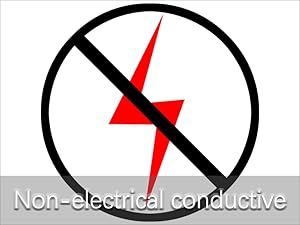
Image 2.1: The GENNEL G109 thermal glue is non-electrical conductive.
3. Product Features
- High Thermal Conductivity: Greater than 1.5W/m-K for efficient heat transfer.
- Strong Adhesion: Provides a secure bond for heatsinks and components.
- Wide Operating Temperature: Stable performance from -60°C to 280°C (-76°F to 536°F).
- Non-Electrical Conductive: Safe for use in electronic circuits.
- Non-Corrosive & Non-Toxic: Ensures component longevity and user safety.
- Versatile Application: Suitable for MOSFETs, LEDs, heatsinks, North-South bridge, video cards, chipsets, and other heat dissipation parts in various industries.
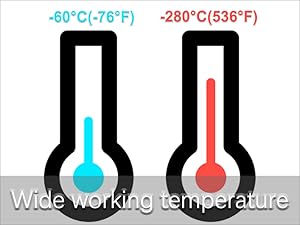

Image 3.1: Wide operating temperature range and long-lasting stability of the thermal glue.
4. Specifications
| Property | Value |
|---|---|
| Model | GENNEL G109 |
| Net Weight | 35g (1.2oz) |
| Thermal Conductivity | > 1.5W/m·K |
| Operating Temperature Range | -60°C to 280°C (-76°F to 536°F) |
| Full Cure Time | 24 Hours |
| Surface Drying Time | 5-15 minutes |
| Evaporation | 0.001% (280°C / 24H) |
| Insulation Coefficient | > 5.1 |
| Dissipation Coefficient | < 0.005 |
| Adhesion and Tensile Strength | 2.1 (MPa) |
| Electrical Conductivity | Non-electrical conductive |

Image 4.1: Detailed specifications for GENNEL G109 thermal glue.
5. Setup and Application
Follow these steps for proper application of the GENNEL G109 thermal glue:
- Prepare Surfaces: Ensure that the surfaces of the component (e.g., chipset, LED) and the heatsink are clean, dry, and free from dust, oil, or old thermal paste. Use isopropyl alcohol for cleaning if necessary.
- Apply Glue: Apply a small amount of GENNEL G109 thermal glue directly onto the center of the component's surface that requires heat dissipation.
- Spread Evenly (Optional): If desired, use a spatula or a similar tool to spread the glue evenly across the surface. A thin, uniform layer is generally more effective. Avoid applying too much.
- Attach Heatsink: Carefully place the heatsink onto the component, pressing gently to ensure good contact and even distribution of the thermal glue.
- Secure Heatsink: If the heatsink has mounting mechanisms (e.g., screws, clips), secure it in place. The thermal glue will provide additional adhesion.
- Curing: The surface drying time is 5-15 minutes. Allow 24 hours for the glue to fully cure and achieve maximum adhesion and thermal performance. Avoid disturbing the components during the curing period.
Important Note: Do not use GENNEL G109 thermal glue between a CPU and its heatsink. For CPUs, traditional thermal paste is recommended to allow for future removal and reapplication without damaging the CPU or heatsink. This product is intended for components where a permanent or semi-permanent bond is desired.

Image 5.1: Visual guide for applying GENNEL G109 thermal glue to a heatsink and attaching a component.

Image 5.2: Example of thermal glue spread evenly on a heatsink surface.
6. Operating Considerations
Once applied and fully cured, the GENNEL G109 thermal glue operates passively by facilitating heat transfer. No active operation is required from the user.
- Thermal Performance: The glue will begin to transfer heat effectively once applied, with optimal performance achieved after the full 24-hour curing period.
- Environmental Conditions: The product maintains its performance across a wide temperature range (-60°C to 280°C), making it suitable for various operating environments.
- Long-Term Stability: The GENNEL G109 is designed for long-lasting and stable performance, ensuring consistent heat dissipation over time.
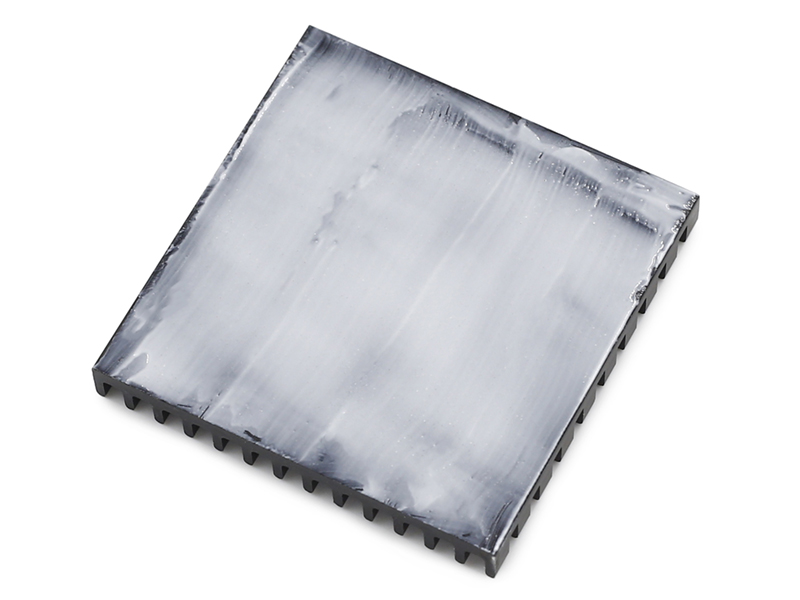
Image 6.1: Wide range of applications for GENNEL G109 thermal glue, including GPUs, chipsets, 3D printers, and other electronic devices.
7. Maintenance
The GENNEL G109 thermal glue requires minimal maintenance once applied and cured.
- Storage: Store the unused portion of the thermal glue in its original sealed container in a cool, dry place to prevent premature drying or degradation.
- Inspection: Periodically inspect the bonded components for any signs of degradation or detachment, especially in high-vibration or extreme temperature environments.
- Cleaning: If cleaning is required around the bonded area, use a soft, dry cloth. Avoid using harsh chemicals that could affect the glue's integrity.
8. Troubleshooting
If you encounter issues with the GENNEL G109 thermal glue, consider the following:
- Poor Adhesion:
- Ensure surfaces were clean and dry before application. Residue can prevent proper bonding.
- Verify sufficient curing time (24 hours). Adhesion strength increases significantly after full cure.
- Check if the ambient temperature during application and curing was within recommended limits.
- Ineffective Heat Transfer:
- Confirm that a thin, even layer of glue was applied. Too much glue can act as an insulator.
- Ensure firm contact between the component and heatsink during application and curing.
- Verify that the heatsink itself is adequately sized for the component's heat output.
- Glue Not Drying/Curing:
- Check the product's expiration date.
- Ensure proper ventilation. Humidity and temperature can affect curing times.
For further assistance, please contact GENNEL customer support.
9. Warranty and Support
GENNEL products are manufactured to high-quality standards. For specific warranty details, please refer to the product packaging or contact GENNEL customer service directly. Keep your purchase receipt as proof of purchase.
For technical support, product inquiries, or assistance with troubleshooting, please visit the official GENNEL website or contact their customer support team through the contact information provided on the product packaging or their website.
Online Resources: GENNEL Store on Amazon