
BAOFENG UV 22
Contents
BAOFENG UV-22 Ham Radio User Manual
Handheld Walkie Talkies Long Range Two Way Radio
1. Introduction
This manual provides comprehensive instructions for the operation and maintenance of your BAOFENG UV-22 Ham Radio. The UV-22 is an upgraded version of the UV-5R, featuring enhanced capabilities and user-friendly functions. Please read this manual thoroughly before using the device to ensure proper operation and to maximize its performance.
Key Features:
- 999 Memory Channels
- UHF/VHF Dual Band Operation
- CTCSS/DCS Tones
- VOX Mode for Hands-Free Communication
- A/B Band Independent Operation
- Dual Band, Dual Display, Dual Standby
- Auto Keypad Lock
- Type-C USB Charging
- NOAA Weather Alert Functionality
- Integrated LED Flashlight
- Wireless Frequency Copy Function

Image: BAOFENG UV-22 Ham Radio and included accessories.
2. Package Contents
Upon opening your BAOFENG UV-22 package, please verify that all the following items are included:
- BAOFENG UV-22 Walkie Talkie (x2)
- Programming Cable (x1)
- Rechargeable Battery (x2)
- Type-C USB Charging Cable (x2)
- Belt Clip (x2)
- Hand Strap (x2)
- Headset (x2)
- User Manual (x2)
3. Setup
3.1 Battery Installation
Ensure the radio is powered off before installing or removing the battery. Align the battery pack with the grooves on the back of the radio and slide it upwards until it clicks into place securely.
3.2 Charging the Battery
The BAOFENG UV-22 features convenient Type-C USB charging. Connect the provided Type-C USB cable to the radio's charging port and the other end to a compatible power source. The 1800mAh battery typically charges fully within 2-4 hours and provides up to 72 hours of standby time.
- Wall Charging: Use a standard USB wall adapter.
- Power Bank Charging: Connect to a portable power bank for on-the-go charging.
- Car Charging: Utilize a car USB charger for charging in your vehicle.
- Laptop Charging: Connect to a laptop's USB port.
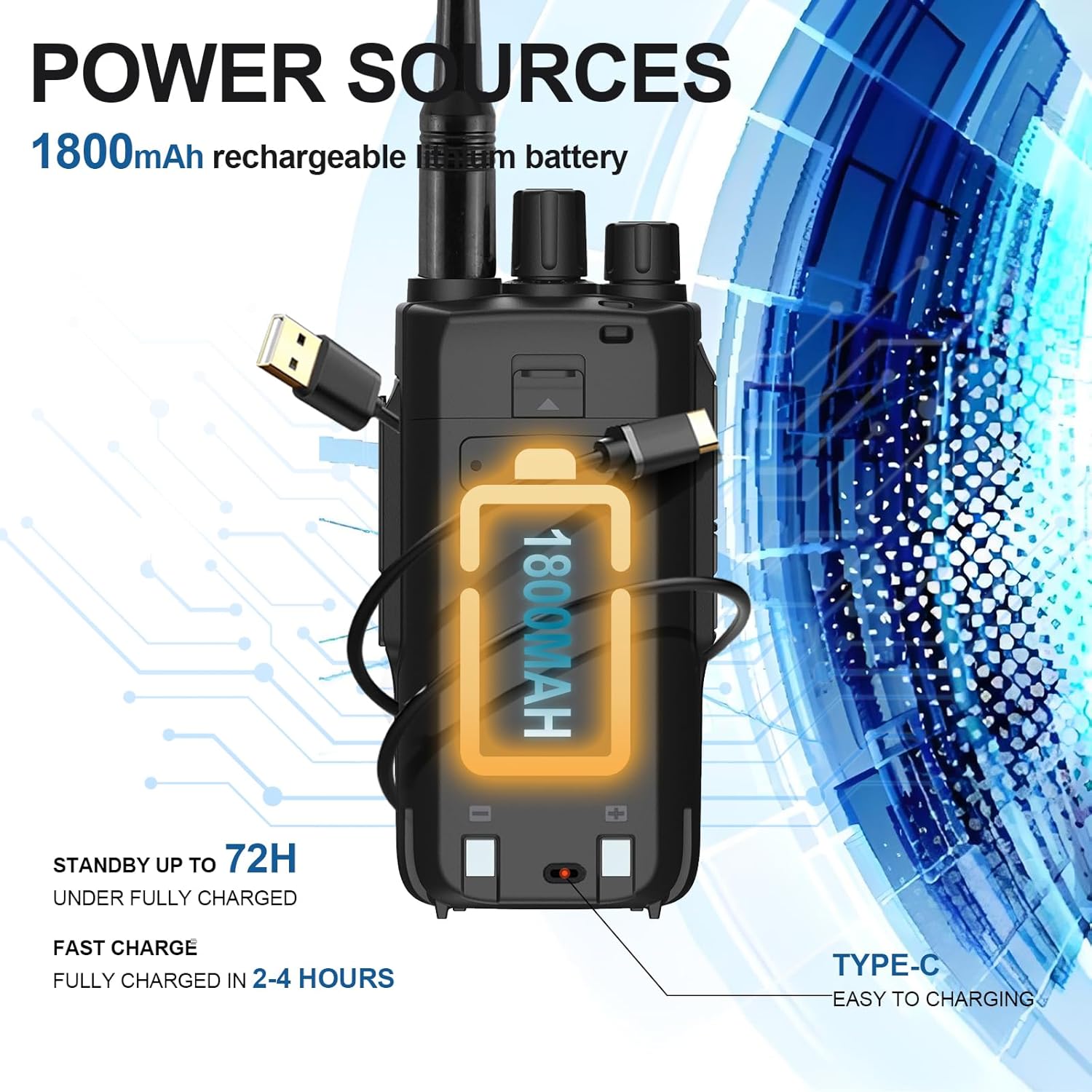
Image: Type-C Charging options for the BAOFENG UV-22.

Image: Power sources and battery capacity of the BAOFENG UV-22.
3.3 Programming
The BAOFENG UV-22 supports programming via a dedicated programming cable (included) and compatible software such as Chirp (specifically UV-22l or UV17 Pro templates). Refer to the software's documentation for detailed programming instructions.
4. Operating Instructions
4.1 Power On/Off
To power on the radio, rotate the volume knob clockwise until you hear a click. To power off, rotate it counter-clockwise until it clicks.
4.2 Channel Selection and Frequency Input
The UV-22 supports 999 memory channels. Use the keypad to directly input frequencies or navigate through stored channels. The dual display allows monitoring of two frequencies simultaneously.

Image: Comparison of UV-22 and UV-5R features.
4.3 VOX Mode (Voice Operated Transmit)
VOX mode enables hands-free transmission. When activated, the radio will transmit automatically when it detects your voice. Adjust the VOX sensitivity in the menu to prevent accidental transmissions.
4.4 CTCSS/DCS Tones
CTCSS (Continuous Tone-Coded Squelch System) and DCS (Digital Coded Squelch) tones are used to filter out unwanted communications on a shared frequency. Set the same CTCSS/DCS tone as the receiving party to ensure clear communication.
4.5 Wireless Frequency Copy (One Key Quick Match)
The UV-22 features a wireless frequency copy function, allowing you to quickly match frequencies with another compatible radio. Refer to the on-screen prompts or the detailed manual section for this feature.

Image: One Key Quick Match feature for wireless frequency copying.
4.6 NOAA Weather Alert
The radio supports NOAA weather service and can scan 10 NOAA Weather channels. Activate the weather alarm function to receive alerts for severe weather conditions, providing crucial time for preparedness.
4.7 LED Flashlight
The integrated LED flashlight can be activated for illumination in low-light conditions or emergencies. Consult the radio's menu or dedicated button for flashlight operation.

Image: Potential usage environments for the BAOFENG UV-22.
5. Maintenance
Proper maintenance ensures the longevity and optimal performance of your BAOFENG UV-22 radio.
- Cleaning: Use a soft, damp cloth to clean the radio's exterior. Avoid using harsh chemicals or abrasive cleaners.
- Battery Care: Store batteries in a cool, dry place when not in use. Avoid overcharging or completely draining the battery frequently to prolong its lifespan.
- Storage: If storing the radio for an extended period, remove the battery. Store in a dry, dust-free environment.
- Antenna: Ensure the antenna is securely attached. Do not operate the radio without an antenna, as this can damage the device.
6. Troubleshooting
If you encounter issues with your BAOFENG UV-22, refer to the following common problems and solutions:
- Radio does not power on: Ensure the battery is properly installed and fully charged. Check the battery contacts for dirt or corrosion.
- No reception or transmission: Verify that the antenna is securely attached. Check the frequency and channel settings. Ensure CTCSS/DCS tones are correctly configured if in use.
- Poor audio quality: Adjust the volume. Check the headset connection if using one. Ensure there is no interference from other electronic devices.
- Keypad unresponsive: Check if the keypad lock is activated. Deactivate it if necessary.
- Programming issues: Ensure you are using the correct programming cable and software version (e.g., Chirp with UV-22l or UV17 Pro template). Verify driver installation for the programming cable.
For persistent issues, contact customer support for technical guidance.
7. Specifications
| Feature | Specification |
|---|---|
| Item Weight | 2.38 pounds |
| Package Dimensions | 8.74 x 7.87 x 4.25 inches |
| Item Model Number | UV 22 |
| Batteries | 1 Lithium Ion battery required (included) |
| Manufacturer | BAOFENG |
| Brand | BAOFENG |
| Color | Black |
| Number of Channels | 999 |
| Special Feature | Long Range, Dual Band |
| Frequency Range | VHF&UHF Receive: 136-174, 400-520MHz; UHF Transmit: 420-450MHz; VHF Transmit: 144-148MHz |
| Talking Range Maximum | 5 Mile |
| Tuner Technology | UHF&VHF |
| Voltage | 3.6E+3 Volts (DC) |
| Water Resistance Level | Waterproof |
8. Warranty and Support
BAOFENG is committed to providing quality products and customer satisfaction. Your BAOFENG UV-22 comes with a standard warranty. For specific warranty details, please refer to the documentation included with your purchase or contact BAOFENG customer service.
For technical assistance, troubleshooting, or any inquiries regarding your product, BAOFENG offers all-day customer service replies to ensure your purchase enjoyment. You can also visit the official BAOFENG Store on Amazon for more information and support resources.
Additionally, protection plans are available for purchase to extend coverage beyond the standard warranty. These include 2-Year and 3-Year Protection Plans, as well as a Complete Protect option.
Documents and downloads
Ask a question about this manual
Ask about setup, troubleshooting, compatibility, parts, safety, or missing instructions. Manuals+ will review the question and use this page’s manual context to help answer it.