
1. Product Overview
The HOMCOM TV Stand is a modern farmhouse-style entertainment center designed to accommodate TVs up to 50 inches. It features a durable engineered wood construction with a distressed white finish and a rustic brown tabletop. This unit provides ample storage with adjustable shelves and integrated cable management for an organized living space.
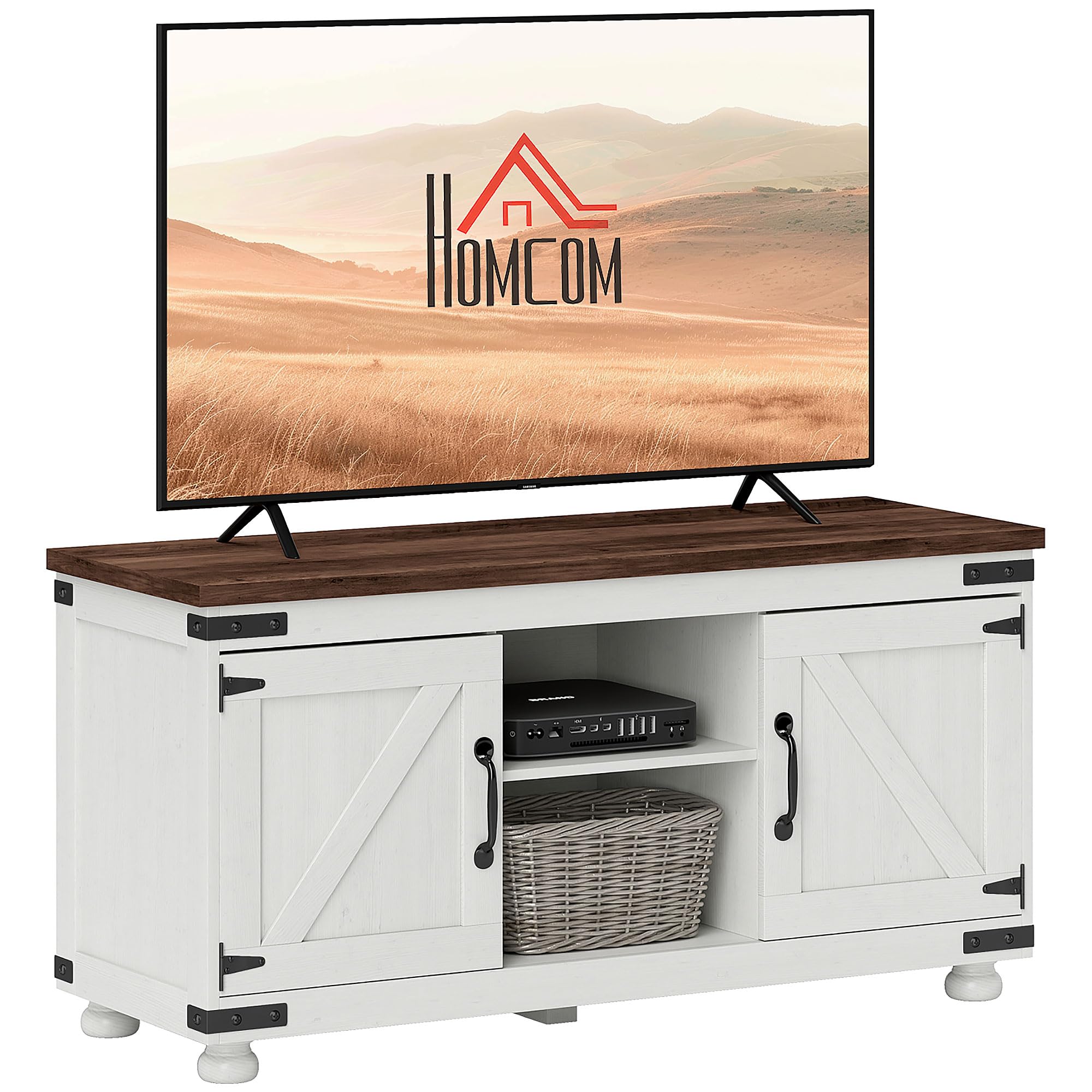
Image 1.1: The HOMCOM TV Stand, showcasing its distressed white finish, rustic brown top, and barn-door style cabinets, positioned in a living room with a television.
2. Safety Information
Please read and understand all safety instructions before assembly and use.
- Always assemble the TV stand strictly according to the provided manual.
- Do not exceed the maximum weight capacity of 148 lbs (67 kg) on the tabletop. Overloading can cause instability and damage.
- Keep fingers and other body parts clear of door hinges and shelf edges during assembly and adjustment to prevent injury.
- Ensure the TV stand is placed on a flat, stable, and level surface to prevent tipping.
- Distribute weight evenly across shelves and the tabletop.
- Keep small parts and hardware away from children and pets during assembly.
3. Package Contents
Before beginning assembly, verify that all components are present and undamaged. Refer to the detailed parts list in your included assembly manual. Typically, the package includes:
- Main panels (top, bottom, side panels)
- Adjustable shelves
- Barn doors and associated hardware (hinges, handles)
- Support legs
- Assembly hardware (screws, dowels, cam locks, etc.)
- Instruction manual
4. Assembly Instructions
This TV stand is designed for easy assembly. A detailed, step-by-step manual with clearly marked parts is included in your package. Please follow the instructions precisely to ensure proper construction and stability.
- Unpack and Identify: Carefully unpack all components and lay them out on a clean, soft surface (e.g., a blanket or carpet) to prevent scratches. Identify each part using the provided parts list.
- Gather Tools: Ensure you have the necessary tools, typically a Phillips head screwdriver and possibly a hammer (not usually included).
- Follow Steps Sequentially: Assemble the unit by following the numbered steps in the included manual. Do not skip steps.
- Secure Connections: Ensure all screws, cam locks, and other fasteners are tightened securely, but do not overtighten to avoid damaging the engineered wood.
- Attach Legs: Securely attach the five sturdy wood legs to the base of the unit.
- Install Doors: Mount the barn doors using the provided hinges and attach the handles.
- Final Check: Once assembled, gently shake the unit to confirm stability. Re-tighten any loose connections if necessary.

Image 4.1: A diagram illustrating the overall dimensions (43.3" W x 15.4" D x 21.7" H) and the maximum weight capacity (148 lbs / 67 kg) of the TV stand.
5. Operating Instructions
5.1. Adjustable Shelves
The TV stand features adjustable shelves within its two enclosed cabinets and open compartments, allowing you to customize storage space for various media devices, books, or decorative items.
- To adjust a shelf, remove any items from it.
- Carefully lift the shelf and remove the shelf pins from their current holes.
- Reinsert the shelf pins into the desired new holes, ensuring they are level and fully seated.
- Place the shelf back onto the pins.

Image 5.1: A view of the TV stand's interior, highlighting the adjustable shelves within the open and closed storage areas, demonstrating their flexibility for different item sizes.
5.2. Cable Management
Two cable holes are integrated into the back panel of the central open compartments to help organize and conceal wires from your electronic devices.
- Route power cords and signal cables through these holes to the back of the unit.
- This helps maintain a tidy appearance and prevents cable clutter.

Image 5.2: A detailed view of the two circular cable management holes located on the back panel of the TV stand, designed to keep wires organized.
6. Maintenance and Care
To ensure the longevity and appearance of your HOMCOM TV Stand, follow these care guidelines:
- Cleaning: Wipe clean with a soft, damp cloth. Avoid using harsh chemicals, abrasive cleaners, or polishes that may damage the finish.
- Spills: Immediately wipe up any spills to prevent moisture damage or staining.
- Sunlight: Avoid prolonged exposure to direct sunlight, which can cause fading or discoloration.
- Heat: Do not place hot items directly on the surface. Use coasters or protective pads.
- Inspection: Periodically check all hardware connections and tighten if necessary to maintain structural integrity.
7. Specifications
| Feature | Detail |
|---|---|
| Model Number | CA839-941V80WT0231 |
| Brand | HOMCOM |
| Overall Dimensions (W x D x H) | 43.3" x 15.4" x 21.7" (110 cm x 39 cm x 55 cm) |
| Material | Engineered Wood |
| Color | Distressed White with Rustic Brown Top |
| Max TV Size Supported | Up to 50 inches |
| Weight Capacity (Tabletop) | 148 lbs (67 kg) |
| Number of Shelves | 6 (including fixed and adjustable) |
| Special Features | 2 Cable Holes, Adjustable Shelves, Magnetic Doors, 5 Sturdy Wood Legs |
| Item Weight | 25.4 kg |
| UPC | 673986272312 |

Image 7.1: An illustration demonstrating the TV stand's compatibility with televisions up to 50 inches in size.
8. Troubleshooting
If you encounter any issues during assembly or use, please refer to these common troubleshooting tips:
- Wobbly Stand: Ensure all screws and fasteners are securely tightened. Check that the stand is on a level surface. Adjust the feet if applicable (this model has fixed legs, so ensure even placement).
- Doors Not Aligning: Recheck hinge installation. Sometimes minor adjustments to hinge screws can correct alignment issues. Ensure the stand is on a level surface.
- Missing Parts: Double-check the packaging and compare with the parts list in the manual. If parts are genuinely missing, contact customer support.
- Damaged Parts: Do not proceed with assembly if any part is damaged. Contact customer support for replacements.
9. Customer Support
For further assistance, missing parts, or warranty inquiries, please contact HOMCOM customer support. Refer to your purchase documentation or the HOMCOM official website for the most current contact information.
Typically, products are eligible for return or refund within 30 days of receipt. Please consult the retailer's return policy for specific details.