
1. Introduction
The Avatto ZTS02-EU-B4 is a smart Zigbee 4-gang touch light switch designed to replace traditional wall switches, offering enhanced control and automation for your home lighting. This device integrates seamlessly with Zigbee gateways and the Tuya Smart Life application, allowing for remote control, scheduling, and voice command capabilities. It features a durable tempered glass panel and a fire-retardant ABS housing for safety and longevity.
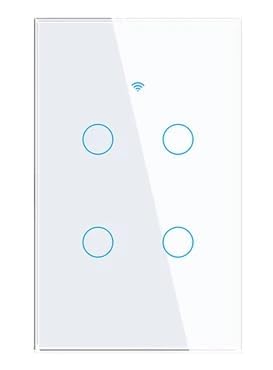
Figure 1: Avatto ZTS02-EU-B4 Smart Zigbee 4-Gang Touch Light Switch. This image shows the sleek, modern design of the smart light switch with its four touch-sensitive buttons.
2. Safety Information
- Electrical Installation: Installation must be performed by a qualified electrician or a person with electrical knowledge. Ensure the main power supply is turned off at the circuit breaker before installation.
- Neutral Wire Required: This smart switch requires a neutral wire for proper operation. Verify that your electrical box has a neutral wire before attempting installation.
- Indoor Use Only: This device is intended for indoor use in dry locations. Do not expose to moisture or extreme temperatures.
- Load Capacity: Do not exceed the maximum rated load of 300W per button. Overloading can cause damage to the switch and create a fire hazard.
- Cleaning: Disconnect power before cleaning. Use a soft, dry cloth. Do not use liquid cleaners or aerosols.
3. Package Contents
Please check the package contents upon unboxing:
- Avatto ZTS02-EU-B4 Smart Zigbee 4-Gang Touch Light Switch
- User Manual
- Mounting Screws
4. Product Overview
The Avatto ZTS02-EU-B4 features a minimalist design with a tempered glass touch panel. It includes four touch-sensitive areas for controlling individual light circuits. An integrated LED indicator provides visibility in low-light conditions.

Figure 2: Front view of the smart switch highlighting its touch interface and smart connectivity.
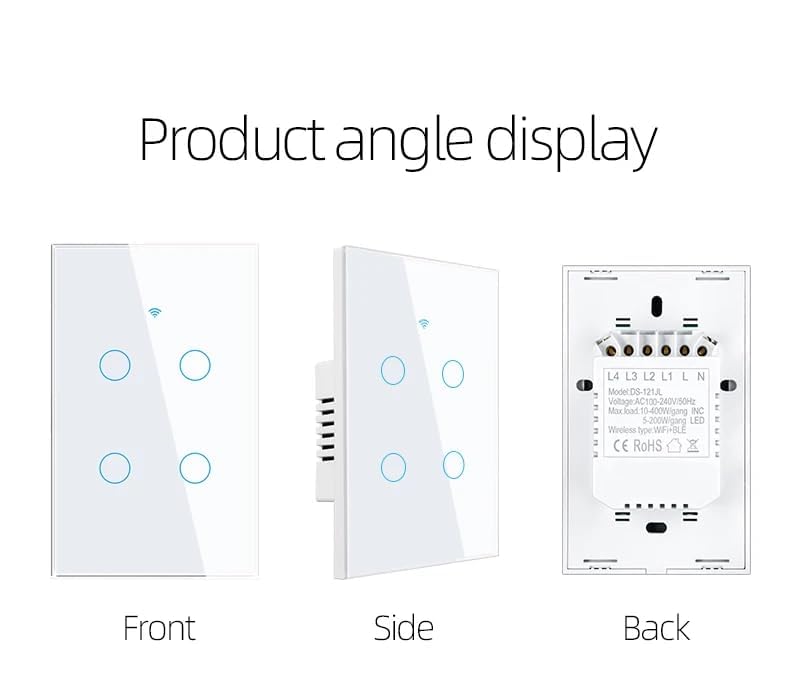
Figure 3: Detailed views of the switch from the front, side, and back, illustrating its physical dimensions and wiring terminals.
5. Setup and Installation
Important: Ensure the main power supply is OFF before beginning installation.
- Power Disconnection: Turn off the power to the light switch at your circuit breaker. Verify power is off using a voltage tester.
- Remove Old Switch: Carefully remove your existing wall switch from the electrical box. Disconnect the wires, noting their connections.
- Identify Wires: This smart switch requires a neutral wire (typically blue or black, but can vary by region). Identify the Live (L), Neutral (N), and Load (L1, L2, L3, L4) wires.
- Wire the Smart Switch: Connect the wires to the corresponding terminals on the Avatto smart switch as shown in the wiring diagram (refer to Figure 3, back view).
- Connect the Live wire to the 'L' terminal.
- Connect the Neutral wire to the 'N' terminal.
- Connect the Load wires for each light circuit to 'L1', 'L2', 'L3', and 'L4' terminals respectively.
- Mount the Switch: Secure the smart switch into the electrical box using the provided screws. Attach the glass panel.
- Restore Power: Turn the power back on at the circuit breaker. The LED indicator on the switch should illuminate.
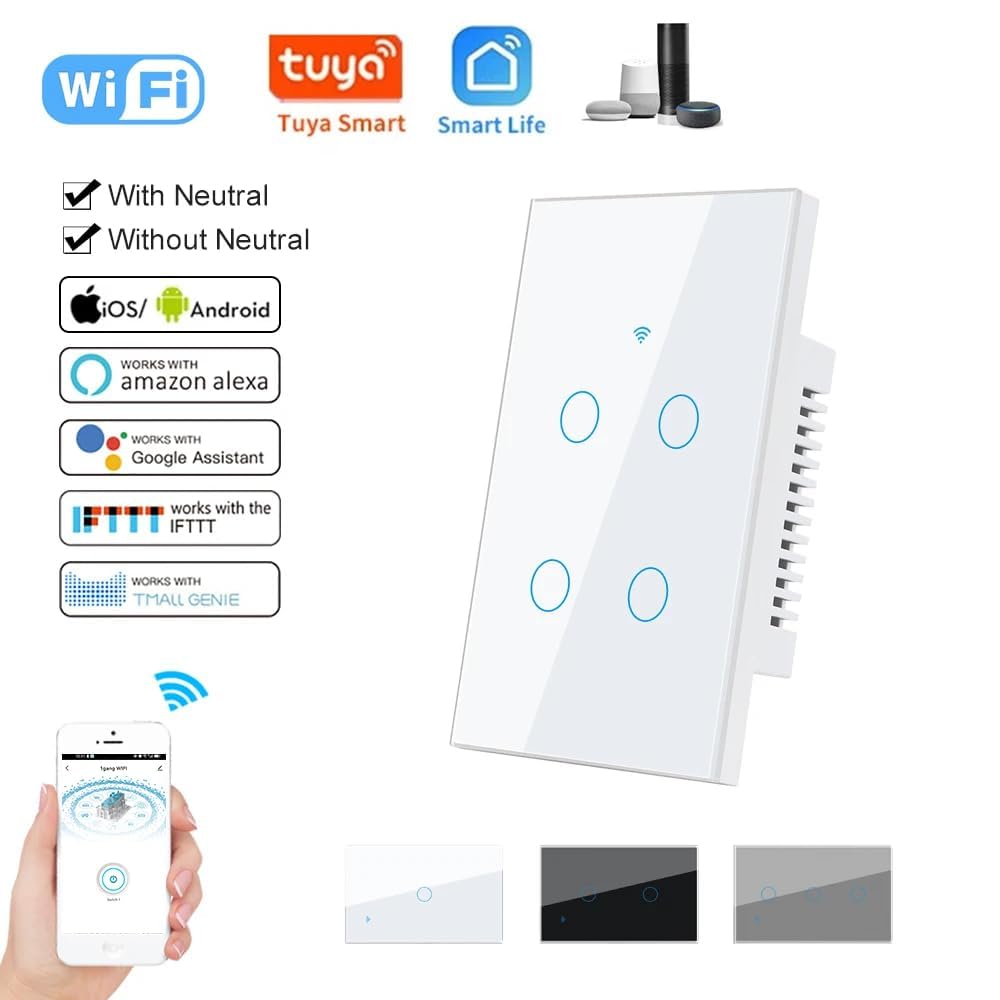
Figure 4: Compatibility details, showing the requirement for a neutral wire and support for various smart home ecosystems.
6. Operating Instructions
Once installed and powered, the Avatto smart switch can be operated in two ways:
6.1 Manual Touch Control
Simply touch the corresponding button on the glass panel to turn the connected light circuit ON or OFF. The LED indicator will change state to reflect the light's status.
6.2 Smart App Control (Tuya Smart Life)
For remote control and advanced features, integrate the switch with the Tuya Smart Life application.
- Download App: Download the "Tuya Smart" or "Smart Life" app from your smartphone's app store (iOS or Android).
- Register/Login: Create an account or log in to your existing account.
- Add Device: Open the app, tap '+' to add a device. Select 'Lighting' > 'Switch (Zigbee)'.
- Pairing Mode: To put the switch into pairing mode, press and hold any touch button on the switch for approximately 5-10 seconds until the LED indicator starts blinking rapidly.
- Connect Gateway: Ensure your Zigbee gateway (hub) is powered on and connected to the internet. The app will search for nearby Zigbee devices.
- Confirm Connection: Once detected, confirm the device in the app. You can rename the switch and assign it to a room.
- Control: You can now control the light switch remotely, set schedules, timers, and create smart scenes within the app.
6.3 Voice Control Integration
The Avatto smart switch is compatible with voice assistants like Amazon Alexa and Google Assistant through the Tuya Smart Life app.
- Link Accounts: In your Alexa or Google Home app, enable the "Tuya Smart" or "Smart Life" skill/action and link your account.
- Discover Devices: Ask your voice assistant to "Discover devices" or manually initiate device discovery in the app.
- Voice Commands: Once discovered, you can use voice commands such as:
"Alexa, turn on the living room lights."
"Hey Google, turn off the bedroom light."

Figure 5: An illustration of voice control functionality, demonstrating interaction with a smart assistant to operate the light switch.
7. Maintenance
To ensure the longevity and proper functioning of your Avatto smart switch, follow these maintenance guidelines:
- Cleaning: Regularly wipe the glass panel with a soft, dry, lint-free cloth. Avoid abrasive cleaners, solvents, or chemical sprays, as these can damage the finish or internal components. Always turn off power at the circuit breaker before cleaning.
- Environmental Conditions: Ensure the switch is not exposed to excessive moisture, direct sunlight, or extreme temperatures outside its operating range (-20°C to 50°C).
- Firmware Updates: Periodically check the Tuya Smart Life app for any available firmware updates for your device. Keeping the firmware updated can improve performance and security.
8. Troubleshooting
If you encounter issues with your Avatto smart switch, refer to the following troubleshooting steps:
| Problem | Possible Cause | Solution |
|---|---|---|
| Switch not responding to touch. | No power; loose wiring; switch malfunction. | Check circuit breaker. Verify wiring connections. If problem persists, contact support. |
| Lights flicker or do not turn on/off correctly. | Incorrect wiring; incompatible bulb type; overloaded circuit. | Ensure neutral wire is connected. Check bulb compatibility (LEDs are recommended). Verify load is within 300W per gang. |
| Cannot connect to Tuya Smart Life app. | Switch not in pairing mode; Zigbee gateway offline; Wi-Fi interference; incorrect app steps. | Ensure switch is blinking rapidly (pairing mode). Check Zigbee gateway status. Ensure strong Wi-Fi signal. Follow app pairing instructions carefully. |
| Voice control not working. | Accounts not linked; device not discovered by voice assistant; incorrect commands. | Verify Tuya/Smart Life skill is enabled and linked in Alexa/Google Home app. Ask assistant to "Discover devices." Use correct device names. |
9. Specifications
| Feature | Specification |
|---|---|
| Model Number | ZTS02-EU-B4 |
| Brand | Avatto |
| Operating Voltage | AC 110-240V / 50~60Hz |
| Rated Load (per button) | < 300W |
| Self-Consumption | < 1mA |
| Operating Environment | -20°C to 50°C, < 95% RH |
| Lifespan | > 100,000 operations |
| Dimensions (approx.) | 120 x 74 x 3.9 mm (Note: Model is EU, dimensions provided are US type) |
| Connectivity | Zigbee, Tuya Smart Life App |
| Material | Tempered Glass Panel, Fire-retardant ABS Housing |
| Neutral Wire | Required |
10. Warranty and Support
For warranty information and technical support, please refer to the documentation provided with your purchase or visit the official Avatto website. If you encounter issues not covered in this manual, please contact Avatto customer service for assistance.