
CG MOBILE Gubhk1satsk
Guess Wireless Studio Quality Headphones User Manual
Model: Gubhk1satsk
Introduction
Thank you for choosing the Guess Wireless Studio Quality Headphones. This manual provides essential information for setting up, operating, and maintaining your headphones to ensure optimal performance and longevity. Please read this manual thoroughly before using the product.
Package Contents
Ensure all items are present in the package:
- Guess Wireless Studio Quality Headphones
- Charging Cable

Image: The product packaging displaying the Guess Wireless Studio Quality Headphones and indicating the included charging cable.
Product Overview
Familiarize yourself with the components of your Guess Wireless Studio Quality Headphones.

Image: Front view of the black Guess Wireless Studio Quality Headphones, highlighting the earcups and headband.
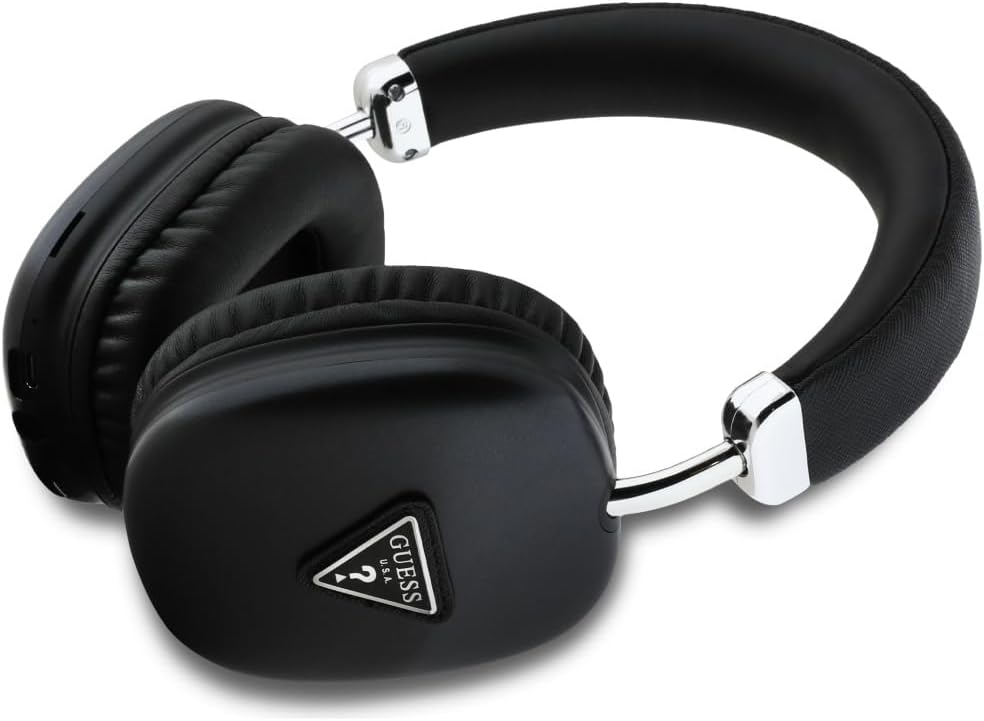
Image: Angled view of the headphones, showing the side profile and potential location of control buttons on the earcup.
The headphones feature soft earcups for comfort and an adjustable headband. Control buttons for power, volume, track navigation, call management, and voice assistant are integrated into the design.
Setup
1. Charging the Headphones
Before first use, fully charge your headphones. Connect the provided charging cable to the charging port on the headphones and to a USB power source (e.g., computer, wall adapter). The charging time is approximately 2 hours.
2. Bluetooth Pairing
- Ensure the headphones are powered off.
- Press and hold the Power button until the indicator light flashes, indicating pairing mode.
- On your device (smartphone, tablet, computer), enable Bluetooth and search for available devices.
- Select "Guess Headphones" (or similar name) from the list of devices.
- Once connected, the indicator light will change, typically to a solid blue or off, depending on the model.
Your headphones use Bluetooth version 5.3 for a stable and efficient wireless connection.
Operating Instructions
The headphones offer multiple functions for audio playback and communication.
- Power On/Off: Press and hold the Power button.
- Volume Control: Use the volume up/down buttons to adjust audio levels.
- Track Navigation: Use the previous/next track buttons to skip songs.
- Call Control: Press the call control button to answer/end calls. Press and hold to reject calls.
- Voice Assistant: Activate your device's voice assistant (e.g., Siri, Google Assistant) by pressing the dedicated voice assistant button or a specific combination (refer to device-specific instructions if needed).
- Mode Switch (Bluetooth/TF Card/AUX): The headphones support Bluetooth, TF card playback, and AUX input. Use the mode switch button to cycle between these options.
Maintenance
To ensure the longevity and optimal performance of your headphones, follow these maintenance guidelines:
- Cleaning: Use a soft, dry cloth to clean the headphones. Do not use abrasive cleaners or solvents.
- Storage: Store the headphones in a cool, dry place away from direct sunlight and extreme temperatures.
- Water Resistance: The headphones are rated as waterproof. However, avoid prolonged exposure to water or submerging them.
- Charging: Only use the provided charging cable or a certified equivalent.
Troubleshooting
If you encounter issues with your headphones, refer to the following common solutions:
| Problem | Solution |
|---|---|
| Headphones do not power on. | Ensure the headphones are fully charged. Connect to a power source and try again. |
| Cannot pair with a device. |
|
| No sound or low volume. |
|
Specifications
| Feature | Detail |
|---|---|
| Wireless Version | 5.3 |
| Frequency Range | 20 Hz - 20 kHz |
| Driver Unit | 40 mm |
| Sensitivity | 109 ± 3 dB |
| Impedance | 32 ohms ± 15% |
| Input | DC 5 V / 500 mA |
| Charging Time | 2 hours |
| Battery Capacity | 3.7 V / 400 mAh |
| Functions | Bluetooth, TF Card, AUX-in, Call Control, Voice Assistant |
| Compatible Devices | Laptop, Gaming Console, Tablet, Computer, Mobile Phone, Television, Car Audio System |
| Control Method | Push Button, Voice |
| Water Resistance Level | Waterproof |
| Material | Plastic |
| Included Components | Charging Cable |
Warranty and Support
For warranty information and customer support, please contact CG Mobile, the manufacturer of your Guess Wireless Studio Quality Headphones. Specific warranty details may vary by region and retailer.
Please note that information regarding spare parts availability and software updates is not provided at this time.
Related documentsGubhk1satsk


Ask a question about this manual
Ask about setup, troubleshooting, compatibility, parts, safety, or missing instructions. Manuals+ will review the question and use this page’s manual context to help answer it.