
Omethey WY-KM-75
Omethey 6.0 Cu ft Heavy Duty Safe Box User Manual
Model: WY-KM-75
Product Overview
The Omethey 6.0 Cub Heavy Duty Safe Box is designed to provide secure storage for your valuables. It features a robust construction, a dual alarm system, a convenient deposit slot, and a backlit keyboard for easy operation. This safe is suitable for various environments including homes, offices, and hotels, offering peace of mind through advanced security features.

Image: Front view of the Omethey 6.0 Cu ft Heavy Duty Safe Box, showcasing its dual compartments and electronic keypads. The top compartment has a deposit slot.
Key Features
- Extra Large Capacity: Interior dimensions of 28.9" x 13.4" x 12.2" provide ample space for cash, jewelry, gold, laptops, handguns, and ammunition. Features a double-layer design.
- Enhanced Security: Constructed from high-quality low carbon alloy steel with 5 large sturdy bolts and a 5mm thickened door plate for impact and drill resistance.
- Dual Alarm System: Activates after 3 consecutive incorrect password attempts or severe vibration, emitting a 70-decibel alarm. Includes an upgraded silent function for discreet use.
- Multiple Unlocking Methods: Offers three ways to unlock: Emergency key, Password (with override key), and Emergency charging + password (for battery depletion).
- Easy Installation: Features 6 pre-drilled holes on the back and bottom for secure floor or wall mounting using included expansion screws.
- Convenient Deposit Slot: Allows for quick and easy deposits without opening the main safe door.
- Backlit Keyboard: Ensures visibility and ease of use in low-light conditions.

Image: The safe's interior, demonstrating its spaciousness and ability to store various valuable items such as cash, gold, and documents.

Image: Cross-section diagram illustrating the robust multi-layer construction of the safe, including high-temperature ion, anti-rust coating, carbon process steel, austenitic steel, and low carbon alloy steel.
What's Included
Upon purchasing your Omethey Heavy Duty Safe Box, the following accessories are included:
- Emergency Key x 4
- Emergency Data Cable (USB Type-C) x 1
- Foot Pads x 4
- Expansion Screws x 6
- User Manual x 1
Setup Guide
Initial Setup and Battery Installation
- Locate the Emergency Keyhole: The emergency keyhole is typically hidden behind the keypad or a removable cover. Refer to the diagram below for its exact location.
- Open the Safe with Emergency Key: Insert one of the emergency keys into the keyhole and turn it while simultaneously turning the knob to open the safe door.
- Install Batteries: Inside the safe door, locate the battery compartment. Insert 4 AA batteries (not included) according to the polarity indicators.
- Set Your Personal Password: With the door open, press the internal reset button (usually a small red button). The keypad will beep, indicating it's ready for a new password. Enter your desired 3-8 digit password, then press '#' to confirm.
- Test the Password: Close the safe door. Enter your new password and press '#' to confirm. Turn the knob to open the safe. If successful, the safe is ready for use.
Mounting the Safe
For enhanced security, it is highly recommended to mount the safe to a floor or wall.
- Choose a Location: Select a secure and discreet location for your safe.
- Mark Drilling Points: The safe has 6 pre-drilled holes (4 on the back, 2 on the bottom). Position the safe and mark the drilling points on the wall or floor using a pencil.
- Drill Holes: Use an appropriate drill bit to drill holes at the marked points. Ensure the depth is sufficient for the expansion screws.
- Secure the Safe: Align the safe's holes with the drilled holes. Insert the expansion screws through the safe and into the wall/floor. Tighten securely.

Image: Visual guide for installing the safe, highlighting the pre-drilled holes and the process of securing it to a wall using expansion bolts.
Operating Instructions
Unlocking Methods
- Method 1: Emergency Key
Insert the emergency key into the hidden keyhole and turn it clockwise. Simultaneously turn the knob clockwise to open the safe door. This method is primarily for initial setup, forgotten passwords, or when batteries are depleted.
- Method 2: Password + Knob
Enter your 3-8 digit personal password on the backlit keypad. Press '#' to confirm. Within 5 seconds, turn the knob clockwise to open the safe door.
- Method 3: Emergency Charging + Password + Knob (for depleted battery)
If the batteries are completely depleted, connect the emergency data cable (USB Type-C) to the external power jack on the keypad. This will temporarily power the keypad. Then, enter your password and press '#' to confirm. Turn the knob clockwise to open the safe door. Replace batteries immediately after opening.

Image: Detailed view of the keypad and keyhole, explaining the three different methods to open the safe.
Using the Deposit Slot
The top compartment features a deposit slot, allowing you to insert cash or small documents without fully opening the safe. Simply slide the items into the slot located on the top of the upper door.

Image: Close-up details of the safe, showing the drop slot for quick deposits, the door-side metal storage box, and the robust 5 locking bolts.
Alarm System and Silent Mode
- Dual Alarm Activation: The alarm will sound if three consecutive incorrect passwords are entered or if the safe experiences severe vibration. The alarm sound can reach 70 decibels.
- Silent Mode: To activate silent mode, press the '*' button on the keypad before entering your password. This will disable the keypad's sound feedback and alarm for discreet operation.

Image: Illustration demonstrating the dual alarm system (triggered by wrong passwords or vibration) and the silent mode feature for quiet operation.
Video: An official product video demonstrating the features and operation of the Omethey large home safe, including its dual alarm system and various functionalities.
Maintenance
- Battery Replacement: Replace batteries promptly when the low battery indicator appears or when the keypad becomes unresponsive. Always use 4 new AA alkaline batteries.
- Cleaning: Wipe the safe's exterior with a soft, damp cloth. Avoid abrasive cleaners or solvents that could damage the finish.
- Key Storage: Store emergency keys in a secure location away from the safe. Do not store them inside the safe.
- Lubrication: Periodically check the door hinges and locking bolts for smooth operation. Apply a small amount of silicone-based lubricant if needed.
Troubleshooting
| Problem | Possible Cause | Solution |
|---|---|---|
| Safe does not open with password. | Incorrect password entered; Batteries are low or dead. | Re-enter the correct password carefully. Replace batteries or use emergency charging with the USB Type-C cable. |
| Keypad is unresponsive. | Dead batteries; Loose battery connection. | Replace batteries. Ensure batteries are inserted correctly with proper polarity. |
| Alarm sounds frequently. | Incorrect password attempts; Excessive vibration. | Ensure correct password entry. Avoid placing the safe in areas prone to heavy vibrations. Consider using silent mode if desired. |
| Door does not close or lock properly. | Obstruction in the door frame; Locking bolts are not aligned. | Check for any items blocking the door. Ensure the safe is on a level surface and the door is fully aligned before attempting to close and lock. |
Specifications
- Brand: Omethey
- Model Number: WY-KM-75
- Product Dimensions: 13.8"D x 13.8"W x 25.59"H
- Interior Dimensions: 28.9" x 13.4" x 12.2" (approximate, derived from "Extra Large Safe" feature bullet)
- Capacity: 6 Cubic Feet
- Material: Low Carbon Alloy Steel
- Lock Type: Electronic Combination Lock, Key
- Color: Black
- Item Weight: 39.5 Pounds
- Special Features: Alarm System, Silent Mode
- Mounting Type: Floor Mount
- Control Type: Touchpad Control
- Alarm: Audible, Vibration (70dB)
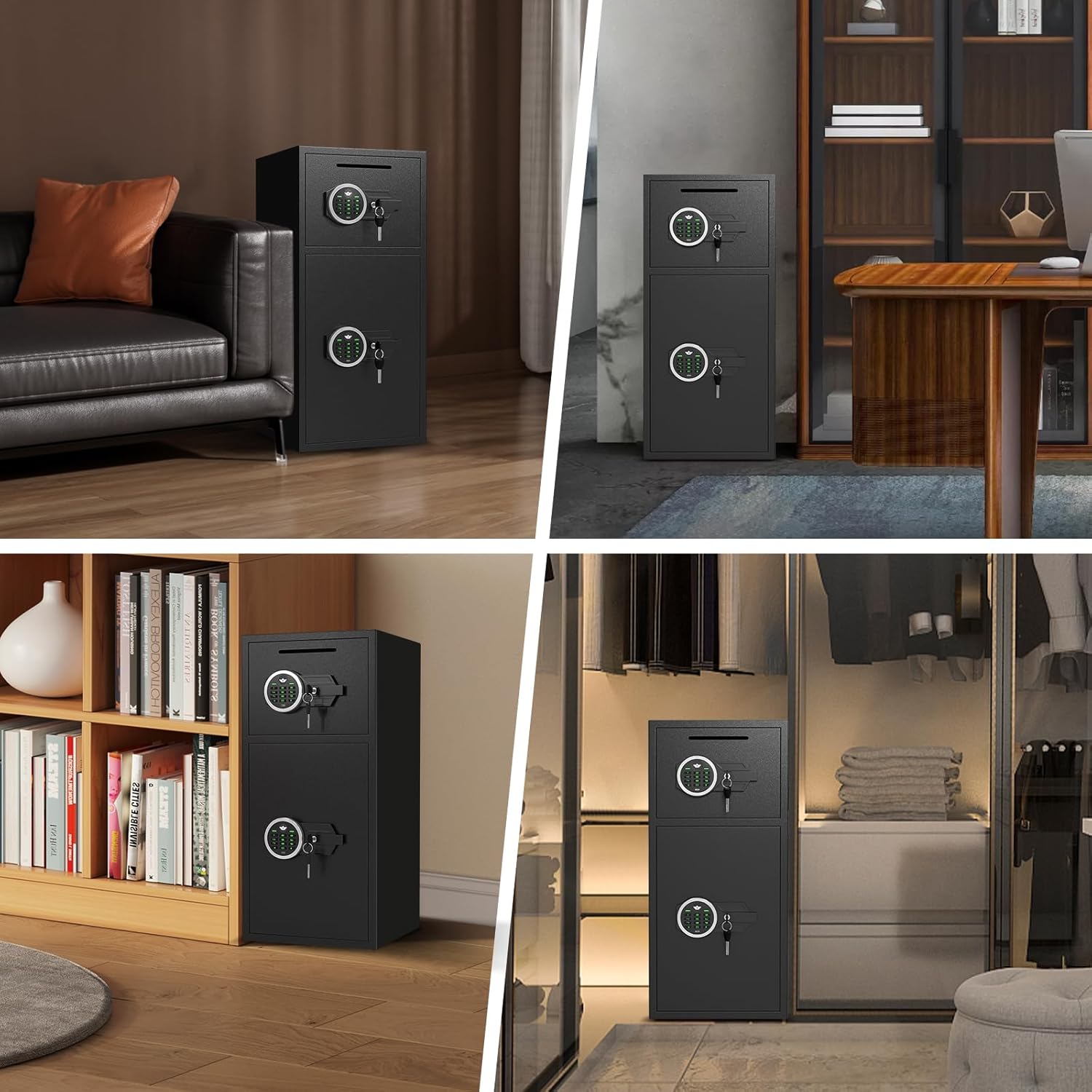
Image: Detailed diagram illustrating the external and internal dimensions of the safe, providing precise measurements for planning placement and storage.
Warranty and Support
Omethey is committed to providing excellent customer service. If you have any questions or concerns regarding your safe, please contact our support team. We offer 7*24 hours of service to promptly address any issues you may have.
Additionally, we offer a key service. It is crucial to record the serial number on your keys or locks. This information is vital for us to provide replacement keys if yours are lost.
For support, please refer to the contact information provided in your product packaging or visit the official Omethey store on Amazon: Omethey Store.
Ask a question about this manual
Ask about setup, troubleshooting, compatibility, parts, safety, or missing instructions. Manuals+ will review the question and use this page’s manual context to help answer it.