
1. Important Safety Instructions
Always observe basic safety precautions to reduce the risk of fire, electric shock, and personal injury when operating this power tool.
1.1 General Power Tool Safety
- Work Area Safety: Keep the work area clean and well-lit. Cluttered or dark areas invite accidents.
- Electrical Safety: Do not expose power tools to rain or wet conditions. Avoid body contact with earthed or grounded surfaces.
- Personal Safety: Always wear eye protection. Use hearing protection when operating for extended periods. Dress properly; avoid loose clothing or jewelry.
- Tool Use and Care: Do not force the power tool. Use the correct power tool for your application. Disconnect the plug from the power source before making any adjustments, changing accessories, or storing power tools.
2. Product Overview
Familiarize yourself with the components and features of your Makute TR001 Laminate Trimmer Router.
2.1 Components
- Motor Unit
- Transparent Base
- Depth Adjustment Knob/Lever
- Chuck (Collet)
- Power Cord
- On/Off Switch
2.2 Features
- Powerful 580W Motor: Delivers robust performance for various trimming tasks.
- High No-Load Speed: 30,000 RPM for fast and efficient cutting.
- Precision Depth Adjustment: Rack and pinion mechanism for accurate depth control.
- Compact and Lightweight Design: Facilitates comfortable one-handed operation.
- 6mm Chuck Size: Compatible with a wide range of router bits.

Figure 1: The Makute TR001 Laminate Trimmer Router, showcasing its compact design and power cord.

Figure 2: A detailed side view of the Makute TR001 Laminate Trimmer Router, highlighting its ergonomic shape and components.
3. Setup
3.1 Unpacking
Carefully remove all contents from the packaging. Verify that all listed components and accessories are present. Retain packaging for future storage or transport.
3.2 Bit Installation
- Ensure the tool is unplugged from the power source.
- Loosen the chuck nut using the provided wrench.
- Insert the desired router bit into the chuck, ensuring it is seated securely but not bottomed out.
- Tighten the chuck nut firmly with the wrench. Do not overtighten.
3.3 Base Attachment
The transparent base is typically pre-attached. If removed, align the base with the motor unit and secure it using the locking mechanism or screws provided.
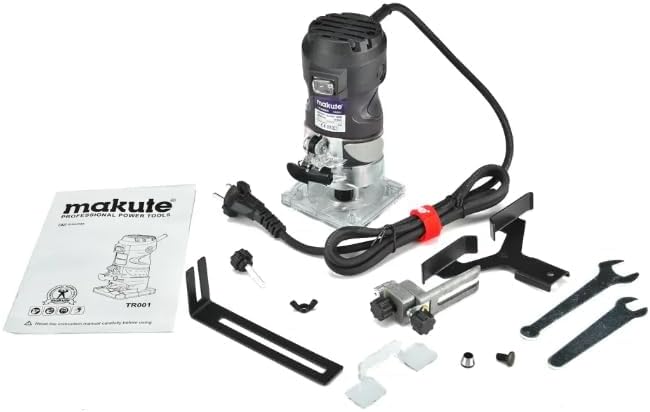
Figure 3: The Makute TR001 Laminate Trimmer Router displayed with its full set of accessories, including guides and wrenches, for setup.
4. Operating Instructions
4.1 Powering On/Off
- To turn on the tool, press the ON switch.
- To turn off the tool, release or press the OFF switch.
- Always ensure a firm grip on the tool before powering on.
4.2 Depth Adjustment
- Ensure the tool is unplugged.
- Loosen the depth adjustment lever or knob.
- Adjust the motor unit up or down to achieve the desired cutting depth. Use a scrap piece of material to test the depth.
- Securely tighten the depth adjustment lever or knob to lock the setting.
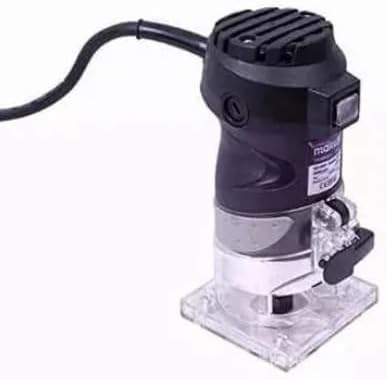
Figure 4: A close-up image of the Makute TR001 showing the precision depth adjustment mechanism and clear base.
4.3 Trimming Techniques
- Always make a test cut on scrap material before working on your main piece.
- Maintain a steady, controlled feed rate. Do not force the tool.
- For best results, make multiple shallow passes rather than one deep cut, especially with harder materials.
- Ensure the workpiece is securely clamped to prevent movement during operation.
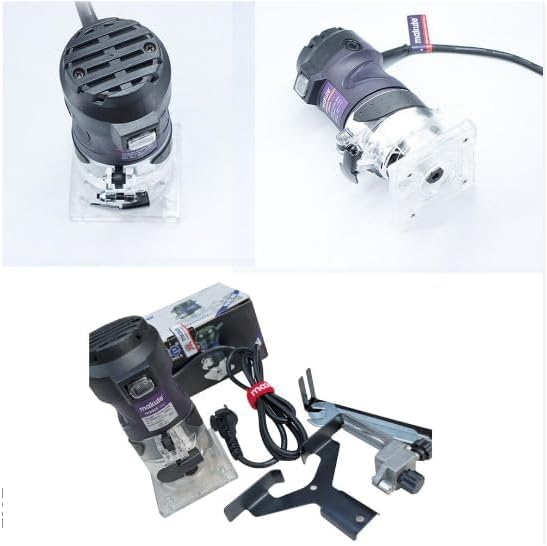
Figure 5: The Makute TR001 Laminate Trimmer Router actively being used for trimming on a wooden surface.
5. Maintenance
Regular maintenance ensures the longevity and optimal performance of your tool.
5.1 Cleaning
- After each use, unplug the tool and clean off any dust or debris from the motor housing and base using a soft brush or compressed air.
- Do not use solvents or harsh chemicals, as these can damage plastic parts.
5.2 Storage
- Store the tool in a dry, secure location, out of reach of children.
- Protect the power cord from damage.
6. Troubleshooting
Refer to the table below for common issues and their potential solutions.
| Problem | Possible Cause | Solution |
|---|---|---|
| Tool does not start | No power supply; Faulty switch | Check power connection; Test outlet; Contact service center |
| Excessive vibration | Loose bit; Damaged bit; Worn bearings | Tighten bit; Replace bit; Contact service center |
| Poor cutting performance | Dull bit; Incorrect depth setting; Overloading | Replace or sharpen bit; Adjust depth; Reduce feed rate |
7. Specifications
Technical specifications for the Makute TR001 Laminate Trimmer Router.
| Specification | Value |
|---|---|
| Model Number | TR001 |
| Power Source | Corded Electric |
| Rated Voltage | 220-240V |
| Frequency | 50-60Hz |
| Wattage | 580W |
| No-Load Speed | 30,000 RPM |
| Chuck Size | 6mm |
| Item Weight | 1.1 Kilograms |
| Package Dimensions | 19 x 17 x 12 cm |

Figure 6: The retail packaging for the Makute TR001 Laminate Trimmer Router, displaying product information and branding.
8. Warranty and Support
This product is designed for durability and reliability. For information regarding specific warranty terms, please refer to the documentation provided at the time of purchase or contact your retailer.
8.1 Extended Warranty Options
Extended warranty plans may be available from third-party providers. For example, 1-Year and 2-Year Extended Warranties by Salama Care are offered separately.
8.2 Customer Support
For technical assistance, spare parts, or service inquiries, please contact your authorized Makute dealer or the point of purchase. Please have your model number (TR001) and purchase date available when contacting support.