
Vonesse V347A-3
Vonesse Gaming Chair Model V347A-3 Instruction Manual
Brand: Vonesse | Model: V347A-3
Introduction
This manual provides comprehensive instructions for the assembly, operation, maintenance, and troubleshooting of your Vonesse Gaming Chair Model V347A-3. Please read this manual thoroughly before assembly and use to ensure proper function and safety.
Important Safety Information
- Do not exceed the maximum weight limit of 350 lbs.
- Ensure the backrest is locked in place when not reclining to prevent accidental movement.
- Use the footrest and massage function properly as described in this manual.
- Keep children and pets away from the chair during assembly.
- Regularly check all bolts and screws to ensure they are tightened.
Package Contents
Before beginning assembly, please verify that all components listed below are present:
- Chair Backrest
- Seat Cushion with Armrests
- Base with Wheels
- Gas Lift Cylinder
- Footrest Assembly
- Lumbar Support Pillow (with massage function)
- Headrest Pillow
- Installation Manual
- Installation Tools (Allen wrench, screws)
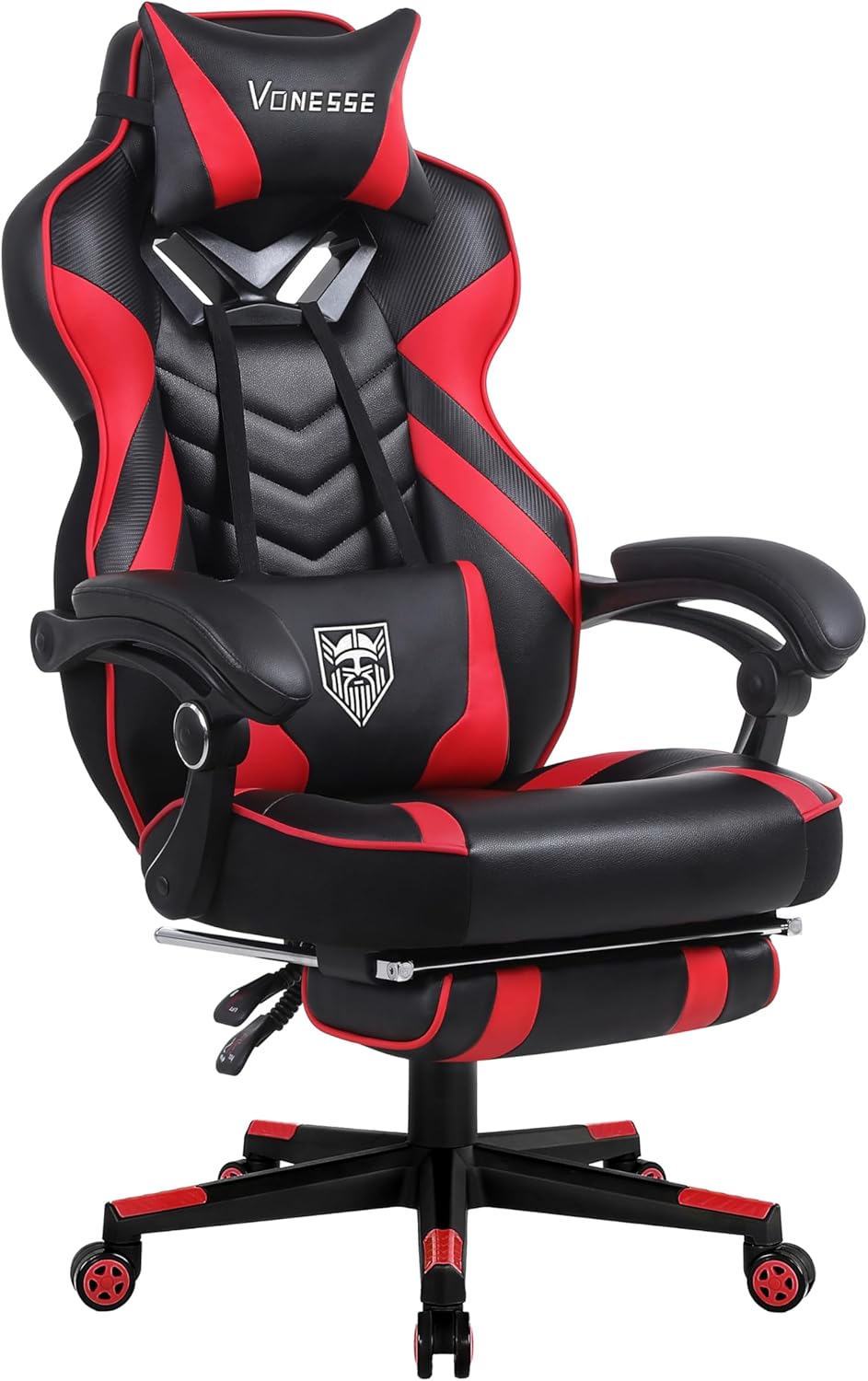
Image: Complete Vonesse Gaming Chair in Red/Black, showcasing its design and features.
Setup and Assembly
Follow these steps to assemble your Vonesse Gaming Chair. An installation manual and tools are included for your convenience.
- Attach Wheels to Base: Insert the five caster wheels into the holes on the chair base until they click securely into place.
- Install Gas Lift: Place the gas lift cylinder into the center hole of the assembled base.
- Attach Mechanism to Seat: Secure the chair's control mechanism to the underside of the seat cushion using the provided screws. Ensure the front of the mechanism faces the front of the seat.
- Connect Seat to Gas Lift: Carefully place the assembled seat onto the gas lift cylinder, ensuring it is firmly seated.
- Attach Backrest to Seat: Align the backrest with the mounting brackets on the seat cushion and secure it with the provided screws.
- Install Armrests: Attach the armrests to the sides of the seat cushion using the designated screws.
- Attach Footrest: Slide the footrest assembly into its designated slots beneath the seat.
- Position Pillows: Attach the headrest and lumbar support pillows using their straps. The lumbar support pillow includes a USB cable for its massage function.
Video: Official Vonesse Gaming Chair assembly and feature demonstration. This video provides a visual guide to the chair's setup and various functionalities, including the footrest and massage feature.
Operating Instructions
1. Height Adjustment
To adjust the chair's height, locate the lever on the right side beneath the seat. While seated, pull the lever up to lower the chair. To raise the chair, stand up slightly and pull the lever up. Release the lever to lock the height in place.
2. Backrest Recline
The backrest can be reclined between 90° and 160°. Pull the recline lever on the left side of the seat to adjust the backrest angle. Release the lever at your desired position to lock it.

Image: Illustration of the Vonesse Gaming Chair's adjustable backrest (90°-160°) and 360-degree swivel capability.
3. Footrest Operation
To extend the footrest, pull it out from underneath the seat. To retract, push it back into its storage position. The footrest provides additional comfort for extended gaming or relaxation sessions.
4. Lumbar Support Massage Function
The detachable lumbar support pillow features a built-in massage function. Connect the USB cable from the pillow to a compatible USB power source (e.g., computer, power bank). Use the integrated controller to activate and adjust the massage intensity.

Image: Close-up of the Vonesse Gaming Chair's lumbar support with its massage function, highlighting its adjustability.
5. 360-Degree Swivel
The chair is designed with 360-degree swivel casters, allowing for smooth and quiet movement across various floor surfaces.
6. Armrests
The armrests are designed to move with the chair's recline for continuous support. They are padded for comfort.
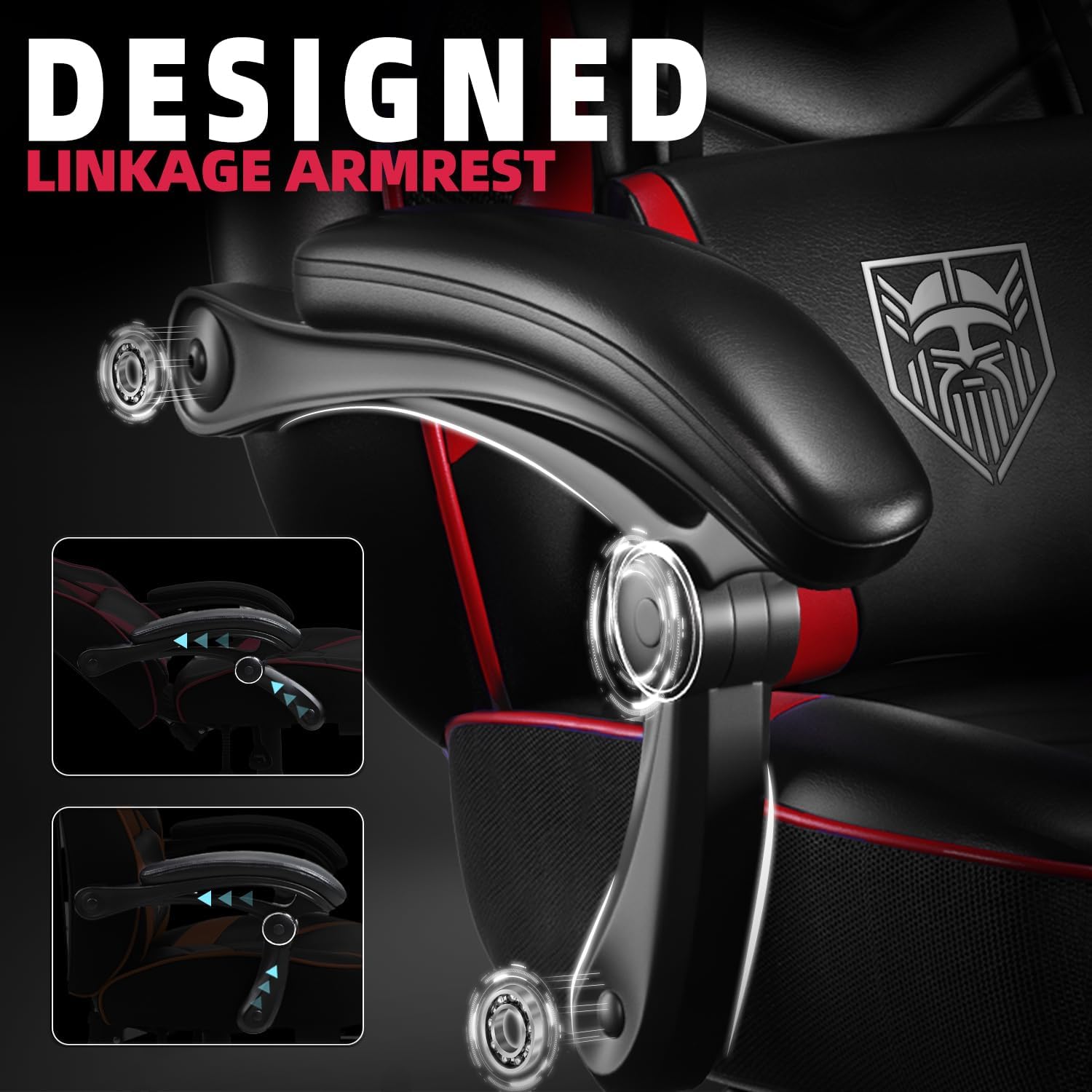
Image: Detailed view of the Vonesse Gaming Chair's linkage armrests, designed to provide support through various recline angles.
Maintenance
- Cleaning: Wipe clean with a damp cloth. Avoid harsh chemicals that may damage the PU and carbon fiber leather.
- Inspection: Periodically check all screws and bolts to ensure they are tight. Re-tighten as necessary to maintain stability and safety.
- Caster Care: Keep the 360-degree swivel casters free of debris to ensure smooth movement.
Troubleshooting
- Chair not adjusting height: Ensure the gas lift lever is fully engaged. If the issue persists, the gas lift cylinder may need replacement.
- Backrest not locking: Verify the recline lever is fully released after adjusting the angle. Check for any obstructions in the reclining mechanism.
- Squeaking noises: Tighten all assembly screws. Applying a small amount of lubricant to moving parts (e.g., casters, gas lift mechanism) may also help.
- Massage function not working: Ensure the USB cable is securely connected to a powered USB port. Check the controller for power and mode settings.
Specifications
| Feature | Detail |
|---|---|
| Brand | Vonesse |
| Model Name | V347A-3 |
| Color | Red / Black |
| Product Dimensions | 21.65"D x 26.78"W x 49.6"H |
| Maximum Weight Recommendation | 350 Pounds |
| Special Features | Adjustable Height, Ergonomic, Foot Rest, Massage, Reclining |
| Material | PU and Carbon Fibre Leather, High-density resilient sponge, Pocket Spring Cushion |
| Reclining Position Count | 2 (90°-160°) |
| Included Components | Installation Manual, Installation Tools |

Image: Detailed diagram showing the dimensions of the Vonesse Gaming Chair, including height, width, and depth measurements.
Warranty and Support
Vonesse is committed to your satisfaction. We offer the following:
- 30-Day Replacement Policy: If you encounter any issues within 30 days of purchase, a replacement will be provided.
- 1-Year Repair Service: The chair is covered by a 1-year repair service for manufacturing defects.
- Our customer service team is available to provide efficient and timely after-sales support. Please refer to your purchase documentation for contact details.
Related documentsV347A-3

Ask a question about this manual
Ask about setup, troubleshooting, compatibility, parts, safety, or missing instructions. Manuals+ will review the question and use this page’s manual context to help answer it.