
WantJoin e606c966-1db6-4ed3-aaf3-cb2c99e42a09
WantJoin Commercial Water Boiler User Manual
Model: e606c966-1db6-4ed3-aaf3-cb2c99e42a09
Brand: WantJoin
1. Introduction
This manual provides essential information for the safe and efficient operation, maintenance, and troubleshooting of your WantJoin Commercial Water Boiler. Please read this manual thoroughly before operating the appliance and retain it for future reference.
The WantJoin Commercial Water Boiler is a step-heating automatic electric hot water dispenser designed for commercial environments such as coffee shops, tea shops, and offices. It features adjustable temperature settings and a high water output capacity.
2. Safety Information
Always follow basic safety precautions when using electrical appliances to reduce the risk of fire, electric shock, and personal injury.
- Ensure the appliance is connected to a properly grounded power outlet.
- Do not immerse the appliance, cord, or plug in water or other liquids.
- Keep out of reach of children.
- Always add water to the tank before plugging in and turning on the appliance.
- Exercise caution when handling hot water and steam.
- Unplug the appliance from the outlet when not in use and before cleaning.
- Do not operate the appliance with a damaged cord or plug.
- Do not attempt to repair or disassemble the appliance yourself. Contact qualified service personnel.
3. Product Overview
The WantJoin Commercial Water Boiler is designed for high-volume hot water dispensing. Key components include:
- Electronic Control Panel: For temperature adjustment and power control.
- Water Faucet: Durable 304 stainless steel for dispensing hot water.
- Water Inlet: For connecting to a water supply.
- Water Basin/Drip Tray: Collects overflow and splashes, removable for easy cleaning.
- Inner Tank: Made of durable SUS 304 stainless steel.
- Outer Casing: Brushed wear-resistant stainless steel.

Figure 3.1: WantJoin Commercial Water Boiler with included accessories (power cord, water inlet hose, and tray).

Figure 3.2: Detailed view of the electronic control panel with temperature display and function buttons.

Figure 3.3: The durable 304 stainless steel faucet, designed for longevity.

Figure 3.4: The removable water tray, designed to collect overflow and splashes for easy cleaning.
4. Setup
Follow these steps to set up your WantJoin Commercial Water Boiler:
- Unpacking: Carefully remove the water boiler and all accessories from the packaging. Inspect for any damage.
- Placement: Place the appliance on a stable, level, heat-resistant surface, away from walls and other appliances to ensure proper ventilation.
- Install Water Basin: Slide the water basin (drip tray) into its designated slot at the bottom front of the dispenser.
- Connect Water Inlet Hose: Connect the provided 1.2m (3.9ft) water inlet hose to the "Water Enter" port on the back of the unit and to a suitable cold water supply. Ensure connections are secure to prevent leaks.
- Fill Water Tank: Before plugging in the unit, ensure the internal water tank is filled with water. The unit is designed for continuous water supply.
- Power Connection: Plug the power cord into a grounded 1600W compatible electrical outlet.

Figure 4.1: Connecting the 1.2-meter water inlet pipe to the dispenser's water input.
5. Operation
Operating your WantJoin Commercial Water Boiler is straightforward:
- Power On: Locate the ON/OFF switch on the back of the unit and switch it to the "ON" position. The control panel will illuminate.
- Temperature Setting:
- Use the "+" and "-" buttons on the control panel to adjust the desired water temperature. The recommended temperature setting range is 0-92°C.
- The display will show the current water temperature.
- Pre-set temperature options are available for common beverages:
- Boil Water: 100°C
- Coffee: 90°C
- Red Tea: 80°C
- Green Tea: 75°C
- Heating Process: The unit will begin heating the water to the set temperature. The display will show "Heating" or "Water Warming" indicators.
- Dispensing Hot Water: Once the desired temperature is reached, place a cup or container under the faucet. Push the faucet handle down to dispense hot water. Release the handle to stop the flow.
Video 5.1: Demonstration of how to operate the WantJoin Commercial Water Dispenser, including temperature setting and water dispensing.

Figure 5.1: Real-time monitoring and temperature adjustment options on the control panel.

Figure 5.2: Adjustable temperature settings for various beverages, including boil water, coffee, red tea, and green tea.
6. Maintenance
Regular maintenance ensures the longevity and optimal performance of your water boiler.
- Cleaning:
- Wipe the exterior clean with a damp cloth. Do not use abrasive cleaners or scouring pads.
- The water basin (drip tray) is removable for easy cleaning. Empty and rinse it regularly.
- For internal cleaning and descaling, consult a qualified technician or follow specific descaling instructions if provided by the manufacturer (not detailed in current product info).
- Drainage: The unit features a drain outlet for emptying the internal tank when necessary.

Figure 6.1: Internal view highlighting the durable SUS 304 inner tank and brushed wear-resistant stainless steel outer casing.
7. Troubleshooting
If you encounter issues with your water boiler, refer to the following common problems and solutions:
| Problem | Possible Cause | Solution |
|---|---|---|
| No power | Power cord unplugged, power switch off, circuit breaker tripped. | Check power connection, ensure switch is ON, reset circuit breaker. |
| Water not heating | Insufficient water in tank, heating element malfunction. | Ensure continuous water supply. If problem persists, contact customer support. |
| Water leaking | Loose water inlet connection, damaged faucet. | Tighten water inlet hose. Inspect faucet for damage. |
| Unusual noise | Mineral buildup (scaling), pump issue. | Consider descaling. If noise persists, contact customer support. |
For issues not listed above, please contact WantJoin customer support.
8. Specifications
| Feature | Detail |
|---|---|
| Brand | WantJoin |
| Model Name | Commercial Water Boiler |
| Item Model Number | e606c966-1db6-4ed3-aaf3-cb2c99e42a09 |
| Wattage | 1600 watts |
| Product Dimensions | 16.54 x 11.42 x 29.7 inches |
| Item Weight | 18.66 pounds |
| Material Feature | Corrosion-resistant (SUS 304 inner, brushed stainless steel outer) |
| Included Components | Hot water dispenser, 1.2m/3.9ft water inlet hose, and a tray |
| Recommended Uses | Making hot beverages such as tea, coffee, and milk tea |
| Water Output Capacity | 30L / 7.9 Gallons per hour (approx. 75 cups of 13.5oz) |
| Temperature Range | Adjustable, recommended 0-92°C |

Figure 8.1: Product dimensions for installation planning.
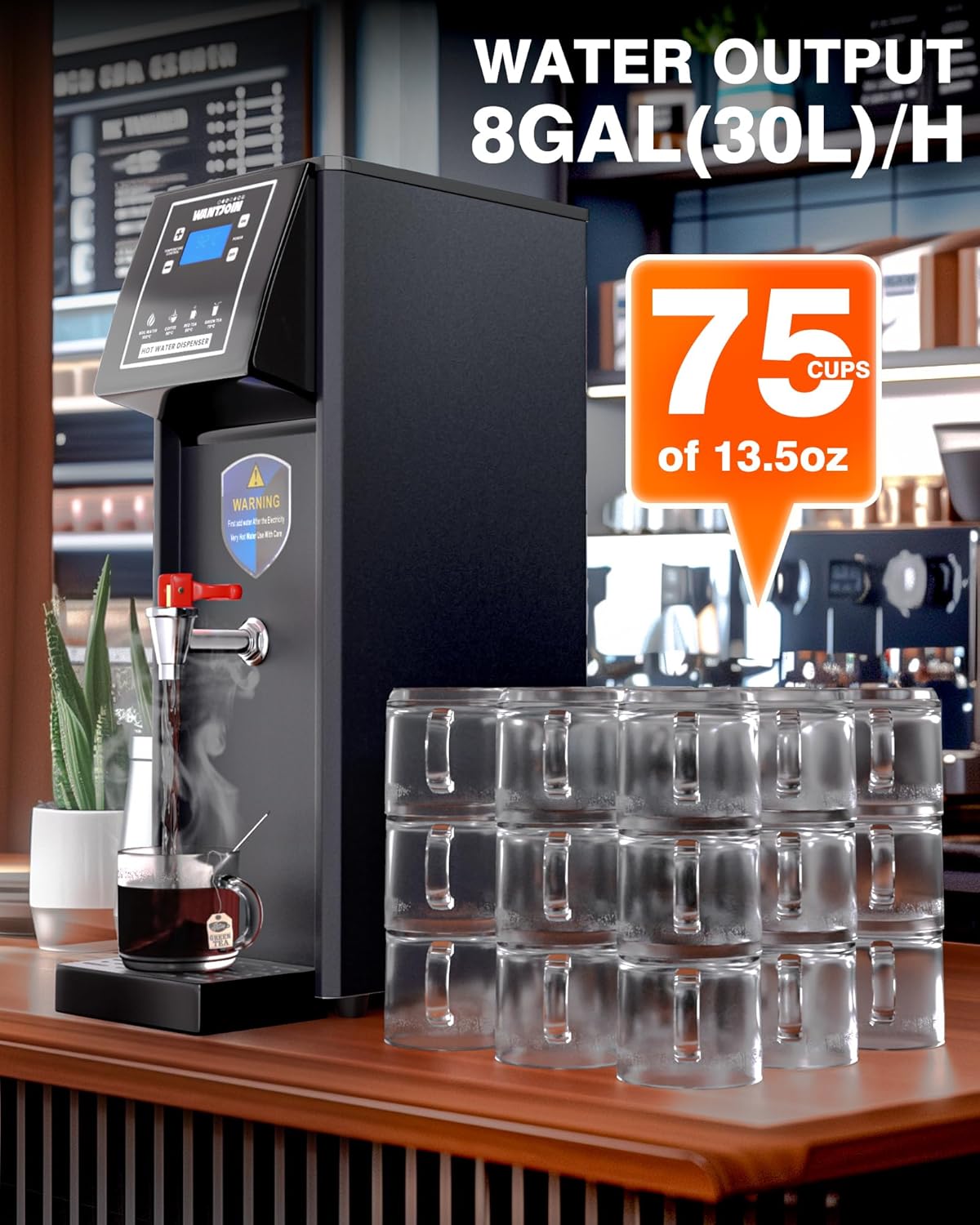
Figure 8.2: Water output capacity of the dispenser.
9. Warranty and Support
For warranty information, technical support, or service inquiries, please contact WantJoin customer service. Keep your purchase receipt and product model number handy for faster assistance.
Manufacturer: WantJoin
Date First Available: July 12, 2024
Ask a question about this manual
Ask about setup, troubleshooting, compatibility, parts, safety, or missing instructions. Manuals+ will review the question and use this page’s manual context to help answer it.