
1. Introduction
This manual provides essential information for the safe and effective operation, setup, and maintenance of your GOXAWEE Rotary Tool Kit G4007 and the accompanying 20-piece Diamond Burr Set. Please read these instructions carefully before using the tool.
2. Safety Instructions
Always follow basic safety precautions to reduce the risk of personal injury and damage to the tool.
- Wear Eye Protection: Always wear safety glasses or goggles to protect against flying debris.
- Secure Workpiece: Clamp or otherwise secure the workpiece to prevent movement during operation.
- Proper Ventilation: Work in a well-ventilated area, especially when grinding or cutting materials that produce dust.
- Unplug Before Changing Accessories: Always disconnect the tool from the power source before changing accessories or performing maintenance.
- Use Correct Accessories: Only use accessories designed for rotary tools and appropriate for the task.
- Avoid Overloading: Do not apply excessive pressure to the tool, as this can cause overheating or damage.
- Keep Hands Clear: Keep hands and fingers away from rotating accessories.
- Store Safely: Store the tool and accessories in a dry, secure place out of reach of children.
3. Package Contents
Your GOXAWEE Rotary Tool Kit G4007 includes the following items:

Figure 3.1: Overview of the GOXAWEE Rotary Tool Kit G4007, showing the rotary tool, flexible shaft, keyless chuck, various grinding, cutting, sanding, and polishing accessories, and the storage case.
- GOXAWEE Rotary Tool
- Flexible Shaft
- MultiPro Keyless Chuck
- Cover Shield Attachment
- Drill Locator Attachment
- 140-piece Accessory Set (including sanding bands, cutting wheels, polishing wheels, grinding stones, drill bits, collets, etc.)
- 20-piece Diamond Burr Set (60 Grit, 1/8-inch shank)
- Storage Case
- Extra Carbon Brushes
- Wrench for accessory changes

Figure 3.2: The 20-piece diamond burr set, featuring various shapes and sizes, all with 1/8-inch shanks, suitable for detailed grinding and engraving tasks.
4. Setup
4.1 Attaching the MultiPro Keyless Chuck
- Unplug the rotary tool from the power source.
- Press the shaft lock button on the rotary tool.
- Unscrew the existing collet nut and collet from the tool's shaft.
- Screw the MultiPro Keyless Chuck onto the tool's shaft until it is hand-tight. Do not overtighten.

Figure 4.1: Illustration of the MultiPro Keyless Chuck, highlighting its features such as higher stability, longer service life, and easy accessory changes. It accepts shank sizes from 1/64" to 1/8".
4.2 Changing Accessories
- Ensure the tool is unplugged.
- If using the MultiPro Keyless Chuck: Rotate the chuck counter-clockwise to open the jaws, insert the accessory shank, then rotate clockwise to tighten. Ensure the accessory is securely held.
- If using standard collets: Press the shaft lock button, unscrew the collet nut, insert the correct size collet for your accessory, insert the accessory shank, then screw the collet nut back on and tighten with the provided wrench while holding the shaft lock button.
4.3 Attaching the Flexible Shaft
- Unplug the rotary tool.
- Remove the collet nut and collet from the rotary tool.
- Unscrew the nose piece of the rotary tool.
- Insert the drive end of the flexible shaft into the rotary tool's shaft.
- Secure the flexible shaft's coupling nut onto the rotary tool's threads.
- Insert the desired accessory into the flexible shaft's chuck and tighten.
5. Operating Instructions
5.1 Powering On and Variable Speed Control
- Plug the rotary tool into a suitable power outlet.
- Turn the tool on using the power switch.
- Adjust the speed using the variable speed dial. The tool offers 5 step speeds from 8,000 to 30,000 RPM.
- Select a lower speed for polishing, delicate work, or when working with softer materials.
- Select a higher speed for cutting, grinding, or when working with harder materials.
5.2 General Operation Tips
- Light Pressure: Allow the tool and accessory to do the work. Excessive pressure can reduce efficiency, damage the accessory, and cause the tool to overheat.
- Consistent Movement: Keep the tool moving to prevent burning or gouging the workpiece.
- Material Compatibility: Ensure the chosen accessory is appropriate for the material you are working on.

Figure 5.1: The rotary tool in operation, demonstrating its use for cutting metal with a cutting wheel. Sparks are visible, emphasizing the need for safety precautions.

Figure 5.2: A user utilizing the flexible shaft attachment for precise engraving on a wooden object, showcasing the tool's versatility for detailed craft projects.

Figure 5.3: A collage demonstrating the use of diamond burrs for engraving and shaping on different materials, including stone and wood, highlighting their precision capabilities.
6. Maintenance
6.1 Cleaning
- Always unplug the tool before cleaning.
- Use a soft brush or compressed air to remove dust and debris from the ventilation openings.
- Wipe the tool's housing with a damp cloth. Do not use harsh chemicals or abrasive cleaners.
6.2 Carbon Brush Replacement
The carbon brushes are wear items and will need replacement over time. The kit includes a pair of extra carbon brushes.
- Unplug the tool.
- Locate the brush caps on the sides of the tool housing.
- Unscrew the brush caps using a flathead screwdriver or the provided wrench.
- Remove the old carbon brushes.
- Insert the new carbon brushes, ensuring they are oriented correctly.
- Screw the brush caps back on securely.
7. Troubleshooting
| Problem | Possible Cause | Solution |
|---|---|---|
| Tool does not start | No power supply; Faulty power switch; Worn carbon brushes. | Check power connection; Test power outlet; Replace carbon brushes. |
| Excessive vibration | Accessory not properly seated; Bent accessory shank; Damaged accessory. | Re-seat accessory; Replace bent or damaged accessory. |
| Tool overheats | Overloading the tool; Blocked ventilation slots; Worn carbon brushes. | Reduce pressure; Clear ventilation slots; Replace carbon brushes. |
| Accessory slips | Chuck/collet not tightened sufficiently; Incorrect collet size. | Tighten chuck/collet securely; Use correct collet size for the accessory shank. |
8. Specifications
- Model: G4007
- No-Load Speed: 8,000 - 30,000 RPM (5-step variable speed)
- Chuck Compatibility: MultiPro Keyless Chuck (1/64" to 1/8" shank), Standard Collets (various sizes)
- Diamond Burr Shank Diameter: 1/8 inch (3mm)
- Diamond Burr Grit: 60#
- Tool Style: Pencil (Ergonomic design)
- Special Features: Compact, Lightweight, Variable Speed, Flexible Shaft, Cover Shield, Drill Locator
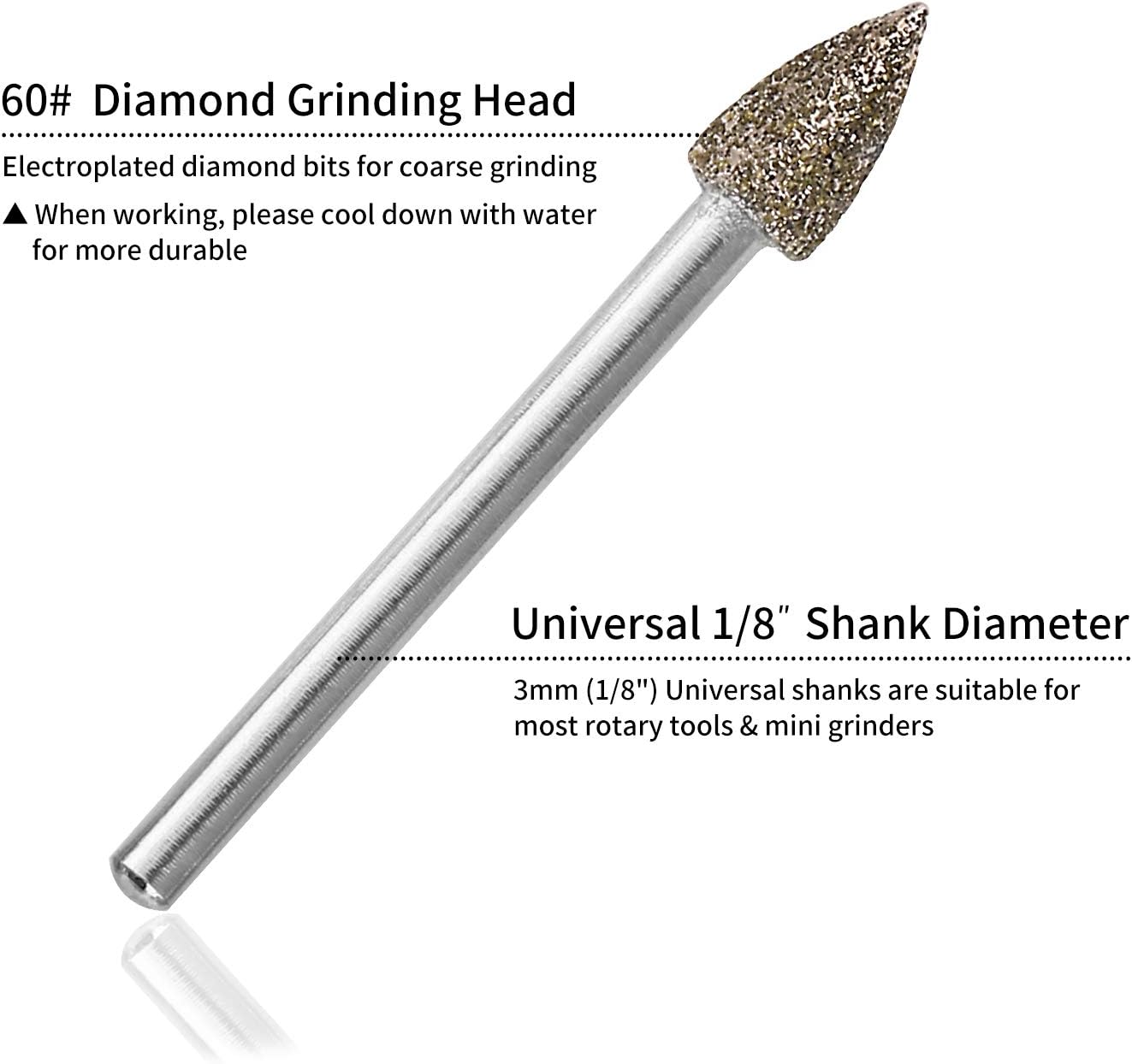
Figure 8.1: Close-up of a 60# diamond grinding head, showing its electroplated diamond bits for coarse grinding and universal 1/8-inch (3mm) shank diameter, suitable for most rotary tools.

Figure 8.2: Technical drawing illustrating the dimensions (length and head diameter) of various shapes of 60# grit diamond burrs, all featuring a 3mm (1/8 inch) shank.
9. Warranty and Support
For warranty information or technical support, please refer to the contact details provided with your product packaging or visit the official GOXAWEE website. Keep your purchase receipt as proof of purchase.


