
1. Introduction
This manual provides essential instructions for the safe and effective use of your MERACH Health Stepper 2403B1. Please read this manual thoroughly before operating the device and retain it for future reference.
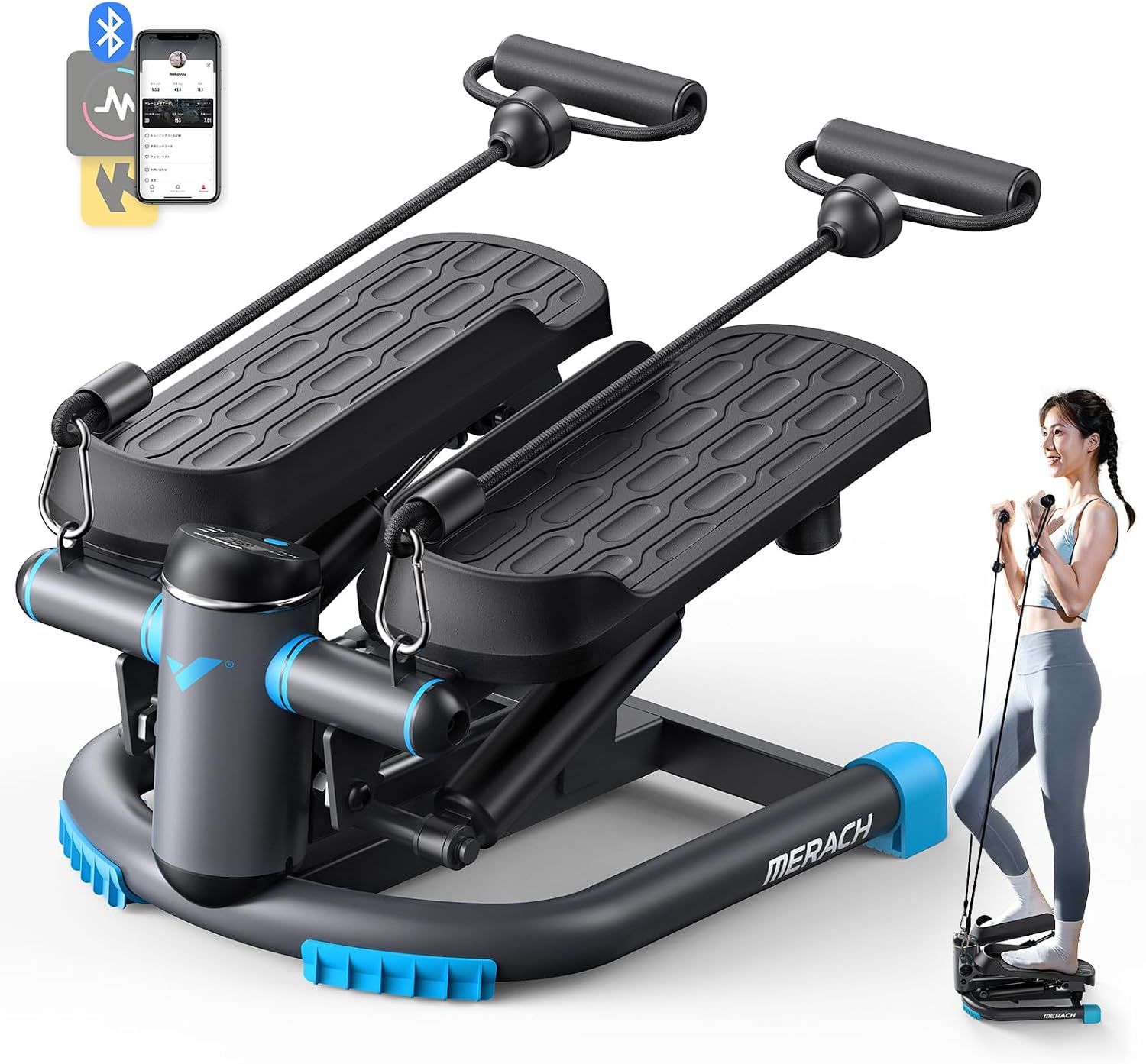
Image 1.1: The MERACH Health Stepper 2403B1, featuring its compact design, integrated monitor, and resistance bands for full-body workouts.
2. Safety Information
- Consult a physician before starting any new exercise program.
- Ensure the stepper is placed on a flat, stable surface.
- Wear appropriate athletic footwear during use.
- Do not exceed the maximum weight capacity of 150 kg (330.7 lbs).
- Keep children and pets away from the stepper during operation.
- Stop exercising immediately if you feel dizzy, faint, or experience pain.
3. Product Components
The MERACH Health Stepper 2403B1 includes the following main components:
- Main Stepper Unit with Foot Pedals
- Integrated Digital Monitor
- Resistance Bands (attached)
- Hydraulic Cylinders (underneath pedals)
- Stabilizer Feet
4. Setup
The MERACH Health Stepper 2403B1 is designed for immediate use with no assembly required. Simply remove it from the packaging and place it on a stable, level surface.

Image 4.1: The compact design of the MERACH Stepper allows for easy setup directly out of the box, requiring no assembly.
5. Operating Instructions
5.1 Stepper Modes
The stepper offers two primary movement modes:
- Up/Down Motion: Engages lower body muscles, including thighs, glutes, and calves.
- Side-to-Side Motion: Targets core and waist muscles, providing a twisting action.

Image 5.1: Illustration of the two distinct stepping motions: vertical (up/down) and lateral (side-to-side), allowing for varied muscle engagement.
5.2 Using Resistance Bands
Attach the included resistance bands to the designated points on the stepper. Hold the handles firmly and perform upper body exercises (e.g., bicep curls, tricep extensions, rows) simultaneously with your stepping motion to engage your arms and back.

Image 5.2: A user demonstrating the use of resistance bands with the stepper to incorporate upper body training into the workout.
5.3 Digital Monitor Functions
The integrated monitor tracks your workout data. Press the button to cycle through the following metrics:
- SCAN: Automatically cycles through all metrics.
- TIME: Duration of your current workout.
- COUNT: Total steps taken during the current workout.
- CALORIES: Estimated calories burned.

Image 5.3: The digital monitor provides real-time feedback on workout duration, step count, and estimated calories burned.
5.4 App Connectivity
The MERACH Health Stepper can connect to the official MERACH app and the KINOMAP app via Bluetooth. This allows you to:
- View detailed workout statistics (calories, time, steps).
- Track progress over time.
- Access guided workouts and interactive training routes (KINOMAP).
Refer to the respective app's instructions for pairing and usage details.
6. Maintenance
- Cleaning: Wipe down the stepper with a damp cloth after each use to remove sweat and dust. Avoid abrasive cleaners.
- Lubrication: The hydraulic cylinders are designed for smooth operation. If any squeaking or stiffness occurs, apply a small amount of silicone-based lubricant to the pivot points.
- Storage: Store the stepper in a cool, dry place away from direct sunlight and extreme temperatures. Its compact size allows for easy storage.
7. Troubleshooting
- Monitor Not Displaying: Ensure the batteries are correctly installed and have sufficient charge. Replace batteries if necessary.
- Excessive Noise: Check all bolts and connections to ensure they are tight. Apply lubricant to the hydraulic cylinders and pivot points if squeaking persists. The stepper is designed for quiet operation.
- App Connectivity Issues: Ensure Bluetooth is enabled on your device and the stepper is within range. Restart both the app and the stepper if connection problems persist.
- Uneven Stepping Motion: Verify the stepper is on a flat, stable surface. Check for any obstructions under the pedals.

Image 7.1: The stepper features a silent design with hydraulic cylinders and anti-vibration mats to minimize noise during use.
8. Specifications
| Model Number | 2403B1 |
| Brand | MERACH |
| Material | Aluminum |
| Color | Black |
| Item Weight | 11 kg |
| Parcel Dimensions | 46.4 x 40.7 x 28.2 cm |
| Max. User Weight | 150 kg (330.7 lbs) |
| Batteries Included | Yes |
| Included Components | Instructions |
9. Warranty and Support
The MERACH Health Stepper 2403B1 comes with a one-year manufacturer warranty. For any questions, concerns, or warranty claims, please contact MERACH customer support through the official MERACH website or your point of purchase.
We are committed to enhancing your fitness life and providing assistance as needed.