1. Introduction
This manual provides detailed instructions for the installation, operation, and maintenance of the XIBANY Left Brake Lever for I-Walk KS1 Series Electric Scooters. Please read this manual thoroughly before installation and use to ensure proper function and safety.
2. Safety Information
- Always ensure the scooter is powered off before performing any installation or maintenance.
- Wear appropriate safety gear, such as gloves and eye protection, during installation.
- If you are unsure about any step, consult a qualified technician.
- Regularly inspect the brake lever and cable for wear and damage. Replace immediately if any issues are found.
- Ensure all connections are secure after installation.
3. Product Overview
The XIBANY Left Brake Lever is a replacement component designed for the I-Walk KS1 Series Electric Scooter. It provides reliable braking control for the left side of the handlebar.

Figure 1: Overall view of the XIBANY Left Brake Lever. This image shows the complete brake lever assembly, including the handle, mounting clamp, and electrical wiring with its connector.
Components:
- Brake Lever: The primary control for engaging the brake.
- Mounting Clamp: Secures the lever to the scooter's handlebar.
- Electrical Connector: For integrating with the scooter's electronic braking system.
- Brake Cable Attachment Point: (If mechanical brake) Point for connecting the brake cable.
4. Installation Instructions
Follow these steps to properly install the left brake lever on your I-Walk KS1 Series Electric Scooter.
- Prepare the Scooter: Ensure the scooter is turned off and the battery is disconnected for safety. If replacing an existing lever, carefully remove the old lever by loosening its mounting screws and disconnecting any electrical or mechanical connections.
- Position the New Lever: Place the new XIBANY Left Brake Lever onto the left side of the handlebar. Ensure it is positioned comfortably for operation and does not interfere with other controls.
- Secure the Mounting Clamp: Tighten the screws on the mounting clamp to firmly secure the brake lever to the handlebar. Do not overtighten, as this can damage the handlebar or the clamp.
- Connect Electrical Wiring: Locate the corresponding electrical connector on your scooter's wiring harness. Carefully align and connect the brake lever's electrical plug. Ensure a snug and secure connection.
- Test Functionality: Reconnect the scooter's battery and power it on. Squeeze the brake lever to ensure the electronic brake engages correctly. Verify that the brake light (if applicable) illuminates. Adjust the lever position if necessary for optimal comfort and response.

Figure 2: Side view of the brake lever, highlighting the mounting clamp and screw points. This image illustrates how the lever attaches to the handlebar.
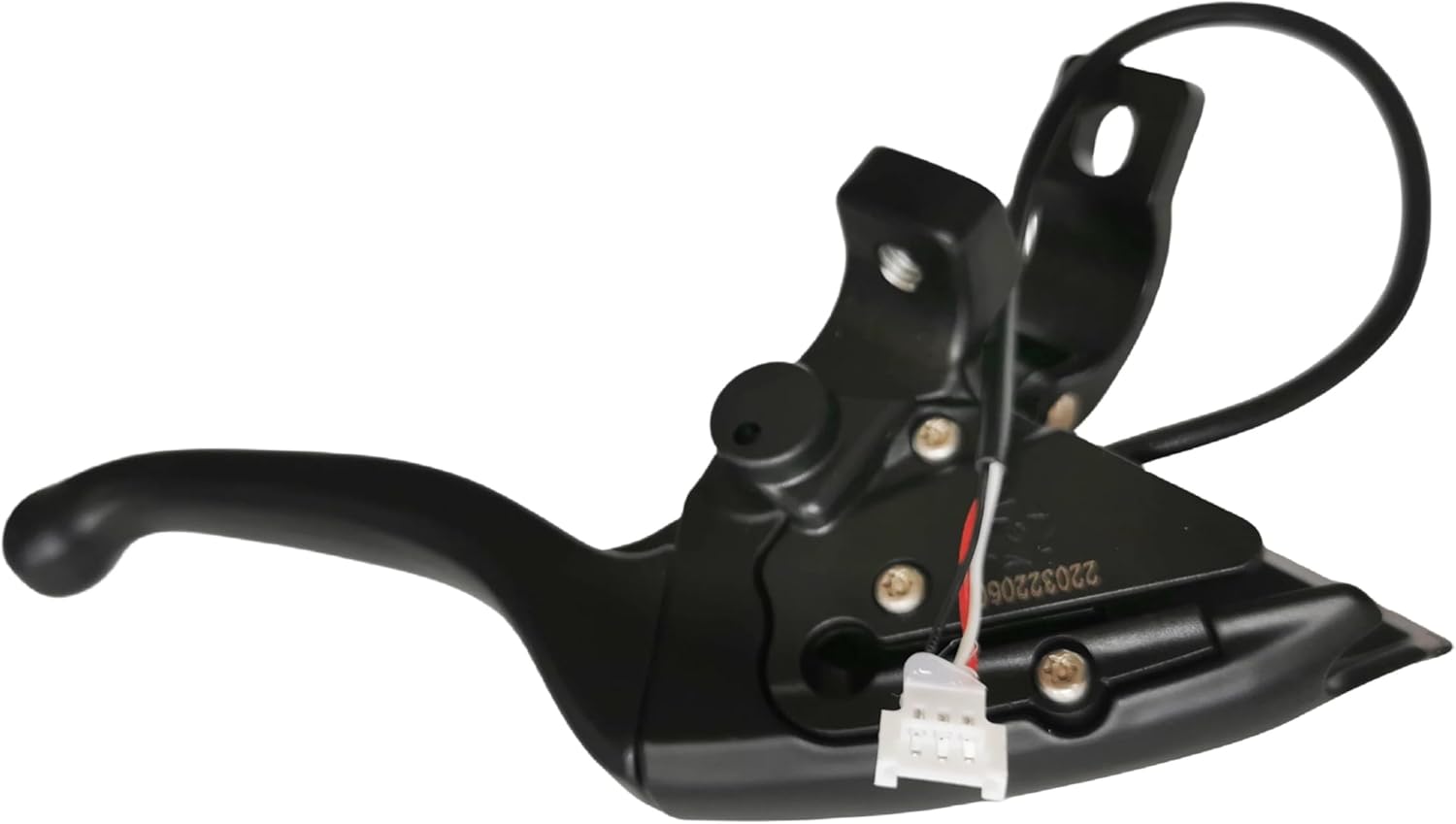
Figure 3: Close-up view of the electrical connector on the brake lever. This image details the wiring and plug for electronic integration.
5. Operating Instructions
To operate the left brake lever:
- Grip the handlebar firmly with your left hand.
- Gently squeeze the left brake lever towards the handlebar to engage the front brake (or the designated brake system it controls).
- Apply pressure gradually to control braking force. Avoid sudden, hard braking, especially at high speeds, to prevent loss of control.
- Release the lever to disengage the brake.
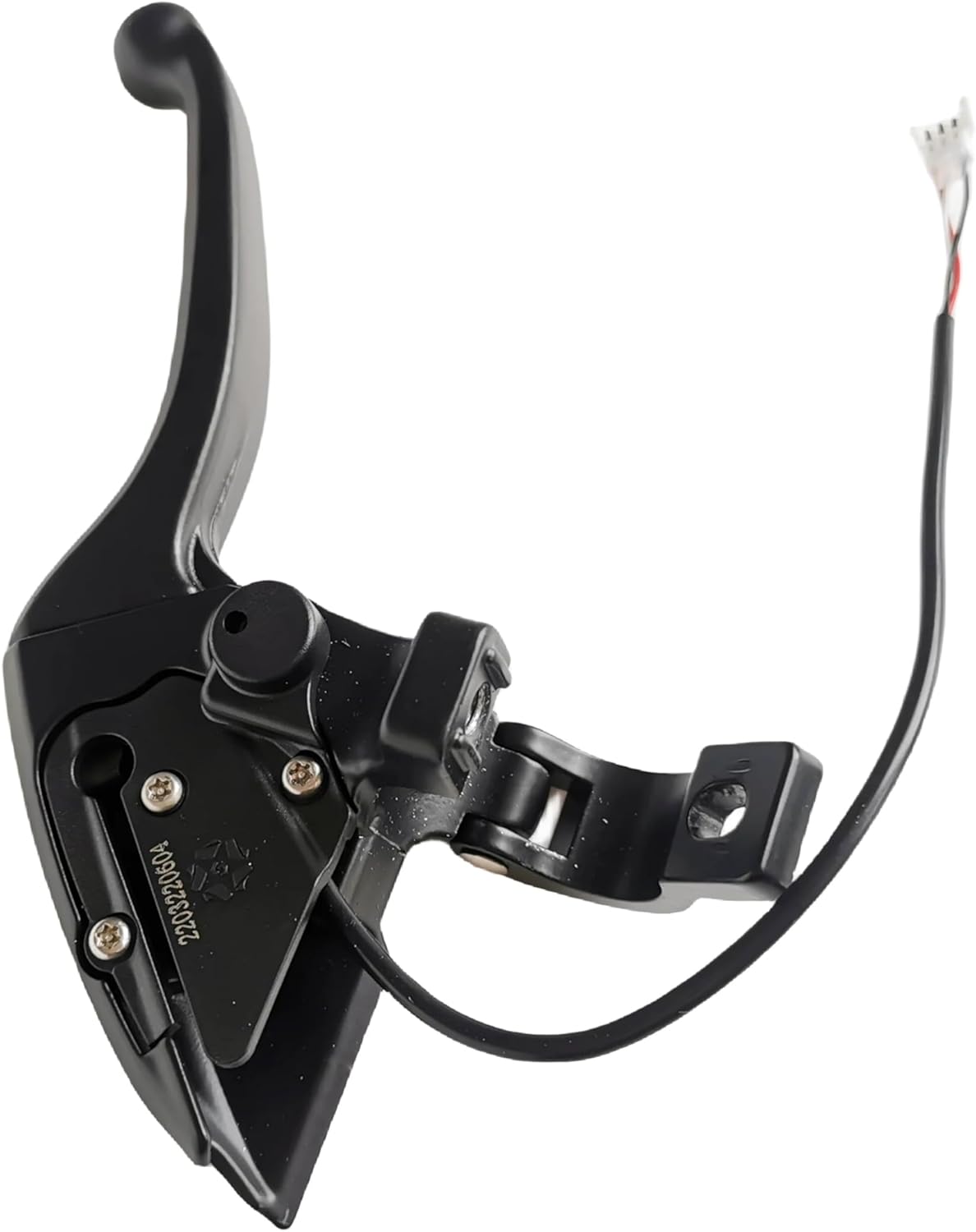
Figure 4: Angled view of the brake lever, showing its ergonomic design for user interaction. This image provides a perspective of the lever's shape and how it would be gripped.
6. Maintenance
Regular maintenance ensures the longevity and optimal performance of your brake lever.
- Cleaning: Wipe the brake lever with a damp cloth to remove dirt and grime. Avoid using harsh chemicals that may damage the material.
- Inspection: Periodically check the lever for any signs of damage, cracks, or excessive wear. Ensure the mounting screws are tight.
- Cable Check (if applicable): If your scooter uses a mechanical brake cable, inspect the cable for fraying or corrosion. Ensure it moves freely within its housing.
- Electrical Connection: Verify that the electrical connector remains securely attached and free from corrosion.
7. Troubleshooting
| Problem | Possible Cause | Solution |
|---|---|---|
| Brake not engaging. | Loose electrical connection; damaged lever; brake system issue. | Check electrical connector. Inspect lever for damage. Consult scooter's main manual for brake system troubleshooting. |
| Lever feels loose. | Mounting clamp screws are loose. | Tighten mounting clamp screws (do not overtighten). |
| Brake light not activating. | Electrical connection issue; faulty brake light; faulty lever sensor. | Verify electrical connection. Check brake light bulb/LED. If problem persists, the lever sensor may be faulty. |
8. Specifications
| Feature | Detail |
|---|---|
| Brand | XIBANY |
| Model Number | XIBANY001 |
| Compatibility | I-Walk KS1 Series Electric Scooters |
| Type | Left Brake Lever |
| Material | High quality material (as per product description) |
| Dimensions | 3 x 2 x 1 cm (approximate parcel dimensions) |
| Weight | 50 g |
| Color | One Color (Black) |
9. Warranty and Support
For warranty information or technical support, please refer to the original purchase documentation or contact XIBANY customer service. Keep your purchase receipt for warranty claims.