
INSEETECH WF818P
INSEETECH 1080P Solar Wireless Backup Camera User Manual
Model: WF818P
Introduction
The INSEETECH 1080P Solar Wireless Backup Camera is designed to provide enhanced visibility and safety for various vehicles, including RVs, trailers, pickups, and cars. Featuring a strong magnetic base for easy installation, solar charging capabilities for extended battery life, and high-definition video output, this camera offers a convenient and reliable solution for reversing, hitching, and monitoring. It connects wirelessly to your smartphone or tablet via the INSEECam app, providing a clear, real-time view.

The INSEETECH 1080P Solar Wireless Backup Camera, shown with a smartphone displaying its live feed of a truck towing a trailer.
Key Features
- 1080P Full HD Image Quality: Equipped with a 1920x1080 pixel CMOS sensor and IR-cut filter for detailed and clear visuals.
- IR Night Vision: Four infrared LEDs provide excellent visibility in low-light conditions.
- Powerful Magnetic Base: Allows for easy, drill-free installation on any metal surface.
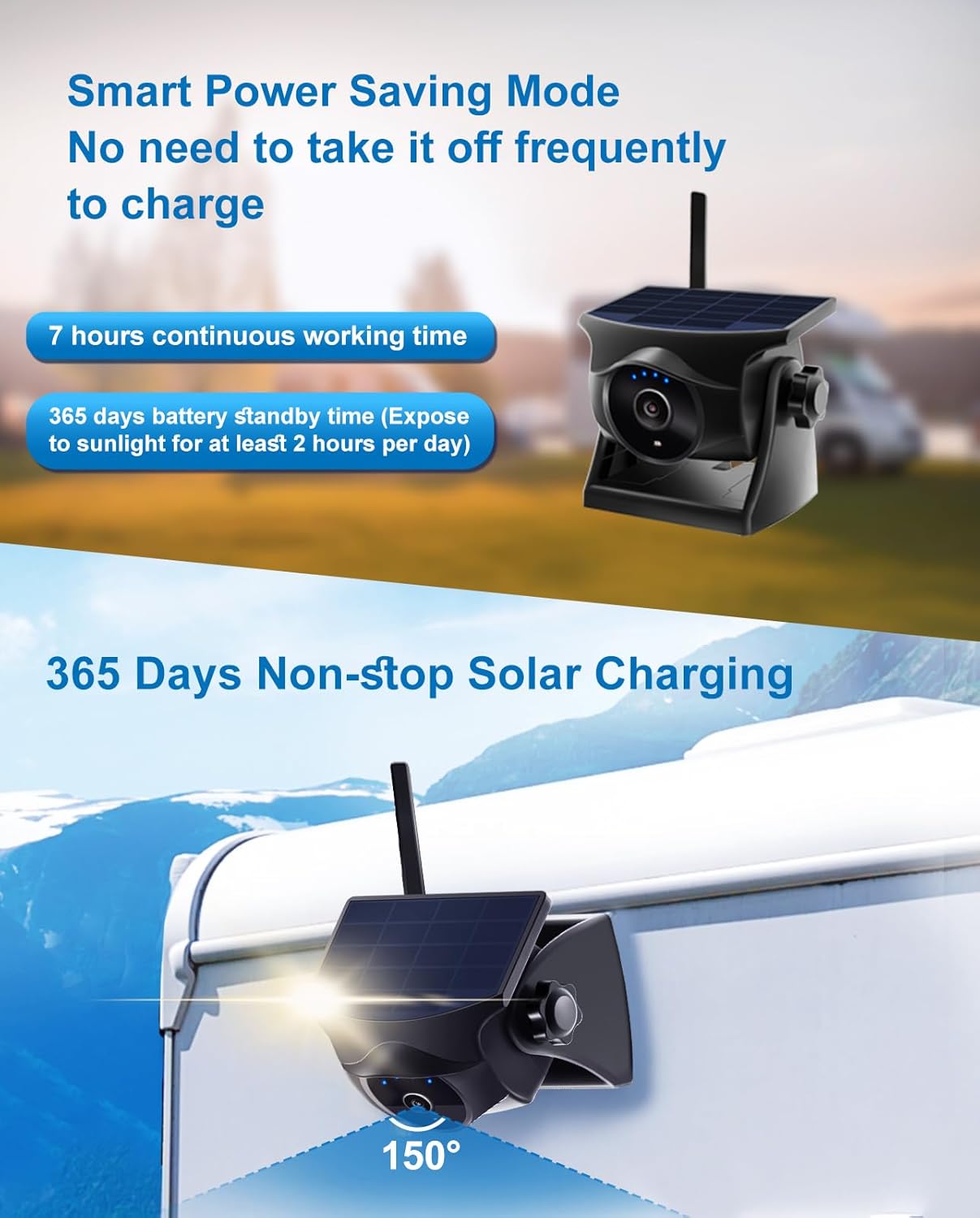
- Continuous Solar Power: Efficient solar panel maintains battery charge with just 2 hours of daily sunlight.
- Long Battery Life: 3000mAh rechargeable battery offers up to 7 hours of continuous operation and 365 days of standby time.
- Stable WiFi Connectivity: Provides a reliable connection up to 197 feet (60 meters) in open spaces.
- IP66 Waterproof Rating: Ensures durability and performance in various extreme weather conditions.
- Versatile Functions: Supports video recording, photo downloads, horizontal/vertical image flipping, and full-screen viewing via the INSEECam app.

An overview of the camera's main features, highlighting its robust design and advanced capabilities.

A visual summary of the camera's comprehensive features and benefits.
What's in the Box
Upon unboxing your INSEETECH Solar Wireless Backup Camera, please verify that all the following components are included:
- WiFi Backup Camera (Model: WF818P)
- USB Charging Cable
- User Manual
Setup and Installation
1. Initial Charging
Before first use, it is recommended to fully charge the camera using the provided USB charging cable. Connect the cable to the camera's charging port and a standard USB power adapter (not included) or a car charger. The camera can also be charged via its integrated solar panel when exposed to sunlight.

The camera supports multiple charging methods: car charger, USB, and solar power.
2. App Download and Installation
The INSEECam app is required to operate the camera. Download and install the app on your smartphone or tablet from the App Store (for iOS devices) or Google Play Store (for Android devices).
3. Mounting the Camera
The camera features a strong magnetic base for easy, non-invasive installation. Simply attach the camera to any flat metal surface on your vehicle where you desire a view (e.g., rear of a trailer, side of an RV). No drilling or complex wiring is required. Ensure the camera is securely attached and positioned to capture the desired field of view.

The camera's strong magnetic base allows for secure attachment to any metal surface.
4. Connecting to WiFi
After mounting and powering on the camera, open the WiFi settings on your smartphone or tablet. Locate and connect to the WiFi network starting with "WFS-XXXXX" (where XXXXX is a unique identifier for your camera). Once connected, open the INSEECam app to view the live feed and begin operation.

A visual guide to the four-step setup process for the INSEETECH camera.

The camera provides a stable WiFi signal for reliable connection over distances up to 197 feet (60 meters) in open environments.
Operating the Camera
Using the INSEECam App
The INSEECam app serves as your primary interface for the camera. Once connected, you will see a live video feed. The app provides various controls and features to enhance your viewing experience.
Image Quality and Night Vision
The camera delivers 1080P Full HD resolution, ensuring clear and detailed images. Its integrated IR-cut filter and four infrared LEDs enable effective night vision, providing clear visuals even in low-light or dark conditions.

The camera provides excellent performance during both day and night, ensuring clear visibility.
App Functions
The INSEECam app offers a range of functions:
- Parking Line Display: Overlay parking guidelines on the live view for assistance.
- Screenshot: Capture still images from the live feed.
- Video Recording: Record video directly to your connected device.
- Image Flipping: Adjust the image orientation (horizontal or vertical flip) to suit various mounting positions.
- Aspect Ratio Adjustment: Change the display aspect ratio.
- Full Screen View: Maximize the live view on your device's screen.

The INSEECam app provides a user-friendly interface with multiple functions for controlling the camera.

The camera supports four ways to flip the image, allowing for flexible installation and correct orientation regardless of mounting position.
Sleep Mode and Wake-Up
To conserve power, the camera automatically enters a low-power sleep mode after 2 minutes of inactivity or when you exit the INSEECam app. It can remain in standby for up to 365 days. To reactivate the camera, simply reopen the INSEECam app, and it will instantly resume monitoring. Alternatively, you can gently press the power button on the back of the camera to wake it up.

The camera features a sleep mode for extended standby time, with a visual representation of battery status.

The camera can be easily woken up either by a physical button press or by accessing the live view through the app.
Maintenance
Weather Resistance
The INSEETECH camera is rated IP66 waterproof, meaning it is protected against dust ingress and powerful water jets. This allows it to function reliably in various weather conditions, including rain, snow, and extreme temperatures (operating range: -4°F to 140°F).
The camera's IP66 rating ensures its durability and resistance to various environmental conditions.

The camera is designed to withstand a wide range of temperatures and weather conditions, from hot sun to snow and cold.
Battery Care
To ensure year-round operation, expose the camera to at least 2 hours of sunlight daily for solar charging. For optimal performance, periodically charge the camera via USB or car charger, especially during prolonged periods of low sunlight or heavy use.
Troubleshooting
- Camera Not Connecting to App: Ensure the camera is powered on and fully charged. Verify that your device's WiFi is enabled and connected to the camera's
Related documentsWF818P

Ask a question about this manual
Ask about setup, troubleshooting, compatibility, parts, safety, or missing instructions. Manuals+ will review the question and use this page’s manual context to help answer it.