
Dickie Toys 203713017
Contents
Dickie Toys SOS Mini Rescue Station
Model: 203713017 - User Manual
Introduction
This manual provides essential information for the safe and proper use of your Dickie Toys SOS Mini Rescue Station. Please read these instructions carefully before initial use and retain them for future reference. The SOS Mini Rescue Station is designed to provide an engaging play experience, allowing children to explore various rescue scenarios with police, fire brigade, and ambulance vehicles.
Safety Information
WARNING:
- Suitable for children aged 3 years and up.
- Small parts may be present. Adult supervision is recommended, especially for younger children.
- Do not modify the product in any way.
- Keep away from open flames or extreme heat sources.
Package Contents
Before beginning, ensure all components are present in the package:

Image: The retail packaging of the Dickie Toys SOS Mini Rescue Station, displaying the main playset and the three included vehicles.
- SOS Mini Rescue Station playset
- 1 x Police Car (Mercedes-Benz licensed)
- 1 x Fire Truck (Mercedes-Benz licensed)
- 1 x Ambulance (Mercedes-Benz licensed)
- Manual lift mechanism
- Rotating tower
- Downhill ramp
- Other accessories (e.g., traffic cones, road signs)
- 2 x AA Batteries (pre-installed or included separately)
Setup
The Dickie Toys SOS Mini Rescue Station requires minimal setup as it comes largely pre-assembled. Follow these steps for initial preparation:
Unpack Components: Carefully remove all items from the packaging. Dispose of packaging materials responsibly.
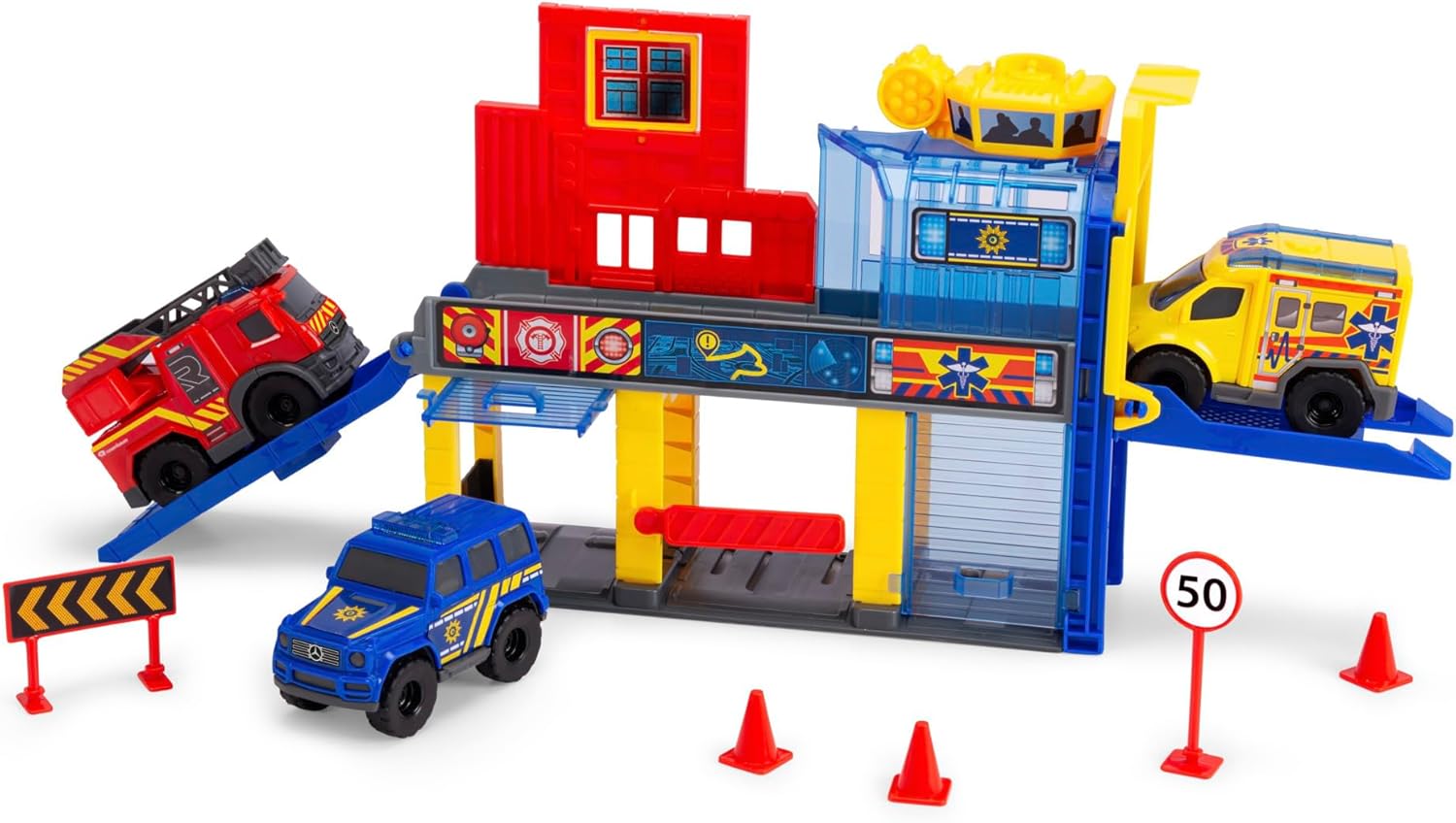
Image: The complete SOS Mini Rescue Station playset with all three vehicles.
Battery Installation (if not pre-installed): Locate the battery compartment, usually on the underside or rear of the main station unit. Use a small screwdriver to open the compartment cover. Insert 2 x AA batteries, ensuring correct polarity (+/-). Replace the cover and secure it with the screw. Note: Batteries are included.
Positioning: Place the rescue station on a flat, stable surface to ensure proper operation of its moving parts and vehicle movement.
Operating Instructions
The SOS Mini Rescue Station features several interactive elements for dynamic play:
Vehicles

Image: The three included Mercedes-Benz licensed rescue vehicles.
- The set includes three Mercedes-Benz licensed vehicles: a police car, a fire truck, and an ambulance. These vehicles are approximately 9 cm long.
- Each vehicle is designed to roll smoothly on flat surfaces and interact with the station's features.
Manual Lift / Elevator with Launching Function

Image: The elevator in action, demonstrating its lifting and launching capabilities.
- Place a vehicle onto the elevator platform.
- Use the manual crank or lever (if present) to raise the elevator to the desired level.
- At the top, the elevator can be positioned to launch the vehicle down the downhill ramp for a quick exit.
Rotating Tower
- The tower section at the top of the station can be manually rotated. This allows for imaginative play scenarios, such as monitoring the city or directing rescue operations.
Downhill Ramp
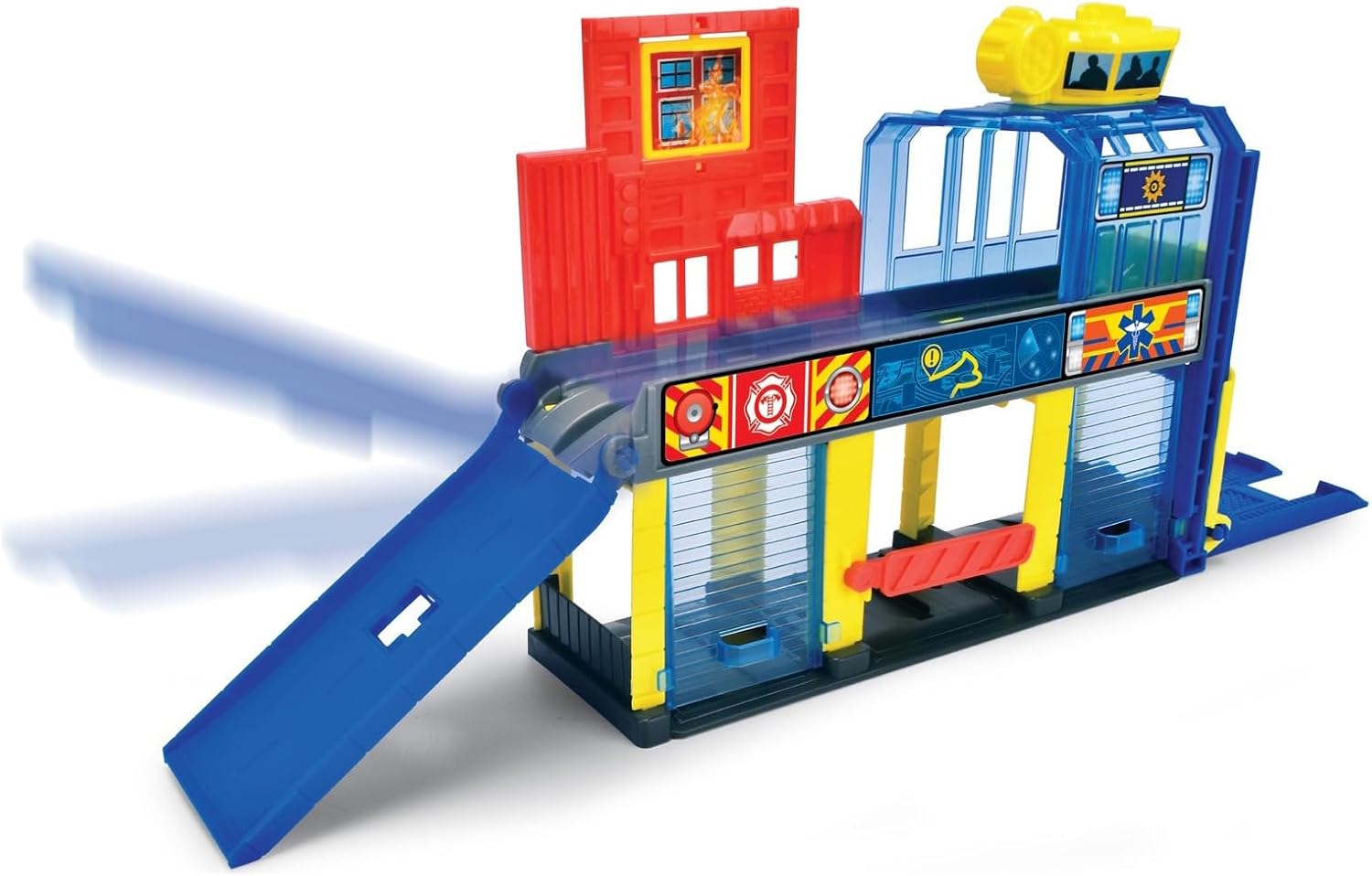
Image: The downhill ramp extended from the station, ready for vehicle deployment.
- Vehicles can be placed at the top of the ramp and released to slide down quickly, simulating emergency dispatches.
- Ensure the ramp is fully extended and clear of obstructions before launching vehicles.
Moving Parts / Barriers

Image: A movable barrier within the station, used to manage vehicle movement.
- The station includes various moving parts, such as barriers or gates, that can be manually operated to control vehicle flow or simulate different scenarios.
Maintenance
Proper care will extend the life of your SOS Mini Rescue Station:
- Cleaning: Wipe the playset and vehicles with a soft, damp cloth. Do not use harsh chemicals or abrasive cleaners.
- Storage: Store the playset in a cool, dry place away from direct sunlight when not in use.
- Battery Care: If the toy will not be used for an extended period, remove the batteries to prevent leakage.
Troubleshooting
If you encounter any issues with your SOS Mini Rescue Station, refer to the following common problems and solutions:
| Problem | Solution |
|---|---|
| Vehicles do not roll smoothly. | Check for any debris or obstructions on the wheels or the play surface. Ensure the surface is flat and clean. |
| Elevator or ramp mechanism is stiff. | Ensure no foreign objects are lodged in the mechanism. Avoid forcing the parts; they are designed for manual operation. |
| Electronic features (if any, e.g., sounds/lights) are not working. | Check battery polarity. Replace old batteries with new ones. Ensure the battery compartment cover is securely closed. |
Specifications
| Feature | Detail |
|---|---|
| Model Number | 203713017 |
| Product Dimensions | 24 x 7 x 24.5 cm |
| Product Weight | 370 g |
| Recommended Age | 36 months - 10 years |
| Material Type | Plastic |
| Number of Vehicles | 3 (Police Car, Fire Truck, Ambulance) |
| Vehicle Scale | 1:18 scale |
| Batteries Required | 2 x AA (included) |
| Assembly Required | No |
| Color | Multicolor |
Warranty and Support
For warranty information or product support, please refer to the contact details provided on the product packaging or visit the official Dickie Toys website. Please retain your proof of purchase for any warranty claims.
Documents and downloads
Ask a question about this manual
Ask about setup, troubleshooting, compatibility, parts, safety, or missing instructions. Manuals+ will review the question and use this page’s manual context to help answer it.