
1. Product Overview
The Fanvace M36 is a versatile digital audio player powered by Android 13, designed for a comprehensive multimedia experience. It features a 4.02-inch touch screen, dual cameras (13MP rear, 5MP front), and an 8-core CPU for smooth operation. With extensive storage options, advanced connectivity, and support for various applications, this device serves as a portable hub for music, videos, and more.
Video: Overview of the Fanvace M36 MP3 Player's features, including its Android OS, app compatibility, camera, and connectivity options.
2. Safety Information
- Do not expose the device to extreme temperatures, direct sunlight, or high humidity.
- Avoid dropping or subjecting the device to strong impacts.
- Keep the device away from water and other liquids.
- Use only the provided charging cable and adapter to prevent damage.
- Do not attempt to disassemble or repair the device yourself. Contact customer support for assistance.
- Dispose of the device and its battery responsibly according to local regulations.
3. Package Contents
Verify that all items are present in the package:
- Fanvace M36 Music Player Body
- 64GB TF Card (pre-installed or separate)
- USB-C Charging Cable
- Wired Earphones
- Instruction Manual
- Protective Case
- Screen Protector Film

Image: The Fanvace M36 MP3 Player and its complete set of accessories.
4. Device Layout
Familiarize yourself with the physical components of your Fanvace M36 player.

Image: Front and rear views of the Fanvace M36 player.
- Front: 4.02-inch Touch Screen, 5MP Front Camera.
- Rear: 13MP Rear Camera.
- Sides: Power Button, Volume Buttons, USB-C Port, 3.5mm Headphone Jack, MicroSD Card Slot.

Image: Side view detailing ports and buttons.
5. Setup
5.1 Charging the Device
Before first use, fully charge the device. Connect the USB-C cable to the player's USB-C port and the other end to a compatible USB power adapter (not included) or a computer's USB port. The battery indicator on the screen will show charging status.
5.2 Power On/Off
- To Power On: Press and hold the Power button until the screen lights up.
- To Power Off: Press and hold the Power button, then select 'Power Off' from the options on the screen.
- To Restart: Press and hold the Power button, then select 'Restart' from the options.
5.3 Initial Setup
Upon first power-on, follow the on-screen prompts to select your language, connect to a Wi-Fi network, and set up your Google account (optional, but recommended for app downloads).
5.4 Inserting a MicroSD Card
The device comes with 16GB internal storage and a 64GB TF card. You can expand storage up to 1TB using a MicroSD card.
- Locate the MicroSD card slot on the side of the device.
- Gently insert the MicroSD card into the slot with the gold contacts facing down until it clicks into place.
- To remove, push the card in slightly until it springs out.

Image: Inserting a MicroSD card for expanded storage.
6. Basic Operation
6.1 Touch Screen Navigation
The device features a responsive touch screen. Use standard Android gestures:
- Tap: Select an item or open an app.
- Swipe: Scroll through menus or pages.
- Pinch-to-Zoom: Zoom in or out on images or web pages.
6.2 Music Playback
The Fanvace M36 supports various audio formats including MP3, OGG, FLAC, AAC, WMA, WAV, and APE.
- Transfer music files to the device's internal storage or MicroSD card.
- Open the 'Music' app or your preferred audio player.
- Browse and select your desired music to play.

Image: Music playback interface on the device.
6.3 Video Playback
The device supports various video formats including RM, RMVB, FLV, MP4, DAT, MKV, MPG, and TS.
- Transfer video files to the device.
- Open the 'Video' app or a compatible video player.
- Select a video file to begin playback.

Image: Video playback on the device's screen.
6.4 Camera Function
Capture photos and videos using the built-in 13MP rear camera and 5MP front camera.
- Open the 'Camera' app.
- Tap the screen to focus.
- Press the shutter button to take a photo or start/stop video recording.

Image: Camera interface with focus and shutter controls.
7. Connectivity
7.1 Wi-Fi Connection
Connect to the internet via 2.4G or 5G Wi-Fi networks.
- Go to 'Settings' > 'Network & internet' > 'Wi-Fi'.
- Turn Wi-Fi on.
- Select your desired network and enter the password if prompted.
7.2 Bluetooth 5.0
Pair with Bluetooth headphones, speakers, or car audio systems for wireless audio.
- Go to 'Settings' > 'Connected devices' > 'Bluetooth'.
- Turn Bluetooth on.
- Ensure your Bluetooth accessory is in pairing mode.
- Select the accessory from the list of available devices to pair.
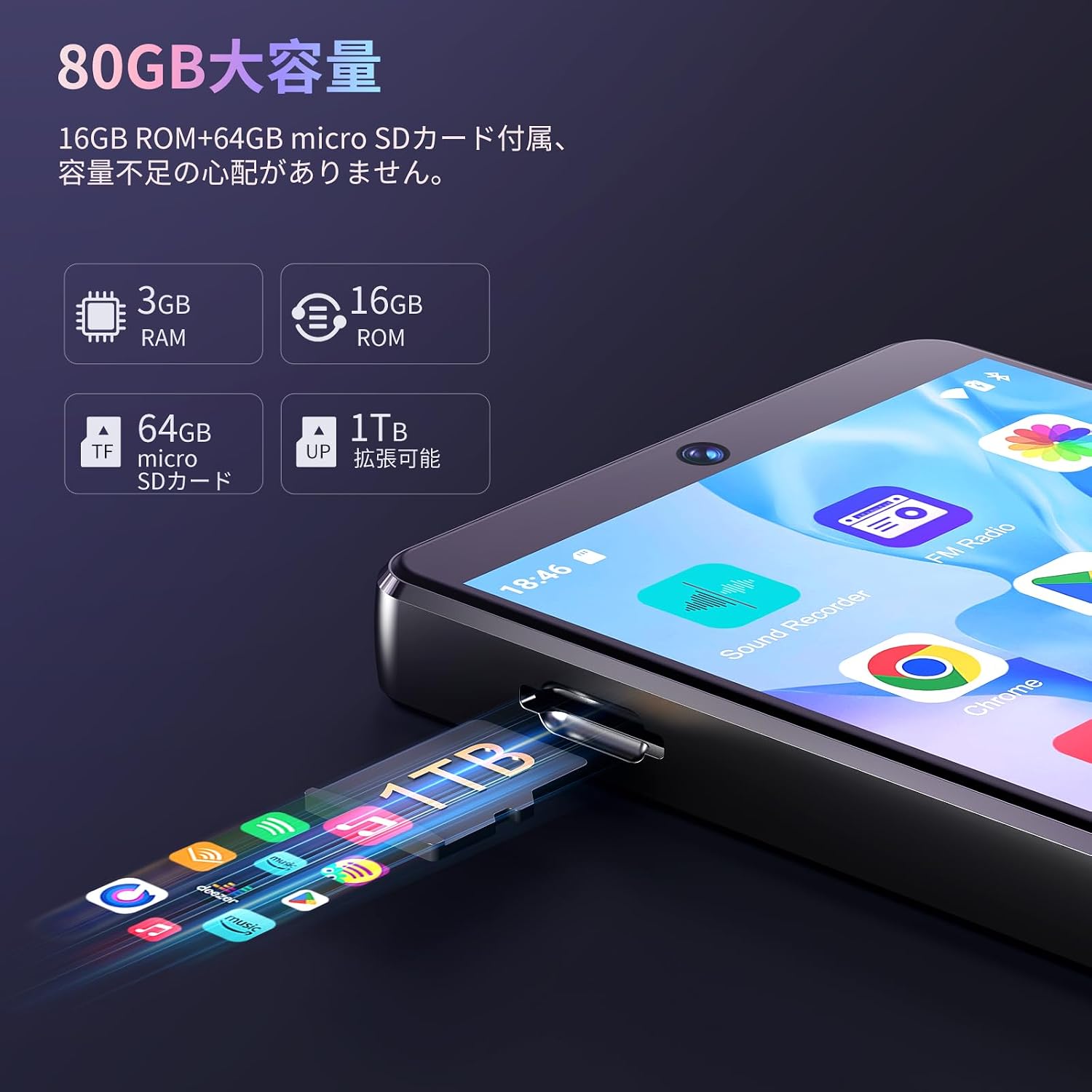
Image: Bluetooth pairing process with headphones.
8. Advanced Features
8.1 App Installation
The device runs on Android 13, allowing you to download and install various applications from the Google Play Store. Pre-installed apps may include Spotify, Apple Music, Deezer, Amazon Music, and Audible.
- Ensure you are connected to Wi-Fi and logged into your Google account.
- Open the 'Play Store' app.
- Search for and install your desired applications.

Image: App installation capability via Google Play Store.
8.2 FM Radio
Listen to local FM radio stations. Connect wired earphones (acting as an antenna) for optimal reception.
- Plug in the wired earphones.
- Open the 'FM Radio' app.
- Scan for available stations.
8.3 Voice Recorder
Record audio using the built-in microphone.
- Open the 'Sound Recorder' app.
- Tap the record button to start and stop recording.
8.4 OTG Functionality
The device supports On-The-Go (OTG) functionality, allowing you to connect USB peripherals like flash drives or keyboards using a compatible OTG adapter (not included).
9. Maintenance
9.1 Cleaning
Wipe the device with a soft, dry, lint-free cloth. Do not use liquid cleaners or abrasive materials.
9.2 Software Updates
Periodically check for system updates to ensure optimal performance and security. Go to 'Settings' > 'System' > 'System update'.
9.3 Battery Care
To prolong battery life:
- Avoid fully discharging the battery frequently.
- Do not leave the device charging for extended periods after it's full.
- Store the device in a cool, dry place when not in use for long periods.
10. Troubleshooting
If you encounter issues, refer to the following common problems and solutions:
| Problem | Solution |
|---|---|
| Device does not power on. | Ensure the device is charged. Connect to a power source and try again. If unresponsive, press and hold the power button for 10-15 seconds for a forced restart. |
| Cannot connect to Wi-Fi. | Check if Wi-Fi is enabled in settings. Verify the Wi-Fi password. Restart your router and the device. Try connecting to a different Wi-Fi network if available. |
| Bluetooth device not pairing. | Ensure Bluetooth is enabled on both devices and the accessory is in pairing mode. Move devices closer. Try restarting both devices. |
| Music/Video playback skipping or freezing. | This can sometimes be caused by a slow or faulty MicroSD card. Try using a higher-speed MicroSD card (e.g., U3, V30 rated). Ensure files are not corrupted. Close background applications. |
| Alarms not sounding when screen is off. | Some users report issues with the default clock app. Consider downloading a different clock/alarm app from the Google Play Store. Ensure the device is not set to power off automatically in settings. |
| Limited storage space. | Delete unnecessary files and apps. Move media files to the MicroSD card. Consider upgrading to a larger MicroSD card (up to 1TB supported). |
| Device overheating. | Avoid using the device in direct sunlight or poorly ventilated areas. Close resource-intensive applications. If overheating persists, discontinue use and contact support. |
11. Specifications
Key technical specifications for the Fanvace M36 MP3 Player:
| Feature | Specification |
|---|---|
| Model Name | M36 |
| Operating System | Android 13 |
| Processor | 8-Core CPU (MTK) |
| RAM | 3GB |
| Internal Storage (ROM) | 16GB |
| Expandable Storage | 64GB TF Card included, supports up to 1TB MicroSD card |
| Screen Size | 4.02 inches |
| Resolution | 1136x640 |
| Rear Camera | 13MP |
| Front Camera | 5MP |
| Wi-Fi | 2.4G / 5G Dual-band |
| Bluetooth | Version 5.0 |
| Battery Capacity | 2000mAh |
| Charging Port | USB Type-C |
| Audio Output | 3.5mm Headphone Jack |
| Dimensions | Approx. 110 x 60 x 10 mm (based on customer review) |
| Weight | Approx. 340 g (package weight) |
| Color | Black |
12. Warranty and Support
This product comes with a standard manufacturer's warranty. For warranty claims, technical support, or any inquiries, please refer to the contact information provided in your product packaging or on the official Fanvace website. Please retain your proof of purchase for warranty validation.


