Introduction
Thank you for purchasing the InBody InGrip Digital Hand Dynamometer. This device is designed to accurately measure grip strength using a high-precision load cell sensor, providing reliable and reproducible results. This manual provides essential information for the safe and effective use of your InGrip device.
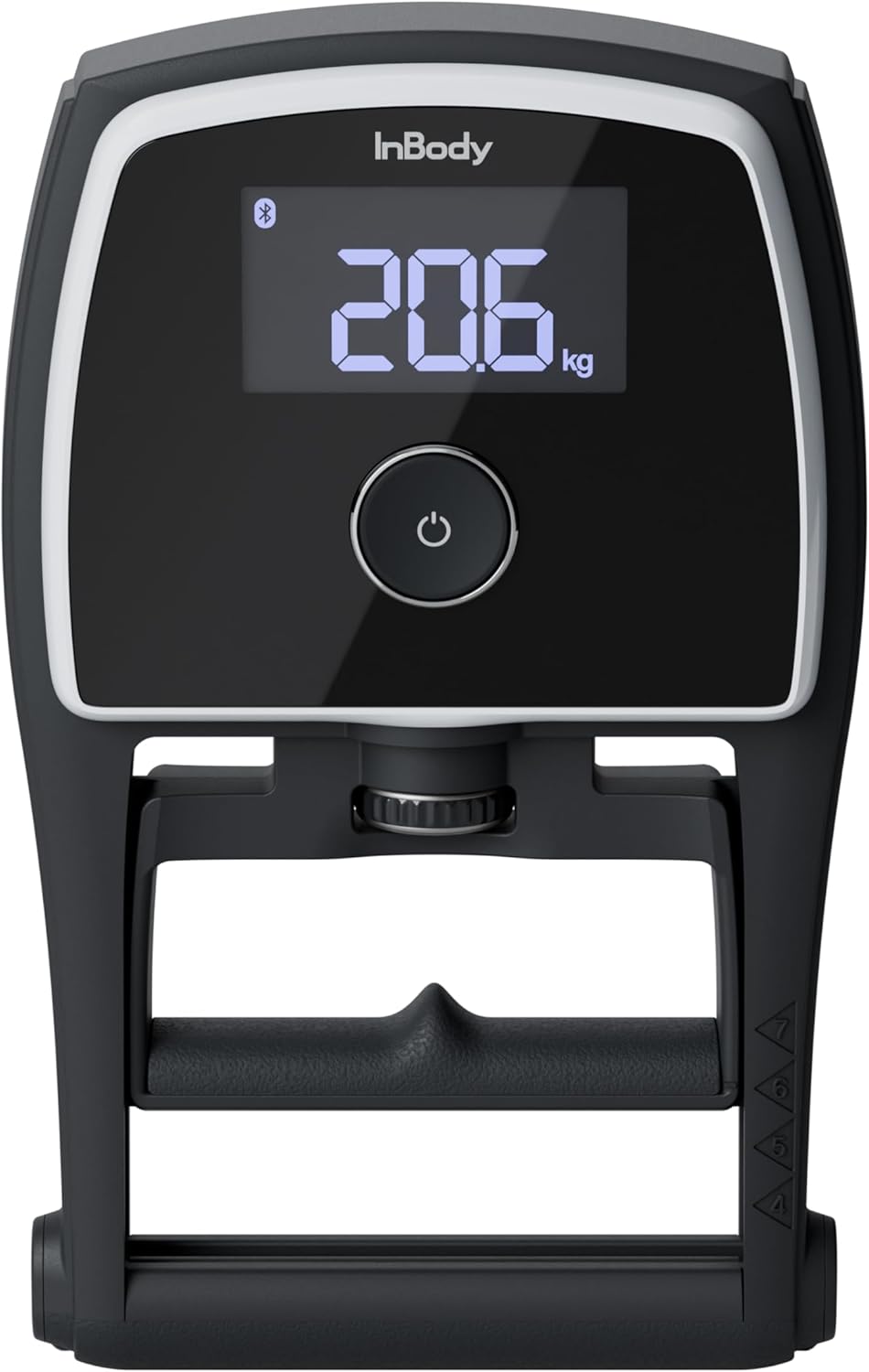
Image: The InBody InGrip Digital Hand Dynamometer, showing its main display and ergonomic design.
Safety Information
Please read all safety instructions before using the device to prevent injury or damage.
- Do not disassemble or modify the device.
- Keep the device away from water and excessive moisture.
- Avoid dropping the device or subjecting it to strong impacts.
- Use only the specified battery type (AAA batteries).
- Keep batteries out of reach of children.
- If the device malfunctions, discontinue use immediately and contact customer support.
Package Contents
Ensure all items are present in the package:
- InBody InGrip Digital Hand Dynamometer
- AAA Batteries (2 pieces)
- User Manual (this document)
Product Features
The InBody InGrip is equipped with advanced features for accurate and reliable grip strength measurement:
- High-Precision Load Cell Sensor: Unlike traditional spring-based dynamometers, the InGrip utilizes a load cell sensor for superior accuracy and reproducibility, minimizing hysteresis issues. This ensures consistent and reliable measurements over time.
- Wide Measurement Range: Capable of measuring grip strength from 1 kg to 100 kg, displayed in 0.1 kg increments.
- Clear VA LCD Display: A 3-inch VA LCD with backlight provides clear and easy-to-read measurement results.
- Handle Guide for Reproducibility: Features a unique handle guide that helps users consistently position their hand, reducing variability in measurements caused by inconsistent grip.
- Bluetooth Connectivity: Allows wireless communication with other programs and can link with professional InBody devices (e.g., InBody970, 770, 580, 570, 470, 380, 380N, 270, BWA) to display grip strength results alongside other body composition data.

Image: Close-up view of the durable load cell sensor, highlighting its precision and resistance to hysteresis.

Image: Illustration of the handle guide, demonstrating how it assists in achieving a consistent hand position for reproducible measurements.

Image: The InGrip display showing the Bluetooth icon, indicating wireless connectivity with other InBody devices for integrated data display.
Setup
1. Battery Installation
- Locate the battery compartment on the back of the InGrip device.
- Open the battery cover.
- Insert two AAA batteries, ensuring correct polarity (+/-).
- Close the battery cover securely.
Operating Instructions
1. Taking a Measurement
- Press the power button to turn on the device. The display will show "0.0 kg".
- Adjust the handle to a comfortable position using the adjustment knob. Ensure your fingers fit naturally around the handle.
- Position your hand using the integrated handle guide for consistent grip.
- Grip the handle firmly and squeeze with maximum effort. Hold the squeeze for a few seconds.
- The peak grip strength will be displayed on the screen.
- The device will automatically turn off after a period of inactivity to conserve battery.
2. Bluetooth Connectivity
The InGrip can connect wirelessly via Bluetooth to compatible devices, including professional InBody body composition analyzers. For specific instructions on linking with InBody devices, please refer to the user manual of your InBody unit or contact InBody Japan customer support.
- Ensure Bluetooth is enabled on your InBody device or other compatible program.
- Follow the pairing instructions provided by the InBody software or application.
- Once paired, grip strength measurements from the InGrip can be transmitted and displayed within the InBody system.
Maintenance
- Cleaning: Wipe the device with a soft, dry cloth. Do not use abrasive cleaners or immerse the device in water.
- Storage: Store the InGrip in a cool, dry place away from direct sunlight and extreme temperatures. If storing for an extended period, remove the batteries to prevent leakage.
- Battery Replacement: Replace batteries when the low battery indicator appears on the display.
Troubleshooting
| Problem | Possible Cause | Solution |
|---|---|---|
| Device does not turn on. | Batteries are dead or incorrectly installed. | Check battery polarity or replace with new AAA batteries. |
| Inaccurate readings. | Inconsistent hand positioning; device malfunction. | Ensure consistent hand placement using the handle guide. If problem persists, contact support. |
| Bluetooth connection issues. | Bluetooth not enabled; device out of range; compatibility issue. | Ensure Bluetooth is on for both devices. Move devices closer. Verify compatibility with InBody Japan. |
| Display shows "Error". | Measurement outside range; internal error. | Ensure measurement is within 1-100kg. Restart device. If error persists, contact support. |
Specifications
| Feature | Detail |
|---|---|
| Product Name | InGrip |
| Measurement Range | 1 ~ 100 kg |
| Measurement Error | ±0.5 kg |
| Measurement Unit | 0.1 kg |
| Display Screen | 3-inch VA LCD (with backlight) |
| Batteries | AAA Batteries × 2 |
| External Interface | Bluetooth |
| Device Dimensions (W×L×H) | 140 × 226 × 50 mm |
| Device Weight | Approx. 650 g |
| Operating Environment | 10 ~ 40°C, 30 ~ 75% RH, 70 ~ 106 kPa |
| Storage Environment | -10 ~ 70°C, 10 ~ 85% RH (non-condensing), 50 ~ 106 kPa |

Image: Diagram illustrating the dimensions and key specifications of the InBody InGrip.
Support
For technical support, inquiries about product compatibility, or any other assistance, please contact InBody Japan customer service:
InBody Japan Co., Ltd.
(Contact information not provided in source data, please refer to official InBody Japan website for current contact details.)
When contacting support, please have your product model (InGrip) and any relevant details about your issue ready.


