
1. Introduction
This manual provides essential information for the safe and effective operation, setup, and maintenance of your Bodyfriend Familie 3D Back Massage Chair. Please read this manual thoroughly before using the product and retain it for future reference.

Image 1.1: The Bodyfriend Familie 3D Back Massage Chair, showcasing its compact design and brown and cream upholstery.
2. Safety Information
To reduce the risk of electric shock, burns, fire, or injury, observe the following precautions:
- Always unplug the chair from the electrical outlet immediately after use and before cleaning.
- Do not use while bathing or in a shower.
- Do not place or store the chair where it can fall or be pulled into a tub or sink.
- Do not immerse in water or other liquid.
- Never use pins or other metallic fasteners with this appliance.
- Close supervision is necessary when this appliance is used by, on, or near children, invalids, or disabled persons.
- Use this appliance only for its intended use as described in this manual. Do not use attachments not recommended by the manufacturer.
- Never operate this appliance if it has a damaged cord or plug, if it is not working properly, if it has been dropped or damaged, or dropped into water. Contact customer support for examination and repair.
- Keep the cord away from heated surfaces.
- Never operate the appliance with the air openings blocked. Keep the air openings free of lint, hair, and the like.
- Never drop or insert any object into any opening.
- Do not use outdoors.
- Do not operate where aerosol (spray) products are being used or where oxygen is being administered.
- To disconnect, turn all controls to the off position, then remove the plug from the outlet.
- This appliance is intended for household use only.
3. Package Contents
Verify that all components are present in the package:
- Bodyfriend Familie Massage Chair Unit
- Head Cushion
- Instruction Manual (this document)
- Power Cord
- Remote Control (built-in)
4. Setup
4.1 Unpacking and Placement
Carefully remove all packaging materials. Place the massage chair on a flat, stable surface. Ensure adequate space around the chair for reclining functionality.
- Allocate approximately 23.6 inches (60 cm) of space in front of the chair.
- Allocate approximately 5.9 inches (15 cm) of space behind the chair for full recline functionality.
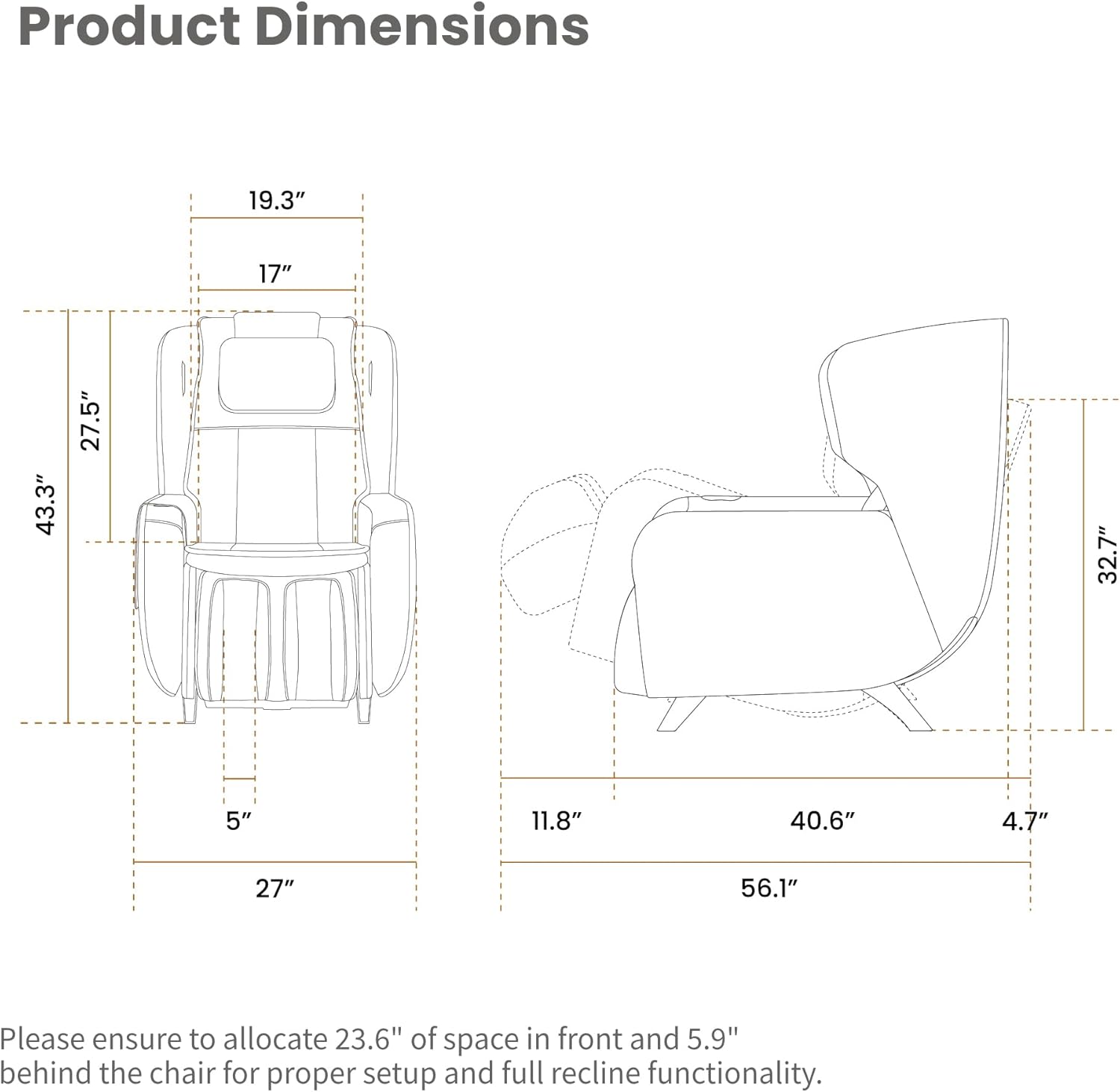
Image 4.1: Product dimensions and recommended clearance for proper setup and full recline.
4.2 Power Connection
Connect the power cord to the chair's power input and then plug it into a suitable electrical outlet. Ensure the power cord is not pinched or obstructed.
5. Product Features
5.1 S and L Track Massage System
The chair features an integrated S-Track and L-Track system. The S-Track follows the natural curve of your spine, while the L-Track extends the massage coverage from your neck down to your glutes, providing a comprehensive full-body massage experience.

Image 5.1: Visual representation of the rotating footrest, calf airbag massage, and the seamless S&L track for comprehensive massage.
5.2 Zero Gravity Recline
The Zero Gravity function reclines the chair to an angle of 118° or 136°, distributing your body weight evenly and reducing pressure on the spine. This position can enhance the massage experience.
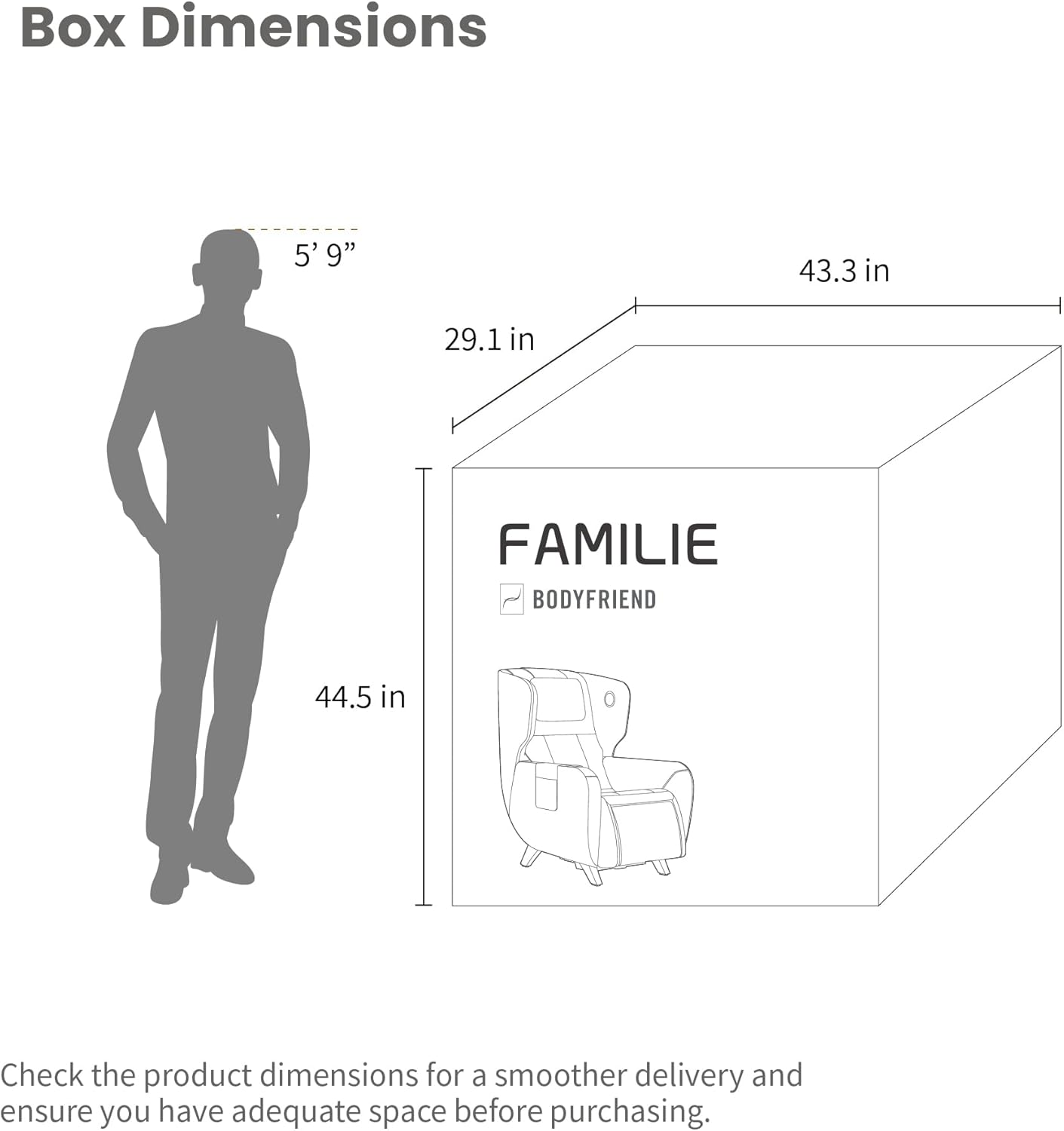
Image 5.2: A user experiencing the Zero Gravity recline feature, which elevates the legs above the heart.
5.3 Calf Airbag Massager
The chair includes 6 air-filled massagers specifically designed for the lower legs and calves. These airbags apply gentle compression to promote relaxation and alleviate tension in the legs.
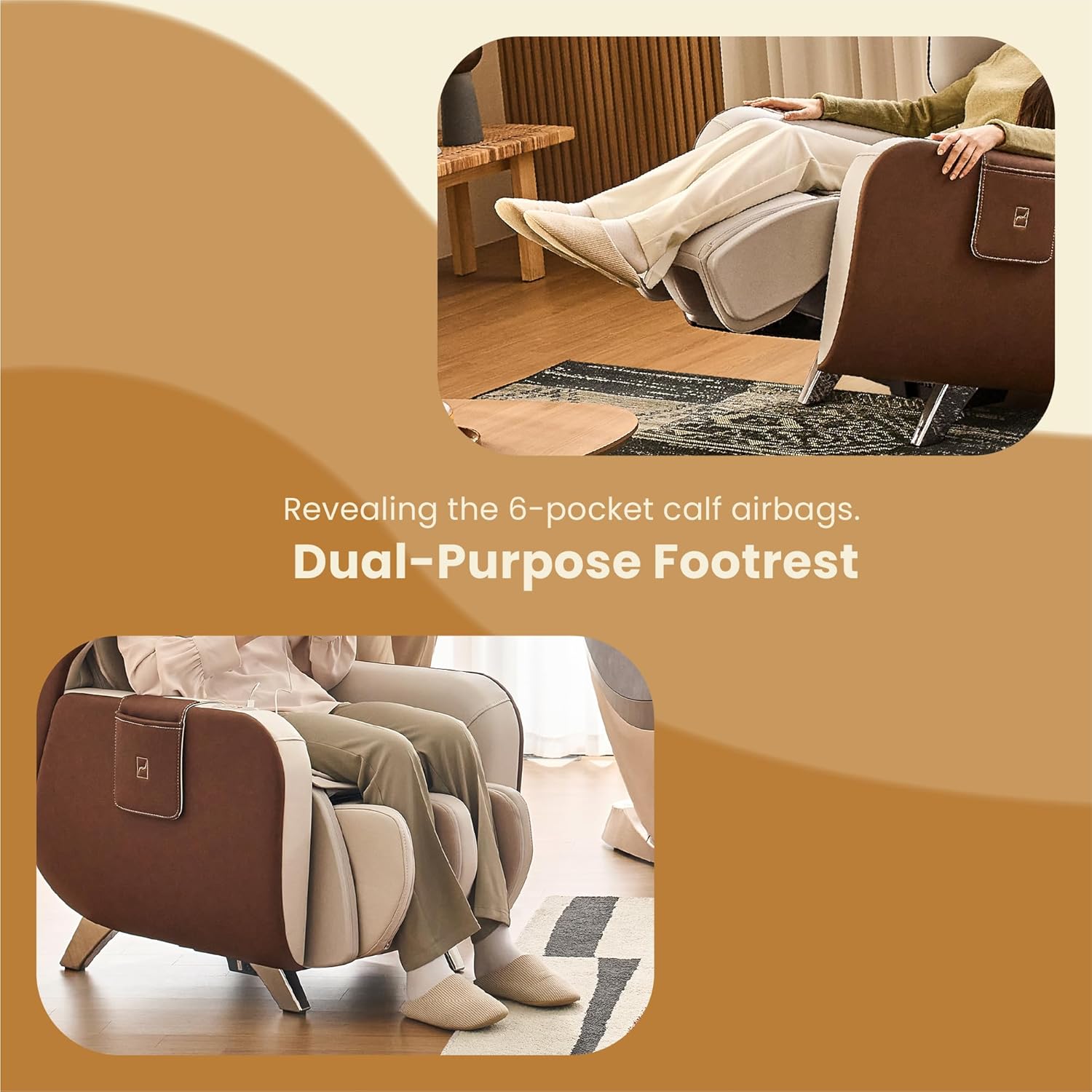
Image 5.3: Detail of the calf airbag massagers integrated into the footrest.
5.4 Rotating Footrest
The footrest can be extended for reclining or massage. It can also be rotated to conceal the calf massage unit, allowing the chair to function as a standard lounge chair.

Image 5.4: A user demonstrating the adjustment of the rotating footrest.
5.5 Bluetooth Speakers
Integrated Bluetooth speakers allow you to connect your compatible device and enjoy audio during your massage session.
5.6 Built-in Remote and USB Charging
The chair features a conveniently located built-in remote control for easy access to all massage functions. A USB charging port is also included for charging your electronic devices.

Image 5.5: The integrated remote control and USB charging port for user convenience.
5.7 Safety Sensors
The chair is equipped with auto safety sensors to prevent accidental entrapment or injury during operation, particularly during recline adjustments.
6. Operating Instructions
6.1 Power On/Off
Press the power button on the built-in remote control to turn the chair on or off.
6.2 Auto Programs
The chair offers 4 pre-programmed automatic massage modes. Select an auto program using the remote control:
- Neck & Shoulder Mode: Focuses on the upper back and neck area.
- Waist & Back Mode: Targets the lower back and waist.
- Full Body Relaxation Mode: Provides a gentle, overall body massage.
- Full Body Vitality Mode: Offers a more invigorating full-body massage.

Image 6.1: Overview of the 4 available auto massage programs.
6.3 Manual Techniques and Intensities
You can customize your massage using 5 manual techniques and 3 intensity levels. Use the remote control to select:
- Massage Techniques: Kneading, Tapping, Hand Tapping, Combination, Acupressure.
- Intensity Levels: Adjust the strength of the massage rollers.

Image 6.2: The 5 manual massage techniques available for customization.
6.4 Recline Adjustment
Use the recline buttons on the remote control to adjust the chair's angle. Press the dedicated Zero Gravity button to activate the zero gravity recline positions.
7. Maintenance
7.1 Cleaning
For cleaning the upholstery, dry clean only. Do not use liquid cleaners or abrasive materials, as these may damage the chair's finish. Regularly wipe down surfaces with a soft, dry cloth.
7.2 Storage
When not in use, store the chair in a cool, dry place away from direct sunlight and extreme temperatures.
8. Troubleshooting
If you encounter issues with your massage chair, refer to the following common solutions:
| Problem | Possible Cause | Solution |
|---|---|---|
| Chair does not power on. | Power cord not properly connected; Power outlet malfunction. | Ensure power cord is securely plugged into both the chair and a working electrical outlet. Test the outlet with another device. |
| Massage rollers are not moving. | Massage program not selected; Safety sensor activated. | Select an auto program or manual technique. Ensure no obstructions are activating safety sensors. |
| Recline function is not working. | Obstruction behind or under the chair; Safety sensor activated. | Check for any objects obstructing the recline mechanism. Ensure sufficient clearance as specified in Section 4.1. |
| Bluetooth speakers not connecting. | Bluetooth on device is off; Chair not in pairing mode. | Ensure Bluetooth is enabled on your device. Refer to the remote control instructions for Bluetooth pairing mode. |
If the problem persists after attempting these solutions, please contact customer support.
9. Specifications
| Feature | Detail |
|---|---|
| Model Name | Familie |
| Item Model Number | BFX-2110US |
| Brand | Bodyfriend |
| Product Dimensions (D x W x H) | 40.6" x 27" x 43.3" |
| Item Weight | 116.8 pounds |
| Color | Brown |
| Massage Track | S and L Track |
| Reclining Positions | Zero Gravity (118°, 136°), Basic Recline |
| Special Features | 2D Massage, Bluetooth Speaker, Calf Airbag Massager, Space Saving, Zero Gravity, Built-in Remote, USB Charging, Rotating Footrest, Safety Sensors |
| Included Components | Cushion, Manual, Pocket, Powercord |
| UPC | 850021586317 |
10. Warranty and Support
10.1 Manufacturing Warranty
This product is covered by a manufacturing warranty. For details regarding the terms and conditions of your warranty, please refer to the warranty card included with your purchase or contact Bodyfriend customer support.
10.2 Return Policy
This product is eligible for Amazon's 30-day right of return. Please refer to Amazon's return policy for specific details and procedures.
10.3 Customer Support
For technical assistance, warranty claims, or any other inquiries, please contact Bodyfriend customer support through the official website or the contact information provided with your product.


