
1. Product Overview
The Kircuit 9V Power Supply Adapter is designed to provide reliable power to your Naipo MGPC-5610 Massager. This adapter converts standard AC power from an electrical outlet into the DC power required by your device, ensuring consistent operation or battery charging.
Key Features:
- High-quality replacement power adapter for Naipo MGPC-5610 Massager.
- Input: 100V-240V AC, suitable for various electrical systems.
- Built-in Dynamic IC, Charger IC, and Power fuse for rapid charging and overcharge protection.
- Portable design for home, office, or travel use.

Image: Kircuit 9V Power Supply Adapter showing its input/output specifications on the label.
2. Setup Instructions
Follow these steps to connect your Kircuit 9V Power Supply Adapter to your Naipo MGPC-5610 Massager:
- Ensure the Naipo MGPC-5610 Massager is turned off.
- Locate the power input port on your Naipo MGPC-5610 Massager.
- Connect the barrel connector of the Kircuit 9V Power Supply Adapter to the power input port of the massager. Ensure a secure fit.
- Plug the 2-pin AC plug of the adapter into a standard 100V-240V AC electrical outlet.
- The massager is now ready for use or charging.
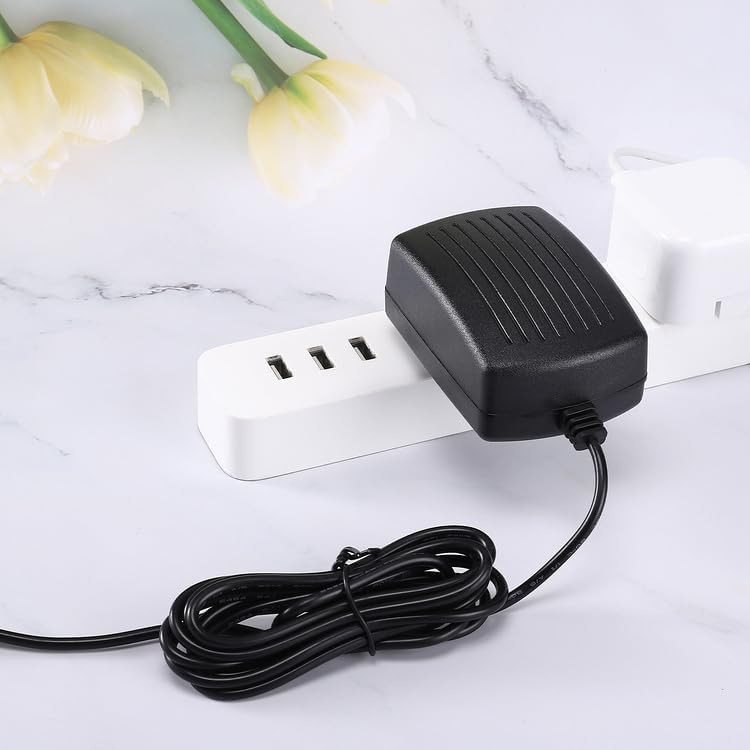
Image: The Kircuit 9V Power Supply Adapter plugged into a power strip, demonstrating proper connection to an electrical outlet.
3. Operating Instructions
Once the Kircuit 9V Power Supply Adapter is correctly connected to your Naipo MGPC-5610 Massager and a power outlet, the massager will receive power. You can then operate your massager according to its own user manual. If the massager has a rechargeable battery, the adapter will also charge the battery when connected.

Image: The Kircuit 9V Power Supply Adapter with its power cord, indicating a length of 6.5 feet.
4. Care and Maintenance
To ensure the longevity and safe operation of your power adapter, please observe the following:
- Keep Dry: Do not expose the adapter to water, moisture, or high humidity.
- Clean Gently: Use a dry, soft cloth to clean the adapter. Avoid liquid cleaners.
- Avoid Extreme Temperatures: Do not operate or store the adapter in excessively hot or cold environments.
- Handle with Care: Avoid dropping the adapter or subjecting it to strong impacts.
- Inspect Regularly: Periodically check the cord and connector for any signs of damage. If damage is found, discontinue use.
5. Troubleshooting Guide
If you encounter issues with your power adapter, refer to the following table:
| Problem | Possible Cause | Solution |
|---|---|---|
| Massager does not power on or charge. | Adapter not properly plugged in. | Ensure both ends of the adapter are securely connected to the massager and the electrical outlet. |
| Massager does not power on or charge. | Electrical outlet is not active. | Test the outlet with another device or try a different outlet. |
| Massager does not power on or charge. | Adapter or massager is faulty. | If possible, test the massager with another compatible adapter or contact customer support. |
6. Product Specifications
| Specification | Detail |
|---|---|
| Brand | Kircuit |
| Compatible Devices | Naipo MGPC-5610 Massager |
| Connector Type | Barrel |
| Input Voltage | 100-240V AC |
| Output Voltage | 9 Volts |
| Power Source | Corded Electric |
| Main Power Connector Type | 2 Pin (Type A - North American) |
| Color | Black |
| Portable | Yes |
7. Warranty and Support
For warranty information or technical support regarding your Kircuit 9V Power Supply Adapter, please refer to the documentation provided with your purchase or contact the seller directly. Ensure you have your purchase details and product model number (MGPC-5610) available when seeking support.