
Introduction
The Lenovo H210 Wired Gaming Headset is engineered for a clear audio experience and comfortable use during gaming sessions. This manual provides essential information for setup, operation, and maintenance of your headset.

Image: Front view of the Lenovo H210 Wired Gaming Headset.
Key Features:
- Wired Connectivity: Reliable 3.5mm connection with a 2-meter soft cable.
- Clear Audio: Equipped with 50mm audio drivers for a rich listening experience.
- Noise-Cancelling Microphone: Flip-to-mute unidirectional microphone for clear communication.
- Comfort Design: Lightweight construction with soft, breathable, and washable cloth ear cups for passive noise isolation.
- Integrated Controls: Intuitive volume control located on the earcup.
Setup Instructions
- Connect the Headset: Locate the 3.5mm audio jack on your computer, gaming console, or compatible device. Insert the 3.5mm connector from the headset cable firmly into the audio jack.
- Verify Connection: Ensure the connection is secure to prevent audio interruptions.
- Adjust System Audio Settings: On your device, navigate to the sound settings. Select the Lenovo H210 headset as the default output and input device for audio and microphone.

Image: Close-up of the 3.5mm audio jack for connecting the headset.
Operating Instructions
Volume Control:
The volume control wheel is located on the left earcup. Rotate the wheel upwards to increase volume and downwards to decrease volume.
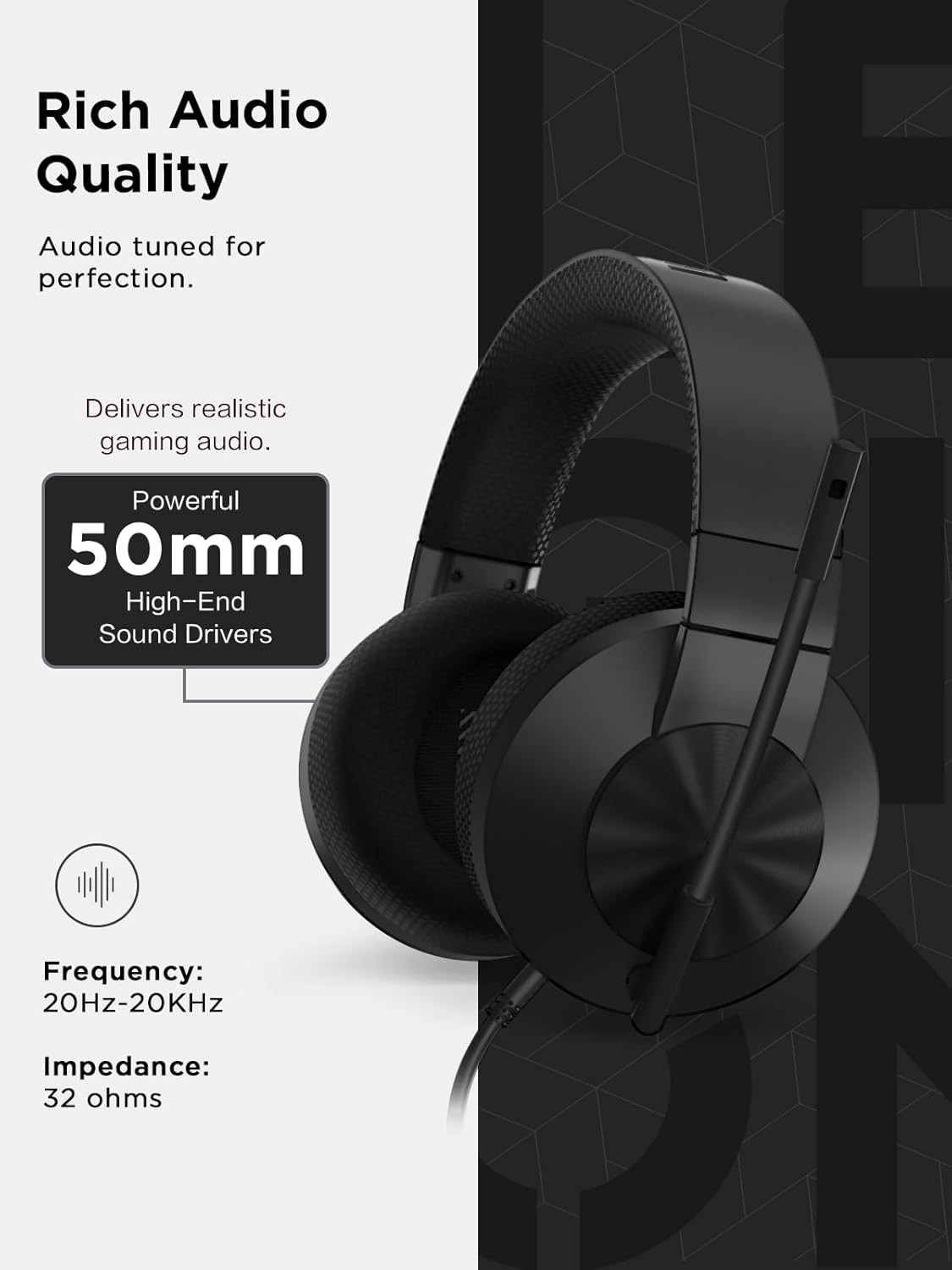
Image: Detail of the volume control wheel on the left earcup.
Microphone Usage (Flip-to-Mute):
- To activate the microphone, position the microphone boom downwards towards your mouth.
- To mute the microphone, flip the microphone boom upwards until it is parallel with the headband. This action physically mutes the microphone.

Image: The microphone in the muted (upright) position on the headset.
Maintenance
- Cleaning Ear Cups: The cloth ear cups are removable and washable. Gently detach them from the headset. Hand wash with mild soap and water, then allow them to air dry completely before reattaching.
- General Cleaning: Use a soft, dry cloth to wipe down the headset's surfaces. Avoid using harsh chemicals or abrasive materials.
- Cable Care: Avoid sharp bends or excessive pulling on the cable to prevent damage. Store the headset in a way that prevents the cable from tangling.

Image: Close-up of the breathable, removable ear cup.
Troubleshooting
| Problem | Solution |
|---|---|
| No sound from headset. |
|
| Microphone not working. |
|
| Audio quality is poor or distorted. |
|
Specifications
| Feature | Detail |
|---|---|
| Model Name | H210 |
| Connectivity Technology | Wired (3.5mm Jack) |
| Cable Length | 2 meters |
| Audio Driver Type | Dynamic Driver |
| Driver Size | 50mm |
| Frequency Response | 20Hz-20KHz |
| Impedance | 32 Ohms |
| Microphone Type | Unidirectional, Noise-Cancelling, Flip-to-Mute |
| Noise Control | Active Noise Cancellation (Microphone) |
| Ear Placement | Over Ear |
| Material | Fabric, Plastic/Silicone |
| Color | Black |
| Item Weight | 1.37 pounds (approx. 621 grams) |
| Product Dimensions | 3.94 x 7.01 x 7.87 inches (approx. 10 x 17.8 x 20 cm) |
| UPC | 195892103622 |
Warranty and Support
For warranty information, please refer to the documentation included with your purchase or visit the official Lenovo support website. For technical assistance or further inquiries, please contact Lenovo customer support.
You can find support resources and contact information on the Lenovo Support Website.