1. Product Overview
The JOYROOM JR-PBF16 is a high-capacity 20000mAh power bank designed for fast and efficient charging of your electronic devices. Featuring 22.5W fast charging capability and an LED indicator for battery status, this portable charger ensures your devices stay powered on the go. Its compact design and multiple output ports make it a versatile accessory for various smartphones, tablets, and other USB-powered gadgets.
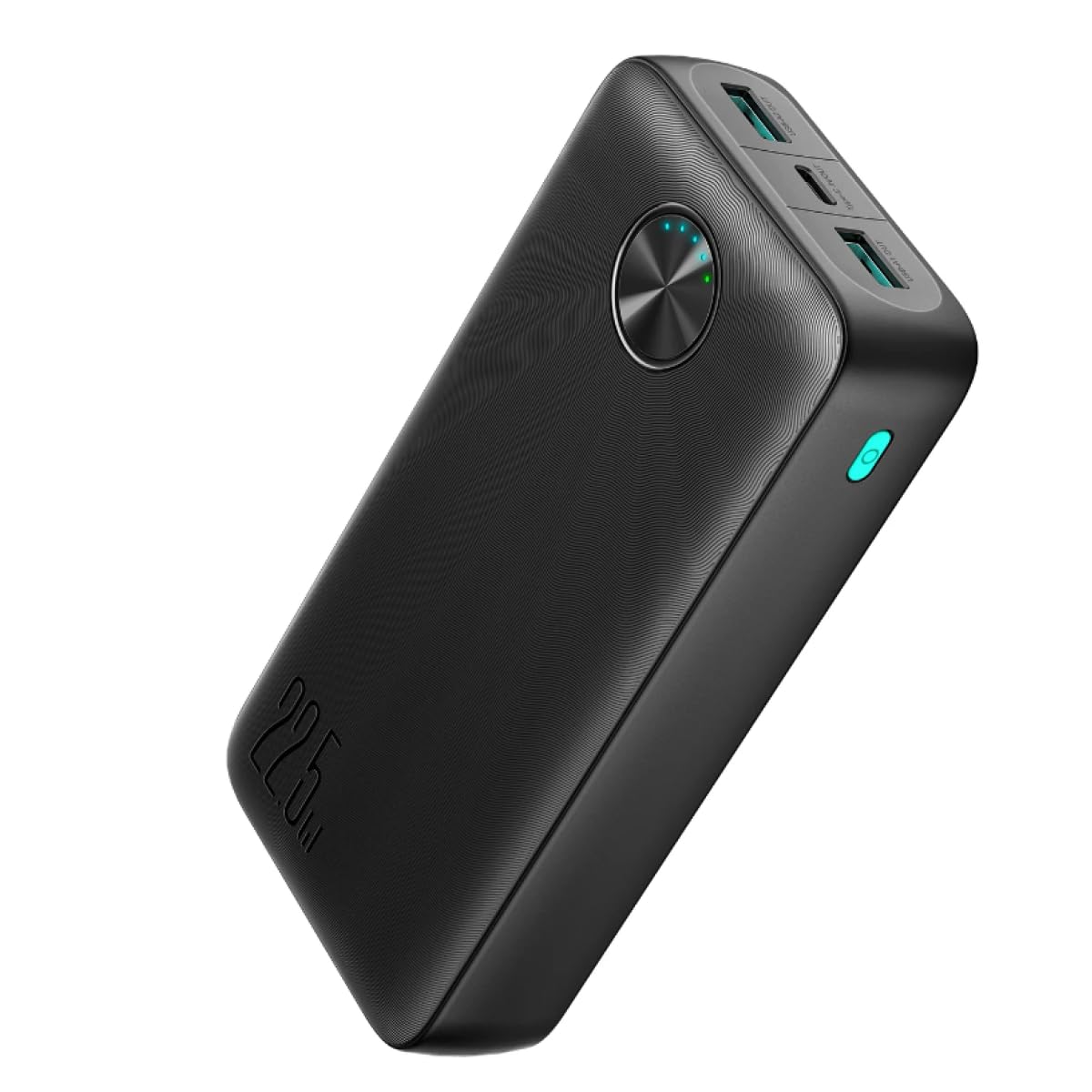
Image: The JOYROOM JR-PBF16 Power Bank connected to an iPhone 15 Pro, demonstrating its 22.5W fast charging capability. The image highlights that it can charge an iPhone 15 Pro to 60% in 30 minutes, significantly faster than a standard 12W charger.
2. Package Contents
Please check the package for the following items:
- JOYROOM JR-PBF16 20000mAh Power Bank
- USB-C Charging Cable
- User Manual
3. Setup
3.1 Initial Charging of the Power Bank
Before first use, it is recommended to fully charge your JOYROOM JR-PBF16 power bank. This ensures optimal battery performance and longevity.
- Connect the provided USB-C charging cable to the Type-C input port on the power bank.
- Connect the other end of the cable to a compatible USB wall charger (not included).
- The LED indicators will illuminate to show the charging progress. The power bank is fully charged when all LED indicators are solid.

Image: The top part of the image shows the JOYROOM JR-PBF16 Power Bank being charged via its Type-C input port (18W IN) from a wall adapter. The bottom part shows the power bank charging a smartphone via its Type-C output port (20W OUT).
4. Operating Instructions
4.1 Charging External Devices
The JOYROOM JR-PBF16 power bank features multiple output ports to charge various devices simultaneously.
- Connect your device's charging cable to one of the available output ports (USB-A or Type-C) on the power bank.
- Connect the other end of the cable to your device.
- The power bank will automatically begin charging your device. If it does not, press the power button once to activate charging.
- The LED indicators will show the remaining battery level of the power bank during charging.
4.2 Checking Battery Level
Press the power button once to check the remaining battery level. The LED indicators will light up to display the current charge status.
5. LED Indicators
The JOYROOM JR-PBF16 is equipped with 5 LED indicators to display the remaining power and fast charging status.
- 1 LED: 0-25% remaining battery
- 2 LEDs: 25-50% remaining battery
- 3 LEDs: 50-75% remaining battery
- 4 LEDs: 75-100% remaining battery
- Green LED (separate): Indicates fast charging mode is active.

Image: A detailed view of the JOYROOM JR-PBF16 Power Bank's LED indicators. It visually explains that 1 LED represents 25% charge, 2 LEDs 50%, 3 LEDs 75%, and 4 LEDs 100%. A separate green LED indicates fast charging is active.
6. Maintenance
To ensure the longevity and optimal performance of your power bank, follow these maintenance guidelines:
- Storage: Store the power bank in a cool, dry place away from direct sunlight and extreme temperatures.
- Cleaning: Use a soft, dry cloth to clean the surface of the power bank. Do not use harsh chemicals or abrasive materials.
- Charging Cycle: For best battery health, fully charge and discharge the power bank at least once every three months if not in regular use.
- Avoid Drops: Protect the power bank from drops and impacts, which can damage internal components.
7. Troubleshooting
If you encounter issues with your JOYROOM JR-PBF16 power bank, please refer to the following common solutions:
- Power bank not charging:
- Ensure the charging cable is securely connected to both the power bank and the wall charger.
- Try using a different USB-C cable or wall charger.
- Verify the wall charger is functional and provides sufficient power.
- Device not charging from power bank:
- Press the power button on the power bank to activate charging.
- Ensure your device's charging cable is properly connected to both the power bank and your device.
- Check if the power bank has sufficient charge remaining (refer to LED indicators).
- Try using a different charging cable or output port on the power bank.
- Slow charging:
- Ensure both the power bank and your device support fast charging.
- Use a high-quality, fast-charging compatible cable.
- Verify that the wall charger used to charge the power bank supports fast charging.
8. Specifications
| Model | JR-PBF16 |
| Battery Capacity | 20000mAh (Lithium Polymer) |
| Input (Type-C) | Up to 12V=1.5A (18W) |
| Output (USB-A) | Up to 22.5W |
| Output (Type-C) | Up to 20W |
| Special Feature | Fast Charging, LED Indicators |
| Material | PC+ABS Fireproof Material |
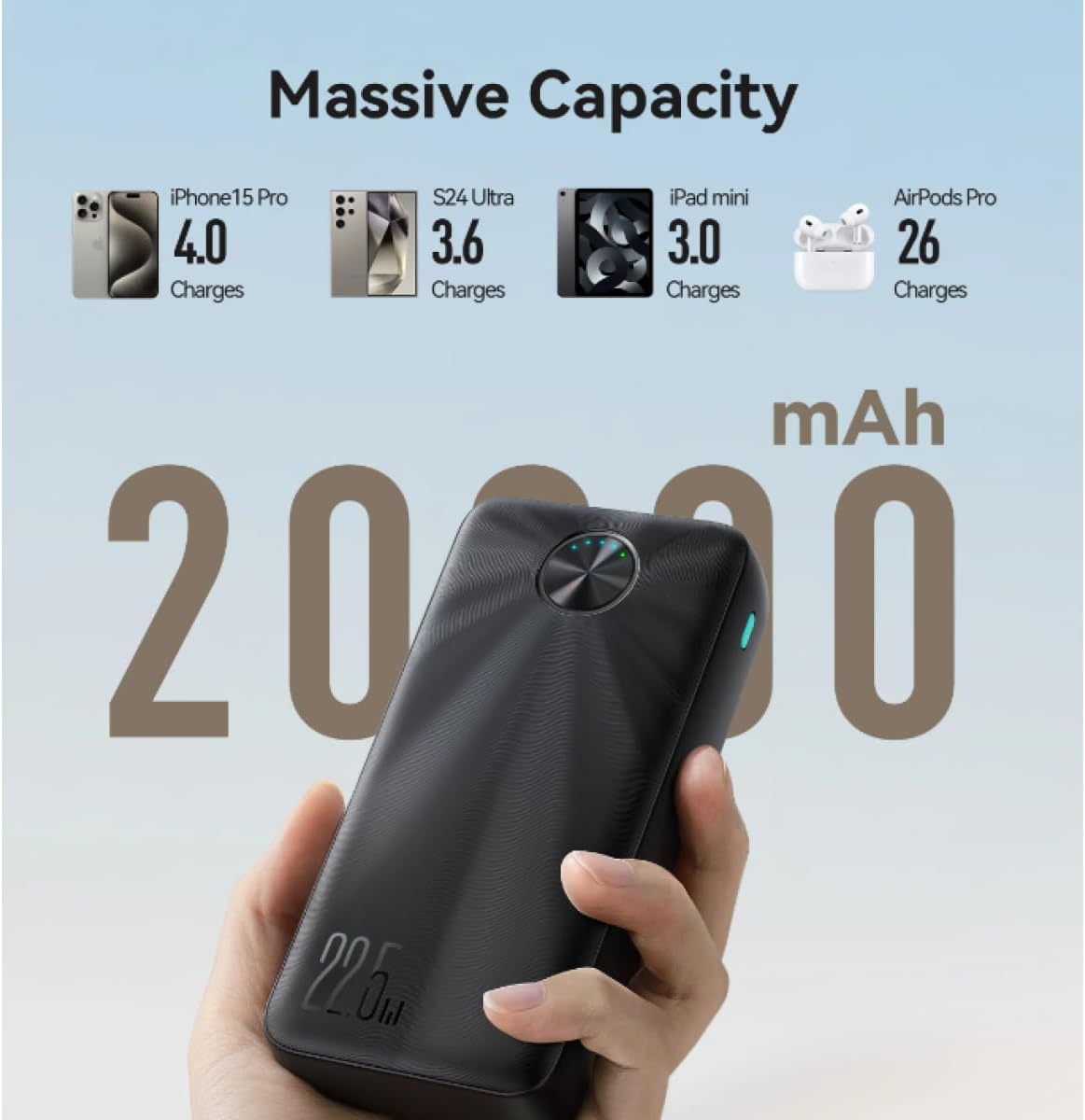
Image: The JOYROOM JR-PBF16 Power Bank held in a hand, with text indicating its "Massive Capacity" of 20000mAh. It shows estimated charge counts for various devices: iPhone 15 Pro (4.0 charges), S24 Ultra (3.6 charges), iPad mini (3.0 charges), and AirPods Pro (26 charges).
9. Safety Information
Please read and follow these safety instructions carefully to prevent damage to the product or injury to yourself:
- Do not expose the power bank to water, moisture, or extreme temperatures.
- Do not disassemble, modify, or attempt to repair the power bank yourself.
- Keep out of reach of children.
- Avoid dropping or subjecting the power bank to strong impacts.
- Do not use the power bank if it is visibly damaged or swollen.
- Dispose of the power bank responsibly according to local regulations.
10. Warranty and Support
JOYROOM products come with a standard manufacturer's warranty. For specific warranty terms and conditions, please refer to the warranty card included in your package or visit the official JOYROOM website. If you require technical support or have any questions regarding your JR-PBF16 power bank, please contact JOYROOM customer service through their official channels.


