
ARROWMAX SGS Mini
ARROWMAX SGS Mini Cordless Engraving Pen Instruction Manual
Model: SGS Mini | Brand: ARROWMAX
1. Introduction
The ARROWMAX SGS Mini is a versatile cordless rotary tool designed for intricate crafting, engraving, sanding, grinding, and polishing tasks. Its compact size, magnetic charging, and optional smartphone app control make it suitable for various light-duty projects on materials such as jewelry, wood, and glass.
This manual provides essential information for the safe and effective use of your ARROWMAX SGS Mini Engraving Pen.
2. Package Contents
Verify that all items listed below are included in your package:
- 1 x ARROWMAX SGS Mini Engraving Pen
- 24 x Engraving Bits
- 12 x Polishing Bits
- 1 x Storage Bag
- 1 x USB Charging Cable
- 1 x Instruction Manual (this document)

Image: All components included in the SGS Mini kit, including the engraving pen, various bits, charging cable, and storage case.
3. Product Overview
Familiarize yourself with the main components of the ARROWMAX SGS Mini Engraving Pen:
- Aluminium Alloy Body: Provides durability and a comfortable grip.
- Power Button: Used to turn the device on and off.
- Working Status Indicator: Displays battery level and rotation direction.
- Magnetic Charging Port: For convenient and secure charging.
- Chuck: Secures the engraving or polishing bits.

Image: A detailed diagram highlighting the key components of the engraving pen, including the chuck, aluminum alloy body, power button, working status indicator, and magnetic charging port.

Image: Illustration of the working status indicator lights, showing how they indicate battery charge (1 to 4 lights for 25% to 100%) and rotation direction (lights moving up or down).
4. Setup
4.1. Charging the Device
- Connect the provided USB charging cable to the magnetic charging port on the engraving pen.
- Plug the other end of the USB cable into a 5V USB power adapter (not included) or a computer USB port.
- The working status indicator lights will illuminate to show the charging progress. A full charge typically takes approximately 90 minutes and provides up to 90 minutes of runtime.
4.2. Installing Engraving/Polishing Bits
- Ensure the engraving pen is turned off before installing or changing bits.
- Gently insert the desired engraving or polishing bit into the chuck at the tip of the pen.
- Twist the chuck clockwise to securely tighten the bit. Ensure the bit is firmly seated and does not wobble.
- To remove a bit, twist the chuck counter-clockwise to loosen, then carefully pull the bit out.
5. Operation
5.1. Powering On/Off
Press and hold the Power Button for a few seconds to turn the engraving pen on or off.
5.2. Adjusting Speed and Direction (Manual and App)
The ARROWMAX SGS Mini offers precise control over speed and rotation direction:
- Manual Control: The device has default speed settings.
- Smartphone App Control (Optional): For enhanced precision, download the ARROWMAX app (available on Android and iOS). Connect the pen via Bluetooth to the app. The app allows you to:
- Customize speed in increments of 1000 RPM, ranging from 10,000 RPM to 20,000 RPM.
- Toggle between forward and reverse rotation modes.
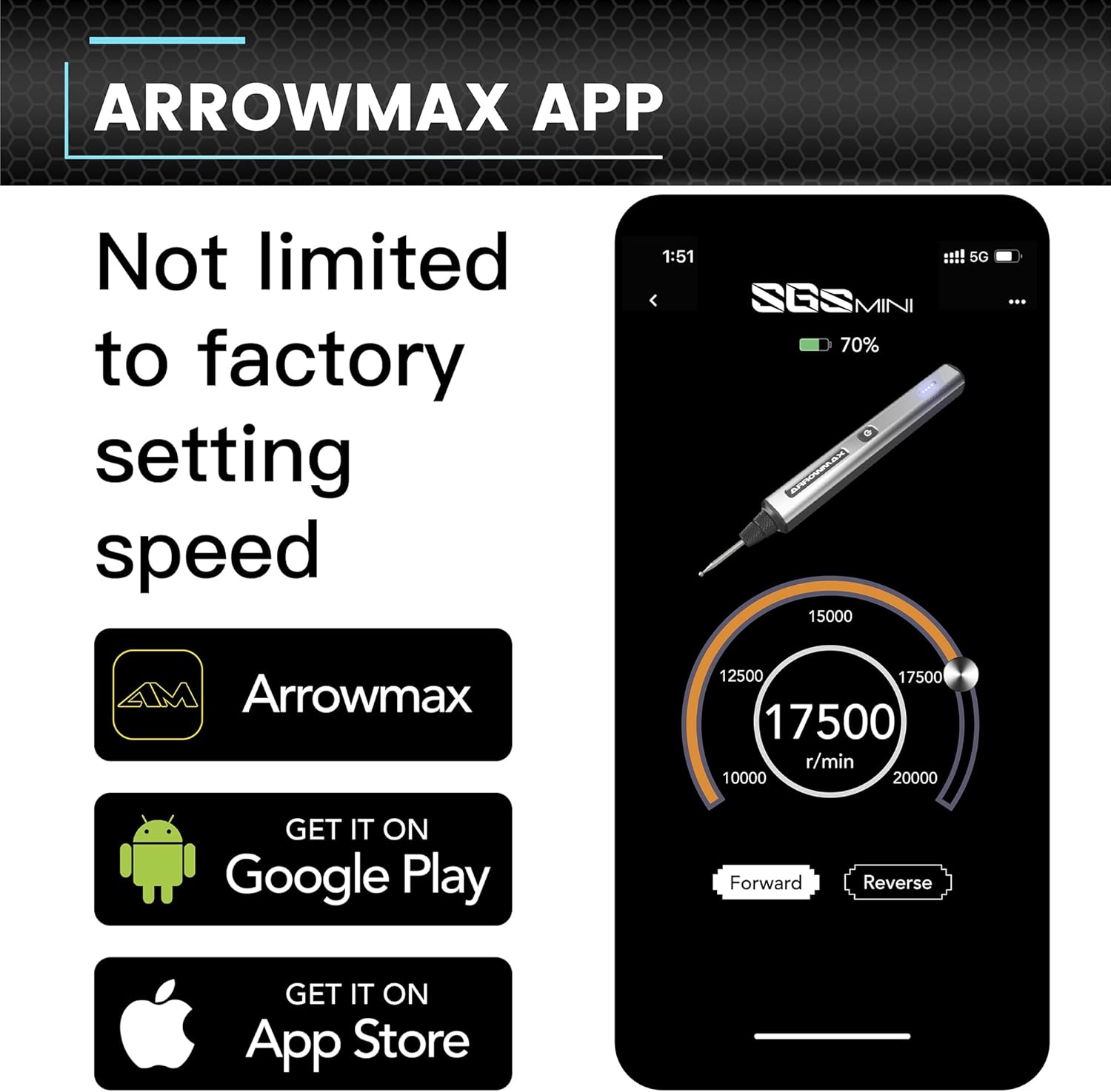
Image: Screenshot of the ARROWMAX smartphone application, showing controls for adjusting RPM (10,000 to 20,000) and toggling between forward and reverse rotation.
5.3. Engraving and Polishing Techniques
Hold the pen like a regular writing instrument. Apply gentle, consistent pressure. Practice on scrap materials before working on your final piece. The appropriate bit and speed will vary depending on the material and desired effect.

Image: A visual guide demonstrating three steps: 1. Choose your surface (e.g., glass bottle), 2. Create with precision (engraving a design), 3. Share your masterpiece (finished engraved bottle).

Image: A collage showing various examples of detailed engraving work on different materials, including a personalized stone, an engraved metal surface, and etched glass.
6. Accessory Guide
The ARROWMAX SGS Mini comes with a comprehensive set of 36 accessories, including 24 engraving bits and 12 polishing bits. These bits are designed for various applications on different materials:
- Engraving Bits: Used for carving, etching, and detailing on materials like wood, glass, metal, and plastic. Different shapes and sizes allow for fine lines, broader strokes, and intricate patterns.
- Polishing Bits: Used for smoothing surfaces, removing minor imperfections, and bringing a shine to materials such as jewelry, metal, and certain plastics.
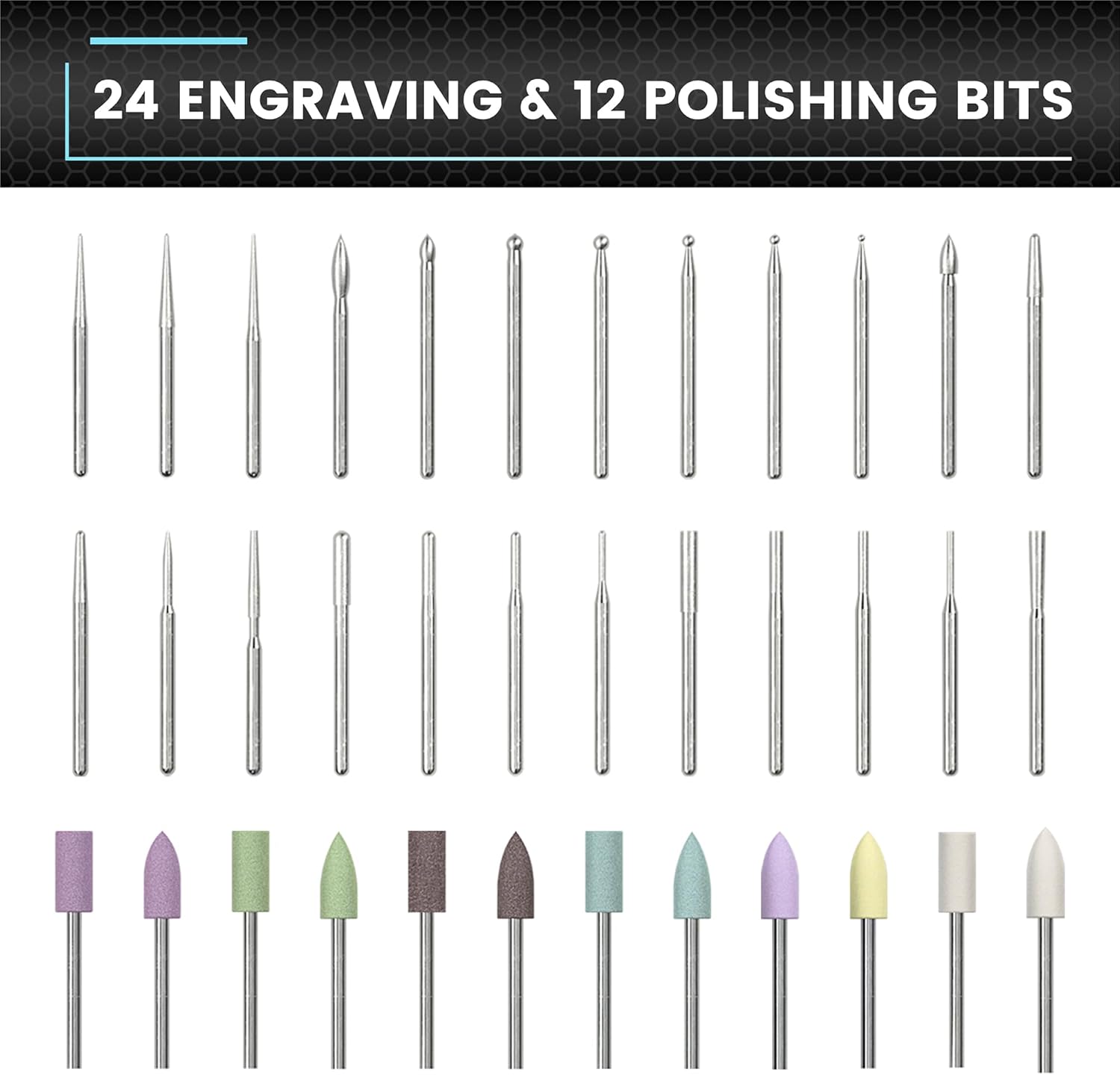
Image: A display of all 24 engraving bits and 12 polishing bits, showcasing their various shapes and sizes for different applications.

Image: Four close-up images demonstrating the engraving pen being used on different materials: crystal, wood, gold, and glass, highlighting its versatility.
7. Maintenance
- Cleaning: After each use, gently wipe the pen body with a soft, dry cloth. Use a small brush to remove any dust or debris from the chuck area.
- Bit Storage: Store engraving and polishing bits in their designated slots within the storage case to prevent damage and loss.
- Battery Care: To prolong battery life, avoid fully discharging the device frequently. Charge it regularly, even if not in use for extended periods.
- General Care: Keep the device away from moisture, extreme temperatures, and direct sunlight.
8. Troubleshooting
- Device not turning on: Ensure the battery is charged. Connect the charging cable and allow it to charge for at least 15 minutes before attempting to power on again.
- Bit wobbles or falls out: Ensure the bit is correctly inserted and the chuck is tightened securely. Do not overtighten.
- Reduced performance: Check if the bit is worn out and needs replacement. Ensure the battery is sufficiently charged.
- App connectivity issues: Ensure Bluetooth is enabled on your smartphone and the engraving pen is within range. Restart both the app and the pen if issues persist.
If you encounter persistent issues not covered here, please refer to the support information provided in Section 11.
9. Specifications
| Model | SGS Mini |
| Part Number | 199211 |
| Power Source | Battery Powered |
| Voltage | 5 Volts |
| Battery Type | 1 Lithium Polymer (included) |
| Item Weight | 11.7 ounces |
| Package Dimensions | 8.15 x 2.95 x 1.22 inches |
| Included Components | Engraving pen, 24 engraving bits, 12 polish bits, storage bag, manual, USB charging cable |
10. Safety Information
Please read and understand all safety instructions before using the ARROWMAX SGS Mini Engraving Pen:
- Always wear appropriate personal protective equipment, such as safety glasses, to protect your eyes from flying debris.
- Ensure your work area is well-lit and clear of obstructions.
- Keep hands and loose clothing away from rotating bits.
- Do not use the tool near flammable liquids or gases.
- Keep out of reach of children.
- Do not immerse the device in water or expose it to excessive moisture.
- Only use accessories specifically designed for this tool.
- Disconnect the power source before changing bits or performing maintenance.
11. Warranty and Support
For warranty information or technical support, please refer to the contact details provided with your purchase documentation or visit the official ARROWMAX website. Keep your proof of purchase for any warranty claims.
Related documentsSGS Mini


Ask a question about this manual
Ask about setup, troubleshooting, compatibility, parts, safety, or missing instructions. Manuals+ will review the question and use this page’s manual context to help answer it.