
DUSONLAP SU8
DUSONLAP Bluetooth Headset User Manual
Model: SU8
Introduction
Thank you for choosing the DUSONLAP SU8 Bluetooth Headset. This manual provides essential information for setting up, operating, and maintaining your new wireless earbuds. Designed for comfort and high-quality audio, these earbuds feature Bluetooth 5.3 connectivity, touch controls, and an IP7 waterproof rating, making them ideal for various activities including sports and daily use.
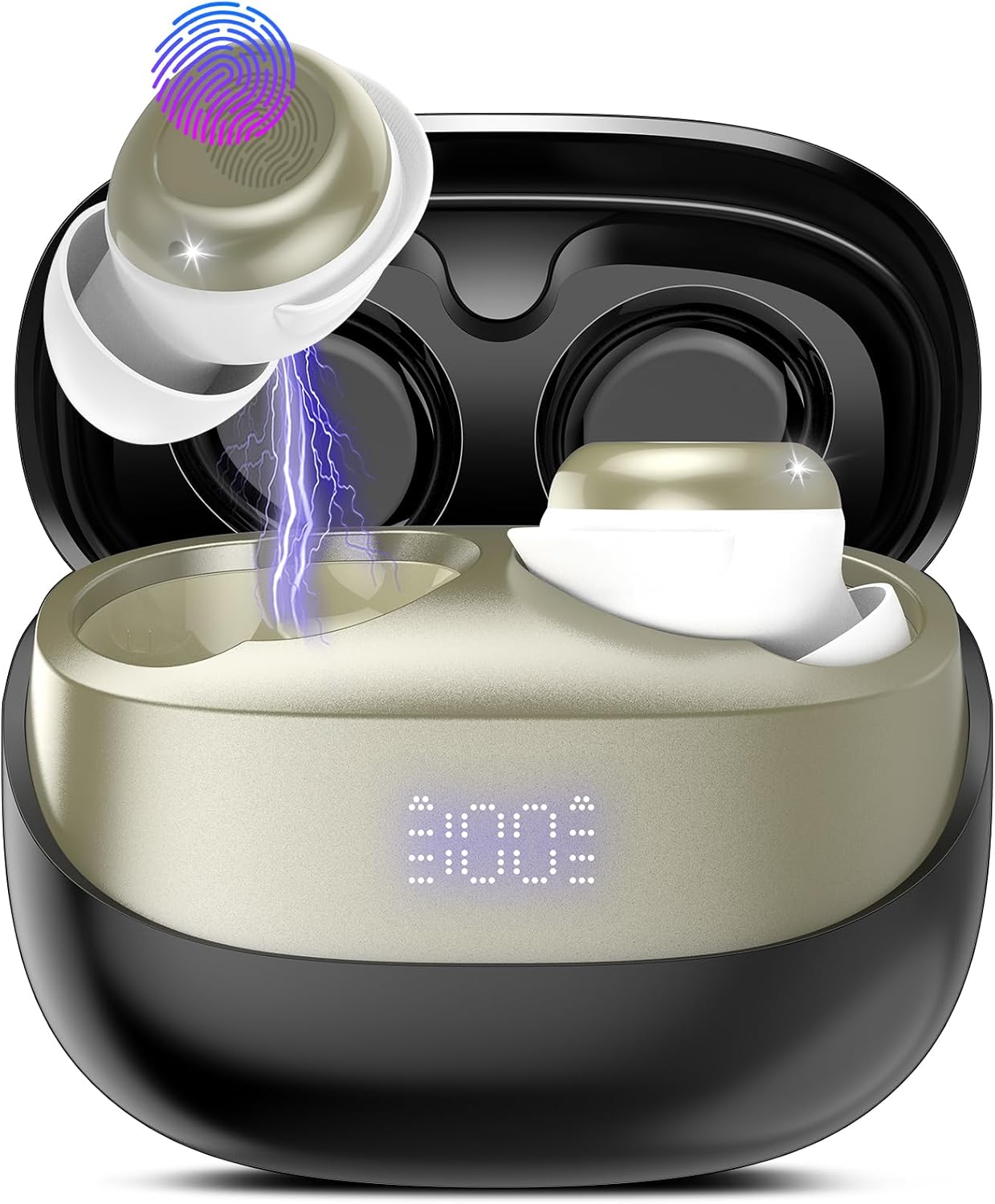
Figure 1: DUSONLAP SU8 Bluetooth Earbuds and Charging Case. The image displays the earbuds in their open charging case, highlighting the compact design and the digital battery display on the case. One earbud is shown with an illustrative lightning bolt indicating charging and a fingerprint icon representing touch control functionality.
Package Contents
- DUSONLAP SU8 Wireless Earbuds (Left and Right)
- Portable Charging Case
- USB Charging Cable
- User Manual (this document)
Setup
1. Charging the Earbuds and Case
Before first use, ensure both the earbuds and the charging case are fully charged.
- Place the earbuds into the charging case. Ensure they are correctly seated; magnetic contacts will hold them in place.
- Connect the USB charging cable to the charging port on the case and the other end to a compatible USB power source (e.g., computer USB port, wall adapter).
- The digital display on the charging case will indicate the battery level. Allow sufficient time for a full charge.
2. Pairing with Your Device
The DUSONLAP SU8 earbuds support Bluetooth 5.3 for a stable and efficient connection.
- Open the charging case. The earbuds will automatically enter pairing mode (indicated by flashing LED lights on the earbuds).
- On your device (smartphone, tablet, laptop), go to the Bluetooth settings.
- Turn on Bluetooth and search for available devices.
- Select "DUSONLAP SU8" from the list of found devices.
- Once connected, the earbud LEDs will stop flashing, and you will hear a confirmation tone.
- If pairing fails, place the earbuds back into the case, close the lid, wait a few seconds, and then repeat the steps.
Operating Instructions
The DUSONLAP SU8 earbuds feature intuitive touch controls for easy management of audio and calls.
| Action | Function |
|---|---|
| Single Tap (Left/Right Earbud) | Play/Pause Music, Answer/End Call |
| Double Tap (Right Earbud) | Next Track |
| Double Tap (Left Earbud) | Previous Track |
| Triple Tap (Right Earbud) | Volume Up |
| Triple Tap (Left Earbud) | Volume Down |
| Long Press (2 seconds, Left/Right Earbud) | Activate Voice Assistant (Siri, Google Assistant) |
| Long Press (3 seconds, Left/Right Earbud during incoming call) | Reject Call |
Note: Ensure your device's volume is also adjusted to a comfortable listening level.
Maintenance
Cleaning
- Regularly clean the earbuds and charging case with a soft, dry, lint-free cloth.
- For stubborn dirt, slightly dampen the cloth with water. Avoid using harsh chemicals or abrasive materials.
- Clean the charging contacts on both the earbuds and the case to ensure proper charging.
Storage
- When not in use, store the earbuds in their charging case to protect them and keep them charged.
- Store in a cool, dry place away from direct sunlight and extreme temperatures.
Battery Care
- To prolong battery life, avoid fully discharging the earbuds or case frequently.
- Charge the device regularly, even if not used for extended periods.
Troubleshooting
| Problem | Possible Cause | Solution |
|---|---|---|
| Earbuds not pairing | Low battery, out of range, pairing mode not active | Charge earbuds and case. Ensure earbuds are in pairing mode. Move closer to the device. Turn Bluetooth off/on on your device. |
| Only one earbud working | Earbuds not connected to each other, low battery on one earbud | Place both earbuds back into the case, close the lid, then open again to re-establish connection. Ensure both are charged. |
| No sound or low volume | Volume too low, earbuds not connected, incorrect audio output selected | Increase volume on both earbuds and your device. Reconnect earbuds. Check your device's audio output settings. |
| Earbuds not charging | Dirty charging contacts, faulty cable/charger, improper placement | Clean charging contacts. Try a different USB cable and power source. Ensure earbuds are correctly seated in the case. |
Specifications
| Feature | Detail |
|---|---|
| Brand | DUSONLAP |
| Model Name | SU8 |
| Connectivity Technology | Wireless (Bluetooth 5.3) |
| Form Factor | In-Ear |
| Control Type | Touch Control |
| Water Resistance Level | IP7 (Waterproof) |
| Noise Isolation | Acoustic Isolation |
| Battery Composition | Lithium Polymer (1 included) |
| Item Weight | 3 Grams |
| Material | Plastic |
| Recommended Uses | Exercise, Running, Sport |
Warranty and Support
DUSONLAP products are manufactured to the highest quality standards. For information regarding warranty coverage, technical support, or service inquiries, please refer to the contact information provided on the product packaging or visit the official DUSONLAP website.
Please retain your proof of purchase for warranty claims.
Ask a question about this manual
Ask about setup, troubleshooting, compatibility, parts, safety, or missing instructions. Manuals+ will review the question and use this page’s manual context to help answer it.