
Introduction
This manual provides comprehensive instructions for the setup, operation, maintenance, and troubleshooting of your NIIMBOT D110 Mini Label Maker Machine. Please read this manual carefully before using the device to ensure proper function and longevity.

Image: The NIIMBOT D110 Mini Label Maker Machine, shown with included label rolls.
What's in the Box
Upon opening the package, verify that all components are present:
- NIIMBOT D110 Mini Label Maker Machine
- 3 Rolls of White Cable Labels (12.5×109mm)
- Charging Cable
- User Manual (this document)
Setup
- Charge the Device: Connect the label maker to a power source using the provided charging cable. The device has a built-in 1500mAh rechargeable battery.
- Install Label Roll:
- Open the label compartment cover.
- Insert a label roll, ensuring the printing side faces down and the label edge extends slightly out of the slot.
- Close the cover securely. The device features automatic label recognition and calibration.
- Download the App: Search for "NIIMBOT" in the Apple App Store (for iOS) or Google Play Store (for Android) and install the application on your smartphone.
- Connect via Bluetooth:
- Turn on the NIIMBOT D110 by pressing and holding the power button.
- Open the NIIMBOT app on your smartphone.
- Within the app, navigate to the device connection settings and select your D110 label maker from the list of available Bluetooth devices.

Image: The NIIMBOT mobile application interface, demonstrating various label design and editing functions.
Operating Instructions
The NIIMBOT D110 is controlled primarily through the dedicated NIIMBOT smartphone application.
- Create a New Label:
- Open the NIIMBOT app and select the option to create a new label.
- Choose from various templates or start with a blank canvas.
- Edit Label Content:
- Add text, icons, borders, images, QR codes, barcodes, and other elements using the app's editing tools.
- Adjust font size, style, and alignment as needed.
- Print the Label:
- Once your label design is complete, tap the print icon within the app.
- Confirm the number of copies and print settings.
- The label maker will print the labels using direct thermal technology.
- Applying Labels:
The labels are suitable for various applications, including cable identification, organizing items in the home or office, and pricing products for small businesses.

Image: Example of labels used for organizing and identifying cables.
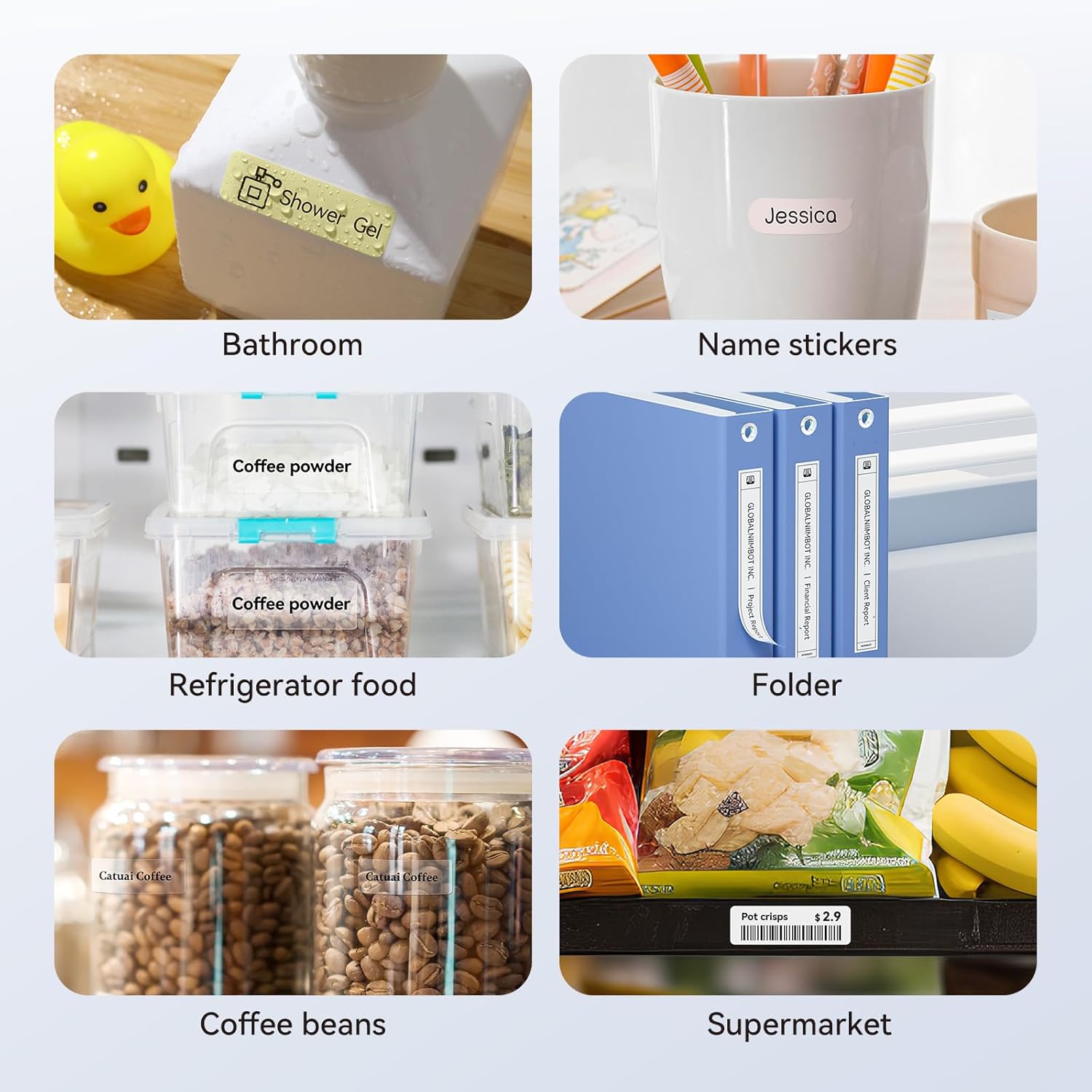
Image: Demonstrates diverse uses for NIIMBOT labels, including bathroom items, name tags, food storage, folders, and retail pricing.
Maintenance
- Cleaning the Print Head: If print quality degrades, gently wipe the thermal print head with a cotton swab lightly dampened with isopropyl alcohol. Ensure the device is off and dry before use.
- Battery Care: To prolong battery life, avoid fully discharging the device frequently. Charge it regularly, especially if it will be stored for an extended period.
- Label Roll Handling: Store label rolls in a cool, dry place away from direct sunlight to prevent degradation of the thermal material. Do not tear or destroy the printing sensor chip on the side of the roll, as this can affect printing.
- General Cleaning: Wipe the exterior of the label maker with a soft, dry cloth. Avoid using harsh chemicals or abrasive materials.
Troubleshooting
| Problem | Possible Cause | Solution |
|---|---|---|
| Device does not turn on | Low battery or no charge | Connect the device to a power source using the charging cable and allow it to charge. |
| Cannot connect via Bluetooth | Bluetooth is off on phone, app not open, or device not discoverable | Ensure Bluetooth is enabled on your smartphone. Open the NIIMBOT app and try reconnecting. Restart both the label maker and your phone if necessary. |
| Poor print quality / Faded labels | Dirty print head, incorrect label roll insertion, or low battery | Clean the print head as described in the Maintenance section. Re-insert the label roll correctly. Ensure the device is sufficiently charged. |
| Labels not feeding correctly / Printing offset | Label roll improperly installed, sensor chip damaged | Ensure the label roll is inserted correctly and the cover is closed. Check if the sensor chip on the label roll is intact. The device has automatic calibration. |
| App not responding | App glitch or outdated version | Close and reopen the app. Check for app updates in your app store. Restart your smartphone. |
Specifications
| Feature | Detail |
|---|---|
| Model | D110 |
| Brand | NIIMBOT |
| Printing Technology | Direct Thermal (BPA-Free) |
| Print Resolution | 203 DPI |
| Connectivity | Bluetooth |
| Compatible Devices | Smartphones (iOS & Android) |
| Control Method | NIIMBOT App |
| Maximum Label Width | 15mm |
| Battery Capacity | 1500mAh (Rechargeable) |
| Item Weight | Approximately 146g |
| Included Components | Label Maker, 3 Label Rolls, Charging Cable |

Image: Detailed dimensions of the NIIMBOT thermal labels (12.5mm x 109mm).

Image: Key features of NIIMBOT labels, highlighting their waterproof, strong adhesive, inkless, and BPA-free properties.
Warranty Information
NIIMBOT products typically come with a standard manufacturer's warranty. For specific details regarding the warranty period and terms for your D110 Mini Label Maker Machine, please refer to the warranty card included in your product packaging or visit the official NIIMBOT website. Keep your purchase receipt as proof of purchase for warranty claims.
Customer Support
For further assistance, technical support, or inquiries regarding your NIIMBOT D110 Mini Label Maker Machine, please contact NIIMBOT customer service through their official website or the contact information provided in the NIIMBOT app.
Official NIIMBOT Store: Visit the NIIMBOT Store on Amazon


