
ShanWan Q36-XPS-GREEN
Contents
ShanWan Bluetooth Gamepad Instruction Manual
Model: Q36-XPS-GREEN
Product Overview
The ShanWan Bluetooth Gamepad is a compact, keychain-sized mini controller designed for multi-platform compatibility. It features 17 buttons and a D-Pad, offering a versatile gaming experience across various devices.

Image: Front view of the green ShanWan Bluetooth Gamepad, showcasing its compact size and button layout.
Setup and Connection
Charging the Controller
The controller is equipped with a 180mAh lithium polymer battery. A full charge takes approximately 1 hour and provides up to 5 hours of continuous use. To charge, connect the controller to a power source using the appropriate cable.
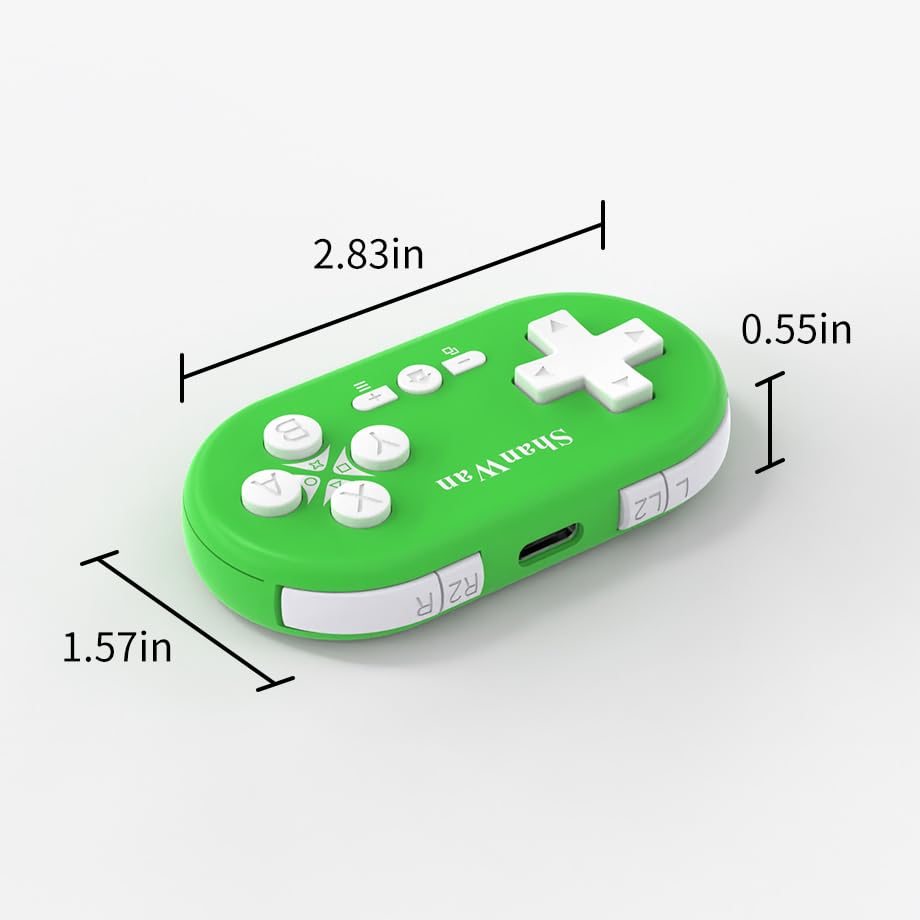
Image: Side view of the ShanWan Gamepad showing the charging port and compact dimensions (2.83in x 1.57in x 0.55in).
Bluetooth Pairing
The ShanWan Bluetooth Gamepad utilizes a stable Bluetooth connection for fast response and strong anti-interference capabilities. Follow these steps to pair your controller with a compatible device:
- Ensure your device's Bluetooth is enabled.
- On your device, navigate to the controller settings or Bluetooth pairing menu.
- Press and hold the 'Pair' button on the ShanWan Gamepad until the indicator light begins to blink, signifying it is in pairing mode.
- Select "ShanWan Gamepad" from the list of available Bluetooth devices on your screen.
- Once successfully paired, the LED indicator on the controller will remain on, and the controller will be displayed on your device's host screen.

Image: Visual guide demonstrating the Bluetooth connection process for the ShanWan Gamepad with a Nintendo Switch, showing steps to select controller menu, change grip/order, press pair button, and confirm connection.
Operation
Controller Features
The ShanWan Gamepad is designed for intuitive control, featuring 17 responsive buttons and a D-Pad. It includes a gyroscope motion sensing effect for enhanced gaming immersion, particularly useful in games that utilize motion controls.

Image: The ShanWan Gamepad positioned in front of various compatible devices including a Nintendo Switch, laptop, and smartphone, illustrating its multi-device compatibility.
Wake-Up Function
The controller features a convenient one-button wake-up function, allowing you to quickly resume your gaming session without needing to re-pair the device.
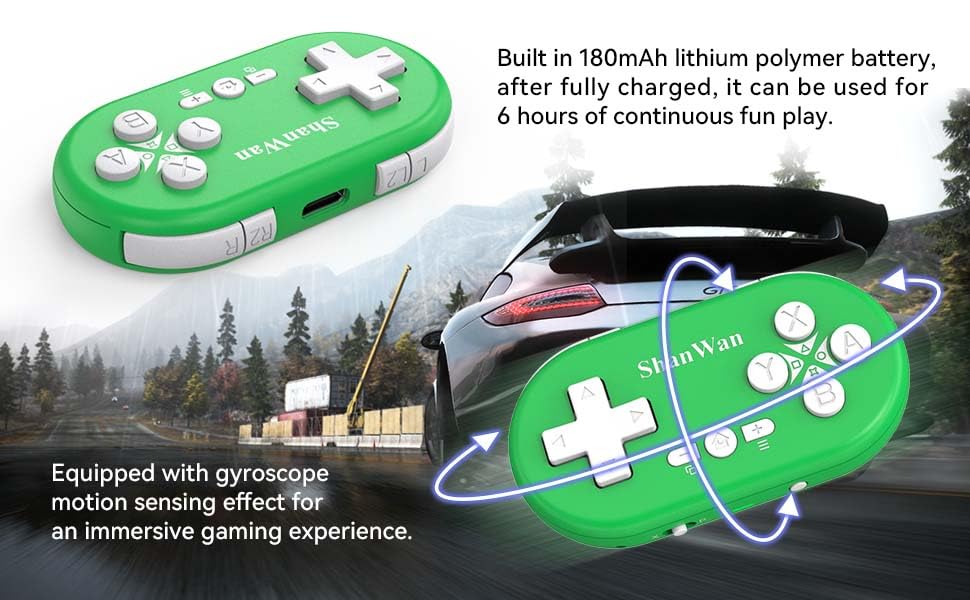
Image: Hands holding the ShanWan Gamepad, with an overlay highlighting the home button as the one-button wake-up function.
Maintenance
Battery Care
To ensure optimal battery life and performance, fully charge the controller for 1 hour before first use and whenever the battery is low. Avoid prolonged periods of non-use with a completely depleted battery. The 180mAh battery provides approximately 5 hours of playtime on a full charge.

Image: The ShanWan Gamepad shown with text indicating its 180mAh battery for 6 hours of play and gyroscope motion sensing effect.
Cleaning and Storage
Keep the controller clean by wiping it with a soft, dry cloth. Avoid using abrasive cleaners or solvents. Store the controller in a cool, dry place away from direct sunlight and extreme temperatures to prevent damage.
Troubleshooting
Connection Issues
- Controller not connecting: Ensure the controller is fully charged. Verify that Bluetooth is enabled on your device and the controller is in pairing mode. Try restarting both the controller and your device.
- Frequent disconnections: Move closer to your device to ensure you are within the 10-meter wireless range. Check for potential interference from other wireless devices.
Button Unresponsiveness
- Buttons not responding: Confirm the controller is properly connected to your device. If the issue persists, try resetting the controller (refer to the product's specific reset instructions if available, otherwise, power cycle).
Charging Problems
- Controller not charging: Ensure the charging cable is securely connected to both the controller and the power source. Try a different USB port or charging adapter.
Specifications
| Feature | Detail |
|---|---|
| Model Number | Q36-XPS-GREEN |
| Dimensions | 2.83 x 1.57 x 0.55 inches |
| Weight | 0.71 ounces (approx. 20 grams) |
| Number of Buttons | 17 |
| Battery Type | 180mAh Lithium Polymer (included) |
| Battery Life | Up to 5 hours of continuous play |
| Charging Time | Approximately 1 hour |
| Wireless Range | Up to 10 meters (33 feet) |
| Compatibility | Nintendo Switch, Windows, Android, iOS, PlayStation 4 |
Portability
The ShanWan Gamepad is designed with portability in mind. Weighing approximately 0.71 ounces (20 grams) and featuring a compact design, it can be easily carried on a keychain or attached to a backpack, making it convenient for gaming on the go.
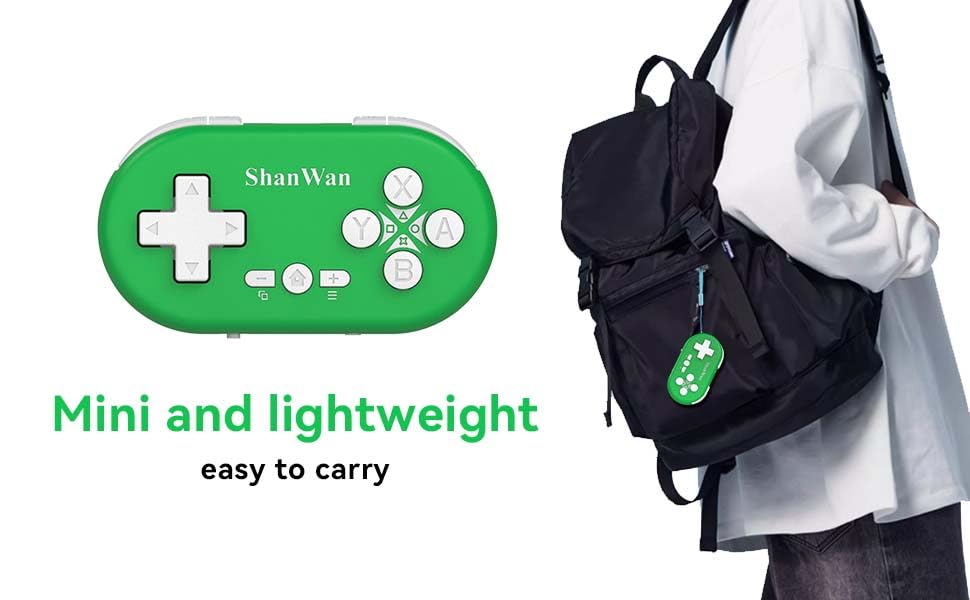
Image: The ShanWan Gamepad shown attached to a backpack, emphasizing its mini and lightweight design for easy portability.
Warranty and Support
For warranty information and technical support, please refer to the official ShanWan website or contact their customer service directly. Keep your purchase receipt as proof of purchase.
Ask a question about this manual
Ask about setup, troubleshooting, compatibility, parts, safety, or missing instructions. Manuals+ will review the question and use this page’s manual context to help answer it.