
ShanWan Q36-XPS-ORANGE-YELLOW
Contents
ShanWan Bluetooth Gamepad Keychain Sized Mini Controller Instruction Manual
Brand: ShanWan | Model: Q36-XPS-ORANGE-YELLOW
1. Introduction
Thank you for choosing the ShanWan Bluetooth Gamepad Keychain Sized Mini Controller. This compact and versatile controller is designed to enhance your gaming experience across multiple platforms, including Nintendo Switch, Windows PCs, Android phones and tablets, iOS devices (iPhone, iPad), and PlayStation 4 consoles. Its small form factor and robust features make it an ideal companion for gaming on the go.
This manual provides detailed instructions on how to set up, operate, maintain, and troubleshoot your new controller to ensure optimal performance and longevity.
2. Product Overview
The ShanWan Mini Controller is engineered for portability and broad compatibility. Weighing only 30 grams and featuring 17 buttons, it offers comprehensive control for various game types. Its design allows for easy attachment to a backpack or keychain, ensuring it's always ready when you are.

Figure 2.1: Front view of the ShanWan Bluetooth Gamepad Mini Controller.
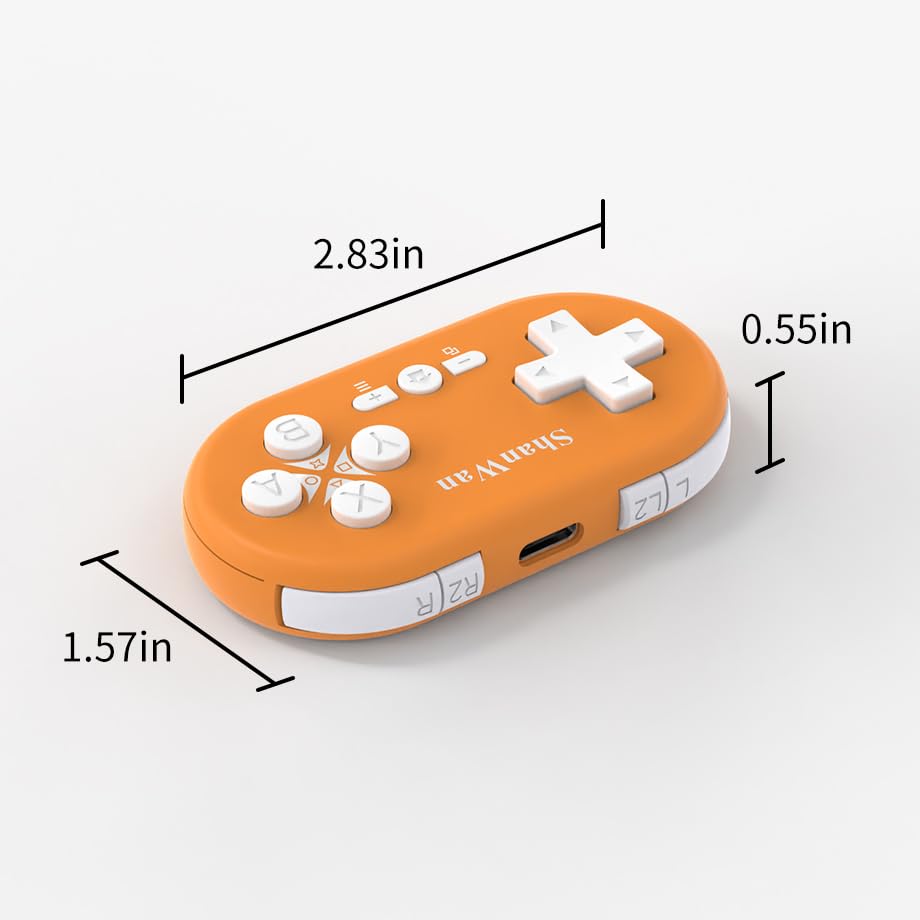
Figure 2.2: Controller dimensions: 2.83 inches length, 1.57 inches width, 0.55 inches thickness.
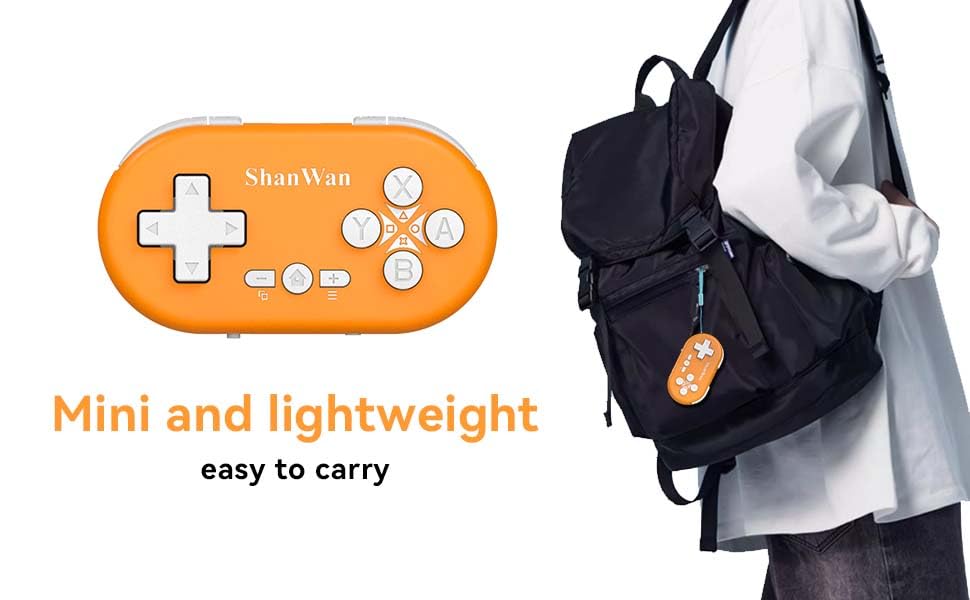
Figure 2.3: The mini controller's compact size makes it easy to carry, attachable to a backpack or keychain.

Figure 2.4: Lightweight design for comfortable and portable gaming across multiple devices.
Key Features:
- Universal Compatibility: Supports Android, iOS, Nintendo Switch, Windows, and PlayStation 4.
- Long Battery Life: 180mAh battery provides up to 5 hours of continuous play on a 1-hour charge.
- Stable Bluetooth Connection: Ensures fast response and strong anti-interference within 10 meters.
- Compact and Portable: Keychain-sized and lightweight for easy transport.
- Full Control: Features 17 buttons, including a D-Pad and standard action buttons.
3. Specifications
| Feature | Detail |
|---|---|
| Model Number | Q36-XPS-ORANGE-YELLOW |
| Dimensions | 2.83 x 1.57 x 0.55 inches |
| Weight | 1.06 ounces (30 grams) |
| Battery | 1 Lithium Polymer battery (included) |
| Battery Capacity | 180mAh |
| Charging Time | Approximately 1 hour |
| Operating Time | Up to 5 hours |
| Connectivity | Bluetooth (Wireless) |
| Wireless Range | Up to 10 meters (33 feet) |
| Manufacturer | Shanwan |
4. Setup and Pairing
The ShanWan Mini Controller offers versatile connectivity across various platforms. Follow these steps to pair your controller with your desired device.
4.1. Mode Selection
Before pairing, select the correct operating mode using the small switch located at the bottom of the controller. The modes are typically indicated by letters or symbols corresponding to different platforms (e.g., 'S' for Switch, 'X' for Xbox/PC, 'P' for PlayStation, etc.). Refer to the controller's markings for specific mode indicators.
4.2. Bluetooth Pairing
- Power On: Ensure the controller is charged and powered on.
- Activate Pairing Mode: Press and hold the 'Pair' button on the controller (usually a small recessed button on the side or back) until the indicator lights begin to flash rapidly.
- Device Bluetooth Settings: On your gaming device (Nintendo Switch, PC, Android, iOS, PS4), navigate to the Bluetooth settings or controller pairing menu.
- Search for Devices: Initiate a search for new Bluetooth devices. The controller should appear as "ShanWan Gamepad" or a similar name.
- Connect: Select the controller from the list to establish the connection. The indicator light on the controller will turn solid once successfully paired.

Figure 4.1: Bluetooth connection guide for Nintendo Switch, illustrating menu navigation and pairing button location.
Video 4.1: Demonstration of the ShanWan Bluetooth Gamepad's compatibility and usage with Nintendo Switch, Android, and PS4. This video highlights the controller's compact size and ease of connection for various gaming scenarios.
5. Operating the Controller
Once paired, your ShanWan Mini Controller is ready for use. The controller features a standard button layout for intuitive gameplay.
5.1. Button Functions
- D-Pad: Directional input (Up, Down, Left, Right).
- A/B/X/Y Buttons: Standard action buttons, functions vary by game and platform.
- L1/L2/R1/R2 Buttons: Shoulder buttons for additional actions.
- Home Button: Returns to the device's home screen or main menu.
- Select/Minus Button: Typically used for menu navigation or specific in-game functions.
- Start/Plus Button: Typically used for pausing games or confirming selections.

Figure 5.1: The controller features a one-button wake-up function for quick access to your gaming session.
5.2. Gyroscope Motion Sensing
The controller is equipped with gyroscope motion sensing, providing an immersive gaming experience in compatible titles. This allows for motion-based controls, such as steering in racing games or aiming in action games, by tilting the controller.
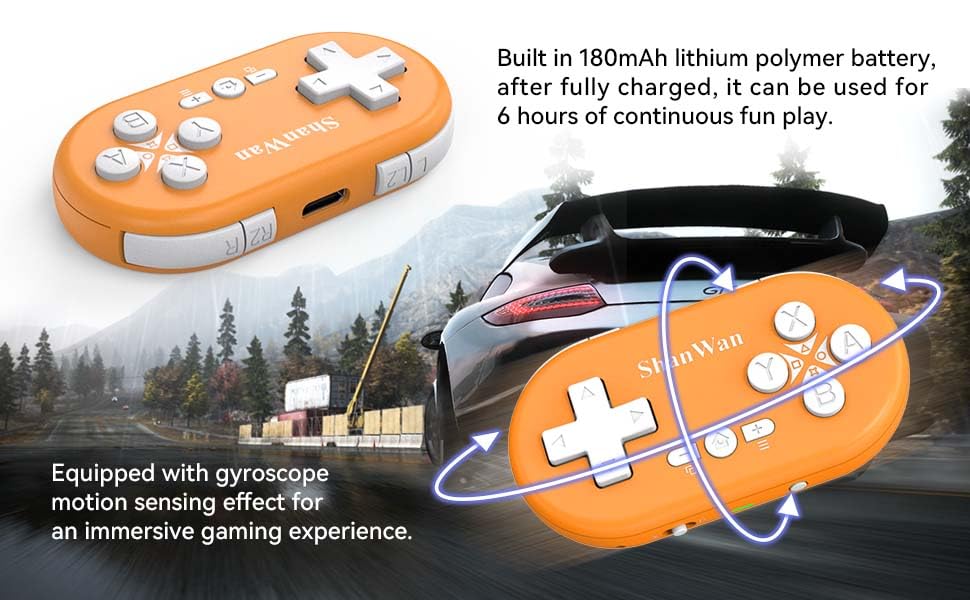
Figure 5.2: Illustration of the controller's gyroscope motion sensing capability for enhanced gameplay.
6. Charging the Controller
The ShanWan Mini Controller is powered by a built-in 180mAh Lithium Polymer battery, offering extended playtime. To charge the controller, use the provided USB-C cable.
6.1. Charging Procedure
- Locate the USB-C charging port on the controller.
- Connect one end of the USB-C cable to the controller and the other end to a compatible USB power source (e.g., computer USB port, wall adapter, power bank).
- The indicator light on the controller will typically show a charging status (e.g., flashing light).
- Charging takes approximately 1 hour for a full charge. The indicator light will change (e.g., turn solid or turn off) once charging is complete.
A full charge provides up to 5 hours of continuous gameplay.
7. Maintenance
Proper care and maintenance will ensure the longevity of your ShanWan Mini Controller.
- Cleaning: Use a soft, dry cloth to wipe down the controller. For stubborn dirt, slightly dampen the cloth with water or a mild cleaning solution. Avoid harsh chemicals or abrasive materials.
- Storage: Store the controller in a cool, dry place away from direct sunlight and extreme temperatures.
- Avoid Drops: While durable, avoid dropping the controller, especially on hard surfaces, as this can damage internal components.
- Liquid Exposure: Keep the controller away from liquids. If it comes into contact with water, power it off immediately and allow it to dry completely before attempting to use it again.
8. Troubleshooting
If you encounter issues with your ShanWan Mini Controller, refer to the following common problems and solutions:
8.1. Controller Not Pairing
- Check Mode Switch: Ensure the mode switch at the bottom of the controller is set to the correct platform (e.g., Switch, Android, iOS, PS4, Windows).
- Re-enter Pairing Mode: Turn off the controller, then press and hold the 'Pair' button again until the lights flash rapidly.
- Device Bluetooth: Ensure Bluetooth is enabled on your device and it's in discovery mode.
- Forget Device: If previously paired, try forgetting the controller from your device's Bluetooth settings and then re-pairing.
- Restart Devices: Restart both the controller and your gaming device.
8.2. Unresponsive Buttons or Lag
- Battery Level: Ensure the controller has sufficient charge. Low battery can affect performance.
- Interference: Move closer to your gaming device and away from other wireless devices that might cause interference.
- Re-pair: Disconnect and re-pair the controller with your device.
- Firmware Update: Check the ShanWan official website for any available firmware updates for the controller.
8.3. Controller Not Charging
- Check Cable: Ensure the USB-C cable is securely connected at both ends and is not damaged. Try a different USB-C cable if available.
- Power Source: Try a different USB power source (e.g., a different USB port on your computer, a different wall adapter).
- Charging Port: Inspect the controller's charging port for any debris or damage.
9. Warranty and Support
For detailed warranty information, technical support, or service inquiries, please refer to the warranty card included with your product or visit the official ShanWan website. Keep your purchase receipt as proof of purchase for warranty claims.
Ask a question about this manual
Ask about setup, troubleshooting, compatibility, parts, safety, or missing instructions. Manuals+ will review the question and use this page’s manual context to help answer it.