
UPBRIGHT ZDK GC03 Power Supply
User Manual
UpBright 21V AC/DC Adapter
Model: ZDK GC03 Power Supply
1. Introduction
This manual provides essential information for the safe and efficient use of your UpBright 21V AC/DC Adapter. Please read this manual thoroughly before using the product to ensure proper operation and to prevent damage.
2. Product Overview
2.1 What's in the Box
- 1 x UpBright 21V AC/DC Adapter
- 1 x AC Power Cord (suitable for your region)

Image: The UpBright 21V AC/DC Adapter, showing the main adapter unit and the detachable AC power cord.
2.2 Key Features
- Universal Compatibility: World Wide Input Voltage 100-240VAC 50/60Hz.
- Advanced Protection: Features OVP (Over Voltage output Protection), OCP (Over Current output Protection), and SCP (Short Circuit output Protection) for safe operation.
- High Power Output: Provides 21V DC at 3A (3000mA) for stable power delivery.
- Broad Device Compatibility: Specifically designed for ZDK Model GC03 GCO3 Wifi and Bluetooth 1080P 4K Full HD Portable Outdoor Home Theater Movie Projectors.
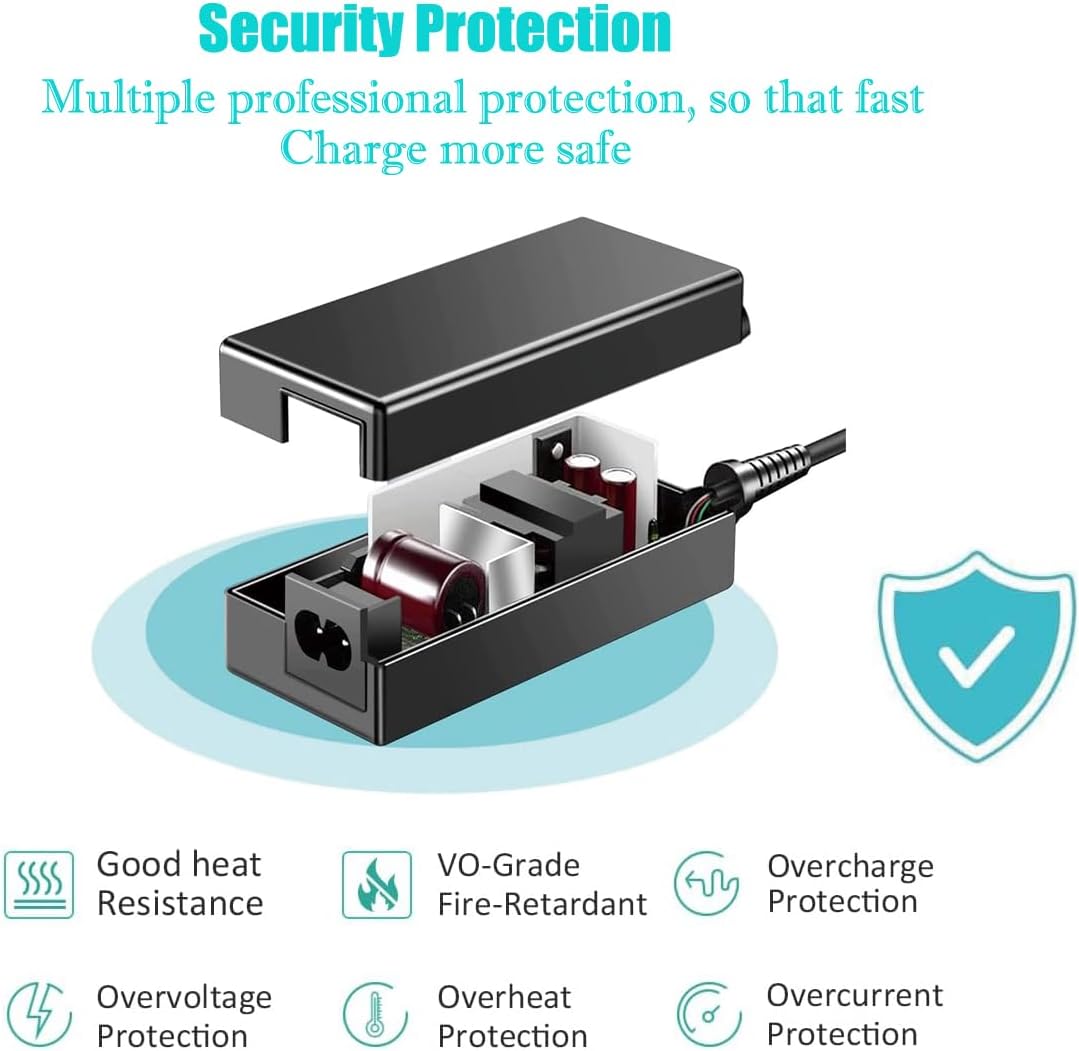
Image: An illustrative diagram highlighting the various safety protection features of the adapter, including overvoltage, overcurrent, overheat, and short circuit protection.

Image: A ZDK projector, similar to the compatible models, demonstrating the type of device this adapter is designed to power.
3. Setup
- Unpack: Carefully remove the AC/DC adapter and its power cord from the packaging.
- Connect AC Cord: Insert the provided AC power cord into the adapter's AC input port. Ensure it is firmly seated.
- Connect to Power Outlet: Plug the AC power cord into a standard wall outlet (100-240VAC, 50/60Hz).
- Connect to Device: Insert the DC output connector (barrel round connector) of the adapter into the power input port of your compatible ZDK GC03/GCO3 projector.
- Verify Connection: Ensure all connections are secure before powering on your device.

Image: Examples of different regional AC power cords (US, EU, UK, AU) that may be supplied with the adapter, ensuring compatibility worldwide.
4. Operating Instructions
Once the adapter is correctly connected to both the power outlet and your ZDK GC03/GCO3 projector, it will supply the necessary 21V DC power. The adapter operates automatically to provide stable and regulated power to your device. No user intervention is required for its operation beyond proper connection.
- Ensure the adapter is placed in a well-ventilated area to prevent overheating.
- Do not cover the adapter during operation.
- Disconnect the adapter from the power outlet when not in use for extended periods.
5. Maintenance
The UpBright AC/DC Adapter requires minimal maintenance. Follow these guidelines to ensure its longevity:
- Cleaning: Disconnect the adapter from all power sources before cleaning. Use a soft, dry cloth to wipe the exterior. Do not use liquid cleaners or aerosols.
- Storage: Store the adapter in a cool, dry place away from direct sunlight and extreme temperatures when not in use.
- Cable Care: Avoid bending or crimping the power cords excessively. Do not place heavy objects on the cables.
- Inspection: Periodically inspect the adapter and cables for any signs of damage, such as frayed wires or cracked casings. If damage is found, discontinue use immediately.
6. Troubleshooting
If you encounter issues with your UpBright AC/DC Adapter, refer to the following common problems and solutions:
| Problem | Possible Cause | Solution |
|---|---|---|
| No power to device | Adapter not plugged in; loose connection; faulty outlet; faulty adapter/cable. | Ensure adapter is fully plugged into wall outlet and device. Try a different outlet. Check cables for damage. If issues persist, contact support. |
| Adapter is hot to touch | Normal operation under load; poor ventilation; excessive load. | Some warmth is normal. Ensure adapter is in a well-ventilated area. Do not cover. If excessively hot or emitting smoke/smell, disconnect immediately. |
| Device not charging/powering consistently | Loose connection; incorrect adapter for device; device issue. | Check all connections. Verify the adapter specifications match your device's requirements. Test with another compatible device if possible. |
7. Specifications
| Attribute | Detail |
|---|---|
| Brand | UPBRIGHT |
| Model Number | ZDK GC03 Power Supply |
| Input Voltage | 100-240VAC, 50/60Hz |
| Output Voltage | 21V DC |
| Output Amperage | 3A (3000mA) |
| Connector Type | Barrel Round Connector |
| Compatible Devices | ZDK Model GC03 GCO3 Wifi and Bluetooth 1080P 4K Full HD Portable Outdoor Home Theater Movie Projectors |
| Protection Features | OVP, OCP, SCP (Over Voltage, Over Current, Short Circuit Protection) |
| Product Dimensions | 6 x 4 x 2 inches |
| Item Weight | 9.6 ounces |
| Color | Black |
8. Warranty and Support
UpBright stands behind the quality of its products. This AC/DC Adapter comes with:
- 30-Day Refund Policy: If you are not satisfied with your purchase, you may be eligible for a refund within 30 days.
- 24-Month Exchange Policy: The product is covered by a 24-month exchange policy for manufacturing defects.
For technical support or warranty claims, please contact UpBright customer service through your point of purchase or refer to the contact information provided with your product packaging.
Related documentsZDK GC03 Power Supply

Ask a question about this manual
Ask about setup, troubleshooting, compatibility, parts, safety, or missing instructions. Manuals+ will review the question and use this page’s manual context to help answer it.