
Transformers G0483
Transformers Studio Series Shockwave Action Figure Instruction Manual
Model: G0483 | Brand: Transformers
1. Safety Information
WARNING: CHOKING HAZARD – Small parts may be generated. Not for children under 3 years. This product is recommended for ages 8 and up.
2. Package Contents
Verify that all components are present in the package:
- 1x Shockwave Action Figure
- 1x NEST Paratrooper Figure with Parachute
- 1x Brains Figure
- 1x Wheelie Figure
- 1x Arm-Blade Accessory

Image: Overview of the Shockwave figure in both robot and cannon modes, along with the included NEST paratrooper, Brains, Wheelie figures, and the arm-blade accessory.
3. Product Overview
The Transformers Studio Series Leader Class Shockwave action figure is inspired by the character from the movie Transformers: Dark of the Moon. This collectible figure features movie-accurate details and accessories, designed for both display and interactive play. It converts between robot mode and cannon mode in 17 steps.
Key Features:
- Articulated for poseability with movable head, arms, and legs.
- Converts from robot to cannon mode in 17 steps.
- Includes three additional figures: NEST paratrooper, Brains, and Wheelie.
- Comes with an arm-blade accessory.
- Designed with movie-inspired deco and details.
4. Setup and Assembly
Attaching Accessories:
The arm-blade accessory can be attached to Shockwave's arm in robot mode. Ensure the peg on the accessory aligns with the port on the figure's forearm for a secure fit.

Image: Shockwave figure in robot mode, ready for accessory attachment.
5. Operating Instructions: Conversion from Robot to Cannon Mode
The Shockwave figure converts between robot mode and cannon mode in 17 steps. Follow these general steps for transformation. Refer to the packaging for detailed visual instructions if available.
- Begin with the figure in robot mode.
- Fold the hands into the forearms.
- Rotate the waist section.
- Collapse the legs and feet, aligning them to form the rear section of the cannon.
- Adjust the chest and shoulder panels to form the main body of the cannon.
- Position the head and neck components.
- Extend the cannon barrel from the arm.
- Secure all panels and tabs to lock the figure into cannon mode.
- Ensure all parts are securely tabbed into place for a stable cannon mode.
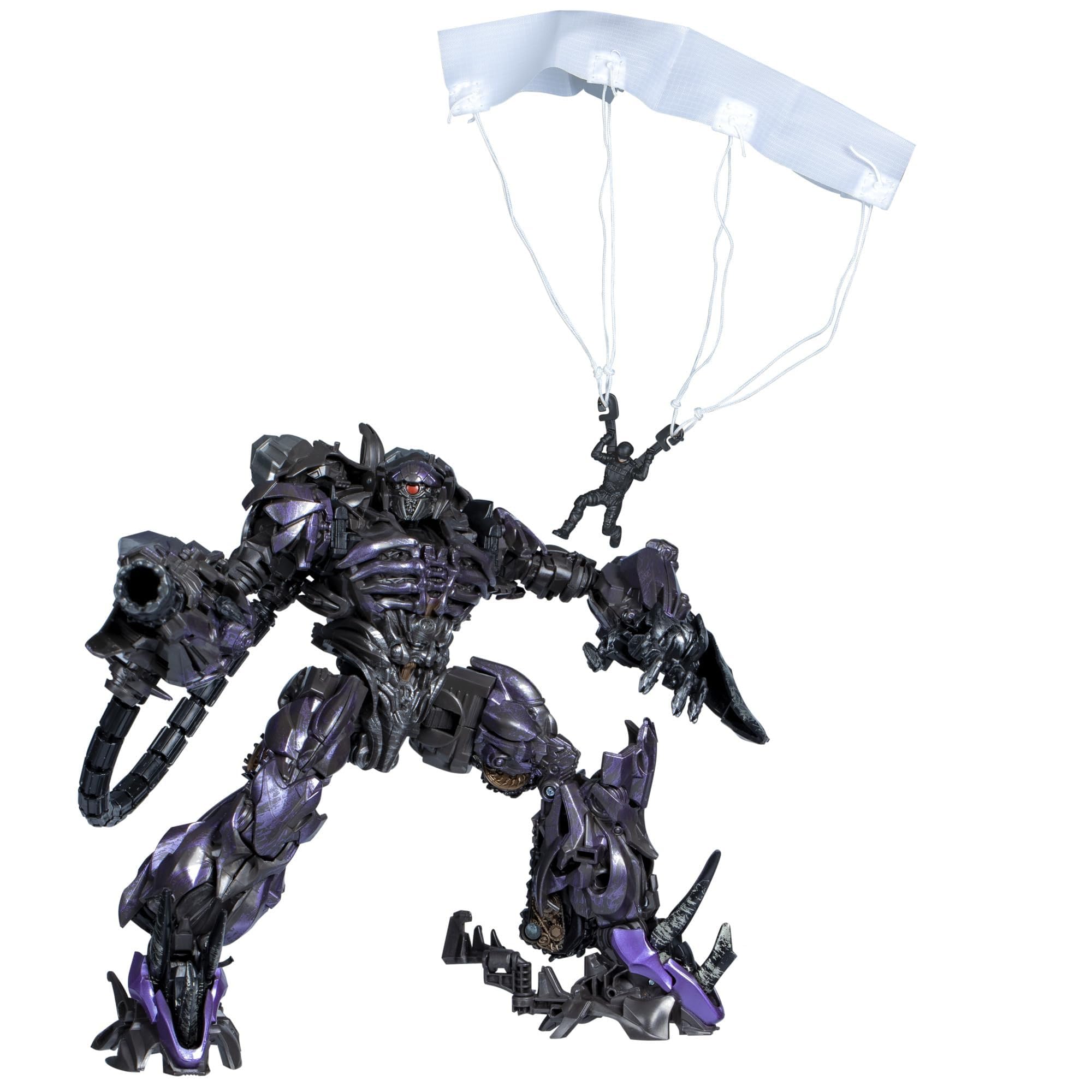
Image: Shockwave figure in its transformed cannon mode.
Conversion from Cannon to Robot Mode:
To convert back to robot mode, reverse the steps above. Carefully untab and unfold each section, ensuring proper alignment of joints and panels until the robot form is fully achieved.
Image: Shockwave figure in its robot mode.
6. Maintenance
- Cleaning: Use a soft, dry cloth to gently wipe the figure. Avoid harsh chemicals or abrasive materials, as these can damage the paint or plastic.
- Storage: Store the figure away from direct sunlight and extreme temperatures to prevent discoloration or warping. Keep it in a clean, dry environment.
- Handling: Handle the figure with care, especially during transformation, to avoid stressing joints or breaking small parts.
7. Troubleshooting
- Stiff Joints: If a joint feels stiff, gently work it back and forth. Do not force it, as this may cause breakage.
- Parts Not Tabbing: Ensure all previous steps in the conversion process are correctly completed. Sometimes a slight adjustment is needed for tabs to align properly.
- Lost Small Figures/Accessories: Due to their small size, the NEST paratrooper, Brains, Wheelie figures, and arm-blade accessory can be easily misplaced. Store them in a secure container when not in use.
8. Specifications
| Model Number: | G0483 |
| Product Dimensions: | 9.02 x 4.02 x 10 inches (Robot Mode, approximate) |
| Item Weight: | 15.6 ounces |
| Recommended Age: | 8 years and up |
| Manufacturer: | Hasbro |
9. Warranty and Support
For information regarding warranty, product support, or replacement parts, please contact Hasbro customer service directly. Refer to the product packaging for specific contact details or visit the official Transformers website.
You can visit the official Transformers store for more products: Transformers Store
Related documentsG0483


Ask a question about this manual
Ask about setup, troubleshooting, compatibility, parts, safety, or missing instructions. Manuals+ will review the question and use this page’s manual context to help answer it.