1. Introduction
The Diseleri K18 Spy Camera Detector is a versatile device designed to enhance your personal privacy and security. It is capable of detecting hidden cameras, clandestine listening devices, and GPS tracking equipment. By alerting you to the presence of such devices, the K18 helps protect your privacy in various environments.
This manual provides detailed instructions for the proper setup, operation, and maintenance of your K18 detector. Please read it thoroughly to ensure optimal performance and effective use of all its features.
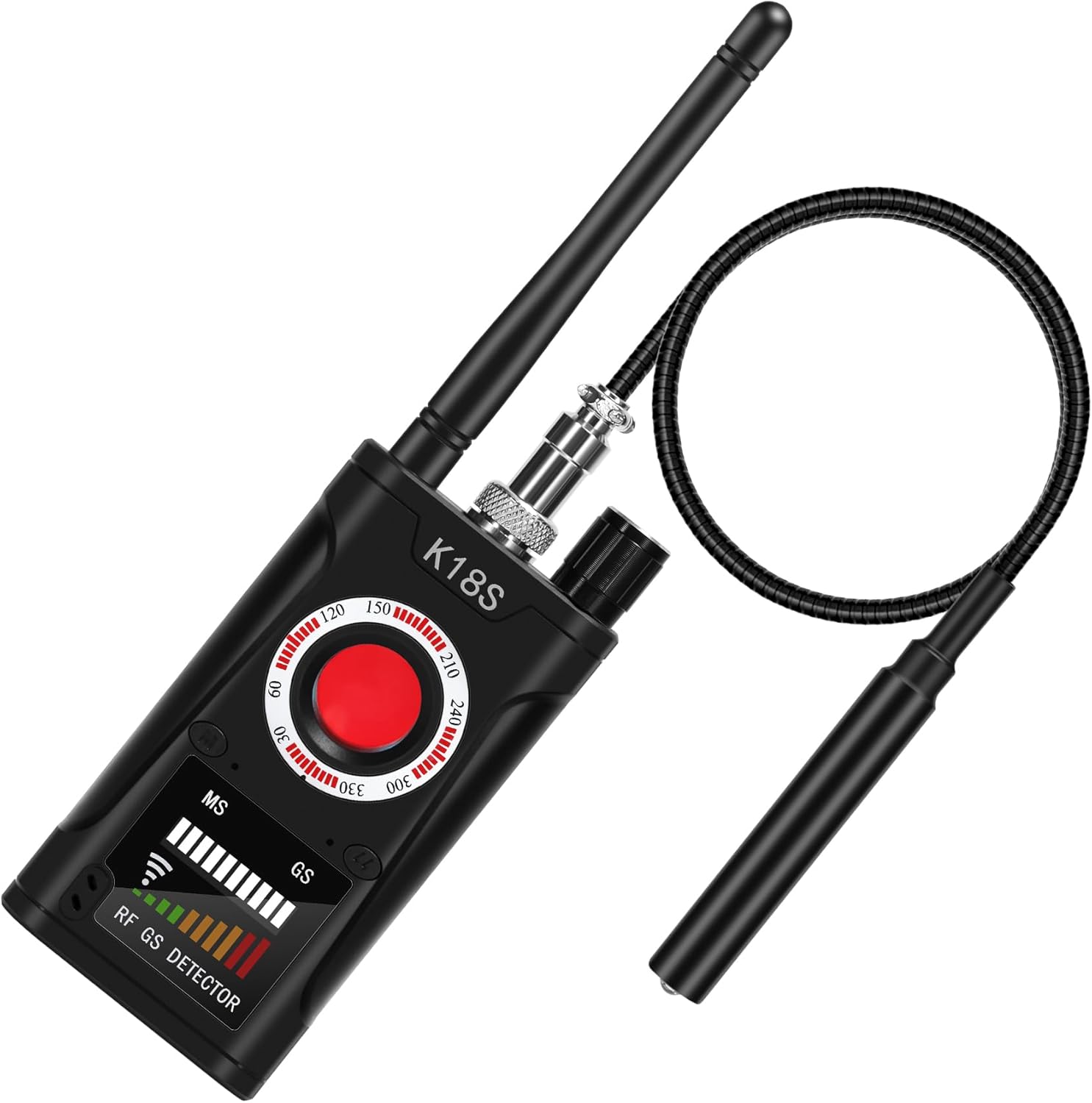
Figure 1: Diseleri K18 Spy Camera Detector. The device features a main unit with an antenna and a flexible magnetic detection probe.
2. Product Overview and Components
The K18 detector is equipped with advanced technology for comprehensive threat detection. It features four primary detection modes: RF signal detection, magnetic field detection, infrared detection, and an automatic infrared alarm function.
2.1 Key Features
- Enhanced Protection: Detects hidden cameras, listening devices, and GPS trackers.
- Four Detection Modes: RF Signal, Magnetic Field, Infrared, and Automatic Infrared Alarm.
- LED Display: Provides visual indication of signal strength and danger levels.
- User-Friendly: Designed for ease of use with clear operational steps.
- Portable Design: Compact and lightweight for convenient carrying.
2.2 Package Contents
Upon unboxing, ensure all the following components are present:
- Diseleri K18 Spy Camera Detector (Main Unit)
- RF Antenna
- Magnetic Field Probe
- Charging Cable
- User Manual (this document)

Figure 2: Internal components of the K18 detector, highlighting upgraded advanced chips for stable, accurate, and reliable detection.
3. Setup
Before using your K18 detector, follow these steps to prepare the device:
- Charge the Device: Connect the charging cable to the detector's charging port and plug it into a suitable power source. The device uses an internal alkaline battery. Ensure it is fully charged before first use for optimal performance.
- Attach RF Antenna: Screw the RF antenna into the designated port on the top of the main unit. This antenna is crucial for detecting wireless signals.
- Attach Magnetic Field Probe: Connect the flexible magnetic field probe to its dedicated port. This probe is used for detecting magnetic devices.
4. Operating Instructions
The K18 detector offers multiple modes to identify various hidden devices. Familiarize yourself with each mode for effective use.
4.1 RF Signal Detection Mode
This mode is used to detect active wireless transmitting devices such as micro-spy transmitters, cellular phones, AirTags, Bluetooth devices, Wi-Fi routers, and wireless audio bugs.
- Activate RF Mode: Turn on the device and select the RF detection mode (refer to the device's interface for specific button/switch).
- Scan the Area: Slowly sweep the detector around the area you wish to inspect. Pay close attention to objects, furniture, and walls.
- Interpret Readings: The LED display will show signal strength. An increasing signal strength indicates proximity to a transmitting device. The pointer on the display signals a higher level of danger as you get closer.
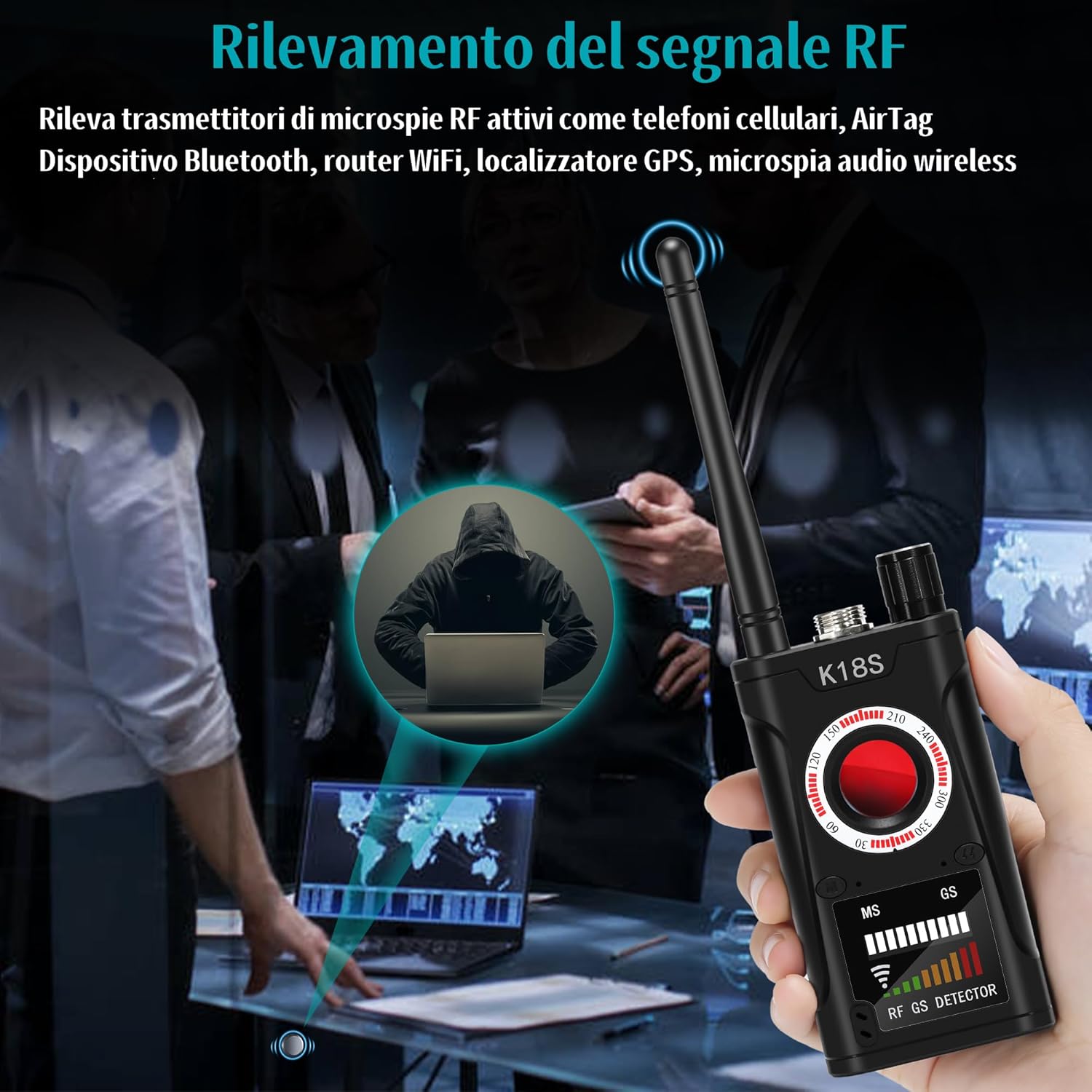
Figure 3: RF Signal Detection. The detector is used to identify active wireless spy devices in an environment.
4.2 Magnetic Field Detection Mode
This mode is designed to locate magnetic objects, including magnetic GPS trackers and magnetic listening devices, often found attached to vehicles or metallic surfaces.
- Activate Magnetic Mode: Select the magnetic field detection mode on the device.
- Use the Probe: Use the flexible magnetic probe to scan surfaces, especially under vehicles, inside car interiors, or around metallic objects.
- Identify Magnetic Fields: The detector will alert you when it senses a magnetic field, indicating the presence of a magnetic device.

Figure 4: Magnetic Field Detection. The flexible probe is used to locate magnetic GPS trackers or other magnetic devices on a vehicle.
4.3 Infrared Detection Mode
This mode helps in identifying hidden pinhole cameras by detecting their infrared emissions or reflections.
- Activate Infrared Mode: Switch the detector to infrared detection mode.
- Scan for Lenses: Look through the detector's viewing window (if applicable) or observe the device's indicators while sweeping the area. Hidden camera lenses will often appear as bright spots.
- Automatic Infrared Alarm: The K18 also features an automatic infrared alarm function that will detect infrared light around you and alert you to potential hidden cameras.

Figure 5: Infrared Detection. The detector identifies hidden pinhole cameras by detecting their infrared signatures.
5. Maintenance
To ensure the longevity and optimal performance of your Diseleri K18 detector, follow these maintenance guidelines:
- Cleaning: Use a soft, dry cloth to clean the exterior of the device. Do not use liquid cleaners or abrasive materials.
- Storage: Store the detector in a cool, dry place away from direct sunlight and extreme temperatures.
- Battery Care: Recharge the device regularly, even if not in frequent use, to maintain battery health. Avoid fully discharging the battery for extended periods.
- Handle with Care: Avoid dropping the device or subjecting it to strong impacts.
6. Troubleshooting
If you encounter issues with your K18 detector, refer to the following common problems and solutions:
- Device does not power on:
- Ensure the device is fully charged. Connect it to the charger and wait for a few minutes before attempting to power it on again.
- Check the charging cable and adapter for any damage.
- No signal detected in RF mode:
- Verify that the RF antenna is securely attached.
- Ensure there are active wireless signals in the area (e.g., from a mobile phone or Wi-Fi router) to test functionality.
- Adjust the sensitivity settings if available on your device.
- Magnetic detection not working:
- Confirm the magnetic probe is correctly connected.
- Test the probe on a known magnetic object to ensure it is functioning.
- Infrared detection issues:
- Ensure the area is sufficiently dark for optimal infrared detection.
- Slowly scan the area, as quick movements can miss subtle reflections.
If these steps do not resolve the issue, please contact customer support.
7. Specifications
| Feature | Detail |
|---|---|
| Model Name | K18 |
| Brand | Diseleri |
| Color | K18 (Black) |
| Material | Plastic |
| Dimensions (L x W x H) | 10 x 5 x 15 cm |
| Weight | 300 Grams |
| Power | 1 Watt-hour |
| Battery Type | Alkaline (Included) |
| Connectivity Technology | Wireless (RF, Bluetooth) |
| Special Features | Spy Camera Detector, RF Signal Detection, Magnetic Field Detection, Infrared Detection |
| Recommended Use | Indoor Security |
| Compatible Devices | Smartphone (for certain connectivity protocols, though not explicitly detailed for K18) |
| ASIN | B0D94KS5ML |
8. Warranty and Support
Diseleri stands behind the quality of its products. The K18 Spy Camera Detector comes with a one-year warranty from the date of purchase.
For any questions, technical assistance, or warranty claims, please contact our customer support team. Our professional support and technical assistance are available 24/7 to help you.
Please refer to your purchase documentation or the Diseleri official website for specific contact information.


