
Powallon DZ40
Contents
LCD Display DZ40 eBike Control Unit
Model: DZ40 | Brand: Powallon
Introduction
Thank you for choosing the Powallon LCD Display DZ40 eBike Control Unit. This smart display is designed to seamlessly integrate with your Bafang BBS motor kit, providing essential real-time data and intuitive control for an enhanced electric biking experience. This manual will guide you through the installation, operation, and maintenance of your new display unit.
Please read this manual thoroughly before using the product to ensure proper function and safety.
Safety Information
- Always ensure the eBike is powered off before connecting or disconnecting the display unit.
- Do not attempt to disassemble or modify the display unit. This may void the warranty and cause damage.
- Keep the display unit away from extreme temperatures, direct sunlight for prolonged periods, and corrosive substances.
- Ensure all connections are secure and free from moisture before operation. The unit has an IP65 rating, but proper care is still necessary.
- Regularly check the mounting of the display to ensure it is firmly attached to the handlebar.
Product Overview

The Powallon DZ40 LCD Display unit, showcasing its compact design and the essential 5-pin UART female connector for seamless integration with Bafang motor kits.

The DZ40 display unit securely mounted on an eBike handlebar, demonstrating its ergonomic placement for easy viewing during rides.
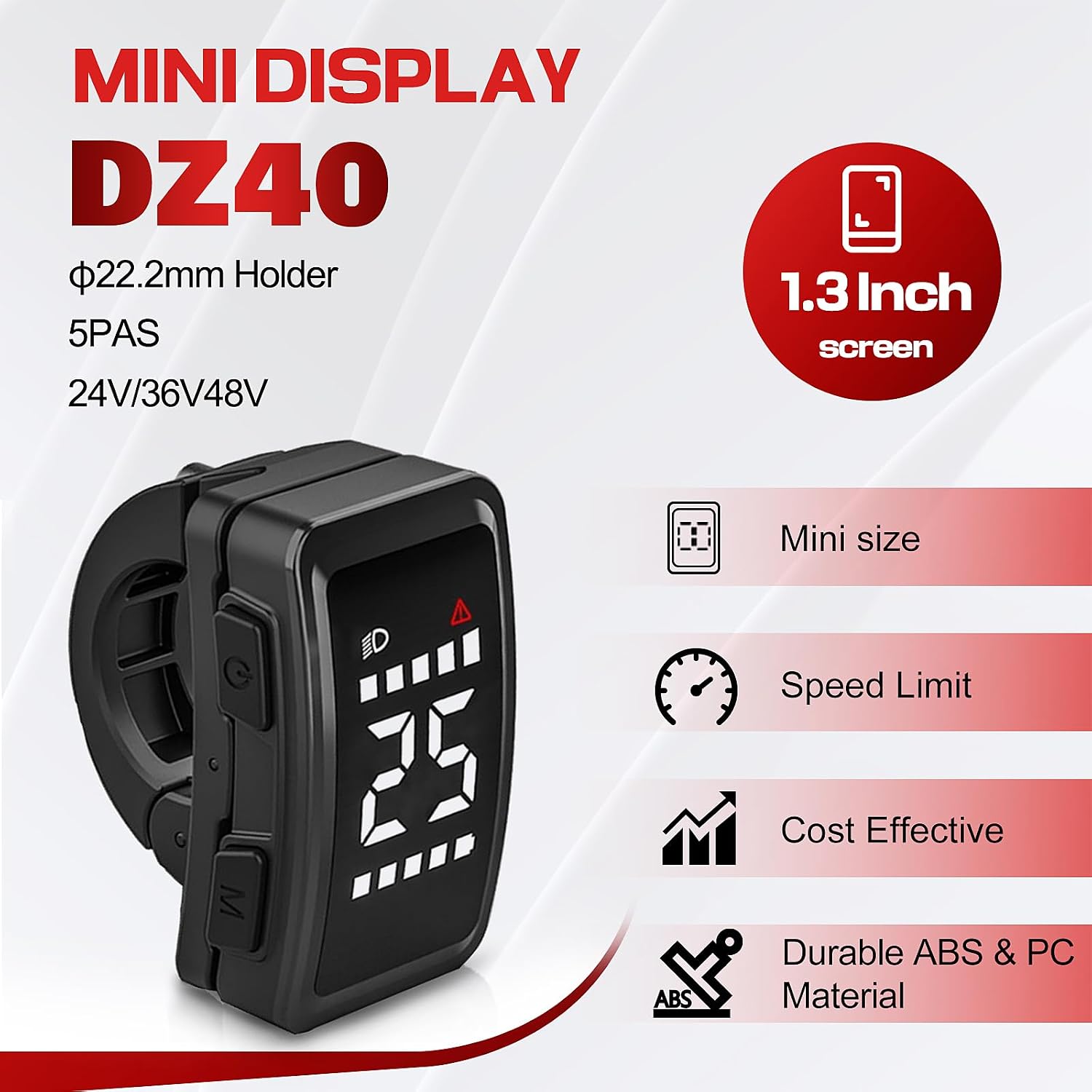
Key features of the DZ40 Mini Display, including its 1.3-inch screen, 22.2mm holder compatibility, 5PAS support, and voltage compatibility (24V/36V/48V).

Detailed measurements of the DZ40 display unit, showing its compact size and dimensions for handlebar mounting.

An illustration of the DZ40 display's buttons and corresponding icons, indicating functions such as Power ON/OFF, Menu navigation, Headlight status, Error warnings, Speed display, PAS Level, and Battery Level.
Key Features:
- Connectivity: UART 5 Pin Female Connector for Bafang BBS Motor Kits.
- Smart Display: Provides real-time data and monitoring capabilities.
- Compact Design: Sleek form factor for easy installation.
- User-Friendly Interface: Intuitive controls for essential eBike settings.
- Durability: Constructed from durable ABS & PC Material with IP65 International Protection Rating.
Setup & Installation
- Prepare your eBike: Ensure your eBike's power is completely off before beginning installation.
- Mount the Display: Loosen the clamp on the back of the DZ40 display unit. Position the display on your eBike's handlebar (compatible with ⌀22.2mm handlebars) in a location that is easily visible and accessible. Securely tighten the clamp.
- Connect the Cable: Locate the UART 5 Pin Female Connector on the DZ40 display cable. Connect this to the corresponding male connector on your Bafang BBS motor kit wiring harness. Ensure the connection is firm and fully seated to prevent accidental disconnection or moisture ingress.
- Cable Management: Route the cable neatly along your eBike frame, securing it with zip ties or cable clips to prevent it from snagging or interfering with moving parts.
- Initial Power On: Once installed, power on your eBike. The DZ40 display should illuminate and show initial readings.
For detailed wiring diagrams specific to your Bafang motor kit, please refer to your motor kit's instruction manual.
Operating Instructions
Basic Operation:
- Power ON/OFF: Press and hold the Power button (usually marked with a power symbol) to turn the display ON or OFF.
- Display Information: The main screen typically shows Speed, PAS (Pedal Assist System) Level, and Battery Level.
- PAS Level Adjustment: Use the "Up" and "Down" buttons (often integrated with the Menu button or separate) to increase or decrease the pedal assist level.
- Headlight Control: A dedicated button or a long press of a specific button (refer to the function description image) may control the eBike's headlight.
Menu Navigation:
The DZ40 display features a user-friendly interface for accessing various settings and information. Press the "Menu" button (often marked 'M') to cycle through different display modes or enter the settings menu.
- Short Press 'M': Cycles through different trip data (e.g., Odometer, Trip Distance, Max Speed, Average Speed).
- Long Press 'M': Enters the settings menu (if applicable). Use the Up/Down buttons to navigate and the 'M' button to select or confirm.
Specific menu options and their functions may vary slightly. Refer to the display's on-screen prompts for detailed navigation.
Maintenance
- Cleaning: Wipe the display screen and body with a soft, damp cloth. Do not use abrasive cleaners or solvents.
- Connections: Periodically check the UART connector for dirt, corrosion, or loose connections. Ensure it is clean and securely fastened.
- Mounting: Verify that the display remains securely mounted to the handlebar. Tighten the clamp if any looseness is detected.
- Storage: If storing your eBike for an extended period, ensure the display is clean and dry. Store in a cool, dry place away from direct sunlight.
Troubleshooting
| Problem | Possible Cause | Solution |
|---|---|---|
| Display does not power on. | No power from eBike battery; Loose or disconnected cable; Faulty display. | Check eBike battery charge and power switch. Ensure UART cable is securely connected. If problem persists, contact customer support. |
| No speed reading. | Speed sensor issue; Loose connection to motor. | Check speed sensor for damage or misalignment. Verify all motor connections are secure. |
| Error code displayed. | Indicates a specific system fault. | Refer to your Bafang motor kit manual for specific error code meanings and troubleshooting steps. |
| Buttons unresponsive. | Dirt or debris under buttons; Internal malfunction. | Clean around buttons. If still unresponsive, contact customer support. |
If you encounter issues not listed here or if the suggested solutions do not resolve the problem, please contact customer support.
Specifications
| Feature | Detail |
|---|---|
| Model Name | DZ40 |
| Brand | Powallon |
| Display Type | LCD |
| Screen Size | 1.3 Inch |
| Connectivity Technology | Wired (UART 5 Pin Female Connector) |
| Compatibility | Bafang BBS Motor Kits |
| Voltage Compatibility | 24V/36V/48V |
| Sensor Type | Speed Sensor, Cadence Sensor |
| International Protection Rating | IP65 |
| Mounting Type | Handlebar Mount (⌀22.2mm Holder) |
| Human Interface Input | Buttons |
| Material | ABS & PC Plastic |
| Dimensions (L x W x H) | Approx. 1.97 x 1.18 x 0.79 inches (5 x 3 x 2 cm) |
| Weight | Approx. 50 Grams |
Warranty Information
The Powallon LCD Display DZ40 eBike Control Unit comes with a 1 Year Manufacturer Warranty from the date of purchase.
This warranty covers defects in materials and workmanship under normal use. It does not cover damage resulting from misuse, accident, unauthorized modification, or improper installation.
Please retain your proof of purchase for warranty claims.
Customer Support
For technical assistance, warranty claims, or any questions regarding your Powallon LCD Display DZ40, please contact our customer support team.
Please have your product model (DZ40) and proof of purchase ready when contacting support.
Contact information is typically provided by your retailer or on the manufacturer's official website.
Documents and downloads
Ask a question about this manual
Ask about setup, troubleshooting, compatibility, parts, safety, or missing instructions. Manuals+ will review the question and use this page’s manual context to help answer it.